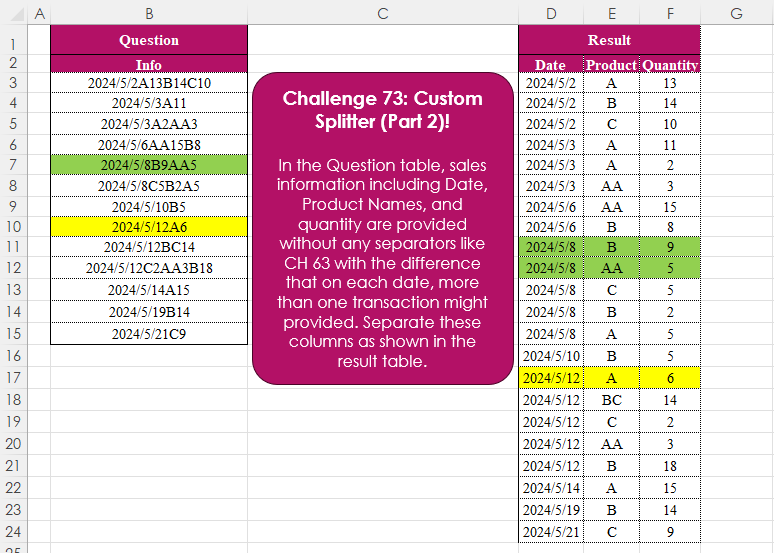
Challenge No. 73: In the Question table, sales information including Date, Product Names, and quantity are provided without any separators like CH 63 with the difference that on each date, more than one transaction might provided.
Solved using:Excel (CHAR, DROP, HSTACK), Power Query (List.Skip, List.Transform, Table.AddColumn), Python, and R.
TEXTJOIN
Concatenates text from multiple cells using a delimiter in Excel.
Extract From Text! Part 1
Challenge No. 71: Extract all the emails from the text provided in the question table.
Solved using:Excel (FILTER, LEN, LET), Power Query (List.Transform, Text.Contains, Text.Split), Python, and R.
Missing Values! Part 1
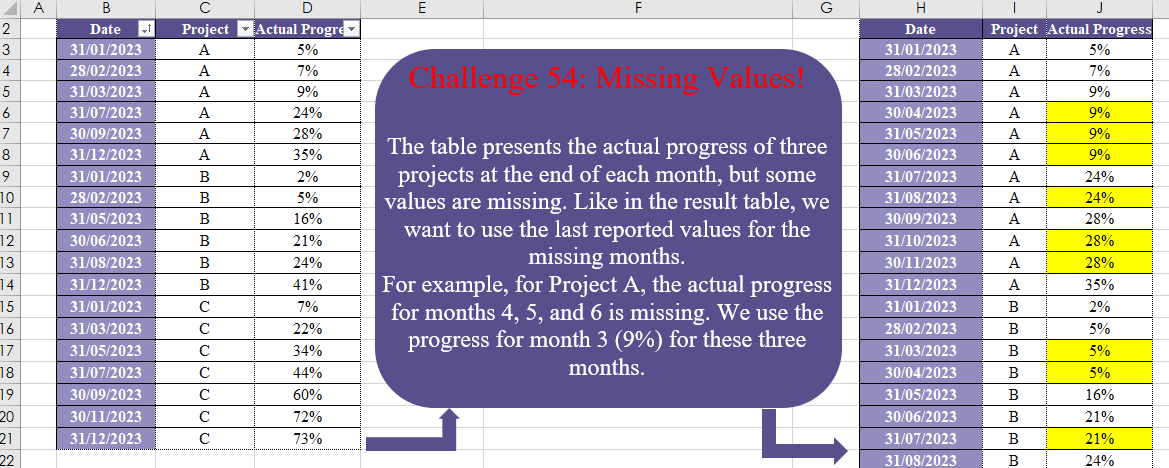
Challenge No. 54: The table presents the actual progress of three projects at the end of each month, but some values are missing.
Solved using:Excel (DATE, DROP, EOMONTH), Power Query (List.Transform, Table.Group, Table.TransformColumnTypes), Python, and R.
Table Transformation! Part 7
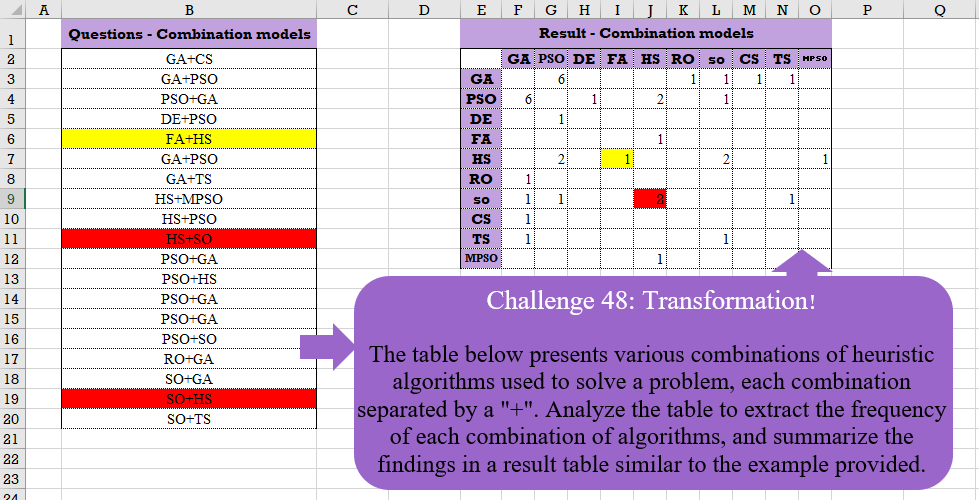
Challenge No. 48: The table below presents various combinations of heuristic algorithms used to solve a problem, each combination separated by a “+”.
Solved using:Excel (COUNTIF, HSTACK, IF), Google Sheets, Power Query (List.Distinct, List.Transform, Table.AddColumn), Python, and R.
Revisit After Surgery!
Challenge No. 42: In the question table, a list of patients is provided who are scheduled to visit the doctor for consultations and surgery.
Solved using:Excel (CHOOSECOLS, DROP, FILTER), Power Query (Text.Combine, Table.Group, Table.SelectRows), Python, and R.
Connected People!
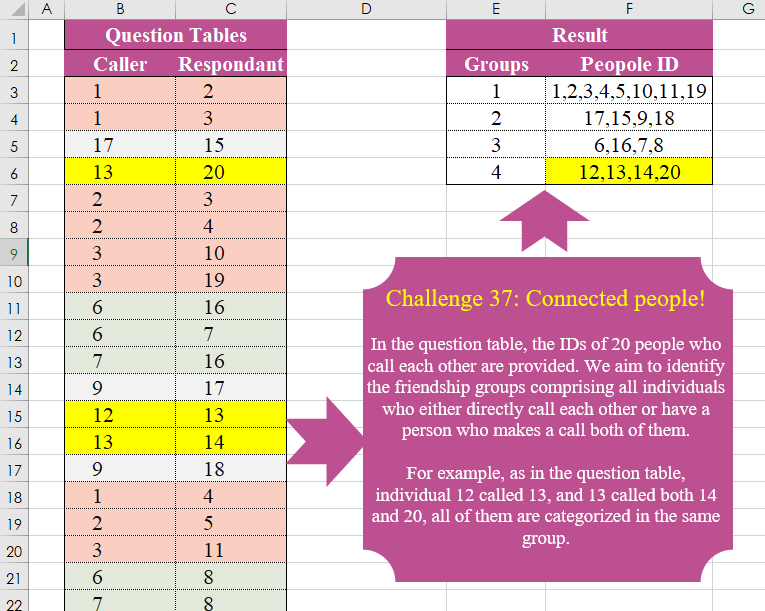
Challenge No. 37: In the question table, the IDs of 20 people who call each other are provided.
Solved using:Excel (FILTER, HSTACK, LAMBDA), Power Query (List.Transform, Text.Combine), Python, and R.
Identifying Customers Staple Products!
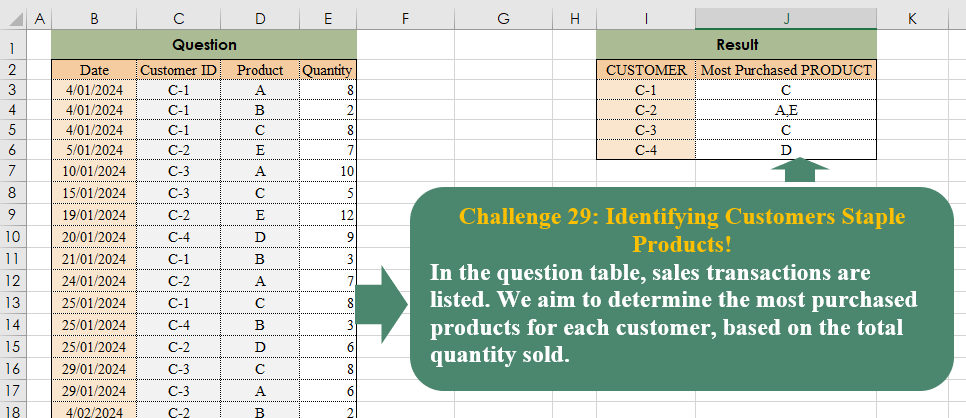
Challenge No. 29: In the question table, sales transactions are listed.
Solved using:Excel (CHOOSECOLS, FILTER, HSTACK), Power Query (Text.Combine, Table.Group), Python, and R.
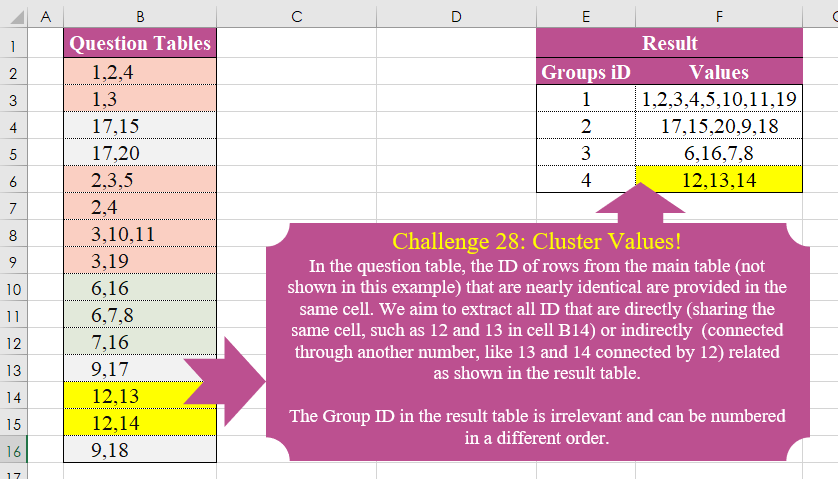
Cluster Values!
Challenge No. 28: In the question table, the ID of rows from the main table (not shown in this example) that are nearly identical are provided in the same cell.
Solved using:Excel (DROP, FILTER, HSTACK), Power Query (List.Transform), Python, and R.
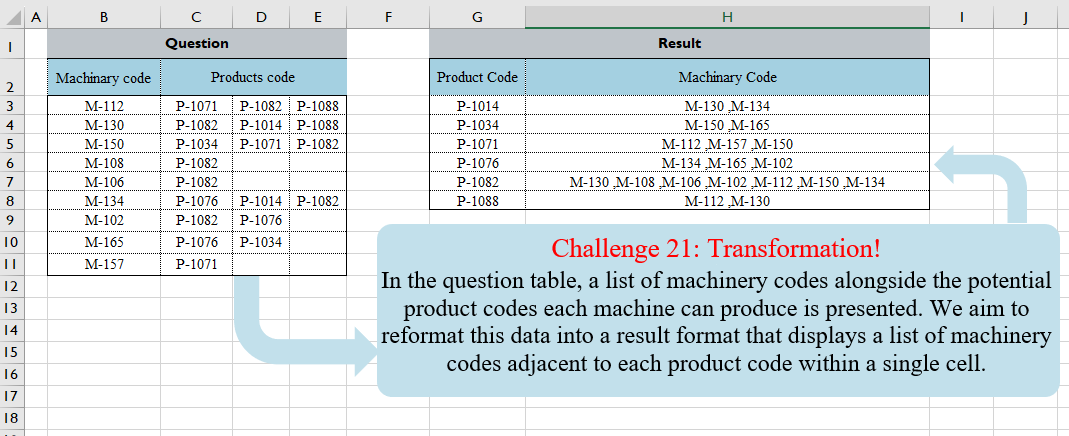
Table Transformation! Part 3
Challenge No. 21: In the question table, a list of machinery codes alongside the potential product codes each machine can produce is presented.
Solved using:Excel (FILTER, HSTACK, LAMBDA), Power Query (Text.Combine, Table.Group, Table.Sort), and R.
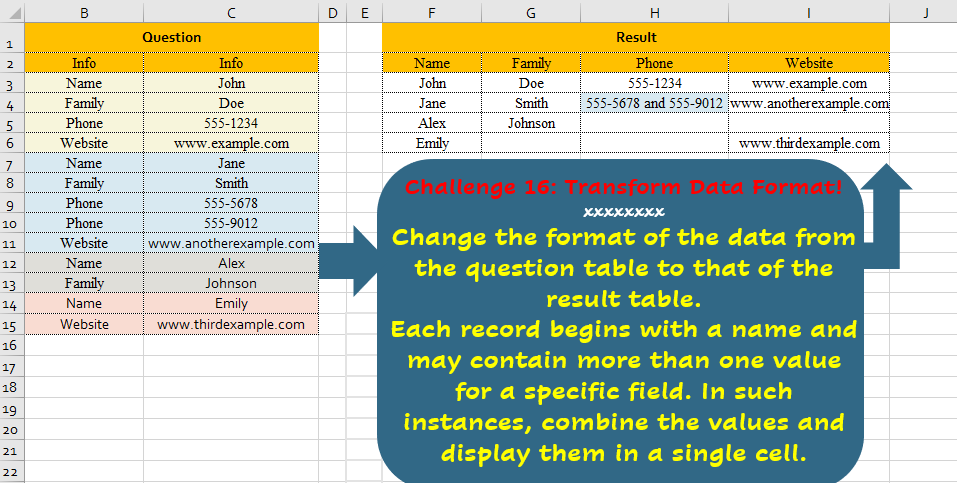
Transform Data Format!
Challenge No. 16: Change the format of the data from the question table to that of the result table.
Solved using:Excel, Power Query, and R.