
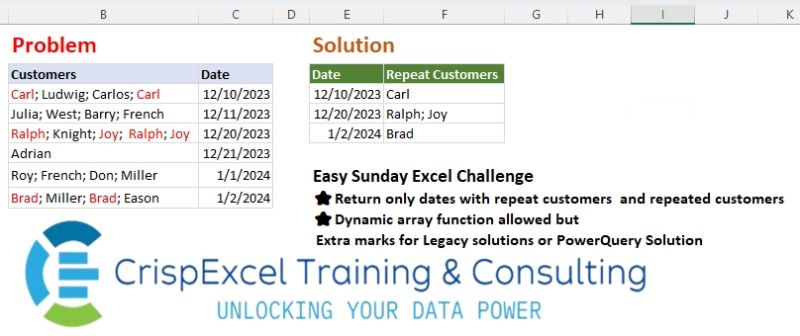
Challenge No. 37: Return only dates with repeat customers and repeated customers Dynamic array function allowed but Extra marks for Legacy solutions or PowerQuery Solution.
Solved using: Python in Excel.
Splits a text string into a list based on a delimiter in Power Query.
Challenge No. 37: Return only dates with repeat customers and repeated customers Dynamic array function allowed but Extra marks for Legacy solutions or PowerQuery Solution.
Solved using: Python in Excel.
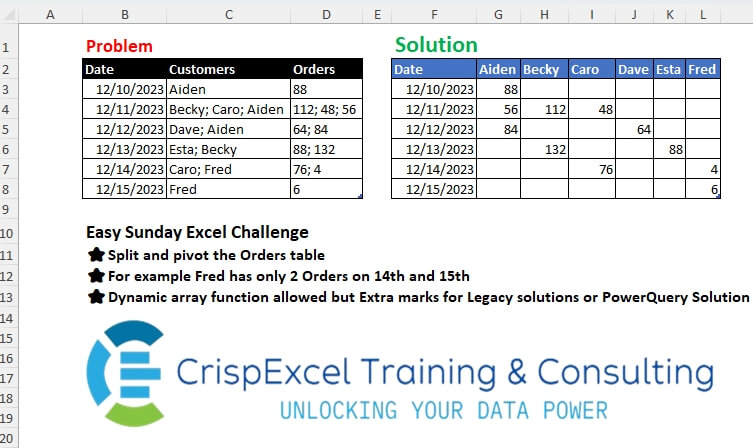
Challenge No. 34: Split and pivot the Orders table
For example, Fred has only 2 Orders on the 14th and 15th Dynamic array function allowed, but Extra marks for Legacy solutions or PowerQuery Solution.
Solved using: Python in Excel.
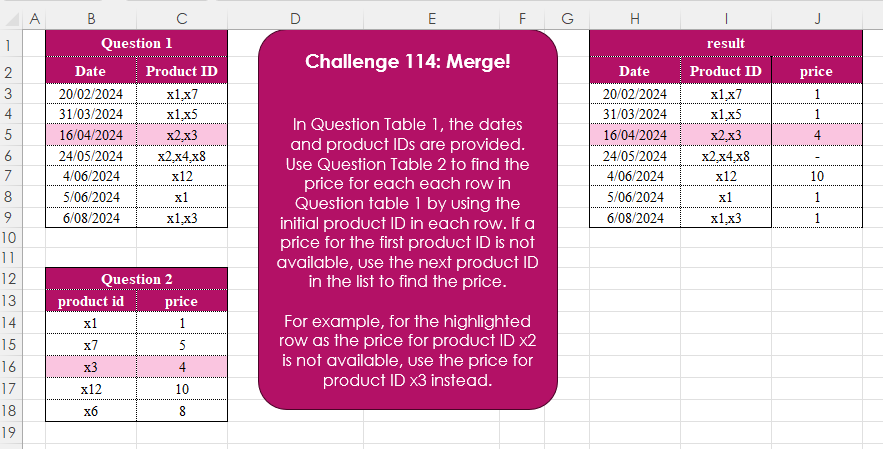
Challenge No. 114: In Question Table 1, the dates and product IDs are provided.
Solved using:Excel (FILTER, HSTACK, IFERROR), Google Sheets, Power Query (Text.Split, Table.AddColumn), Python, Python in Excel, R, and SQL.
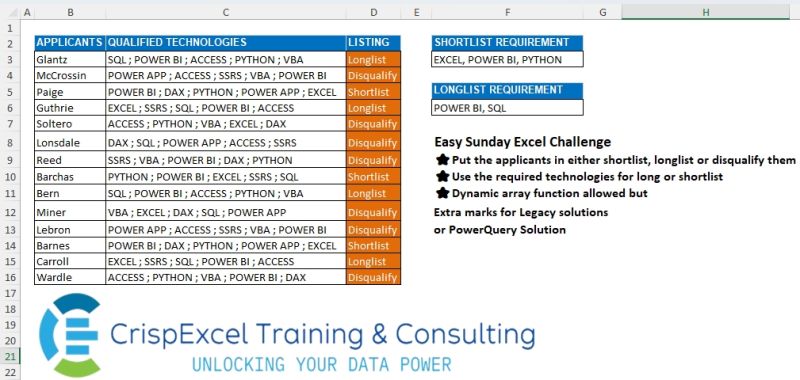
Challenge No. 24: Put the applicants on either shortlist, longlist or disqualify them
Use the required technologies for long or shortlist
Dynamic array function allowed, but Extra marks for Legacy solutions or PowerQuery Solution.
Solved using: Python in Excel.
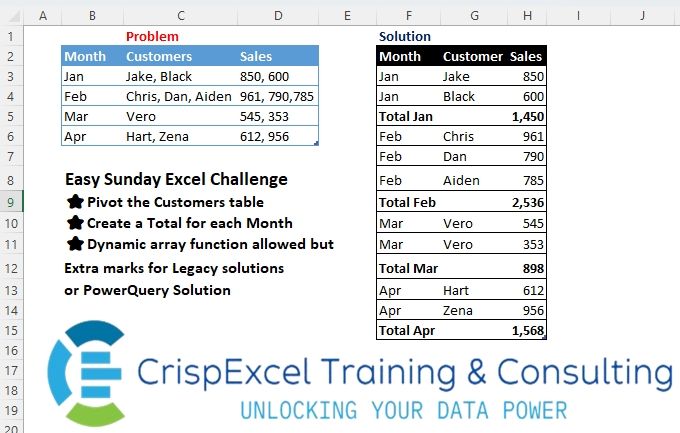
Challenge No. 22: Pivot the Customer’s table
Create a Total for each Month
Dynamic array function allowed but Extra marks for Legacy solutions or PowerQuery Solution.
Solved using: R.
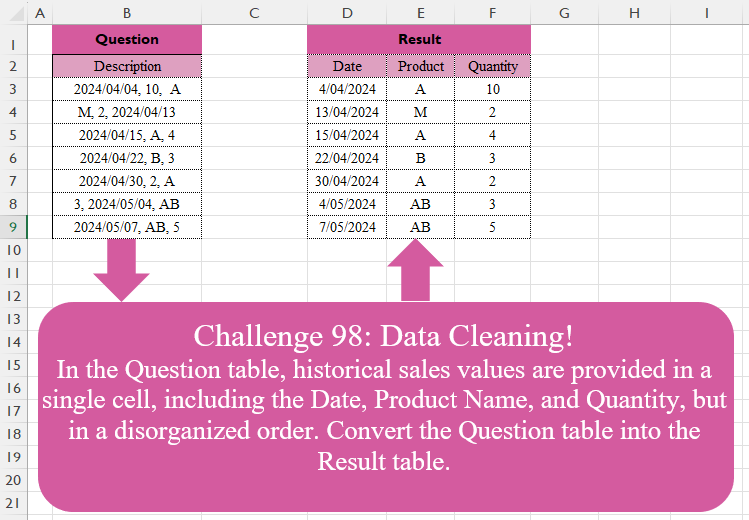
Challenge No. 98: In the Question table, historical sales values are provided in a single cell, including the Date, Product Name, and Quantity, but in a disorganized order.
Solved using:Excel (FILTER, HSTACK, IF), Google Sheets, Power Query (List.Transform, Text.Contains, Text.Split), Python, Python in Excel, and R.
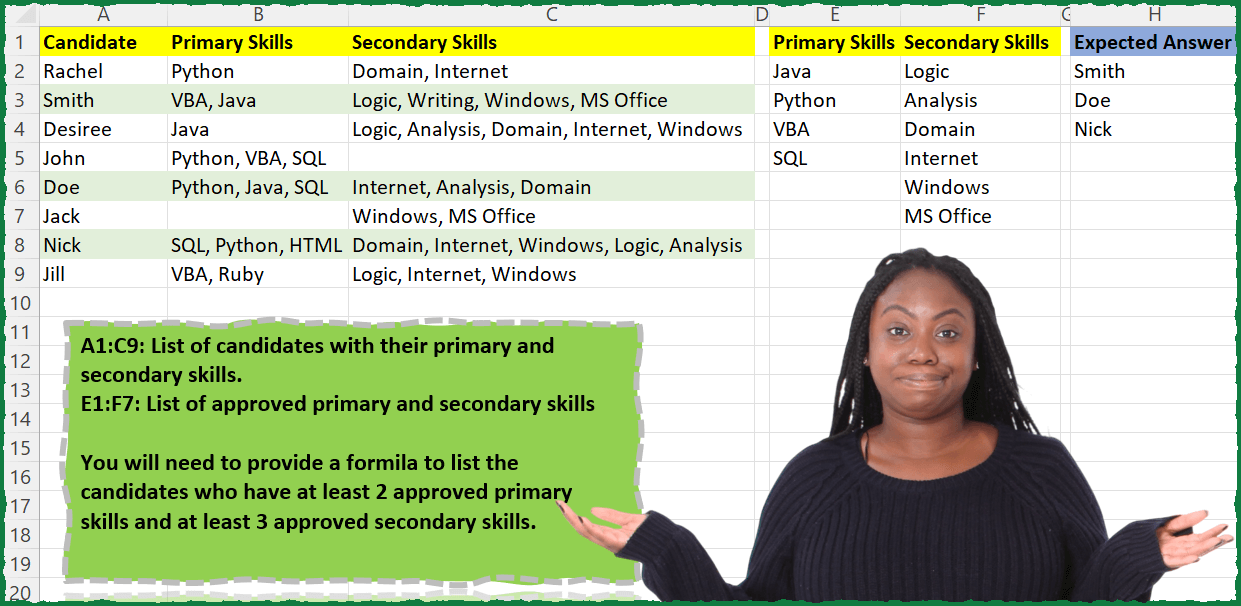
Challenge No. 27: A1:C9: List of candidates with their primary and secondary skills.
Solved using: Power Query (List.Intersect, Text.Split).

Challenge No. 9: (Excel formulas also welcome)
There is a table which has Original Text and there is another table which contains the list of words which need to be replaced.
Solved using: Power Query (List.Transform, Table.AddColumn, Table.ReplaceValue).
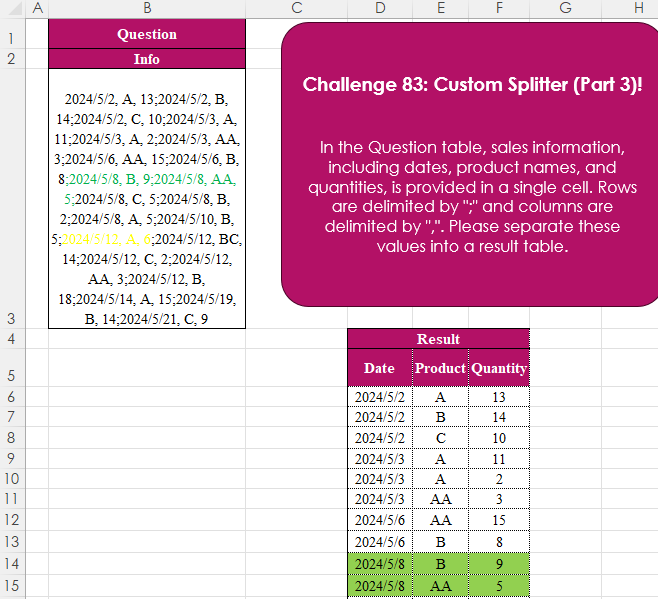
Challenge No. 83: In the Question table, sales information, including dates, product names, and quantities, is provided in a single cell.
Solved using:Excel (IFERROR, LET, ROWS), Power Query (List.Transform, Text.Split, Table.FromRows), Python, Python in Excel, R, and SQL.

Challenge No. 71: Extract all the emails from the text provided in the question table.
Solved using:Excel (FILTER, LEN, LET), Power Query (List.Transform, Text.Contains, Text.Split), Python, and R.