
Challenge No. 159: Reverse all columns from Cities1 to Cities5.
Solved using: Power Query (List.RemoveNull, List.Reverse, List.Transform).

Returns the number of rows in an array or range in Excel.
Challenge No. 159: Reverse all columns from Cities1 to Cities5.
Solved using: Power Query (List.RemoveNull, List.Reverse, List.Transform).
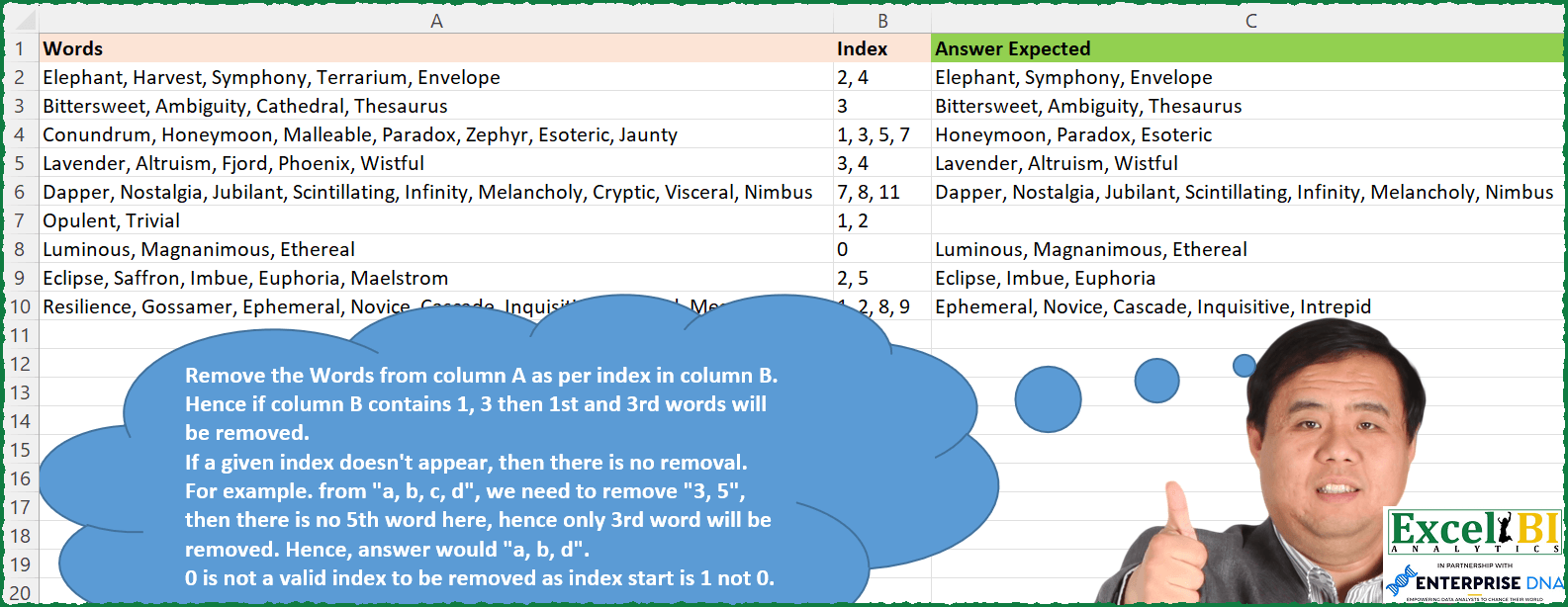
Challenge No. 152: Remove the Words from column A as per index in column B.
Solved using: Excel VBA.
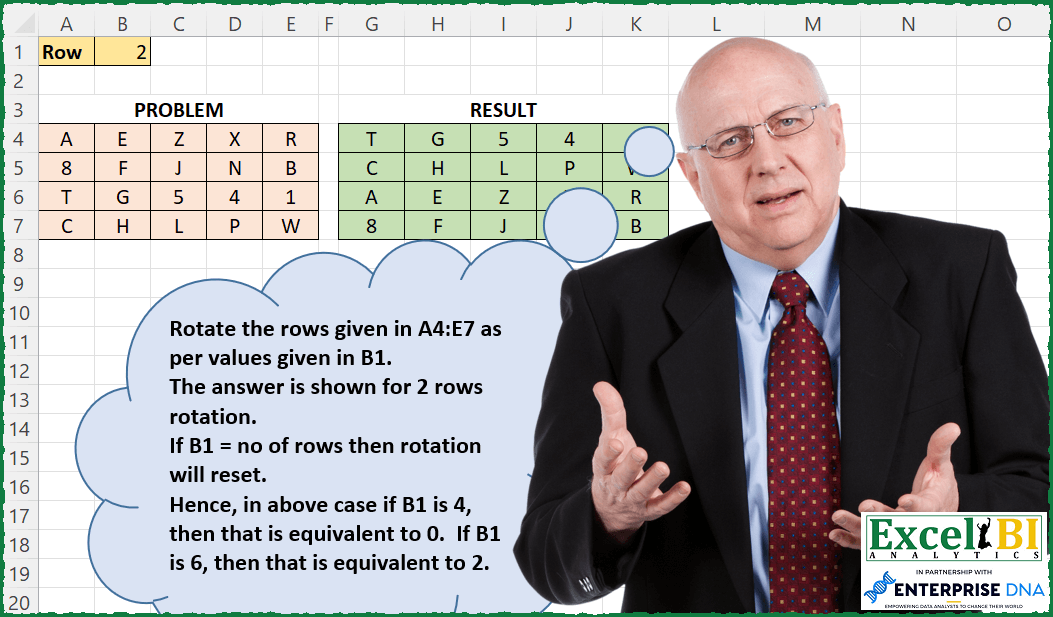
Challenge No. 148: Rotate the grid given in A4:E7 as per values given in B1.
Solved using: Power Query.
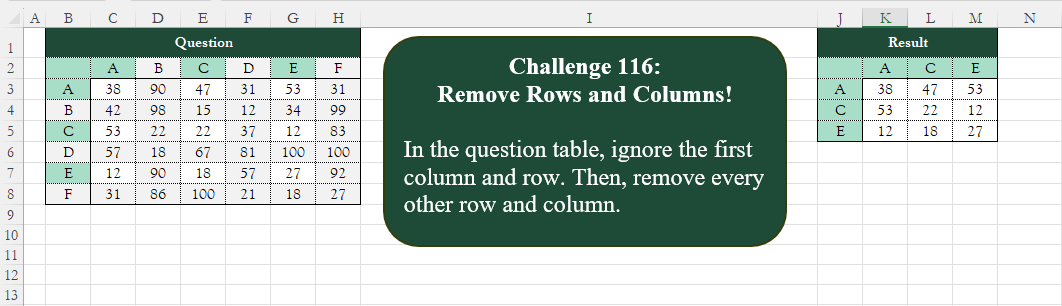
Challenge No. 116: Add an index column to the question table, with a separate counter for each stock.
Solved using:Excel (CHOOSECOLS, CHOOSEROWS, COLUMN), Google Sheets, Power Query (List.Alternate, Table.AlternateRows, Table.Column), Python, Python in Excel, and R.
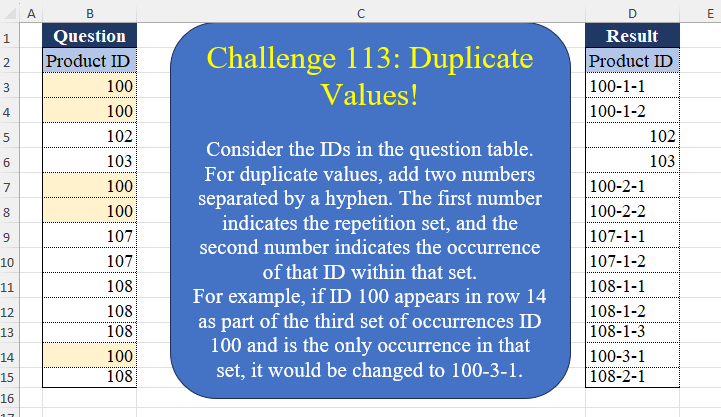
Challenge No. 113: Consider the IDs in the question table.
Solved using:Excel (DROP, IF, LAMBDA), Google Sheets, Power Query (List.Transform, Table.AddColumn, Table.AddIndexColumn), Python, Python in Excel, and R.
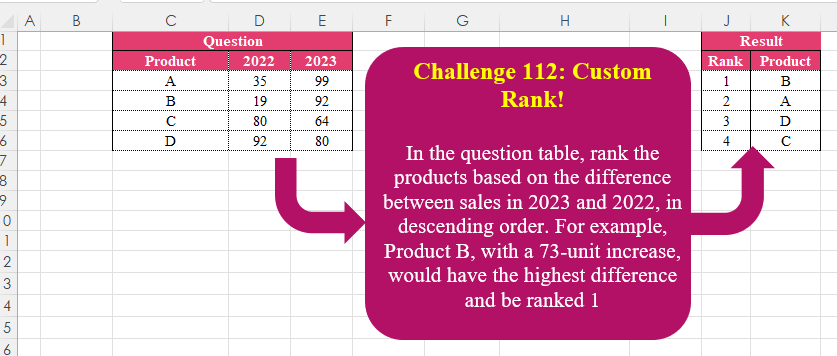
Challenge No. 112: In the question table, rank the products based on the difference between sales in 2023 and 2022, in descending order.
Solved using:Excel (HSTACK, LET, ROWS), Google Sheets, Power Query (Table.AddIndexColumn, Table.Sort), Python, Python in Excel, and R.
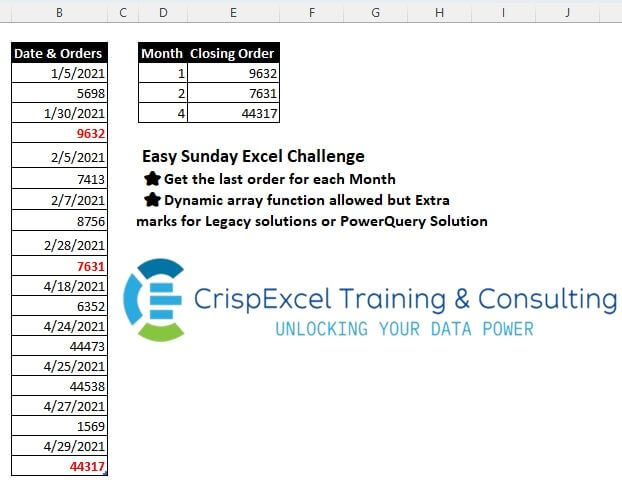
Challenge No. 31: Get the last order for each Month
Dynamic array function allowed, but Extra marks for Legacy solutions or PowerQuery Solution.
Solved using: Python.
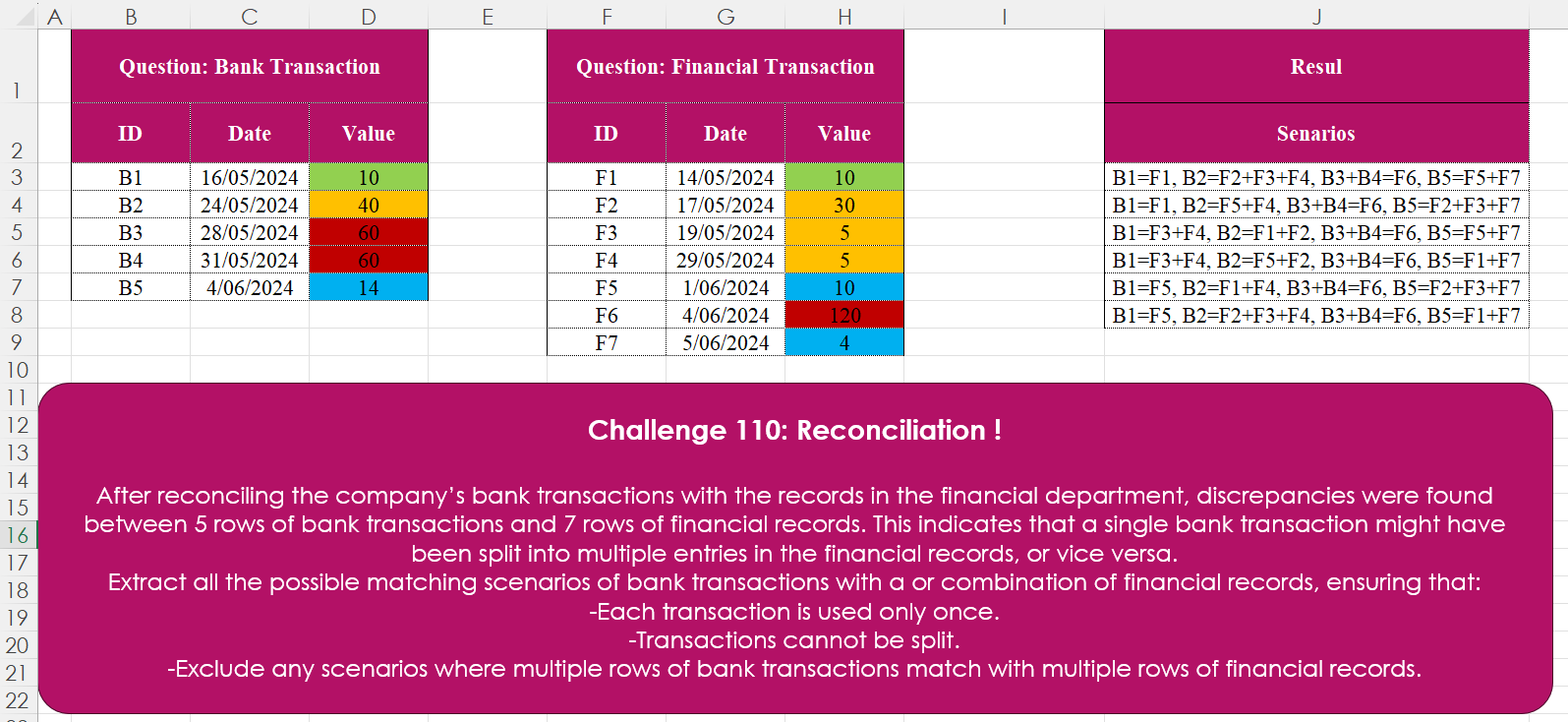
Challenge No. 110: After reconciling the company’s bank transactions with the records in the financial department, discrepancies were found between 5 rows of bank transactions and 7 rows of financial records.
Solved using: Excel.

Challenge No. 106: Rank the countries based on Olympic medals, starting with the number of gold medals.
Solved using:Excel, Power Query, Python, and R.
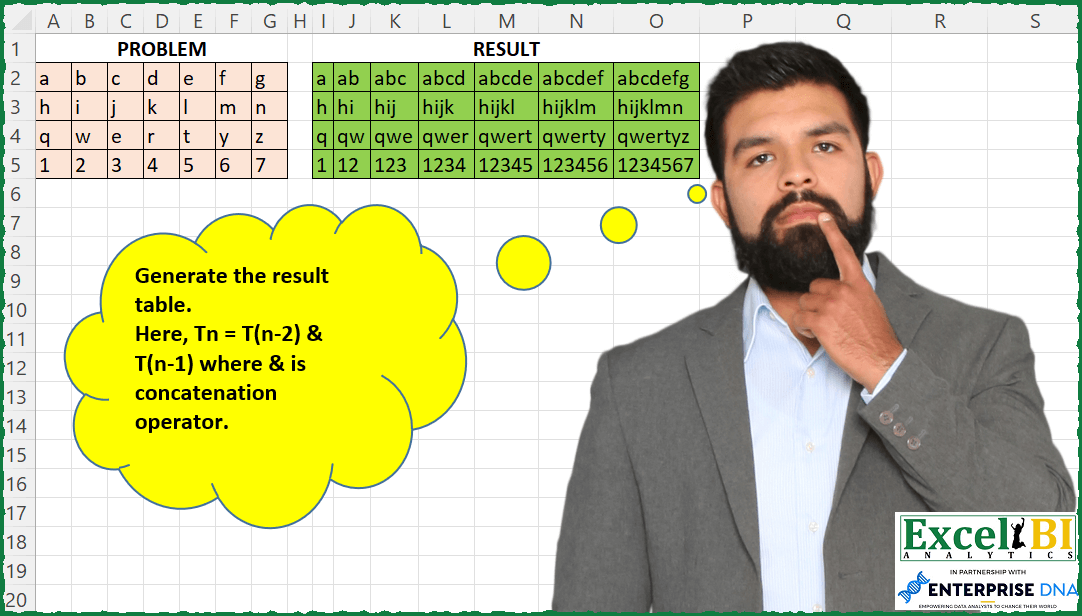
Challenge No. 110: Generate the result table.
Solved using: SQL.