
Challenge No. 208: Find those customers who have made at least one payment in all quarters in its range.
Solved using: Power Query.

Returns the number of rows in an array or range in Excel.
Challenge No. 208: Find those customers who have made at least one payment in all quarters in its range.
Solved using: Power Query.
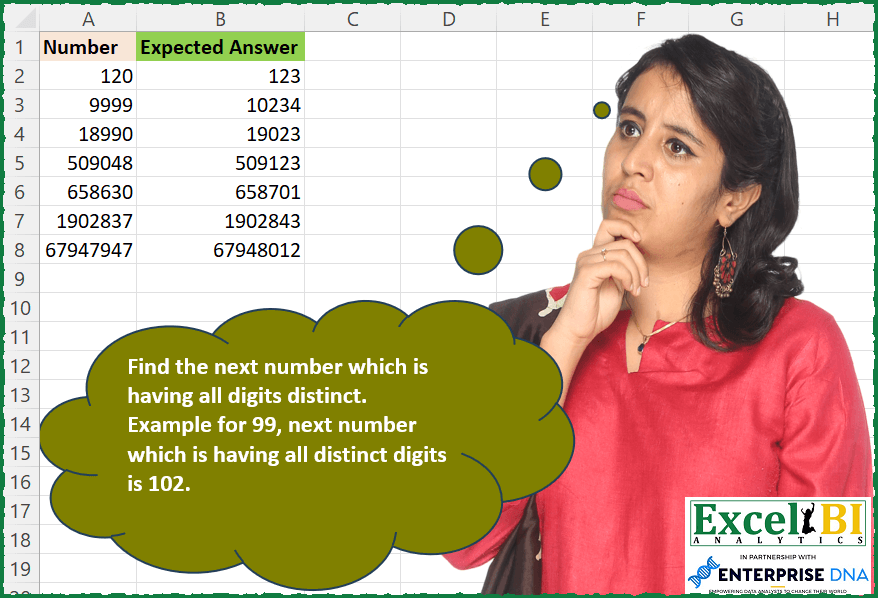
Challenge No. 201: Find the next number which is having all digits distinct.
Solved using: Python in Excel.
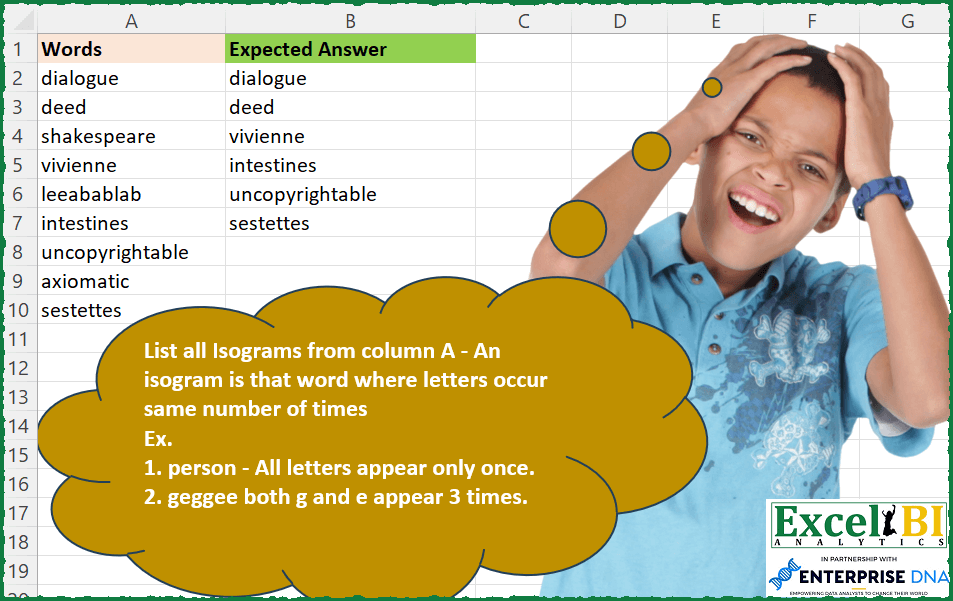
Challenge No. 200: List all isograms from column A – An isogram is that word where letters occur same number of times
Ex.
Solved using: Power Query.

Challenge No. 133: Group the monthly sales values into three categories based on the following logic and provide one of the result tables:
Group 1: 1st to 10th of the month
Group 2: 11th to 20th of the month
Group 3: 21st to the end of the month.
Solved using:Excel (DATE, DAY, DROP), Google Sheets, Power Query (Table.Group, Date.Month, Table.AddColumn), Python, Python in Excel, and R.
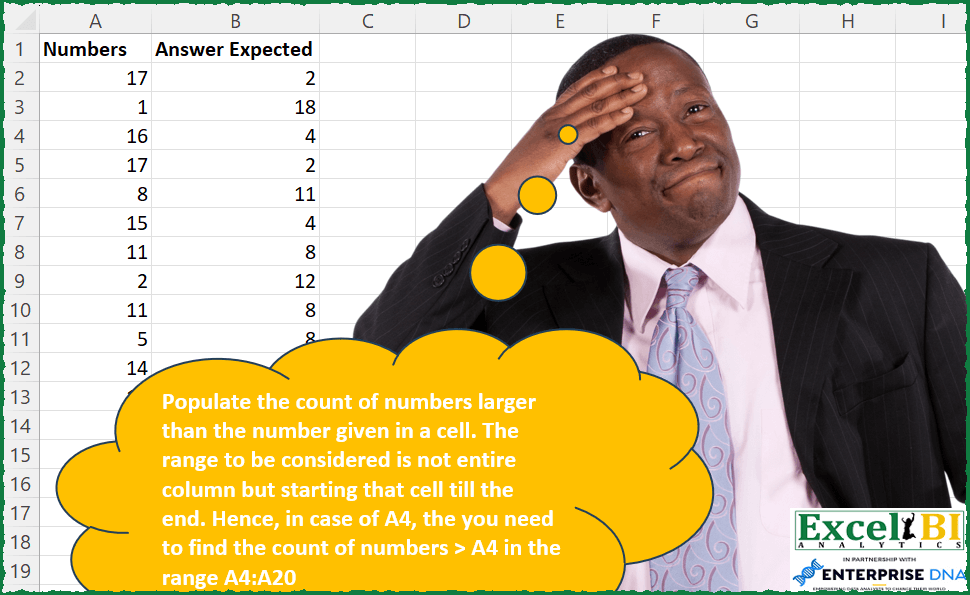
Challenge No. 189: Populate the count of numbers larger than the number given in a cell.
Solved using: Python in Excel.
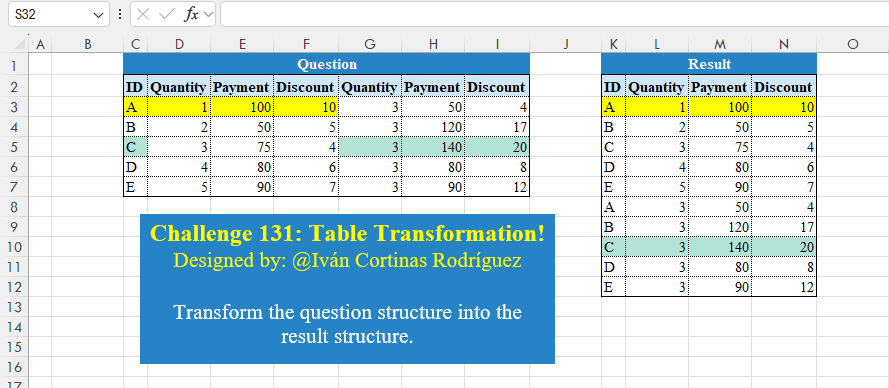
Challenge No. 131: Transform the question structure into the result structure.
Solved using:Excel (HSTACK, LET, ROWS), Google Sheets, Power Query (List.Skip, List.Split, List.Transform), Python, Python in Excel, and R.
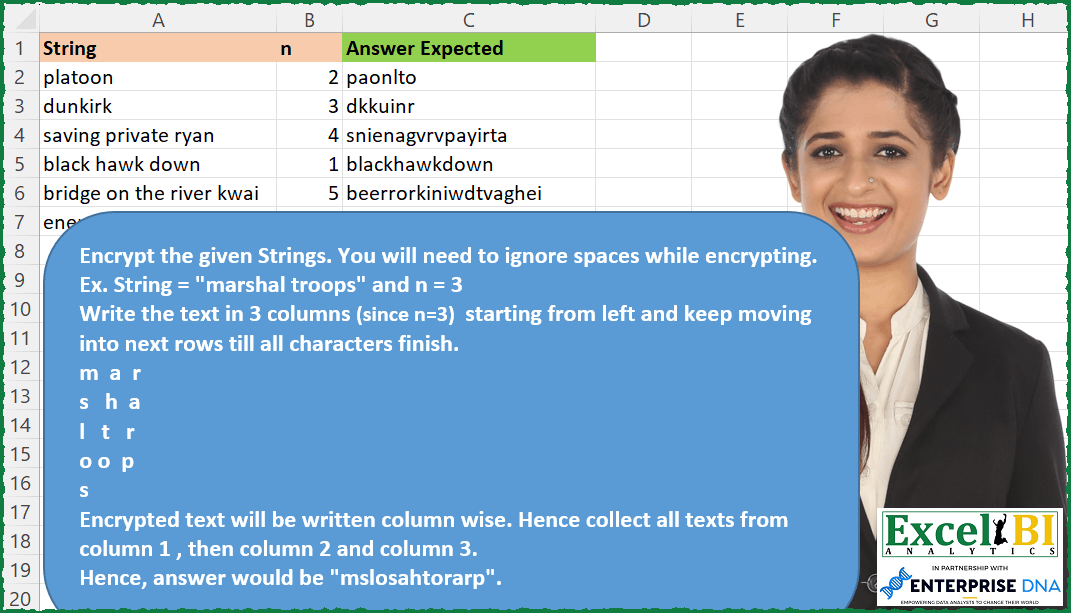
Challenge No. 178: Route Cipher
Encrypt the given Strings.
Solved using: Power Query.

Challenge No. 127: Add an index column to the question table, with a separate counter for each stock.
Solved using:Excel (DROP, FILTER, HSTACK), Google Sheets, Power Query (Table.AddColumn, Table.AddIndexColumn), Python, Python in Excel, and R.
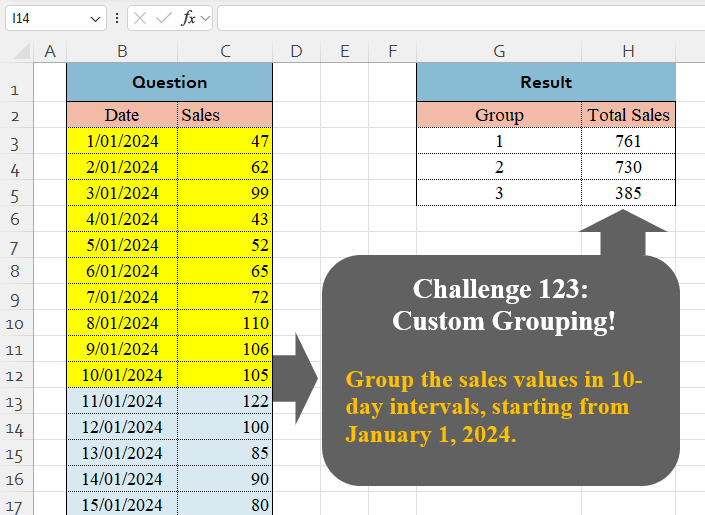
Challenge No. 123: Group the sales values in 10-day intervals, starting from January 1, 2024.
Solved using:Excel (BYROW, DAY, GROUPBY), Google Sheets, Power Query (Table.Group, List.Transform, Table.Group), Python, Python in Excel, and R.
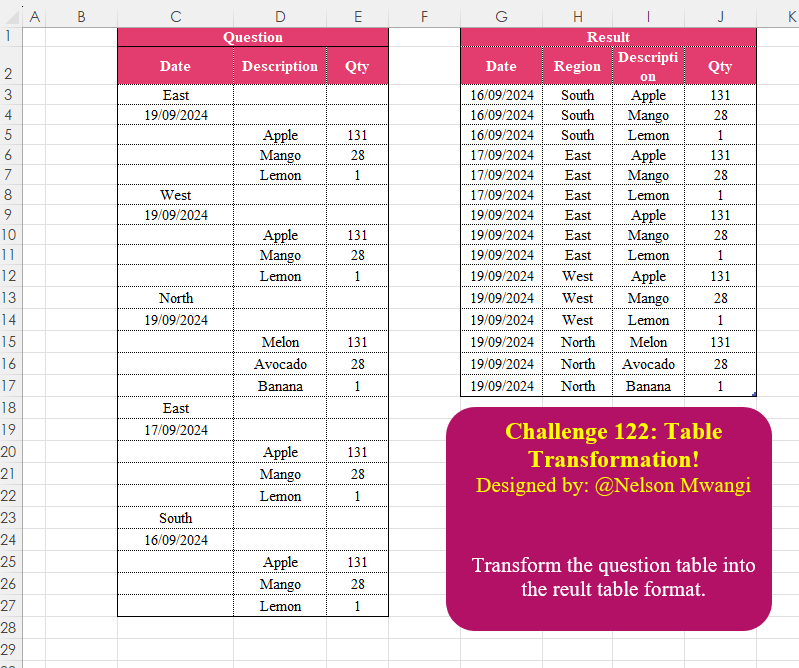
Challenge No. 122: Transform the question table into the reult table format.
Solved using:Excel (DROP, FILTER, HSTACK), Google Sheets, Power Query (List.Transform, Text.Contains, Table.AddColumn), Python, Python in Excel, and R.