
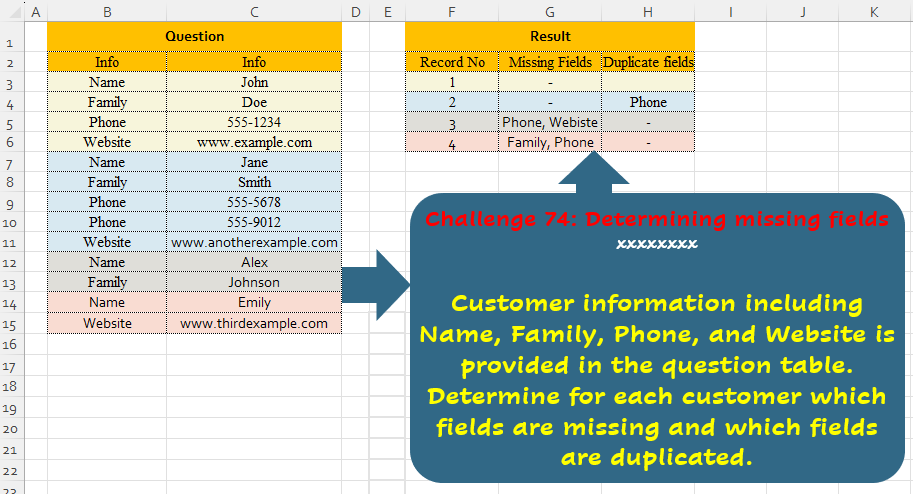
Challenge No. 74: Customer information including Name, Family, Phone, and Website is provided in the question table.
Solved using:Excel (ARRAYTOTEXT, FILTER, HSTACK), Power Query (List.Difference, List.Distinct, Text.Combine), Python, and R.
Python programming for data analysis
Challenge No. 74: Customer information including Name, Family, Phone, and Website is provided in the question table.
Solved using:Excel (ARRAYTOTEXT, FILTER, HSTACK), Power Query (List.Difference, List.Distinct, Text.Combine), Python, and R.
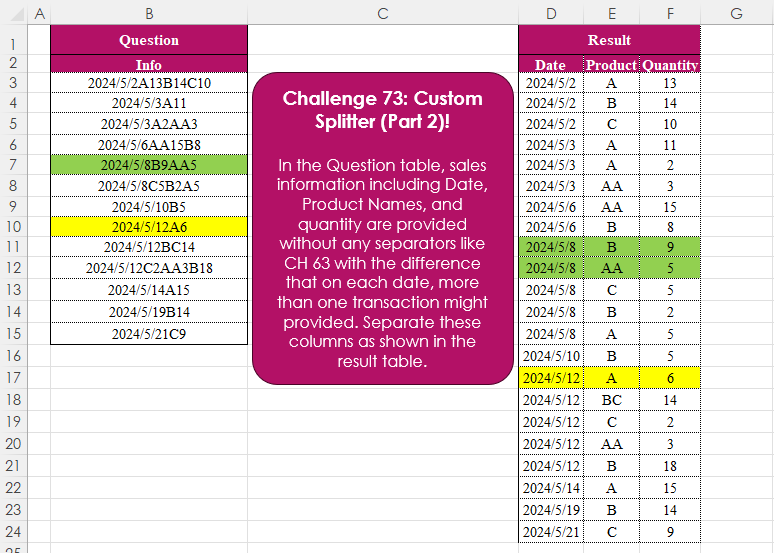
Challenge No. 73: In the Question table, sales information including Date, Product Names, and quantity are provided without any separators like CH 63 with the difference that on each date, more than one transaction might provided.
Solved using:Excel (CHAR, DROP, HSTACK), Power Query (List.Skip, List.Transform, Table.AddColumn), Python, and R.
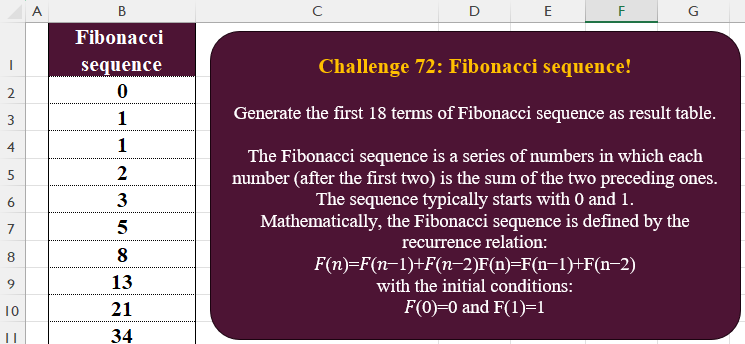
Challenge No. 72: Generate the first 18 terms of Fibonacci sequence as result table.
Solved using:Excel, Power Query, Python, R, and VBA.

Challenge No. 71: Extract all the emails from the text provided in the question table.
Solved using:Excel (FILTER, LEN, LET), Power Query (List.Transform, Text.Contains, Text.Split), Python, and R.
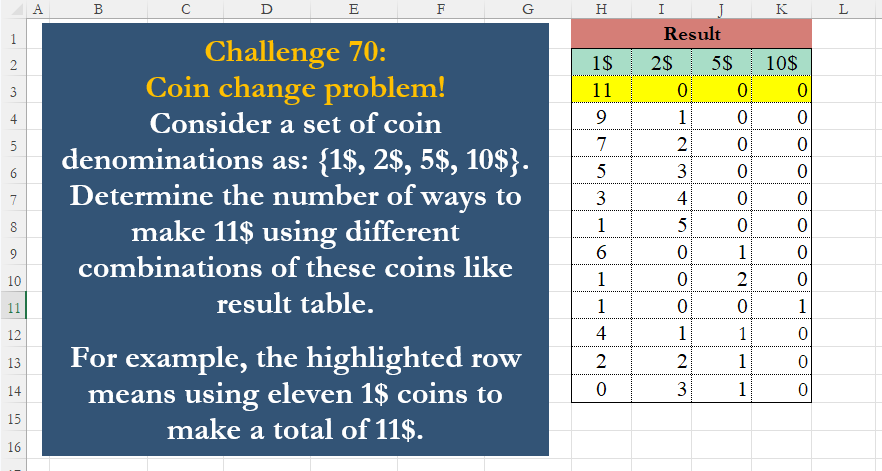
Challenge No. 70: Consider a set of coin denominations as: {1$, 2$, 5$, 10$}.
Solved using:Excel (FILTER, LAMBDA, LET), Power Query (List.Transform, Table.FromRows), Python, R, and VBA.
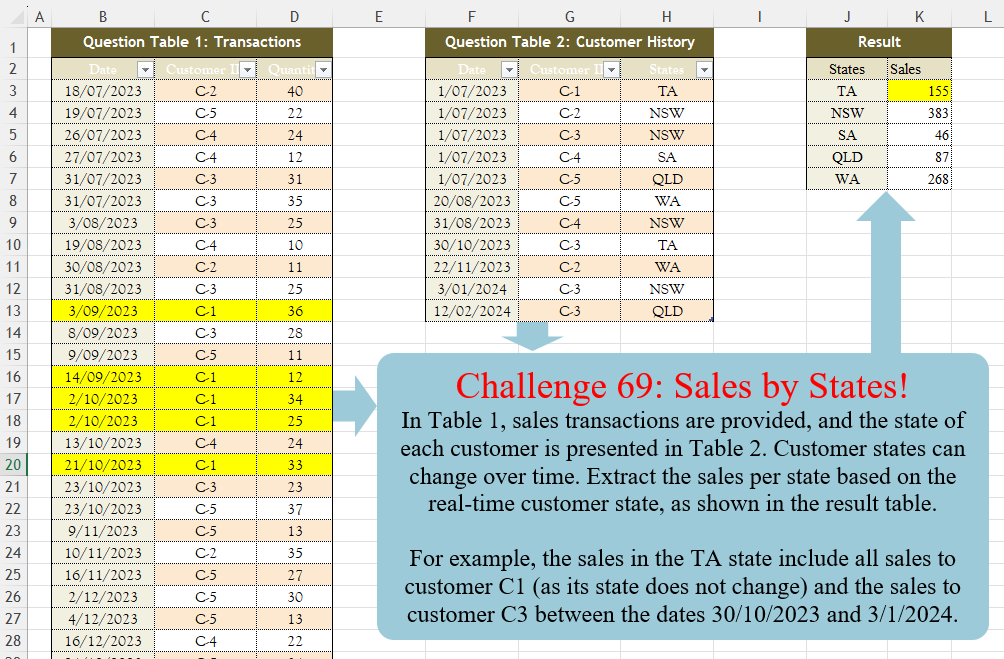
Challenge No. 69: In Table 1, sales transactions are provided, and the state of each customer is presented in Table 2.
Solved using:Excel (FILTER, HSTACK, LAMBDA), Power Query (Table.AddColumn, Table.Group), Python, R, and SQL.
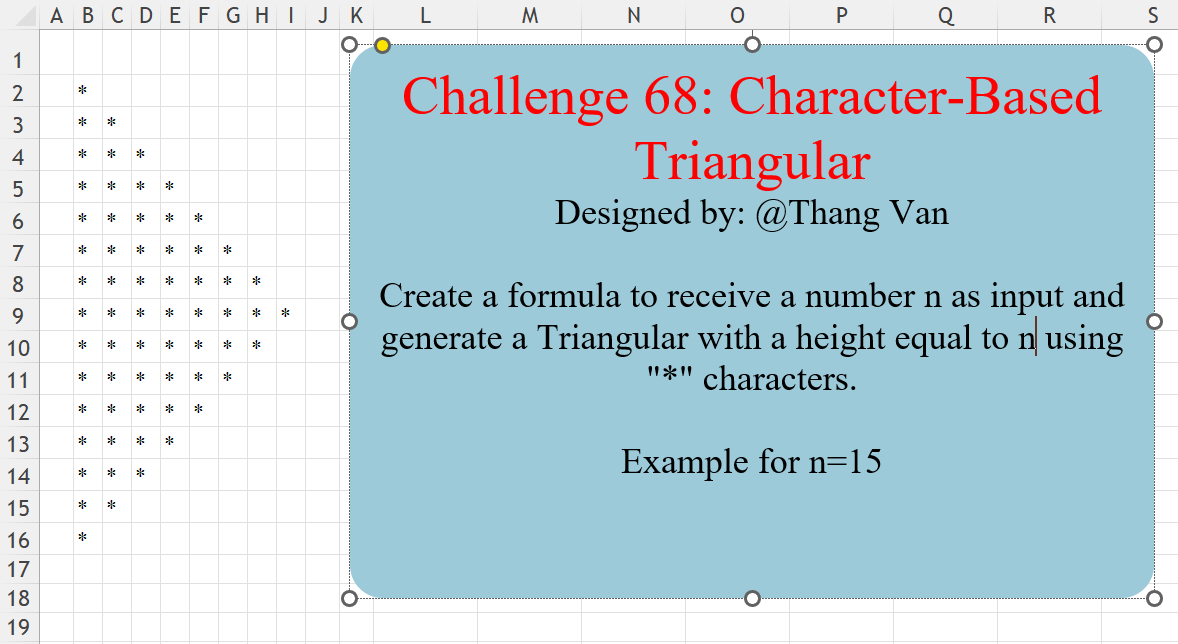
Challenge No. 68: Create a formula to receive a number n as input and generate a Triangular with a height equal to n using “*” characters.
Solved using:Excel (IF, LAMBDA, LET), Power Query (List.Repeat, List.Transform, Table.FromColumns), Python, R, and VBA.
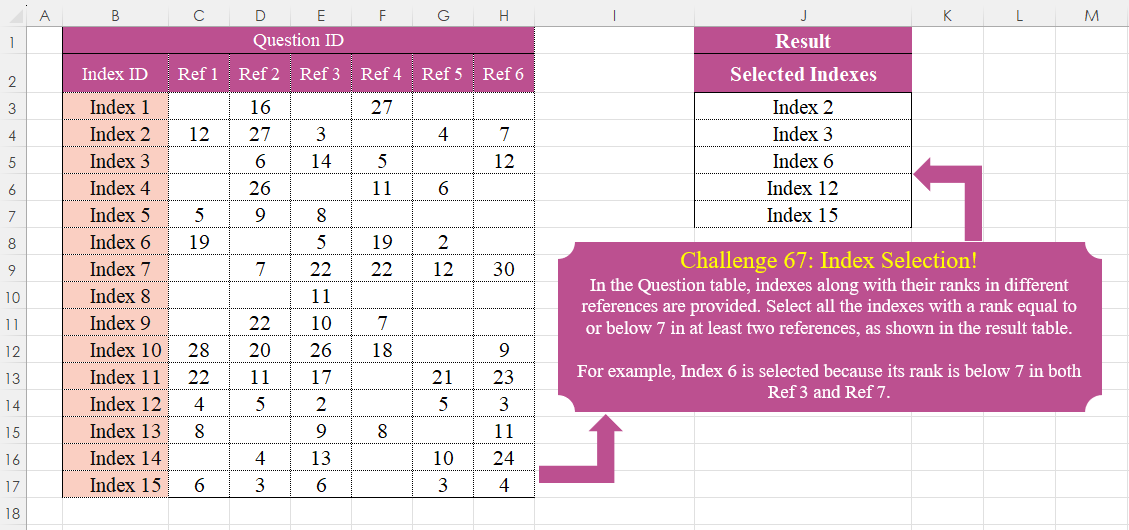
Challenge No. 67: In the Question table, indexes along with their ranks in different references are provided.
Solved using:Excel (BYROW, FILTER, LAMBDA), Power Query (List.Skip, List.Transform, Table.SelectRows), Python, R, and VBA.

Challenge No. 66: Convert the Question table with the merge headers into the result table.
Solved using:Excel (DROP, HSTACK, IF), Power Query (List.Distinct, List.PositionOf, Table.Pivot), Python, R, and VBA.
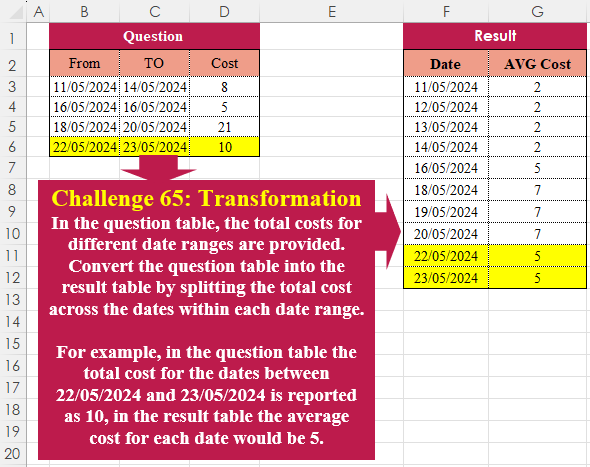
Challenge No. 65: In the question table, the total costs for different date ranges are provided.
Solved using:Excel (HSTACK, LAMBDA, LET), Power Query (List.Dates, List.Transform, Table.AddColumn), Python, R, and VBA.