
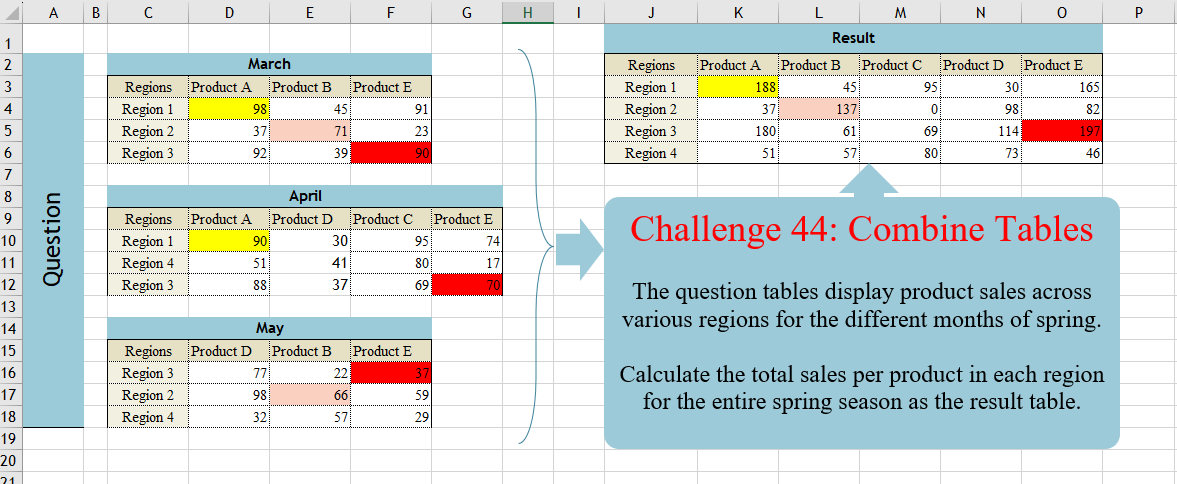
Challenge No. 44: The question tables display product sales across various regions for the different months of spring.
Solved using:Excel (DROP, FILTER, HSTACK), Power Query (List.Distinct, Table.Column, Table.ColumnNames), Python, and R.
Applies a function to each element of one or more arrays in Excel.
Challenge No. 44: The question tables display product sales across various regions for the different months of spring.
Solved using:Excel (DROP, FILTER, HSTACK), Power Query (List.Distinct, Table.Column, Table.ColumnNames), Python, and R.

Challenge No. 42: In the question table, a list of patients is provided who are scheduled to visit the doctor for consultations and surgery.
Solved using:Excel (CHOOSECOLS, DROP, FILTER), Power Query (Text.Combine, Table.Group, Table.SelectRows), Python, and R.
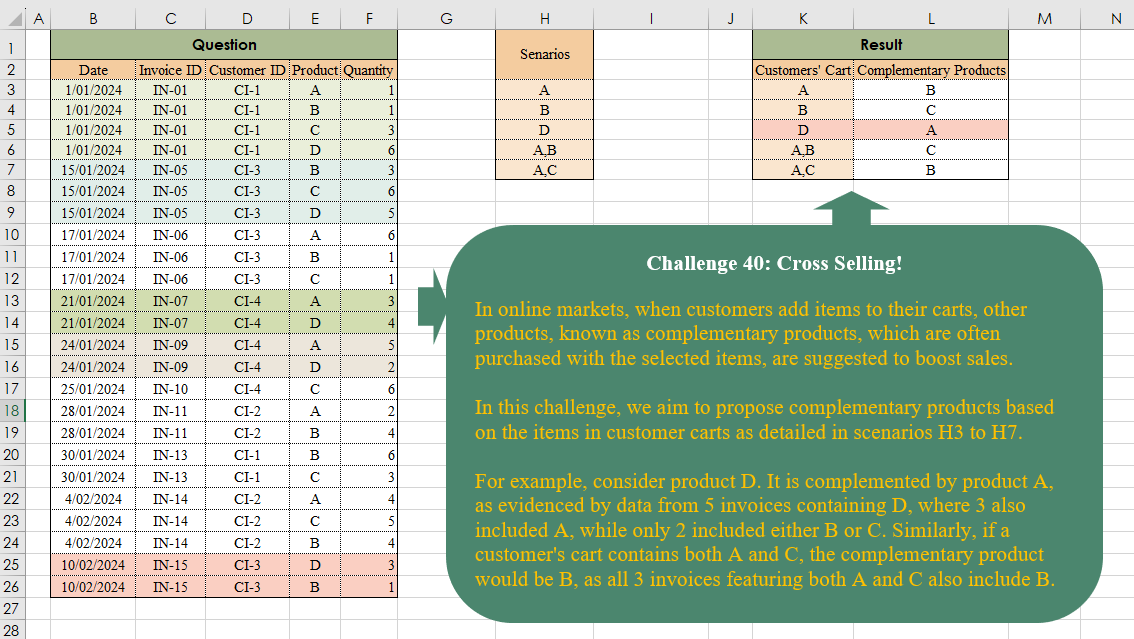
Challenge No. 40: In online markets, when customers add items to their carts, other products, known as complementary products, which are often purchased with the selected items, are suggested to boost sales.
Solved using:Excel (ARRAYTOTEXT, FILTER, HSTACK), Power Query (List.Transform, Text.Split, Table.AddColumn), and R.
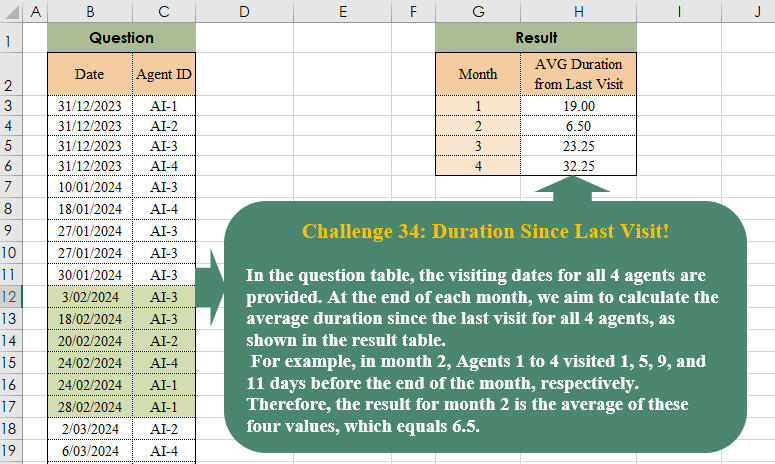
Challenge No. 38: In the question table, the visiting dates for all 4 agents are provided.
Solved using:Excel (AVERAGE, DROP, EOMONTH), Power Query (List.Transform, Table.AddColumn, Table.Group), Python, and R.
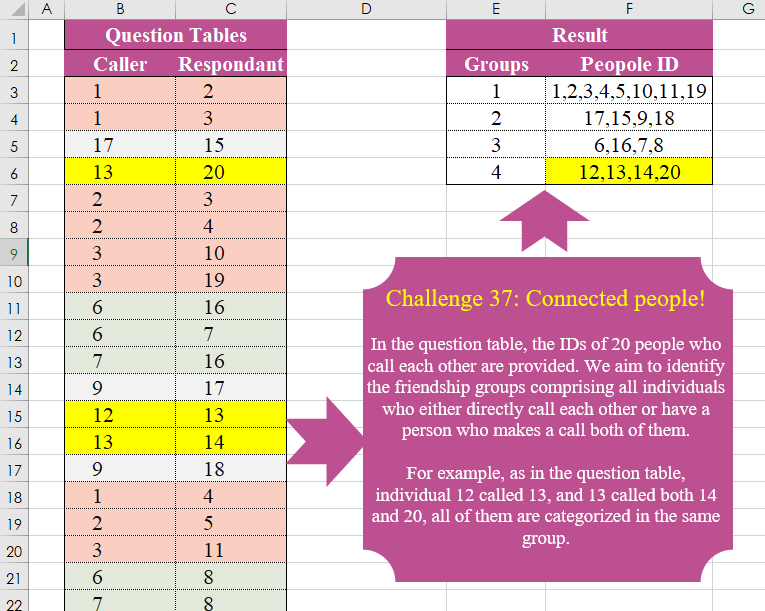
Challenge No. 37: In the question table, the IDs of 20 people who call each other are provided.
Solved using:Excel (FILTER, HSTACK, LAMBDA), Power Query (List.Transform, Text.Combine), Python, and R.

Challenge No. 35: In our company, we utilize a grading system to evaluate the technical performance of our agents, assigning grades of C, B, A, and A+.
Solved using:Excel (DROP, FILTER, HSTACK), Power Query (Table.AddColumn, Table.Group), and R.
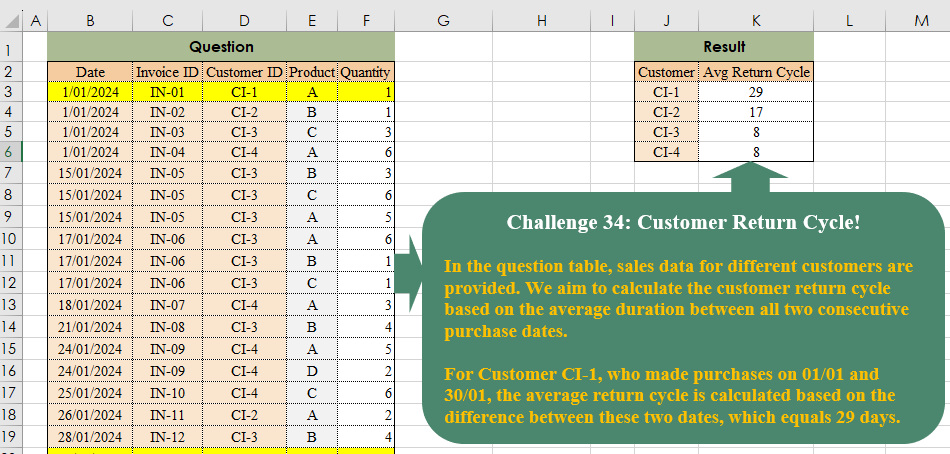
Challenge No. 34: In the question table, sales data for different customers are provided.
Solved using:Excel (DROP, FILTER, HSTACK), Power Query (Table.Group), Python, and R.
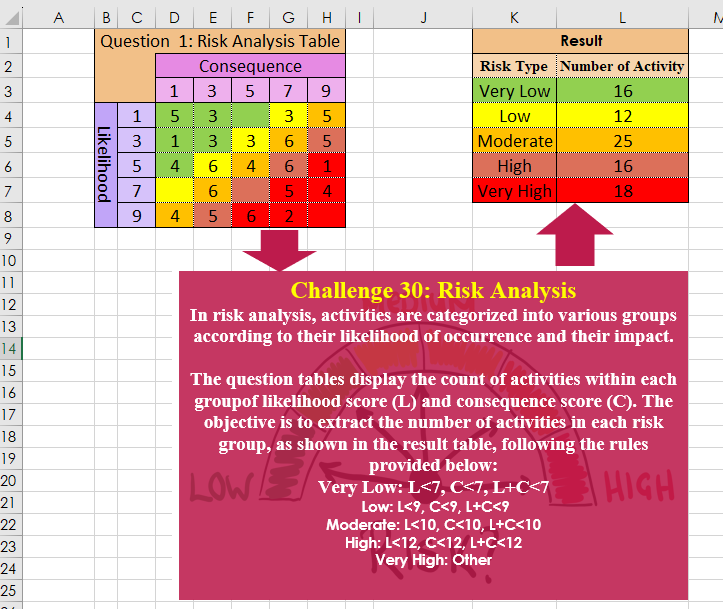
Challenge No. 30: In risk analysis, activities are categorized into various groups according to their likelihood of occurrence and their impact.
Solved using:Excel, Power Query, Python, and R.
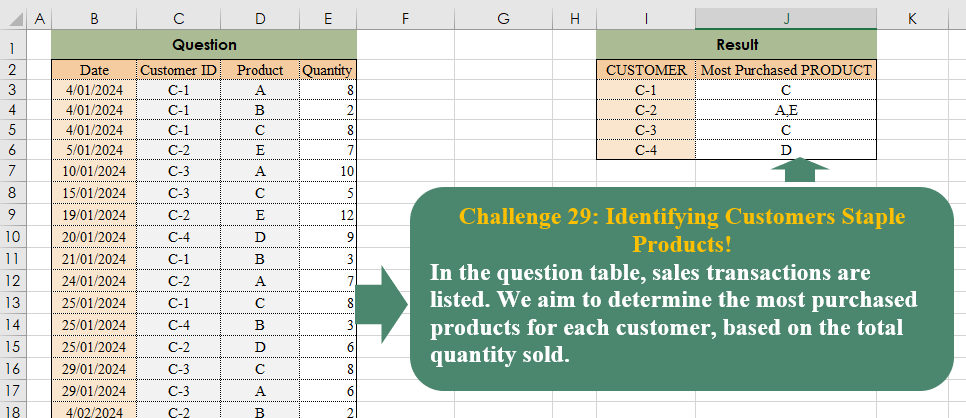
Challenge No. 29: In the question table, sales transactions are listed.
Solved using:Excel (CHOOSECOLS, FILTER, HSTACK), Power Query (Text.Combine, Table.Group), Python, and R.
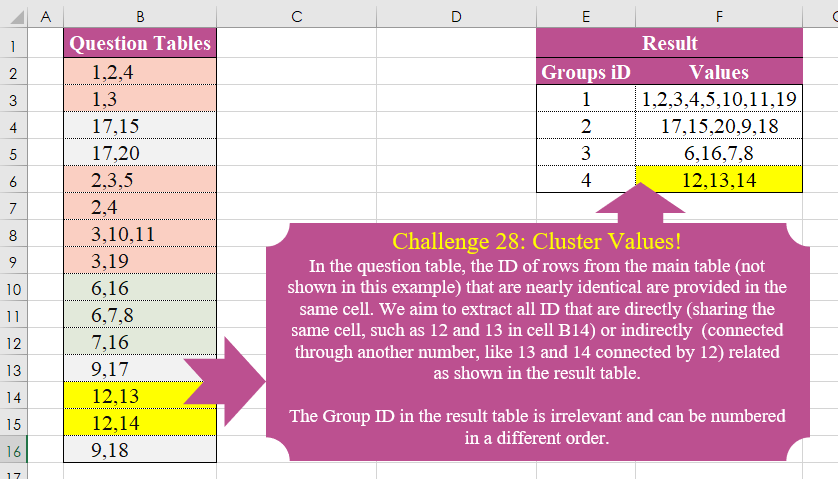
Challenge No. 28: In the question table, the ID of rows from the main table (not shown in this example) that are nearly identical are provided in the same cell.
Solved using:Excel (DROP, FILTER, HSTACK), Power Query (List.Transform), Python, and R.