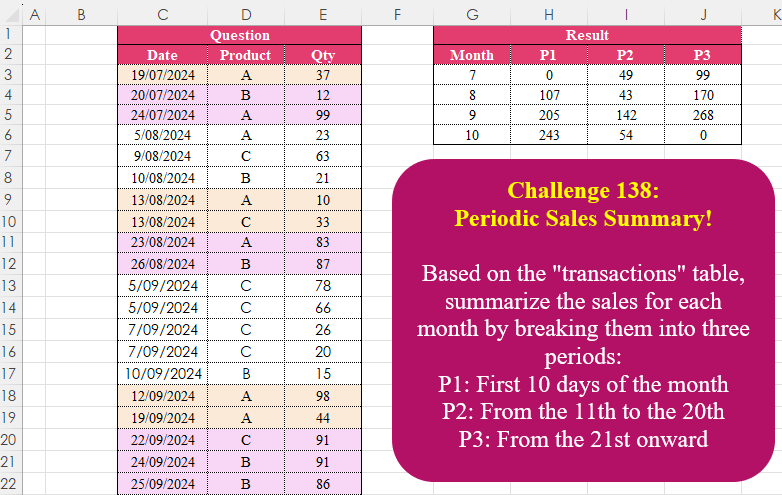
Challenge No. 138: Based on the “transactions” table, summarize the sales for each month by breaking them into three periods:
P1: First 10 days of the month
P2: From the 11th to the 20th
P3: From the 21st onward.
Solved using:Excel (DAY, DROP, HSTACK), Google Sheets, Power Query (Date.Month, List.Distinct, Table.AddColumn), Python, Python in Excel, and R.
List.Distinct
Returns a list with duplicate values removed in Power Query.
Filter Values Based on Table
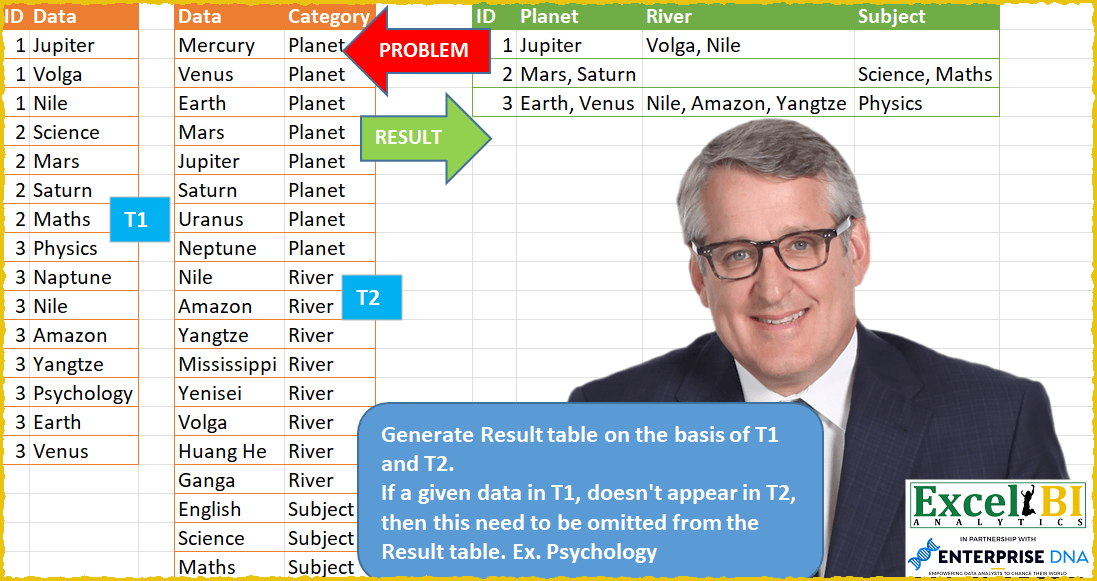
Challenge No. 61: Generate Result table on the basis of T1 and T2.
Solved using: Power Query (List.Distinct, Table.Group, Table.Pivot).
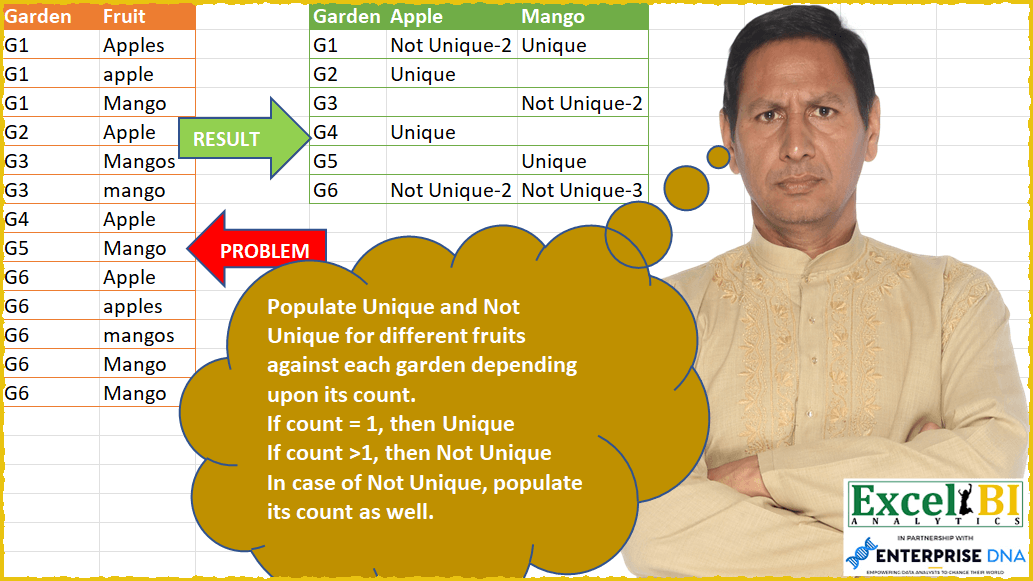
Mark Unique or Not Unique
Challenge No. 56: Populate Unique and Not Unique for different fruits against each garden depending upon its count.
Solved using: Power Query (List.Distinct, Table.Group, Table.TransformColumns).
Find Customer Stats With Conditions
Challenge No. 44: Generate result table as shown.
Solved using: Python in Excel.
Dynamic Pivot Data
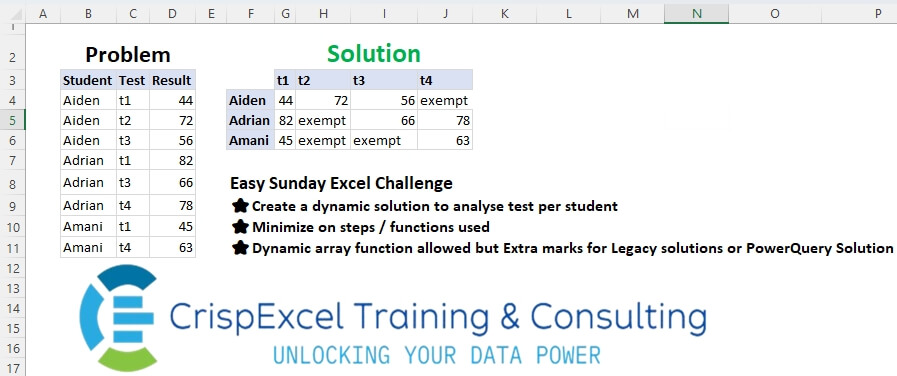
Challenge No. 36: Create a dynamic solution to analyse tests per student
Minimize the steps/functions used
Dynamic array function allowed, but Extra marks for Legacy solutions or PowerQuery Solution.
Solved using: Python in Excel.
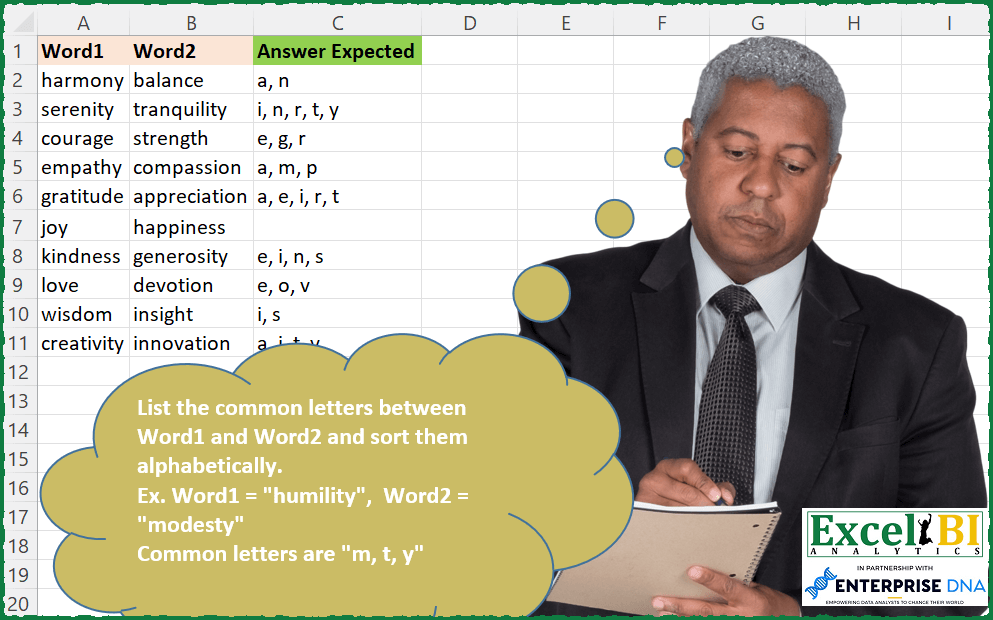
Common Letters Sorted
Challenge No. 140: List the common letters between Word1 and Word2 and sort them alphabetically.
Solved using: Power Query (List.Distinct, Table.AddColumn).
Split and Pivot Data
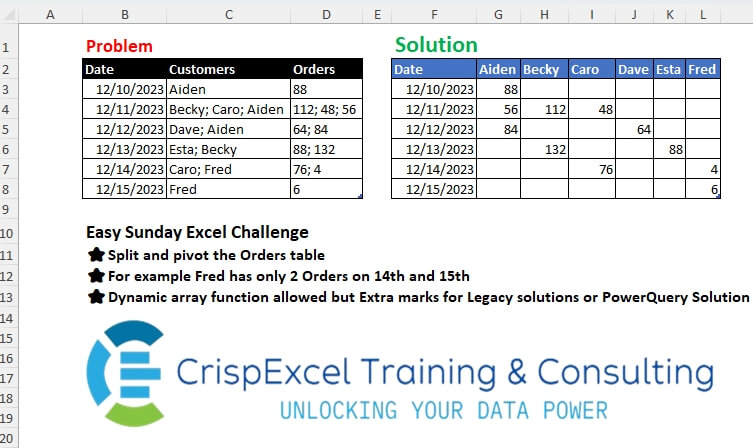
Challenge No. 34: Split and pivot the Orders table
For example, Fred has only 2 Orders on the 14th and 15th Dynamic array function allowed, but Extra marks for Legacy solutions or PowerQuery Solution.
Solved using: Python in Excel.
Lookup Uncommon Names in the set
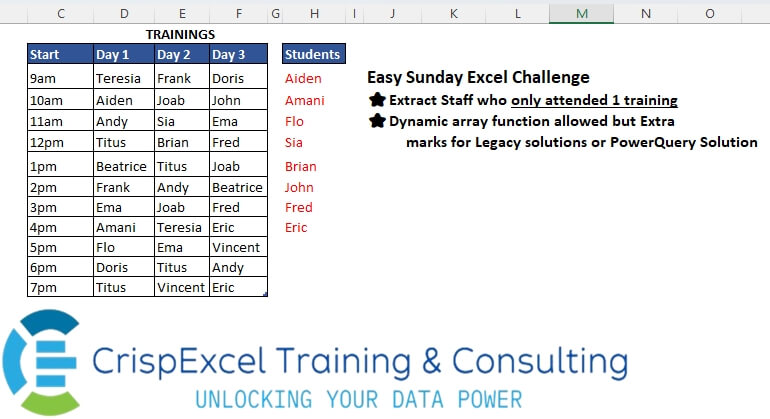
Challenge No. 29: Extract Staff who only attended 1 training
Dynamic array function allowed, but Extra
marks for Legacy solutions or PowerQuery Solution.
Solved using: Python in Excel.
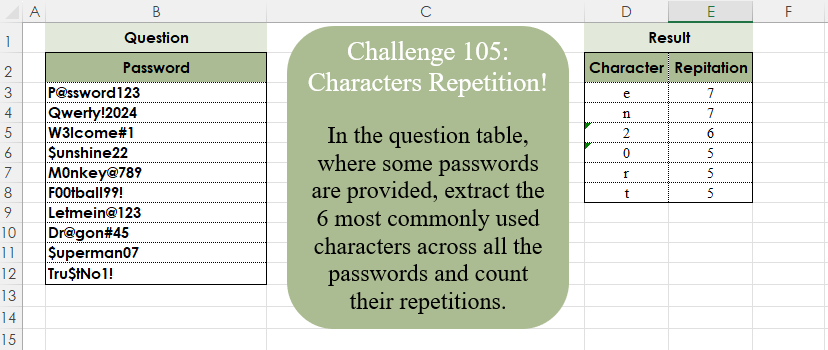
Characters Repetition!
Challenge No. 105: In the question table, where some passwords are provided, extract the 6 most commonly used characters across all the passwords and count their repetitions.
Solved using:Excel (CONCAT, FILTER, GROUPBY), Google Sheets, Power Query (List.Combine, List.Distinct, List.Transform), Python, Python in Excel, and R.
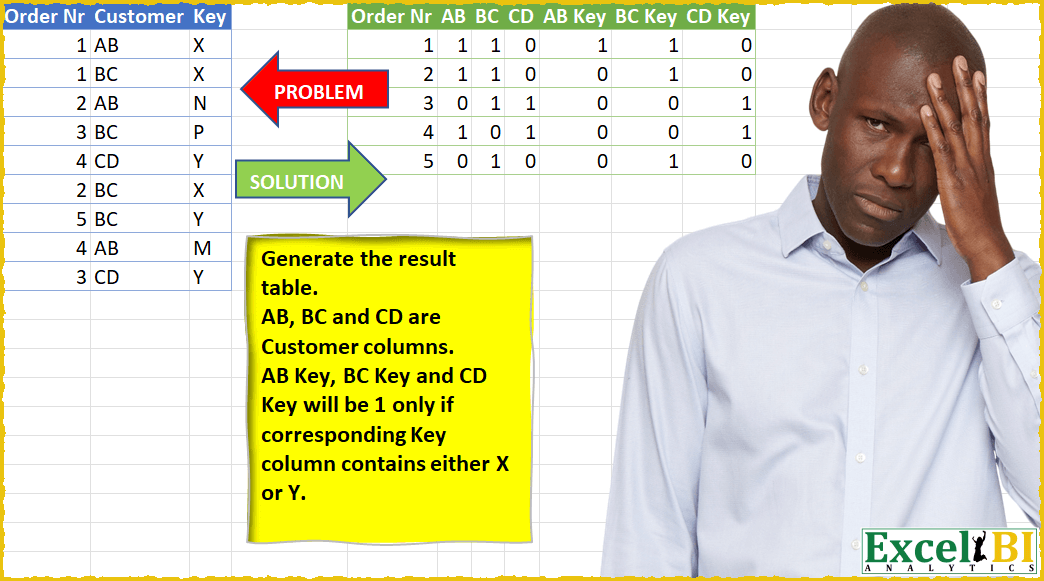
Flag Columns with Special Keys
Challenge No. 24: Generate the result table.
Solved using: Power Query (List.Distinct).