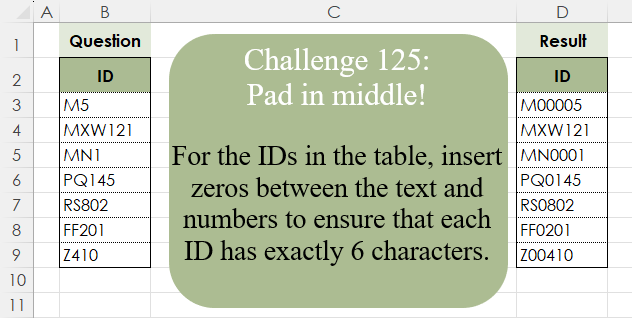
Challenge No. 125: For the IDs in the table, insert zeros between the text and numbers to ensure that each ID has exactly 6 characters.
Solved using:Excel (CONCAT, ISNUMBER, LAMBDA), Google Sheets, Power Query (Text.Repeat, Table.AddColumn), Python, Python in Excel, and R.
LET
Assigns names to values or calculations to simplify formulas in Excel.
Determine Cumulative Sum Based on Rules
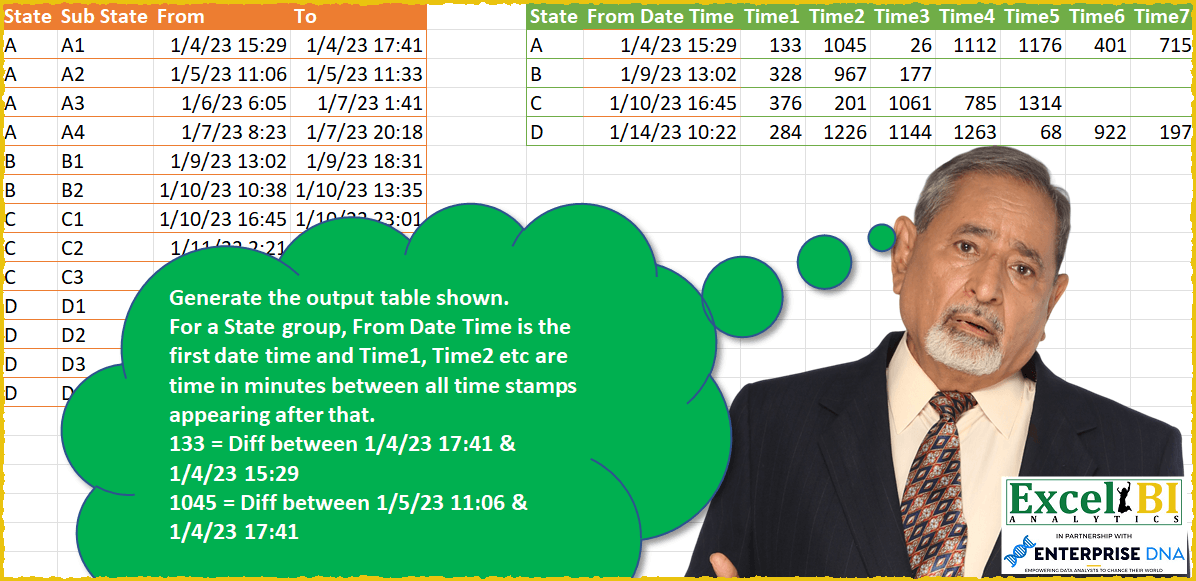
Challenge No. 49: Generate the output table shown.
Solved using: SQL.
Sort Cities by Populated
Challenge No. 169: Order the cities columns on the basis of number of cells populated in descending order.
Solved using: Python.
Uppercase Position Finder
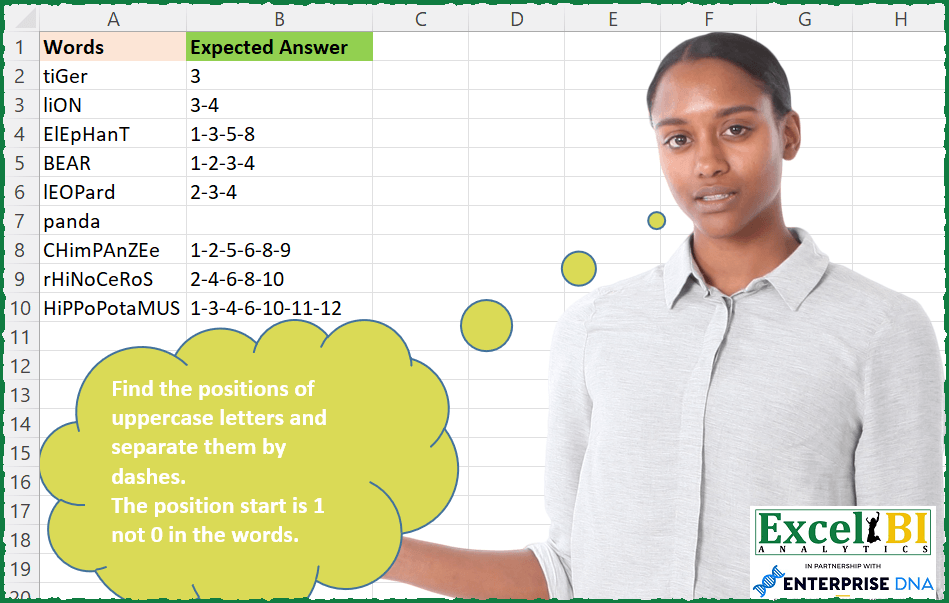
Challenge No. 168: Find the positions of uppercase letters and separate them by dashes.
Solved using: Excel VBA.
Find Missing Tuple Number
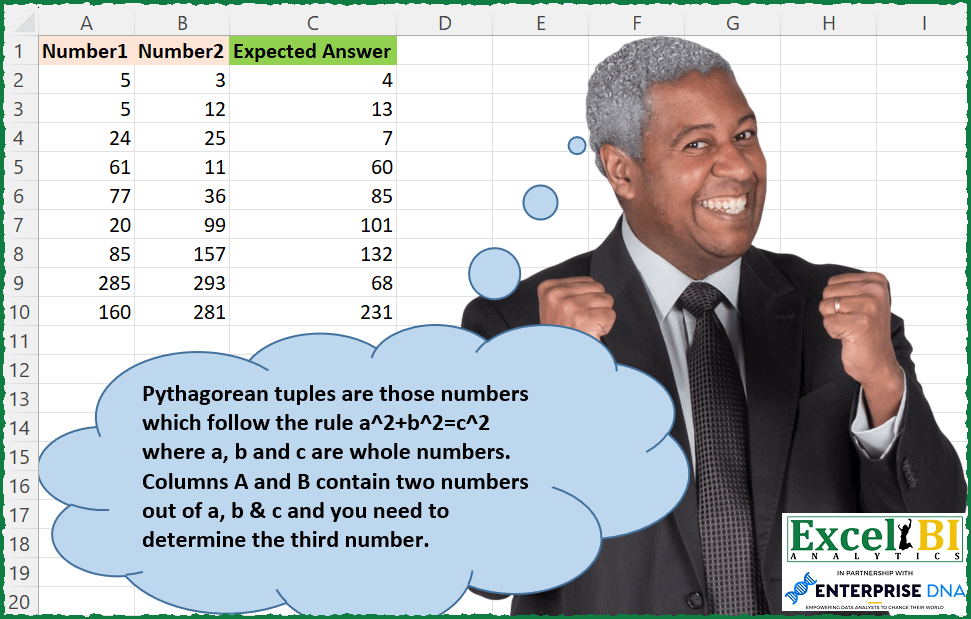
Challenge No. 167: Pythagorean tuples are those numbers which follow the rule a^2+b^2=c^2 where a, b and c are whole numbers.
Solved using: Python in Excel.
Merge! Part 2
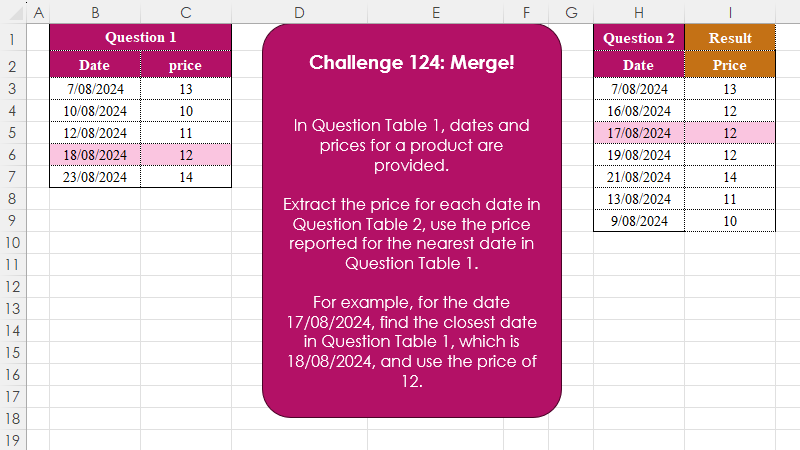
Challenge No. 124: In Question Table 1, dates and prices for a product are provided.
Solved using:Excel (INDEX, LAMBDA, LET), Google Sheets, Power Query (Table.AddColumn), Python, Python in Excel, and R.
Top Initials of First Ladies
Challenge No. 165: List the First Ladies’ names which start with Top 3 most frequently occurring letters.
Solved using: Power Query.
Data Grouping
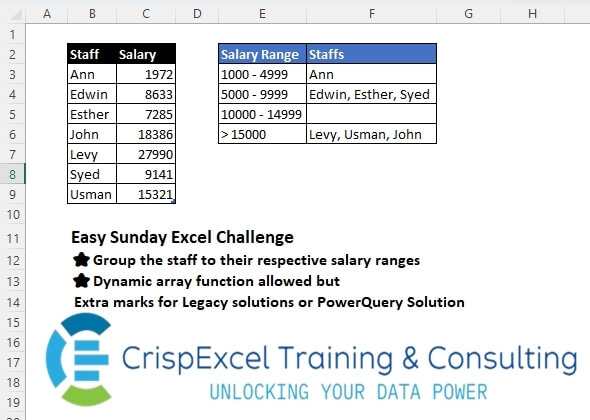
Challenge No. 43: Group the staff into their respective salary ranges
Dynamic array function allowed, but Extra marks for Legacy solutions or PowerQuery Solution.
Solved using: Python in Excel.
Generate First Disarium List
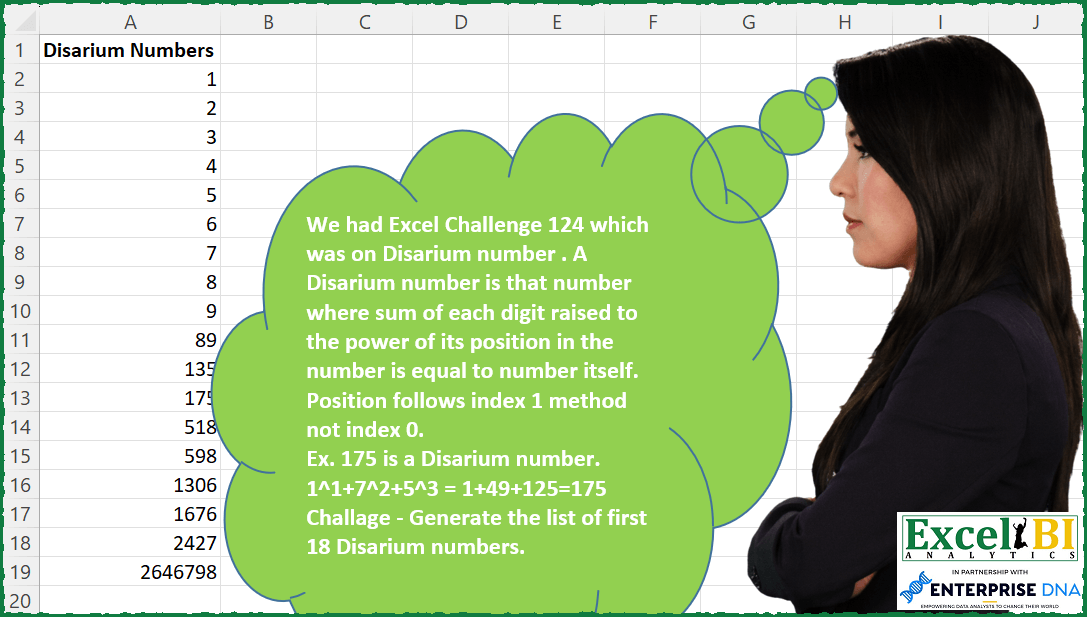
Challenge No. 164: A Disarium number is that number where sum of each digit raised to the power of its position in the number is equal to number itself.
Solved using: Python in Excel.
Custom Grouping! Part 5
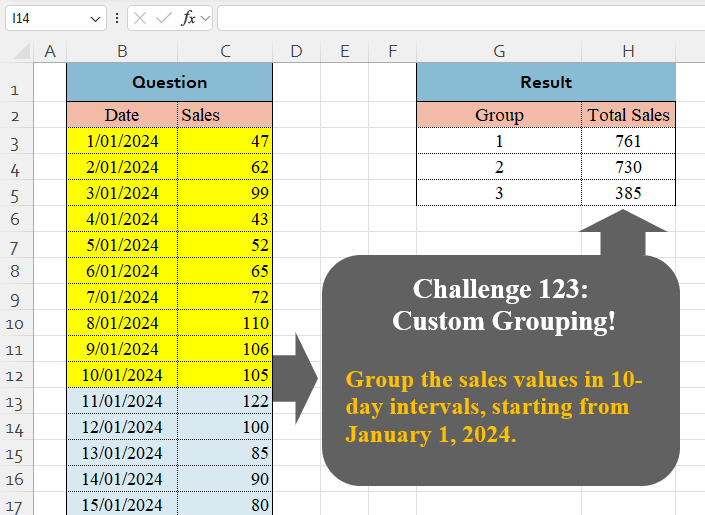
Challenge No. 123: Group the sales values in 10-day intervals, starting from January 1, 2024.
Solved using:Excel (BYROW, DAY, GROUPBY), Google Sheets, Power Query (Table.Group, List.Transform, Table.Group), Python, Python in Excel, and R.