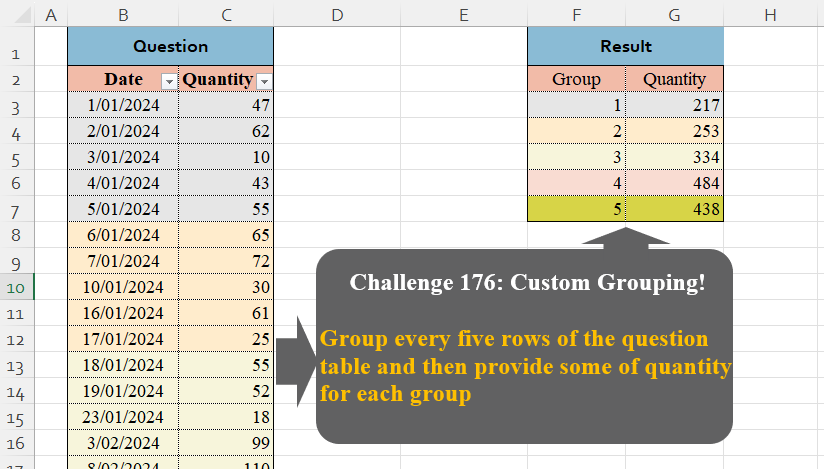
Challenge No. 176: Group every five rows of the question table and then provide some of quantity for each group.
Solved using:Excel (GROUPBY, HSTACK, LAMBDA), Google Sheets, Power Query (Table.Group, List.Transform, Table.AddIndexColumn), Python, Python in Excel, and R.
LAMBDA
Creates custom reusable functions in Excel.
Add Time to Duration Format
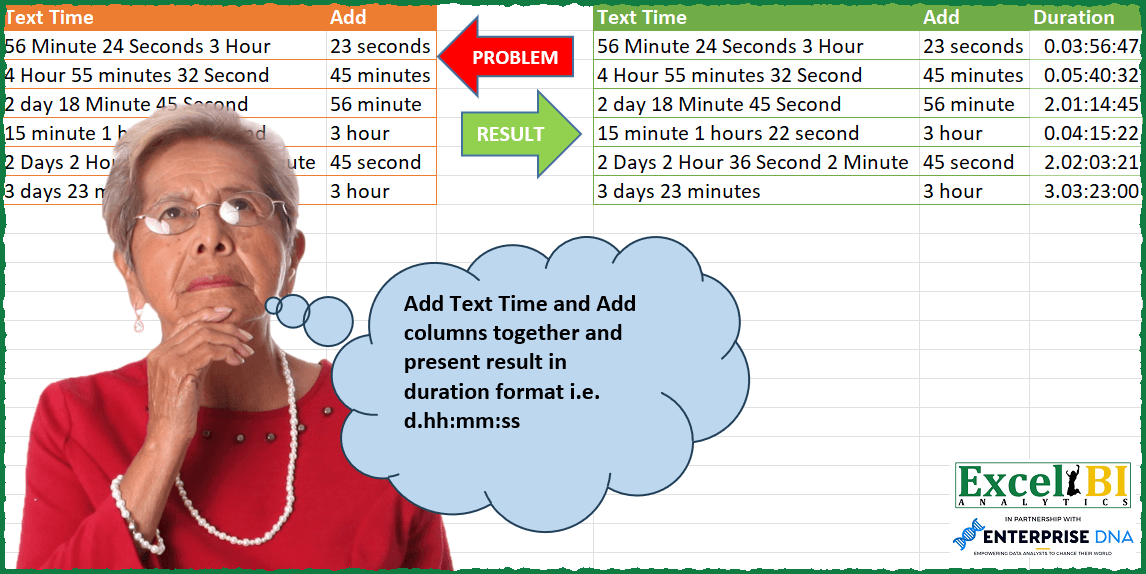
Challenge No. 105: Add Text Time and Add columns together and present result in duration format i.
Solved using: Excel VBA.
Reverse data given in rows
Challenge No. 291: Reverse data given in rows.
Solved using: Python in Excel.
Filter!
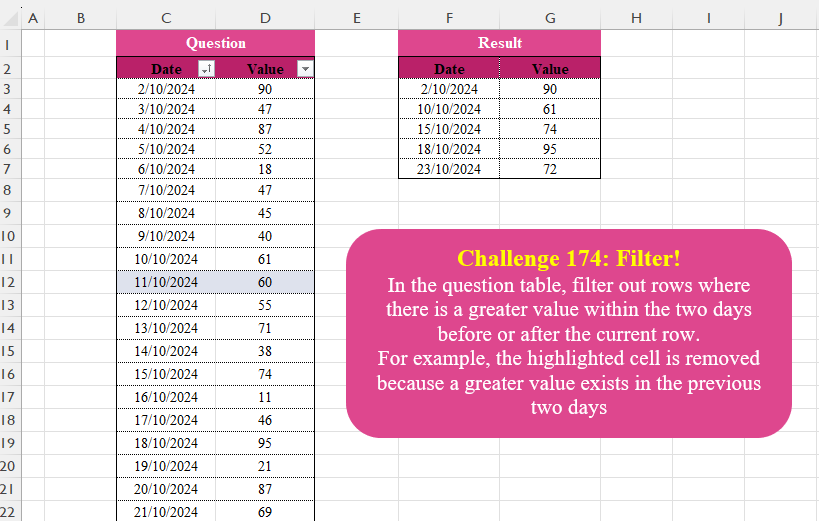
Challenge No. 174: In the question table, filter out rows where there is a greater value within the two days before or after the current row.
Solved using:Excel (AND, FILTER, IF), Google Sheets, Power Query (Table.SelectRows), Python, Python in Excel, and R.
Matches With Equal Goal Difference
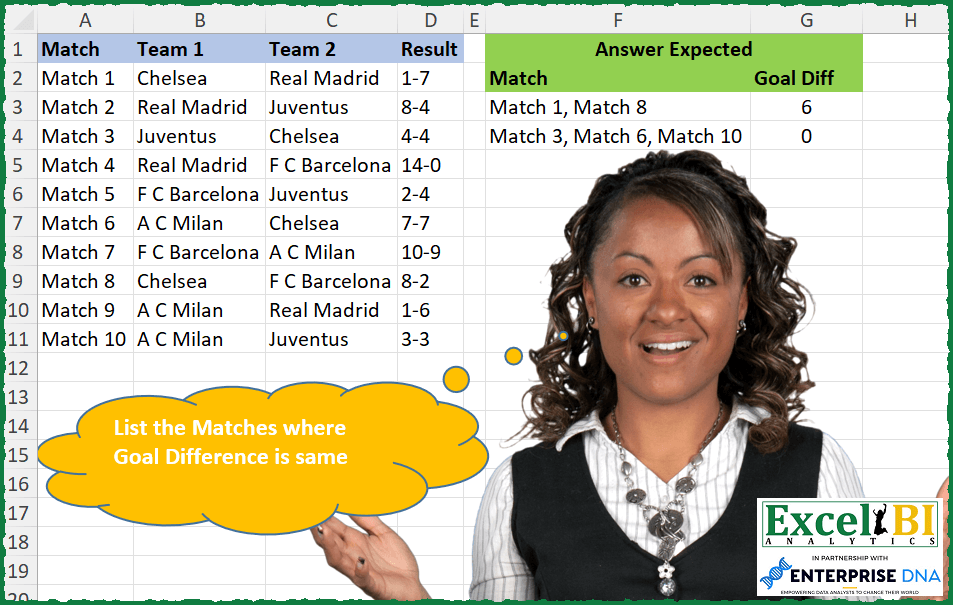
Challenge No. 290: List the matches where goal difference is same.
Solved using: Python in Excel.
Company Totals for Items/Amount
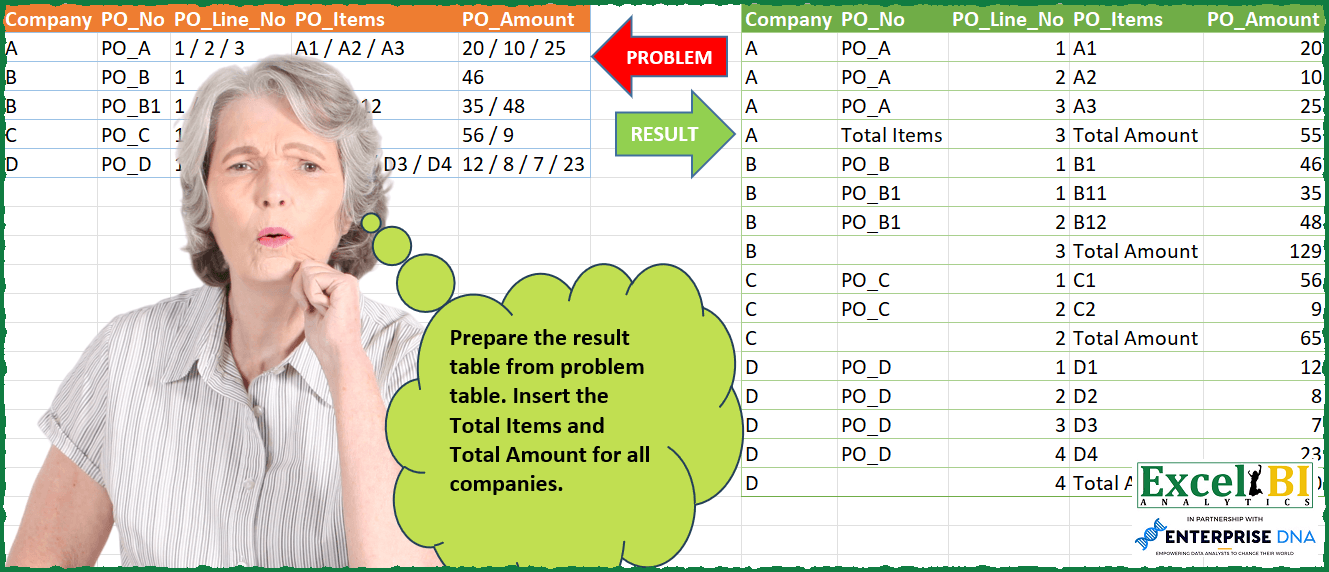
Challenge No. 104: Prepare the result table from problem table.
Solved using: Python.
Identify Missing Brackets
Challenge No. 289: There are 3 types of Parentheses (brackets) – ( ), { }, [ ].
Solved using: Python in Excel.
Custom Grouping! Part 15
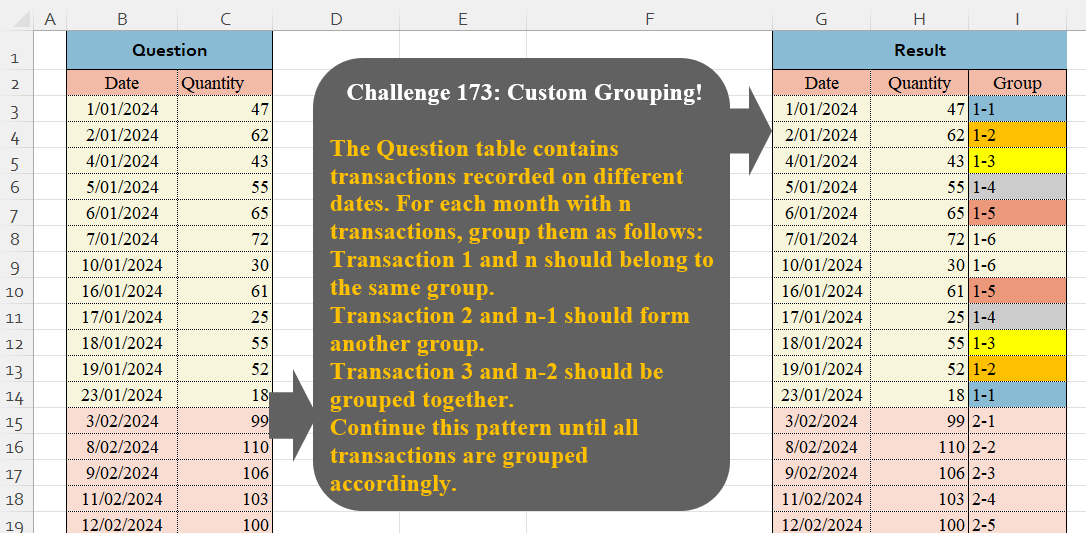
Challenge No. 173: The Question table contains transactions recorded on different dates.
Solved using:Excel (HSTACK, LAMBDA, LET), Google Sheets, Power Query (Table.Group, Date.Month, Table.AddIndexColumn), Python, Python in Excel, and R.
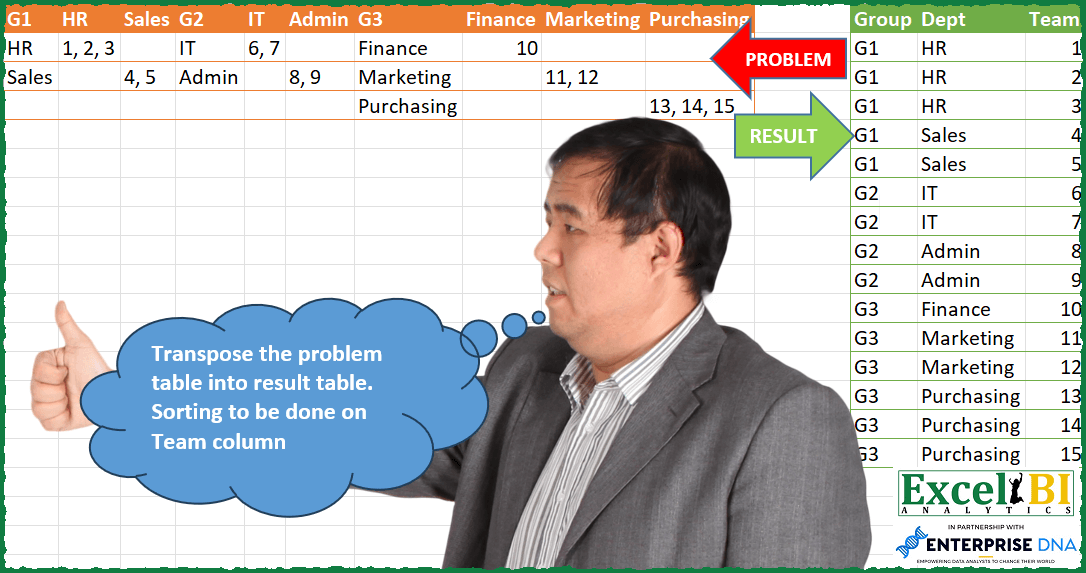
Transpose Team Problem Table
Challenge No. 103: Transpose the problem table into result table.
Solved using: Power Query (Table.SelectRows).
Fill Down using dynamic arrays.
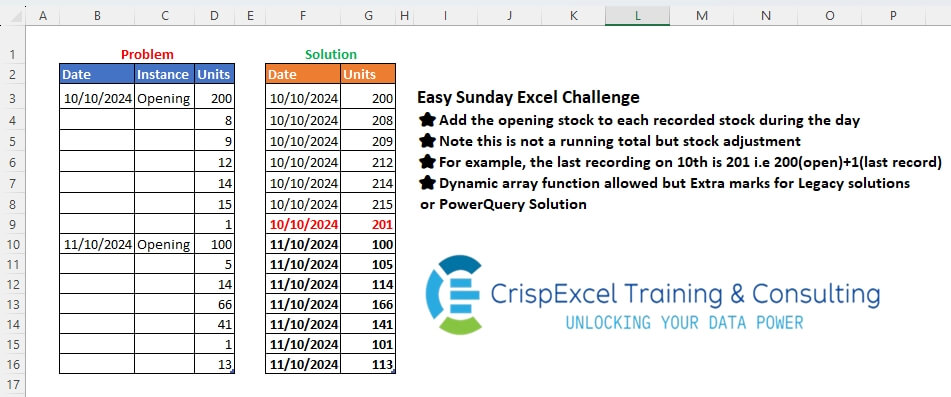
Challenge No. 47: Add the opening stock to each recorded stock during the day
Note that this is not a running total but a stock adjustment
For example, the last recording on the 10th is 201, i.
Solved using: Python in Excel.