
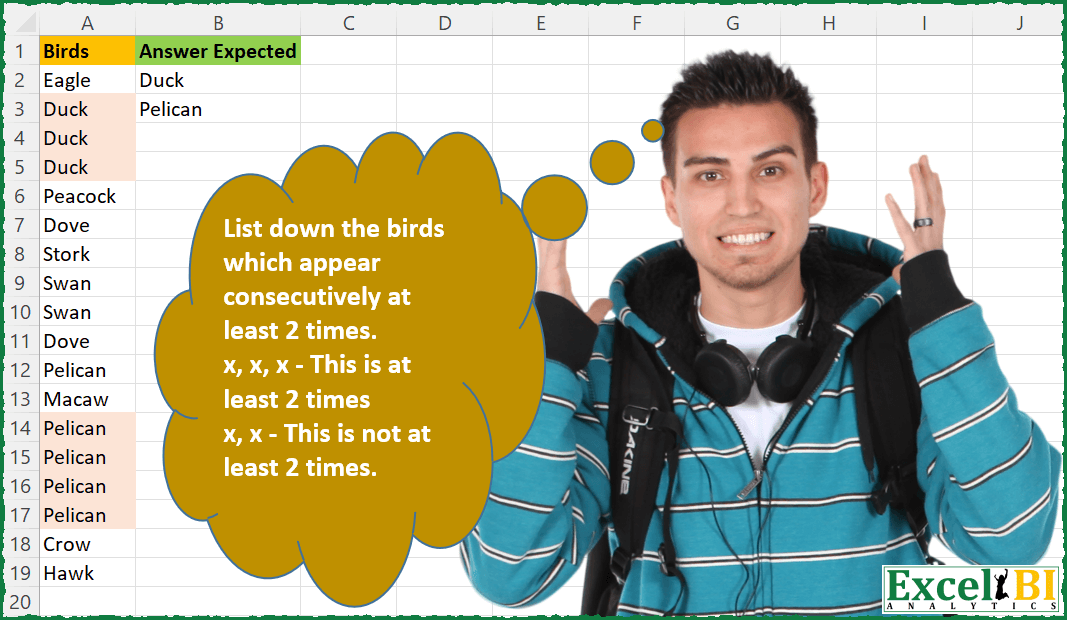
Challenge No. 66: List down the birds which appear consecutively at least 2 times.
Solved using: Python in Excel.
Returns one value for TRUE and another for FALSE based on a condition in Excel.
Challenge No. 66: List down the birds which appear consecutively at least 2 times.
Solved using: Python in Excel.
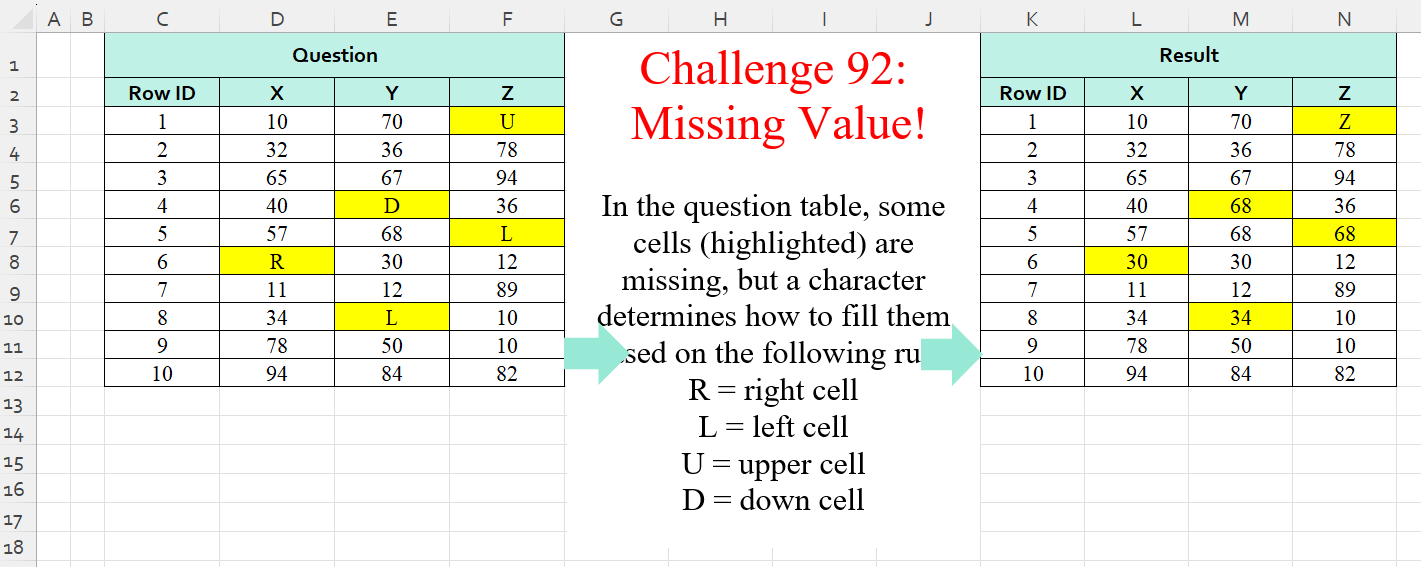
Challenge No. 92: In the question table, some cells (highlighted) are missing, but a character determines how to fill them based on the following rule:
R = right cell
L = left cell
U = upper cell
D = down cell.
Solved using:Excel (IF, IFS, INDEX), Power Query (List.PositionOf, List.Transform), Python, Python in Excel, and R.
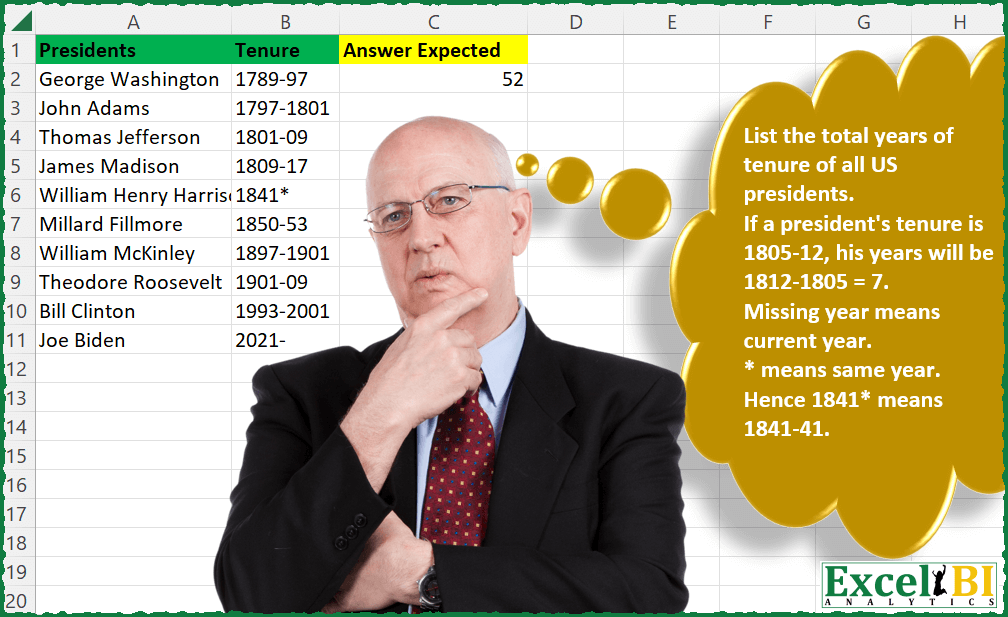
Challenge No. 51: Provide a formula to calculate the total (sum) years of tenure of all US presidents.
Solved using: Power Query.

Challenge No. 46: List the Teams and the number of matches won by them.
Solved using: Python in Excel.
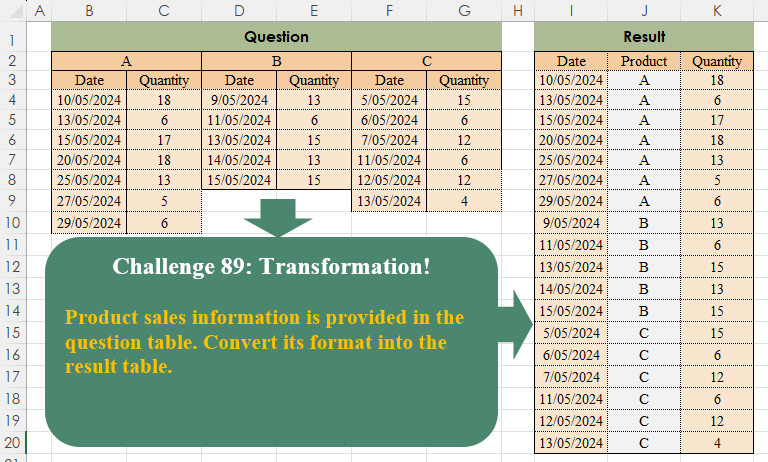
Challenge No. 89: Product sales information is provided in the question table.
Solved using:Excel (COUNTA, FILTER, HSTACK), Power Query (List.Transform, Table.SelectRows, Table.Skip), Python, Python in Excel, and R.
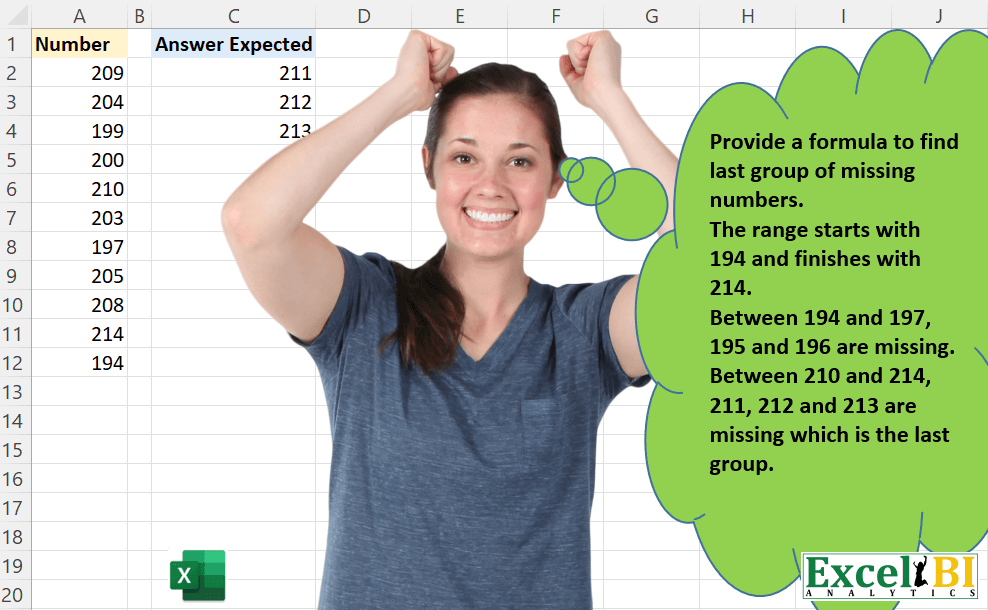
Challenge No. 42: Provide a formula to find last group of missing numbers.
Solved using: Power Query.
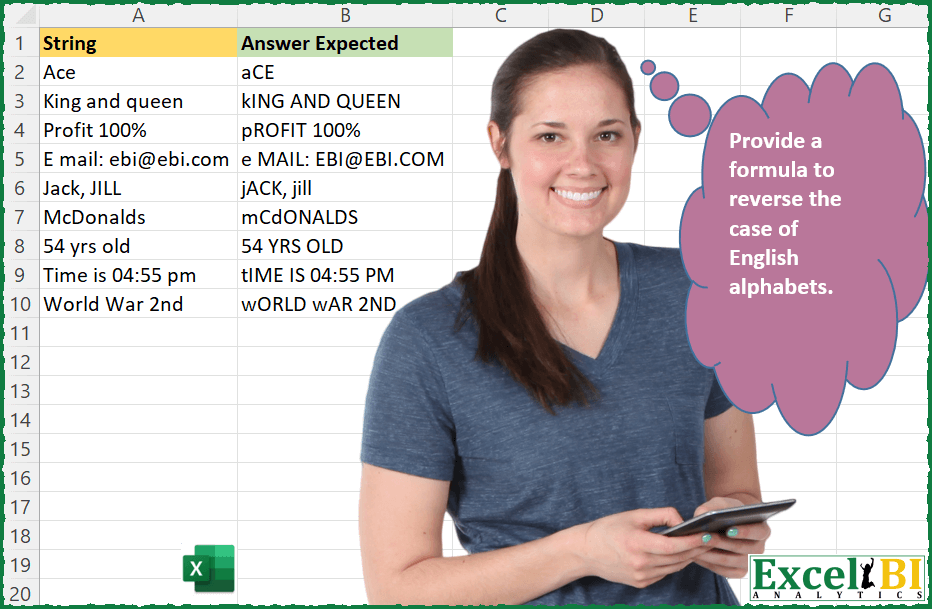
Challenge No. 36: Provide a formula to reverse the case of English alphabets.
Solved using: Power Query.
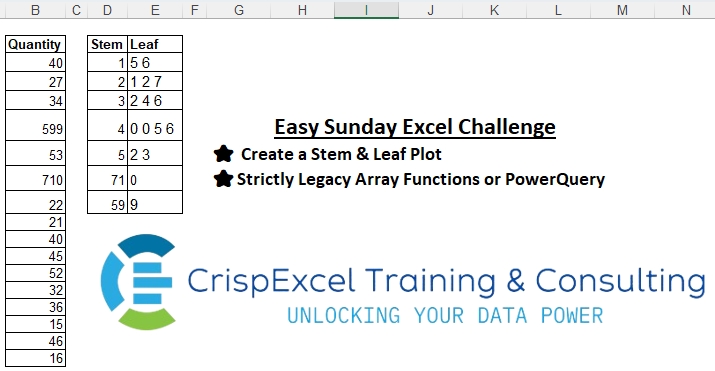
Challenge No. 1: Create a Stem & Leaf Plot
Strictly Legacy Array Functions or PowerQuery
NB:
A Stem and Leaf Plot is a special table where each data value is split into a “stem” (the first digit or digits) and a “leaf” (usually the last digit).
Solved using: Excel VBA.

Challenge No. 35: Provide a formula to create the triangle shown.
Solved using: Power Query.
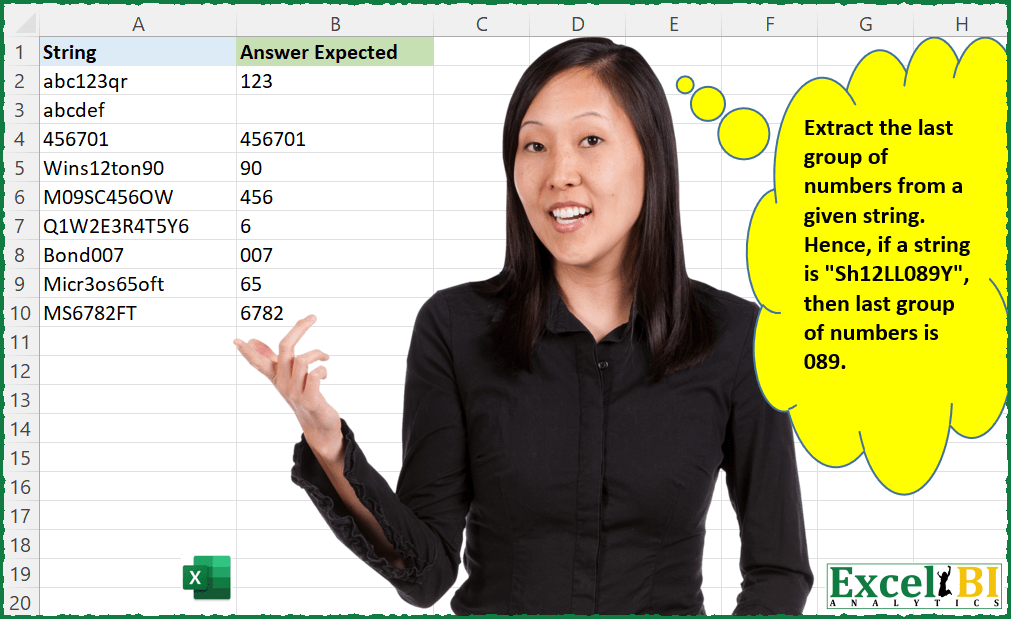
Challenge No. 34: Extract the last group of numbers from a given string.
Solved using: Python in Excel.