
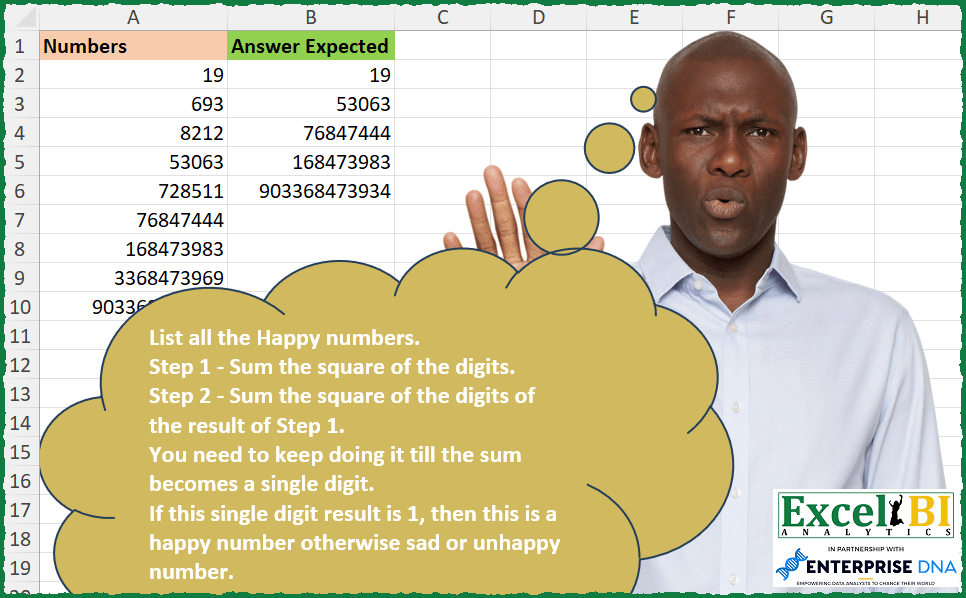
Challenge No. 255: List all the Happy numbers.
Solved using: Excel VBA.
Returns one value for TRUE and another for FALSE based on a condition in Excel.
Challenge No. 255: List all the Happy numbers.
Solved using: Excel VBA.
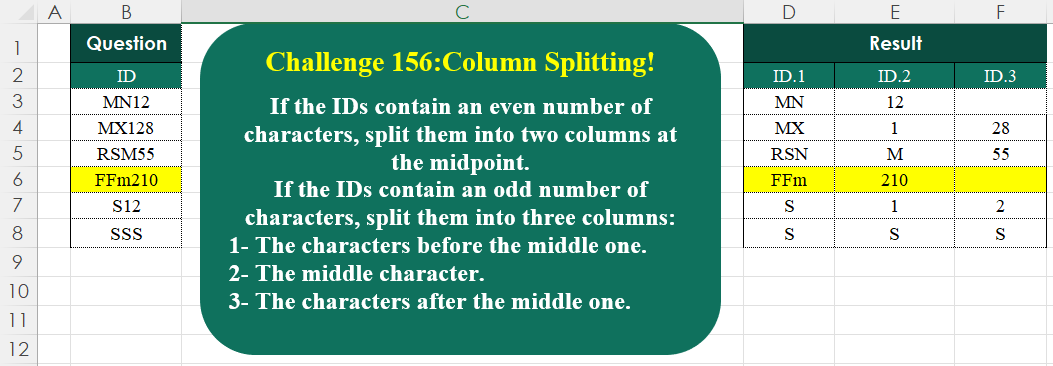
Challenge No. 156: If the IDs contain an even number of characters, split them into two columns at the midpoint.
Solved using:Excel (HSTACK, IF, IFNA), Google Sheets, Power Query (List.Transform, Text.End, Text.Start), Python, Python in Excel, and R.
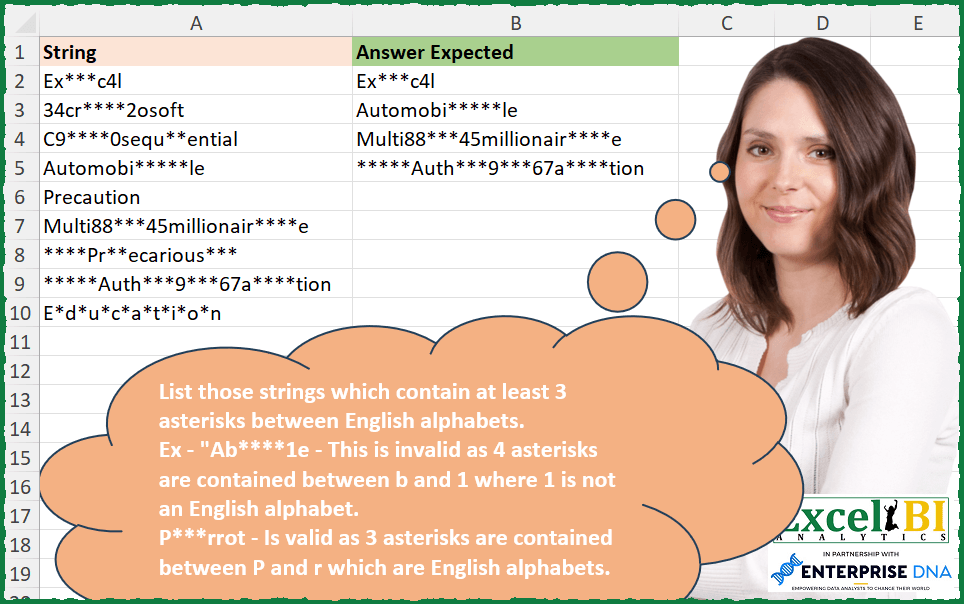
Challenge No. 254: List those strings which contain at least 3 asterisks between English alphabets.
Solved using: Power Query.
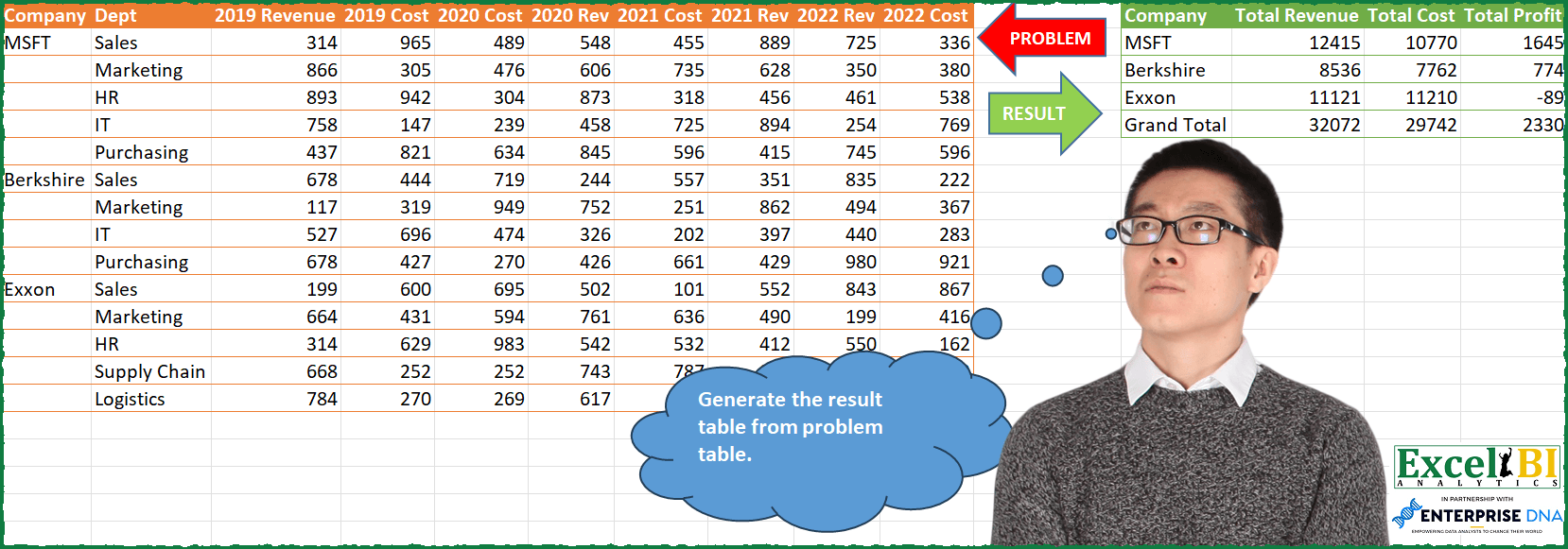
Challenge No. 85: Generate the result table from problem table.
Solved using: Python in Excel.
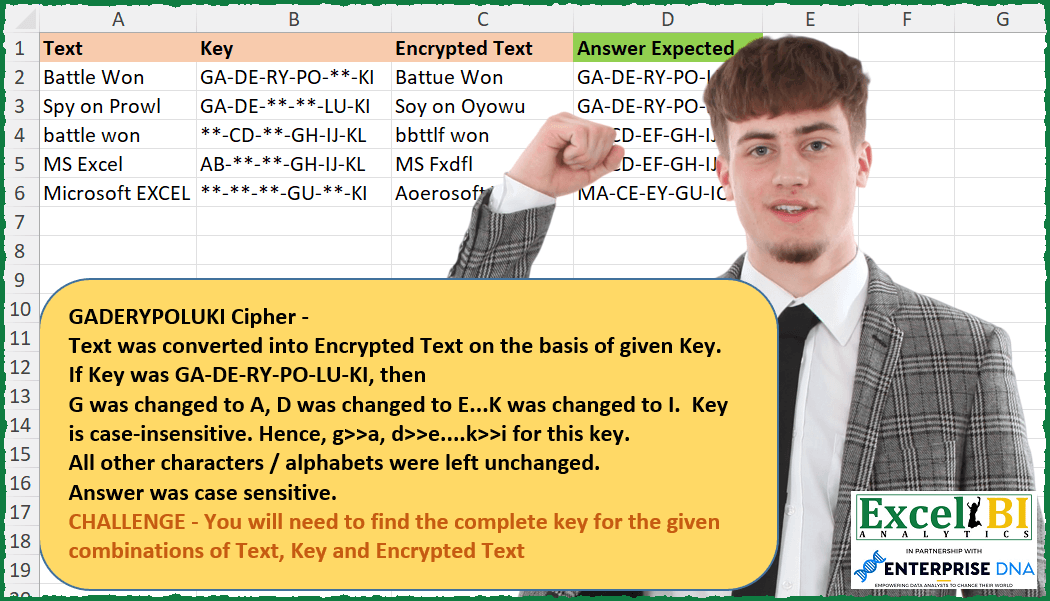
Challenge No. 253: NOTE – Order in answer is not important.
Solved using: Power Query (Text.Combine).

Challenge No. 155: Transform the question table into the result table format.
Solved using:Excel (DROP, FILTER, HSTACK), Google Sheets, Power Query (List.Skip, List.Transform, Table.AddColumn), Python, Python in Excel, and R.
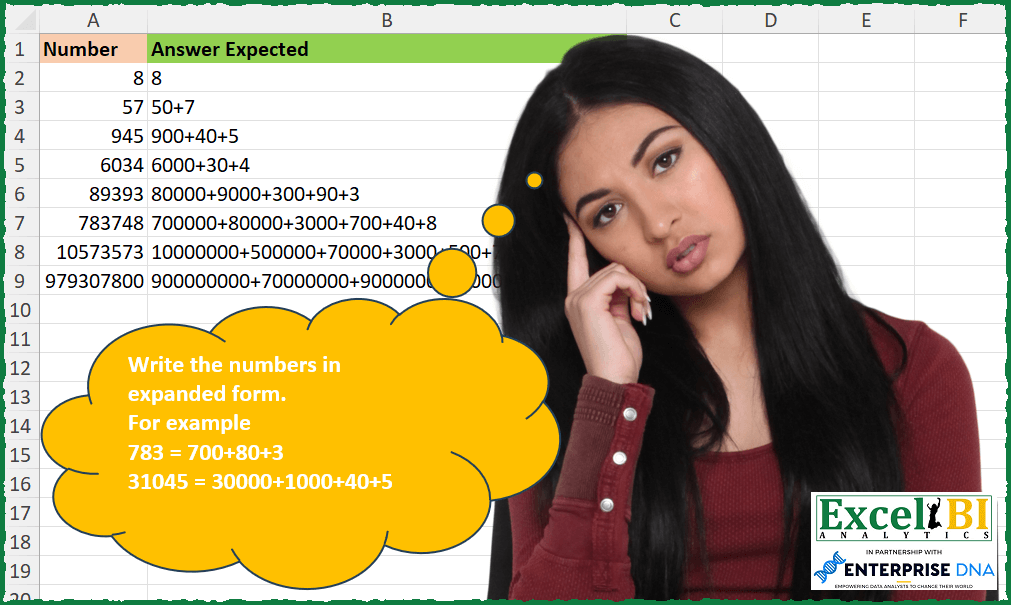
Challenge No. 252: Write the numbers in expanded form.
Solved using: Python in Excel.
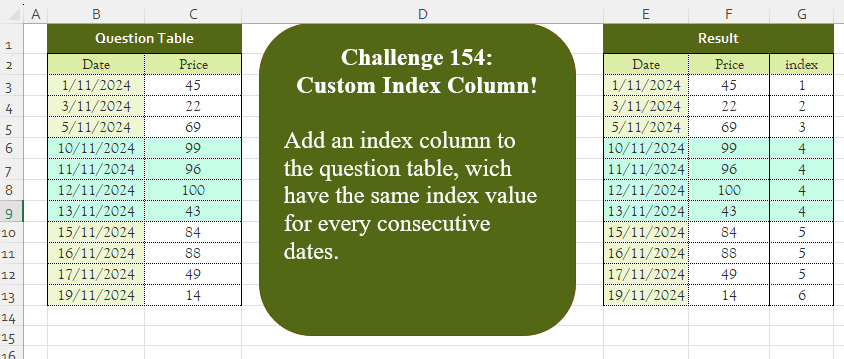
Challenge No. 154: Add an index column to the question table, which has the same index value for every consecutive date.
Solved using:Excel (DROP, IF, LAMBDA), Google Sheets, Power Query (Table.AddColumn, Table.AddIndexColumn, Table.Column), Python, Python in Excel, and R.
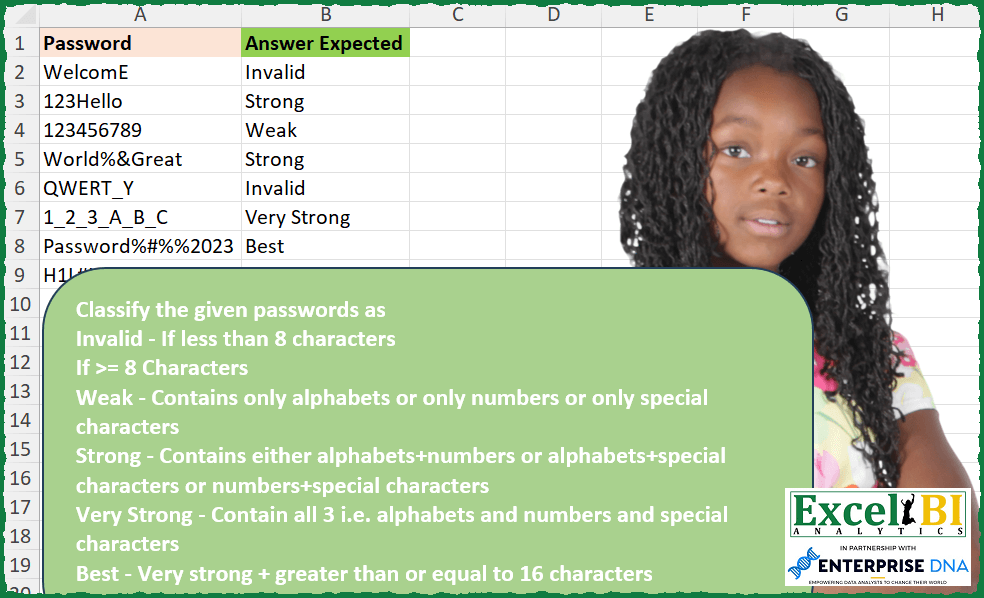
Challenge No. 250: Classify the given passwords as
Invalid – If less than 8 characters
If >= 8 Characters
Weak – Contains only alphabets or only numbers or only special characters
Strong – Contains either alphabets+numbers or alphabets+special characters or numbers+special characters
Very Strong – Contains all 3 i.
Solved using: Excel VBA.
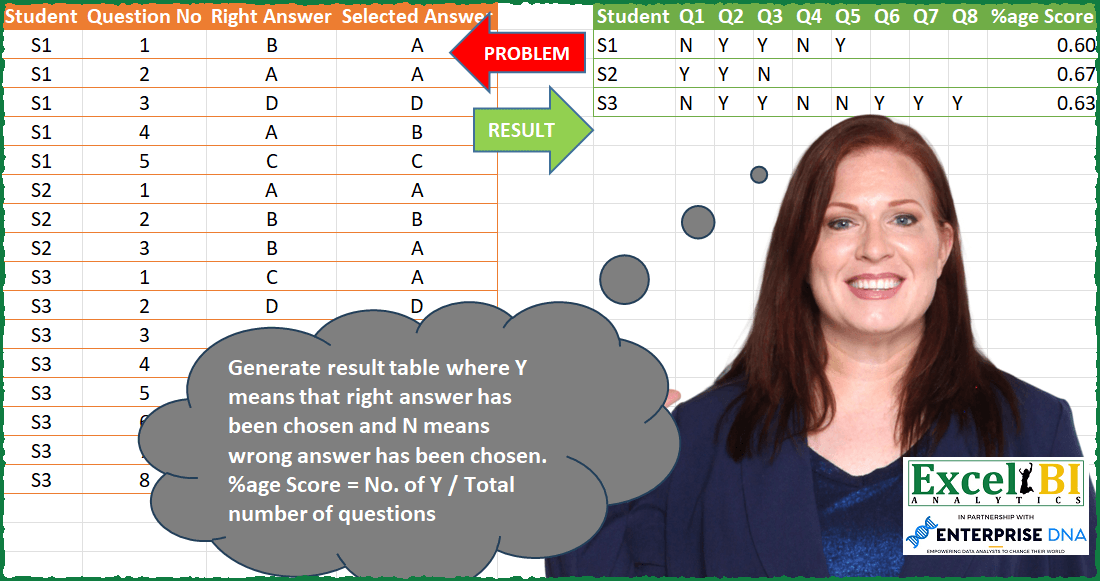
Challenge No. 83: Generate result table where Y means that right answer has been chosen and N means wrong answer has been chosen.
Solved using: Power Query (List.Distinct, Table.AddColumn).