
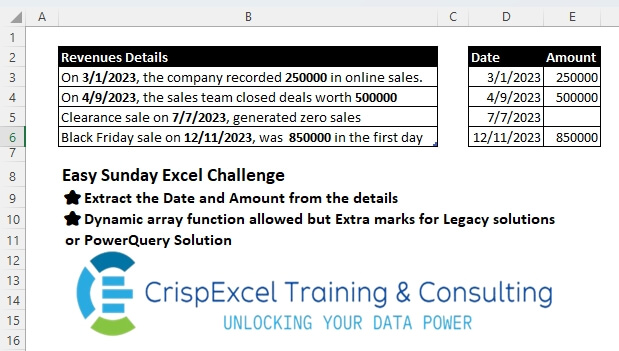
Challenge No. 45: Extract the Date and Amount from the details
Dynamic array function allowed, but Extra marks for Legacy solutions or PowerQuery Solutions.
Solved using: Python.
Removes a specified number of rows or columns from an array in Excel.
Challenge No. 45: Extract the Date and Amount from the details
Dynamic array function allowed, but Extra marks for Legacy solutions or PowerQuery Solutions.
Solved using: Python.
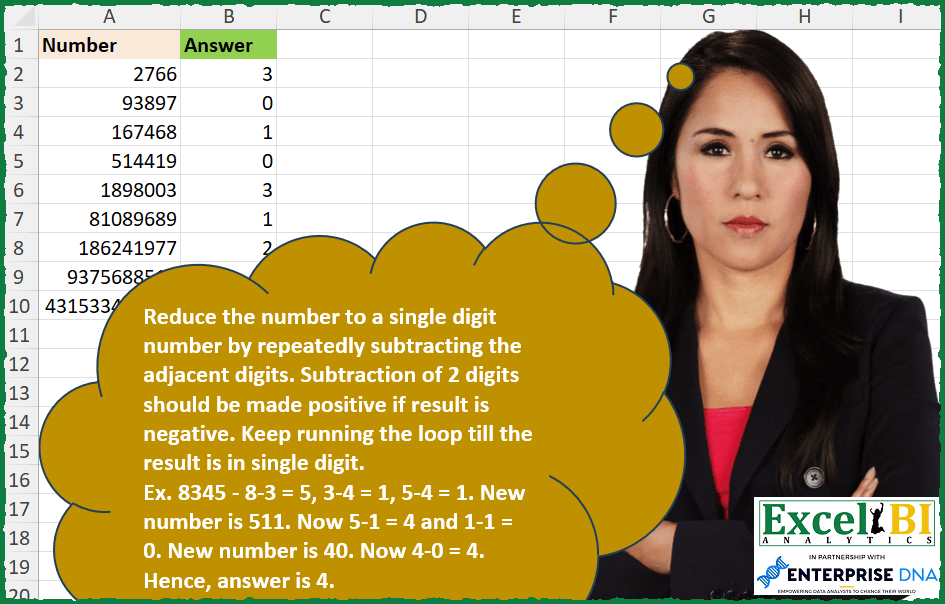
Challenge No. 278: Reduce the number to a single digit number by repeatedly subtracting the adjacent digits.
Solved using: Python in Excel.
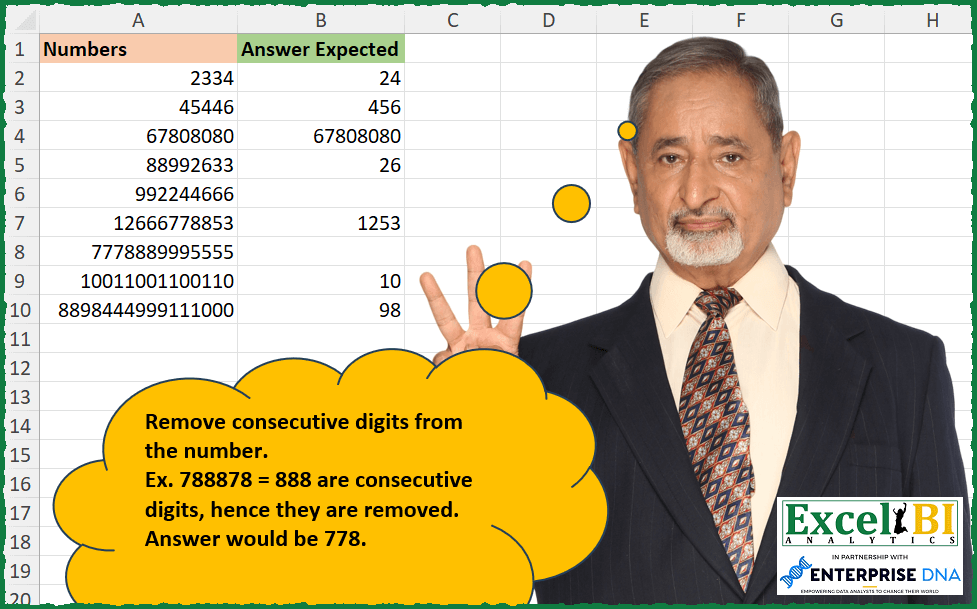
Challenge No. 269: Remove consecutive digits from the number.
Solved using: Excel VBA.
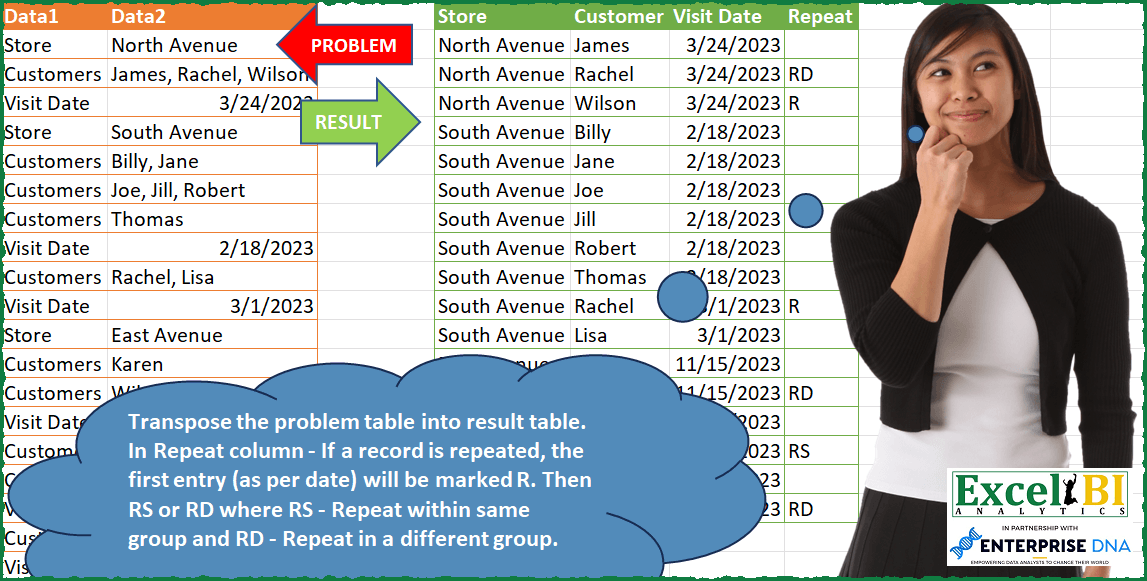
Challenge No. 91: Transpose the problem table into result table.
Solved using: Power Query (Table.AddColumn, Table.SelectRows).
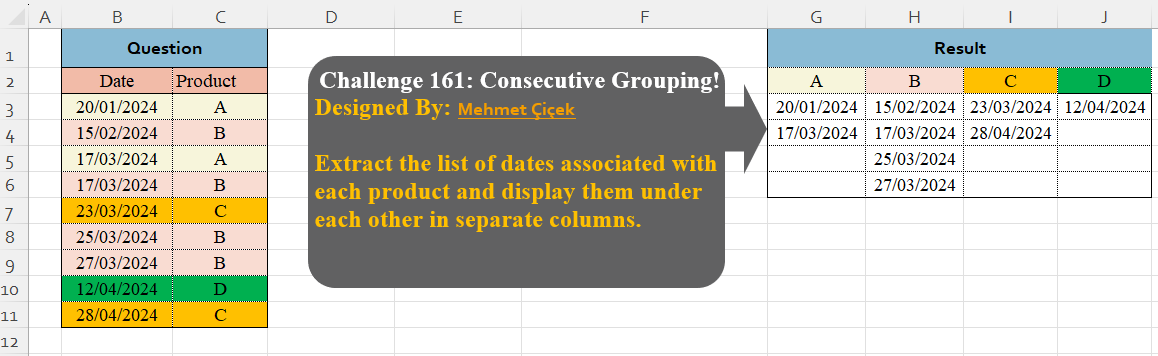
Challenge No. 161: Extract the list of dates associated with each product and display them under each other in separate columns.
Solved using:Excel (DROP, FILTER, HSTACK), Google Sheets, Power Query (Table.Group), Python, Python in Excel, and R.

Challenge No. 158: From the question table, extract the last transaction per product for each month.
Solved using:Excel (DROP, FILTER, GROUPBY), Google Sheets, Power Query (Date.Month, Table.AddColumn, Table.Combine), Python, Python in Excel, and R.
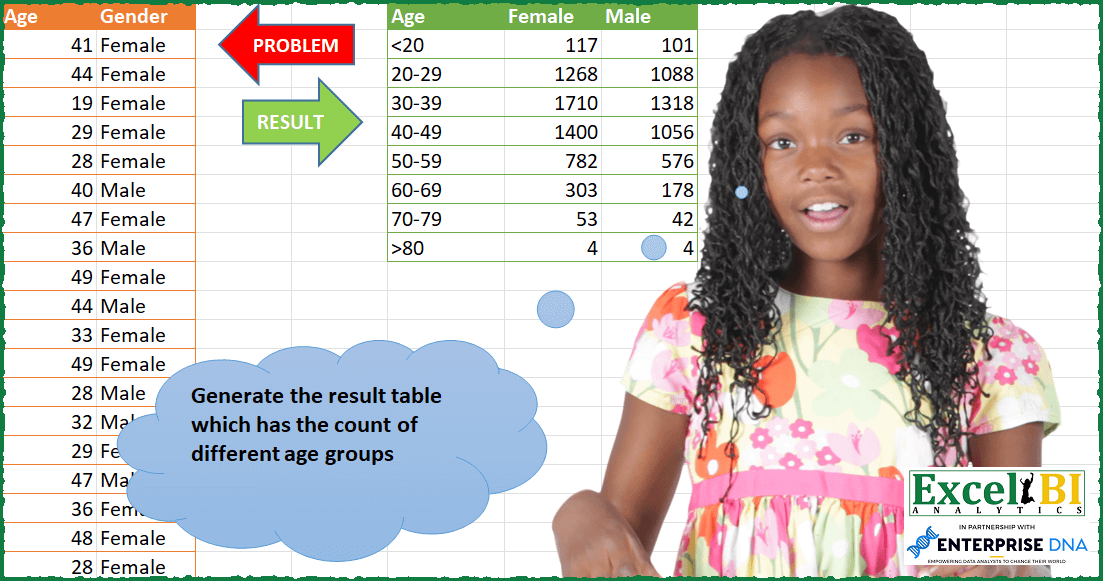
Challenge No. 87: Generate the result table which has the count of different age groups.
Solved using: Python in Excel.
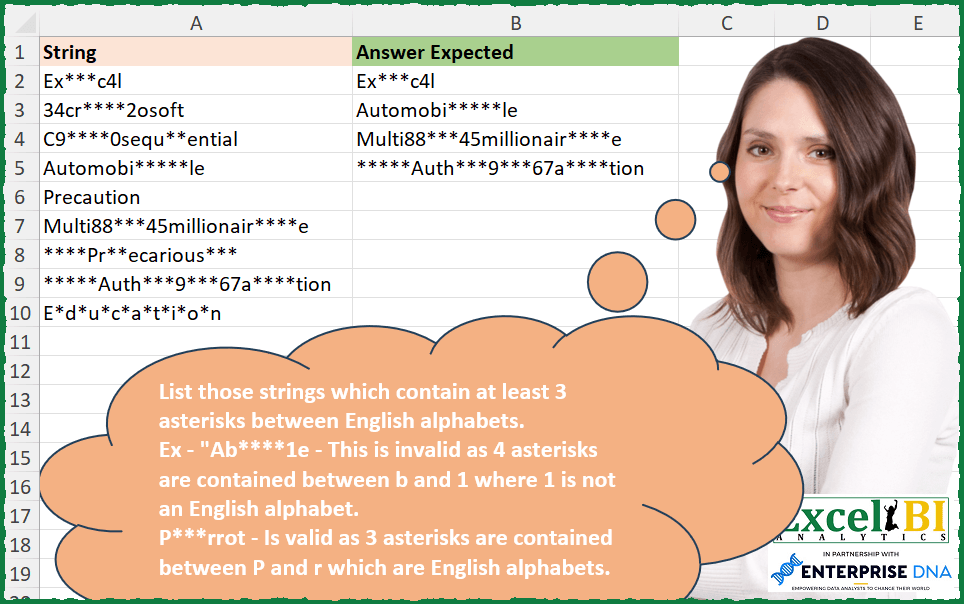
Challenge No. 254: List those strings which contain at least 3 asterisks between English alphabets.
Solved using: Power Query.
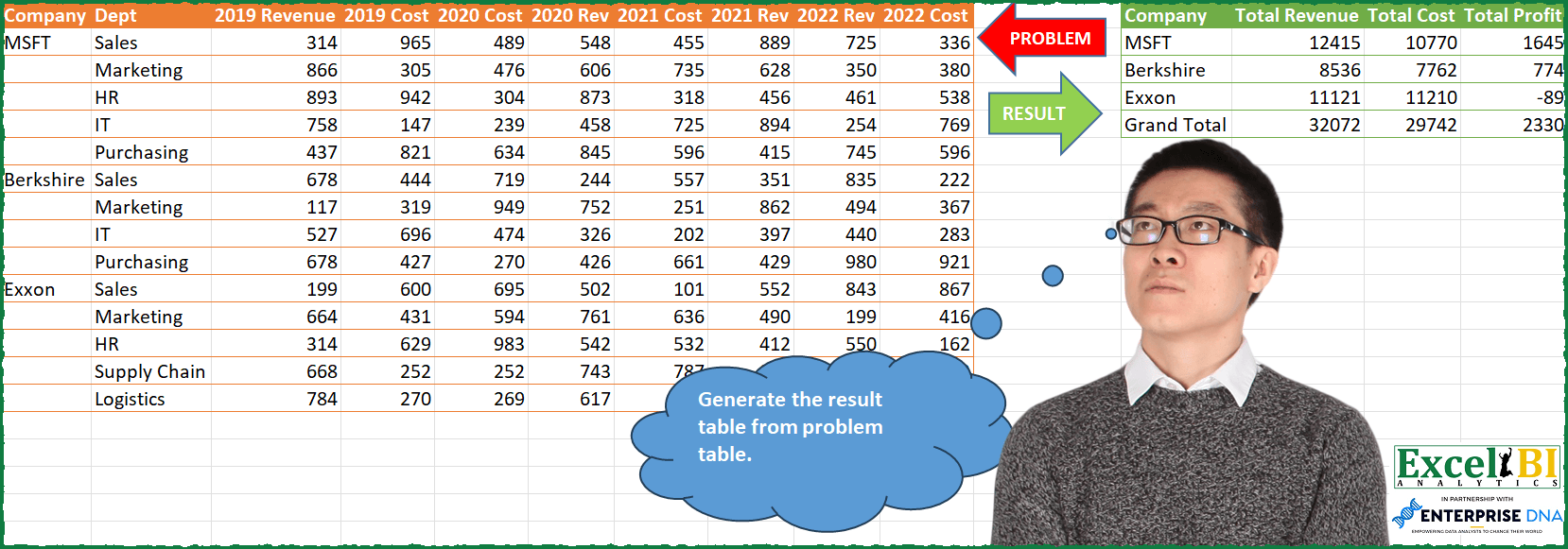
Challenge No. 85: Generate the result table from problem table.
Solved using: Python in Excel.

Challenge No. 155: Transform the question table into the result table format.
Solved using:Excel (DROP, FILTER, HSTACK), Google Sheets, Power Query (List.Skip, List.Transform, Table.AddColumn), Python, Python in Excel, and R.