
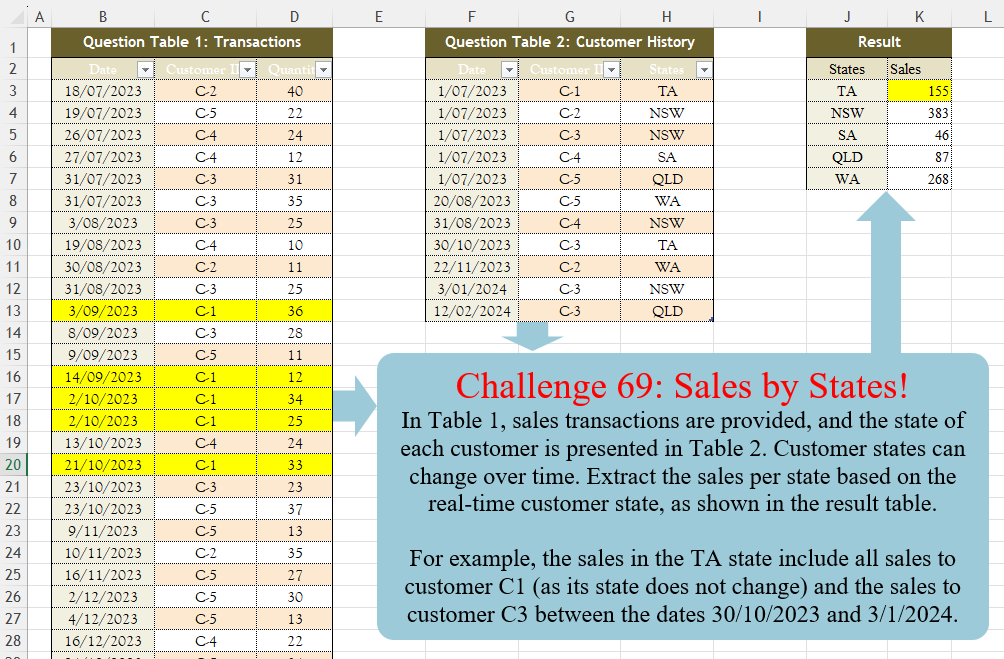
Challenge No. 69: In Table 1, sales transactions are provided, and the state of each customer is presented in Table 2.
Solved using:Excel (FILTER, HSTACK, LAMBDA), Power Query (Table.AddColumn, Table.Group), Python, R, and SQL.
Challenges related to Excel formulas.
Challenge No. 69: In Table 1, sales transactions are provided, and the state of each customer is presented in Table 2.
Solved using:Excel (FILTER, HSTACK, LAMBDA), Power Query (Table.AddColumn, Table.Group), Python, R, and SQL.
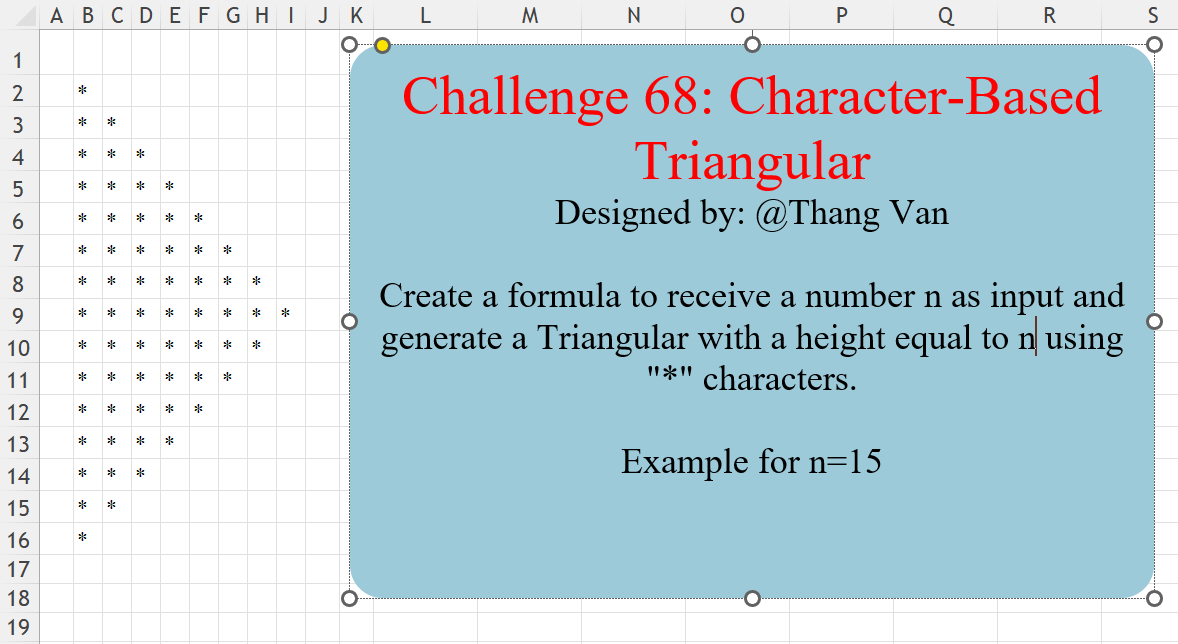
Challenge No. 68: Create a formula to receive a number n as input and generate a Triangular with a height equal to n using “*” characters.
Solved using:Excel (IF, LAMBDA, LET), Power Query (List.Repeat, List.Transform, Table.FromColumns), Python, R, and VBA.
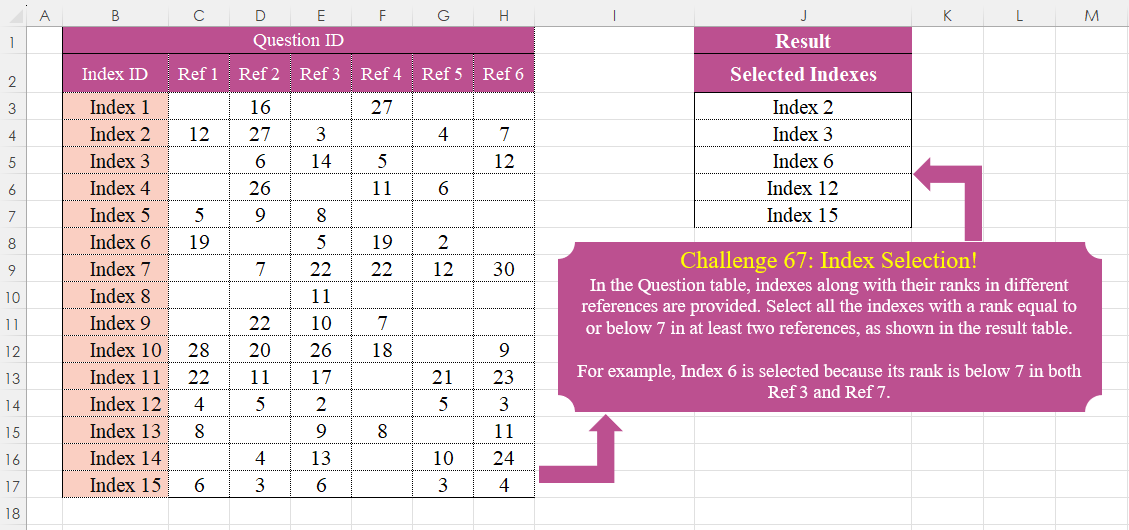
Challenge No. 67: In the Question table, indexes along with their ranks in different references are provided.
Solved using:Excel (BYROW, FILTER, LAMBDA), Power Query (List.Skip, List.Transform, Table.SelectRows), Python, R, and VBA.

Challenge No. 66: Convert the Question table with the merge headers into the result table.
Solved using:Excel (DROP, HSTACK, IF), Power Query (List.Distinct, List.PositionOf, Table.Pivot), Python, R, and VBA.
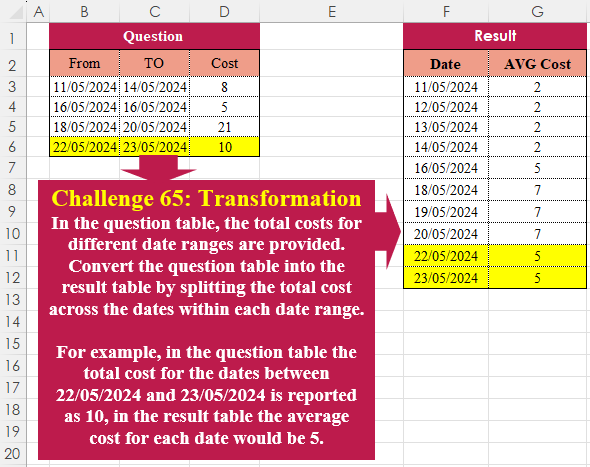
Challenge No. 65: In the question table, the total costs for different date ranges are provided.
Solved using:Excel (HSTACK, LAMBDA, LET), Power Query (List.Dates, List.Transform, Table.AddColumn), Python, R, and VBA.
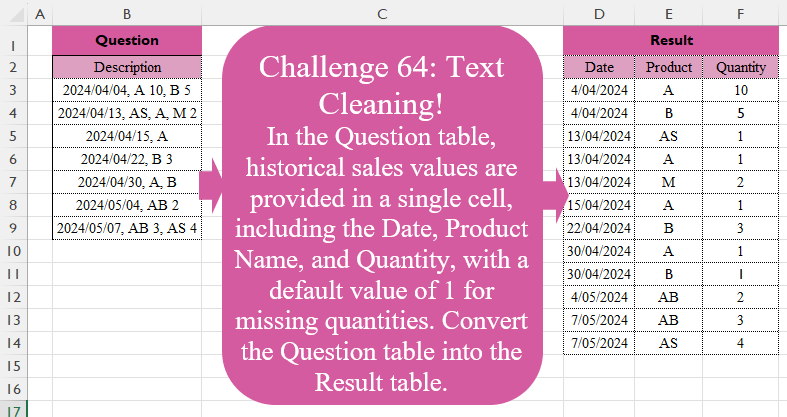
Challenge No. 64: In the Question table, historical sales values are provided in a single cell, including the Date, Product Name, and Quantity, with a default value of 1 for missing quantities.
Solved using:Excel (DROP, HSTACK, IFERROR), Power Query (List.Transform, Text.Split, Table.Split), Python, R, and VBA.

Challenge No. 63: In the Question table, sales information including Date, Product Name, and Quantity is provided without any separators.
Solved using:Excel (CHAR, HSTACK, LAMBDA), Power Query (List.Contains, Table.Combine, Table.FromRows), Python, R, and VBA.
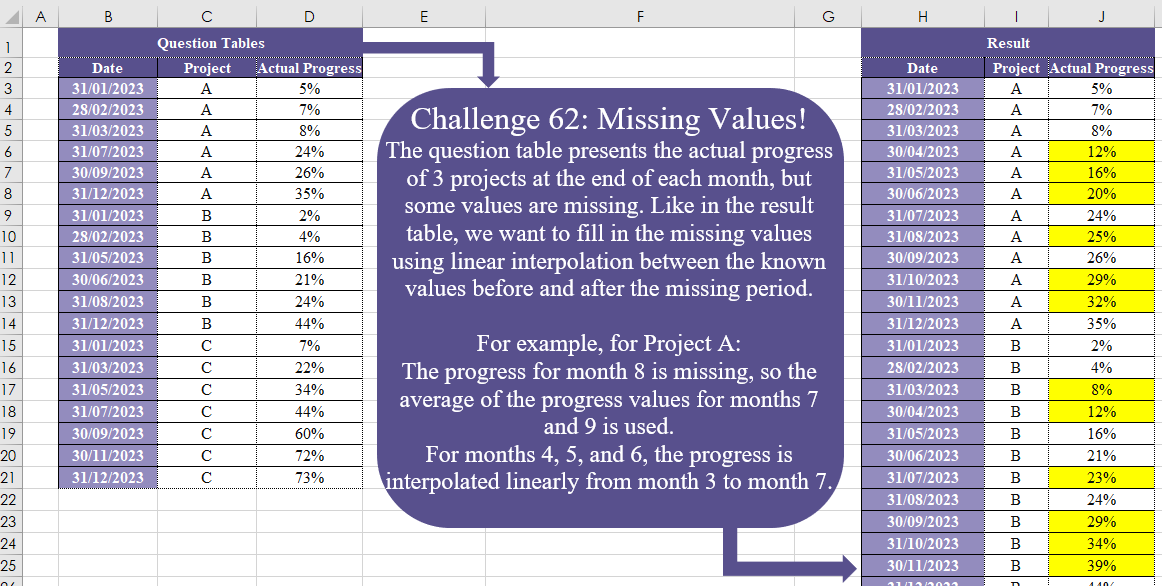
Challenge No. 62: The question table presents the actual progress of 3 projects at the end of each month, but some values are missing.
Solved using:Excel (DATE, DROP, IF), Power Query (Date.Month), Python, and R.
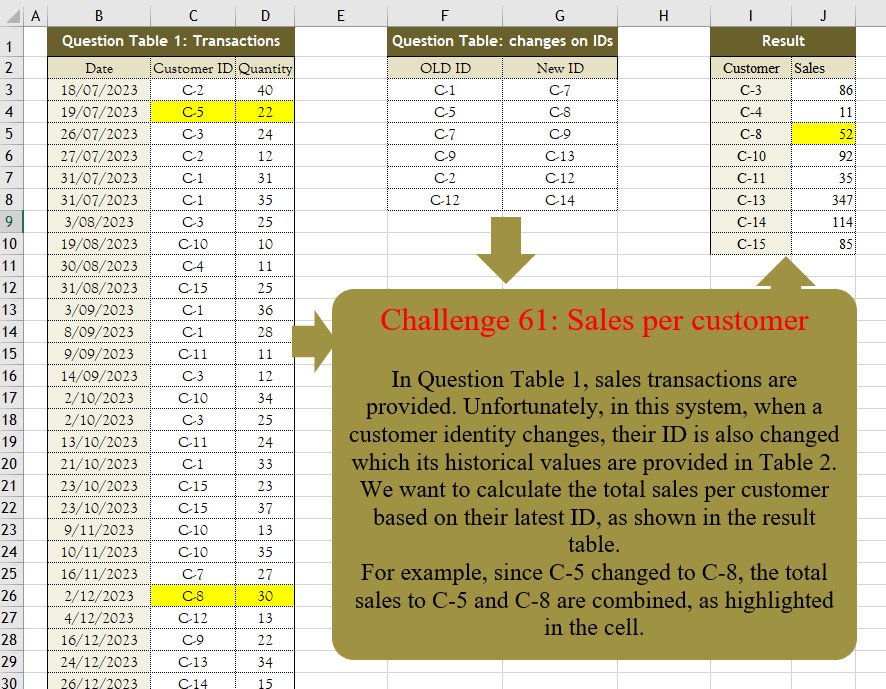
Challenge No. 61: In Question Table 1, sales transactions are provided.
Solved using:Excel (FILTER, HSTACK, IF), Power Query (Table.Group, Table.Sort), Python, R, and VBA.

Challenge No. 60: The customer receipt costs and their payments are provided in Question Tables 1 and 2.
Solved using:Excel, Power Query, and R.