
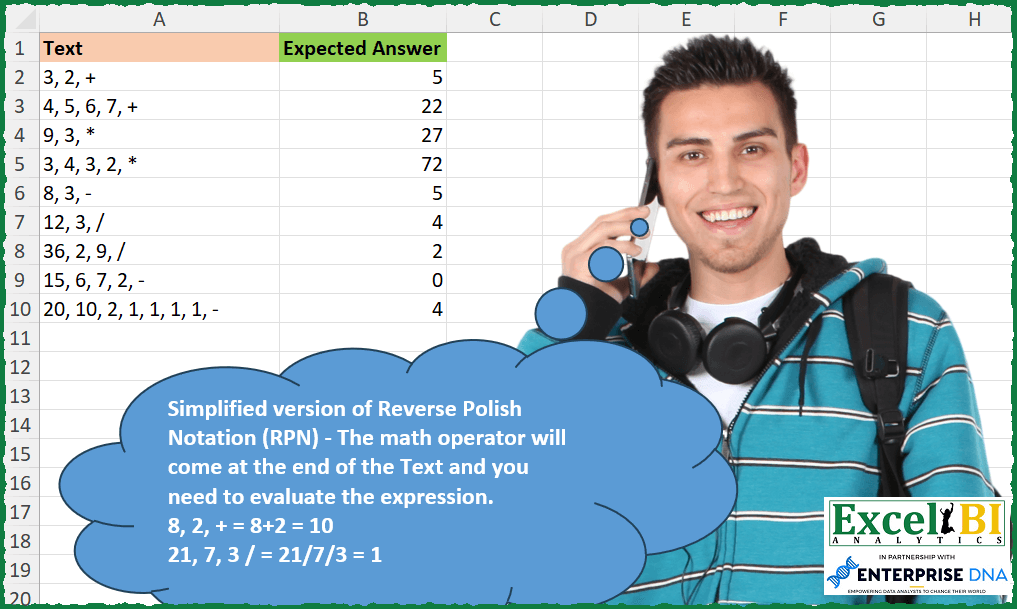
Challenge No. 297: Simplified version of Reverse Polish Notation (RPN) – The math operator will come at the end of the Text and you need to evaluate the expression.
Solved using: Python in Excel.
Handling text-based transformations.
Challenge No. 297: Simplified version of Reverse Polish Notation (RPN) – The math operator will come at the end of the Text and you need to evaluate the expression.
Solved using: Python in Excel.
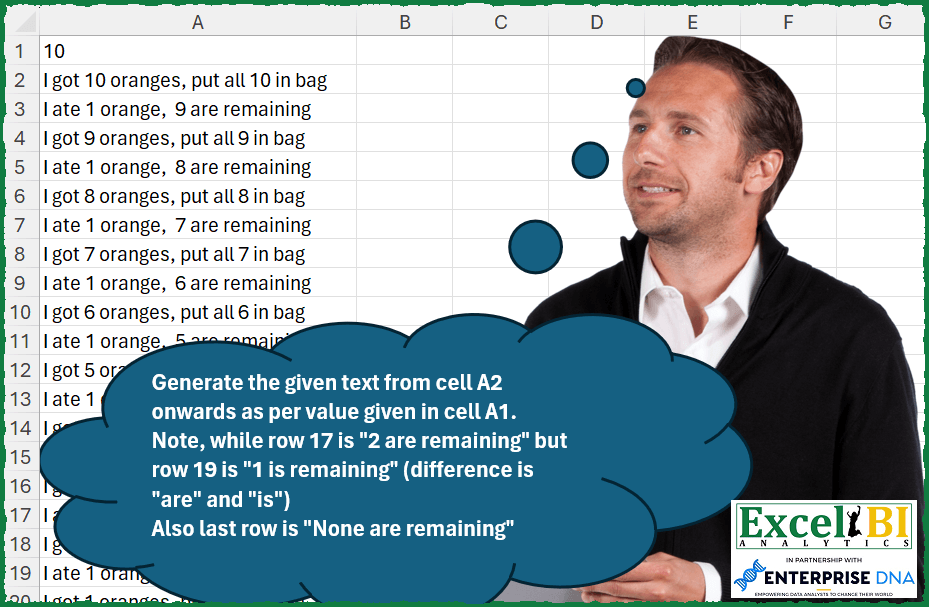
Challenge No. 295: Generate the given text from cell A2 onwards as per value given in cell A1.
Solved using: Python in Excel.
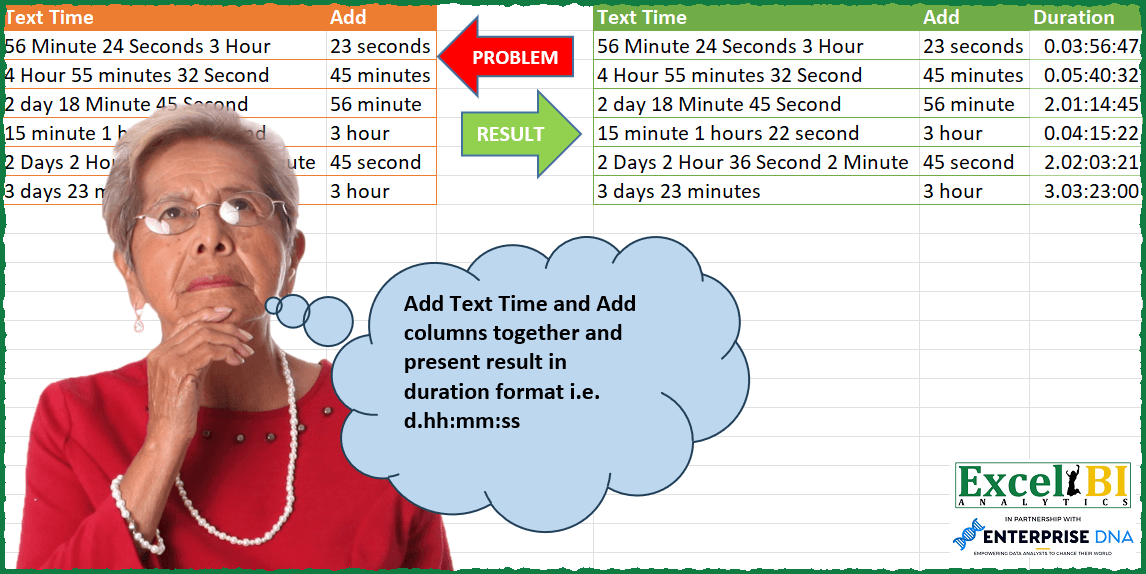
Challenge No. 105: Add Text Time and Add columns together and present result in duration format i.
Solved using: Excel VBA.
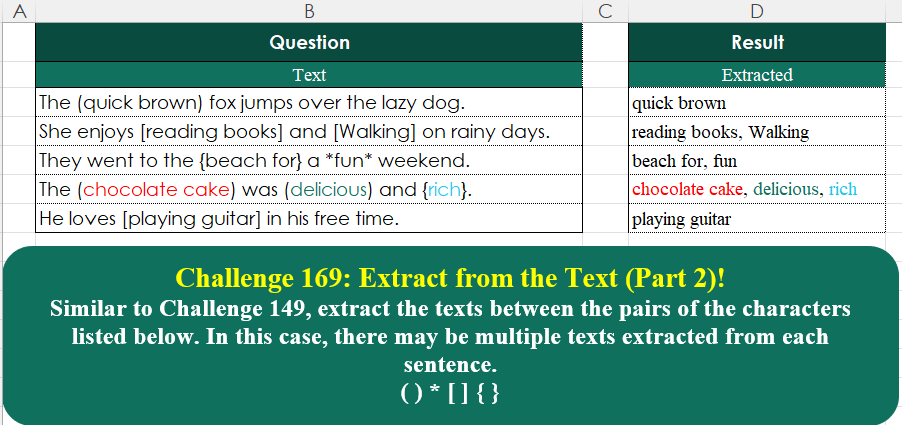
Challenge No. 169: Similar to Challenge 149, extract the texts between the pairs of the characters listed below.
Solved using:Excel (ARRAYTOTEXT, LAMBDA, MAP), Google Sheets, Power Query (List.Split, List.Transform, Text.Combine), Python, Python in Excel, and R.
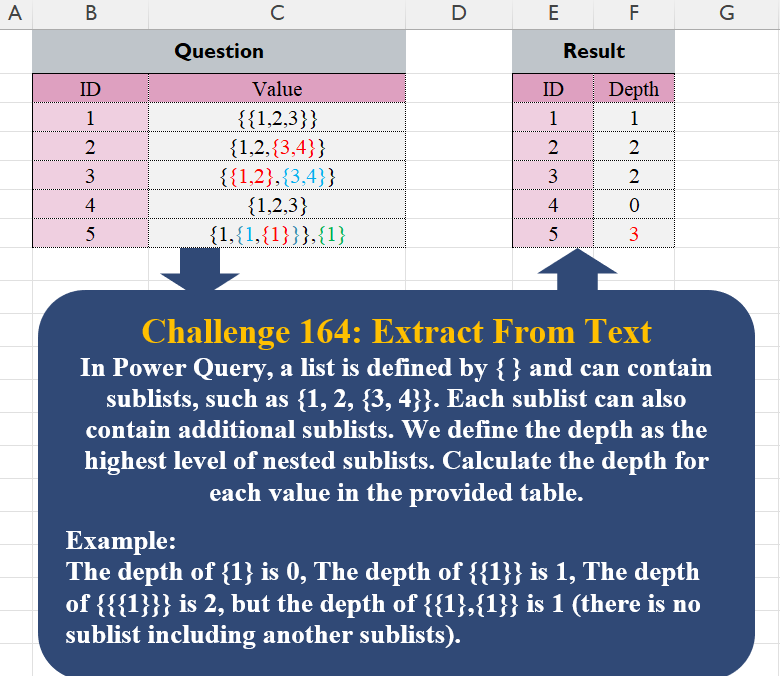
Challenge No. 164: In Power Query, a list is defined by { } and can contain sublists, such as {1, 2, {3, 4}}.
Solved using:Excel, Google Sheets, Power Query, Python, and R.
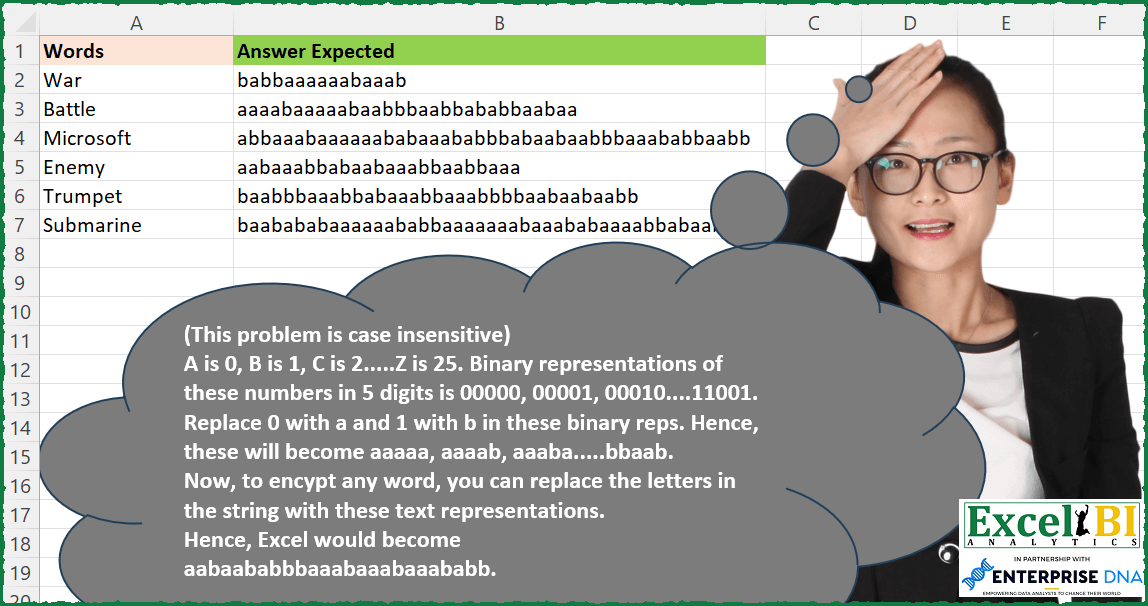
Challenge No. 268: Find the Decrypted words corresponding to Encrypted words .
Solved using: Excel VBA.
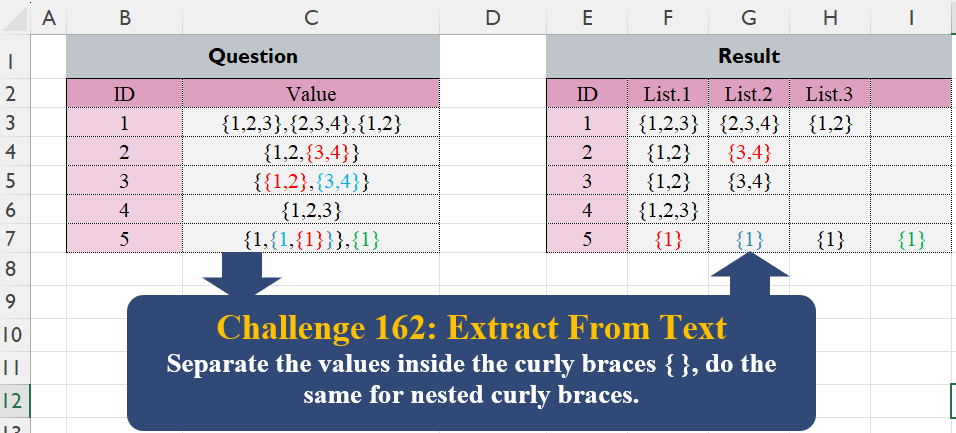
Challenge No. 162: Separate the values inside the curly braces { }, do the same for nested curly braces.
Solved using:Excel (IFNA, LAMBDA, LET), Google Sheets, Power Query (List.Transform, Table.AddColumn), Python, Python in Excel, R, and VBA.
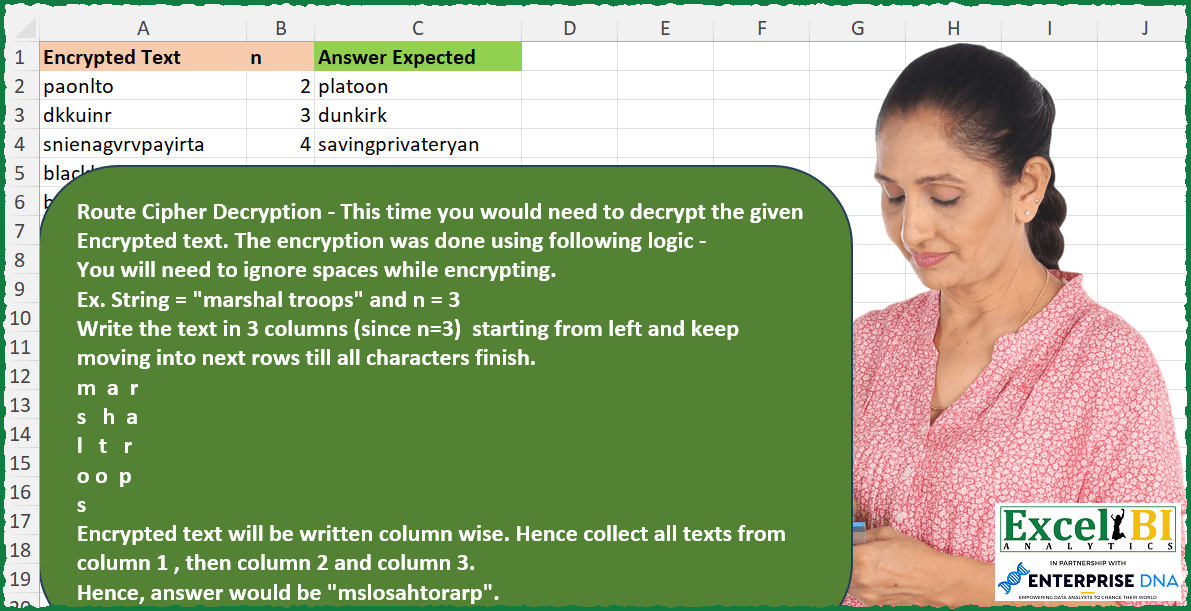
Challenge No. 258: Route Cipher Decryption – This time you would need to decrypt the given Encrypted text.
Solved using: Excel VBA.
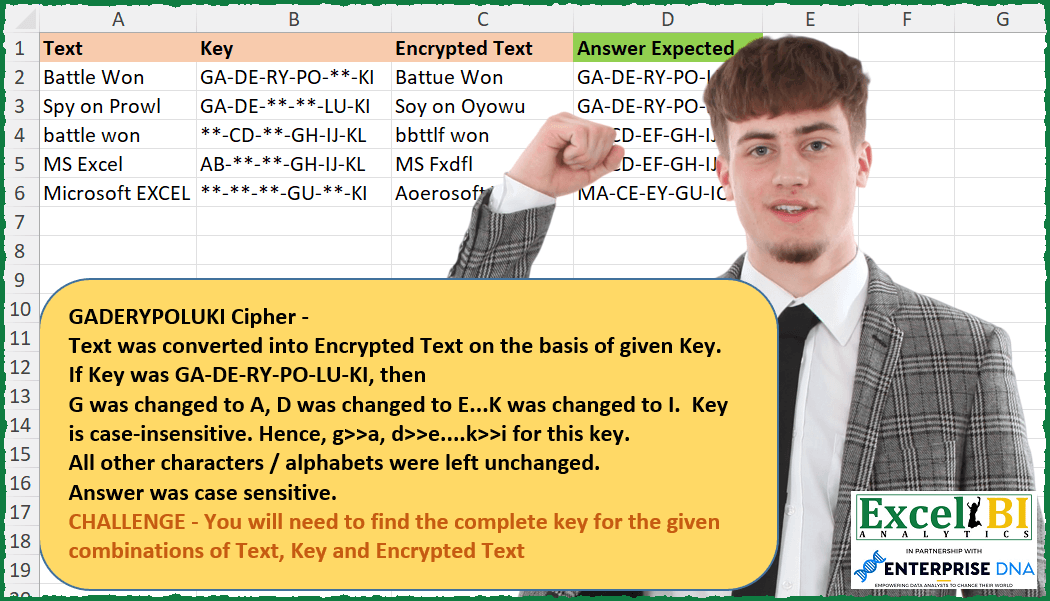
Challenge No. 253: NOTE – Order in answer is not important.
Solved using: Power Query (Text.Combine).

Challenge No. 243: Polybius Cipher Decrypter –
Decrypt the text in column I as per grid in A2:G8.
Solved using: Excel VBA.