
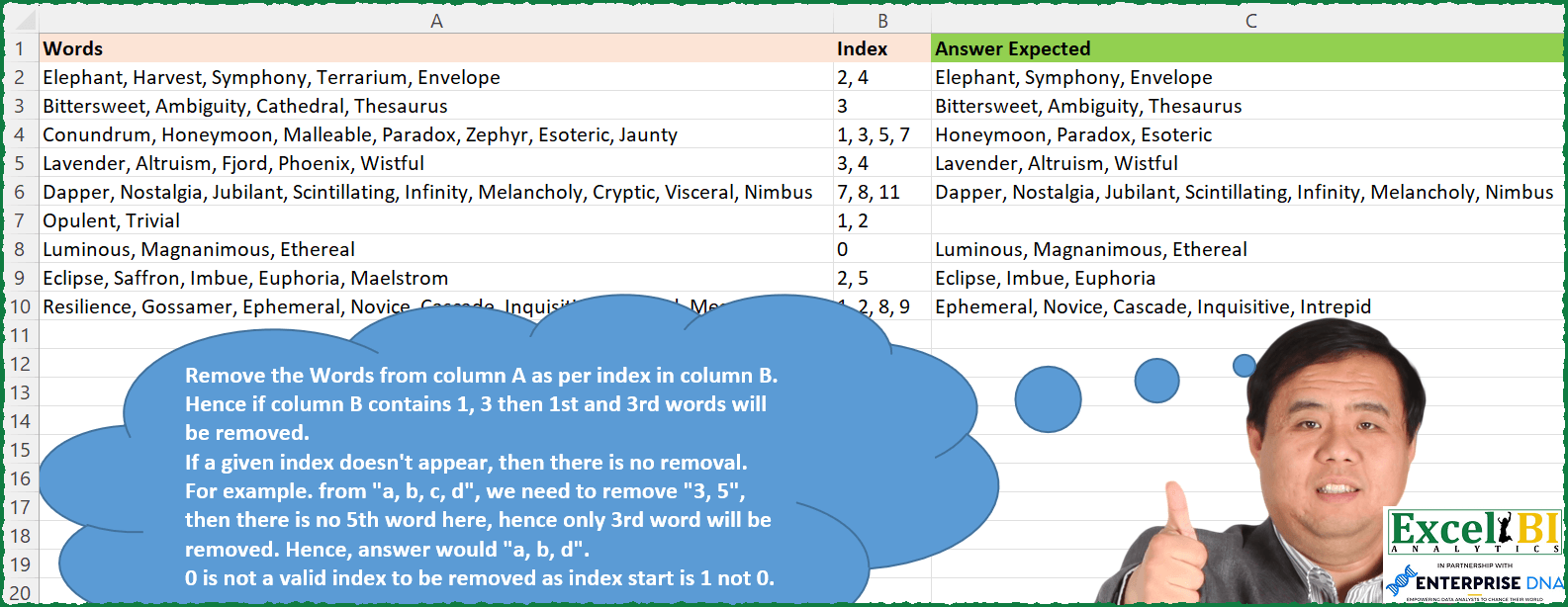
Challenge No. 152: Remove the Words from column A as per index in column B.
Solved using: Excel VBA.
Challenges categorized by topic.
Challenge No. 152: Remove the Words from column A as per index in column B.
Solved using: Excel VBA.
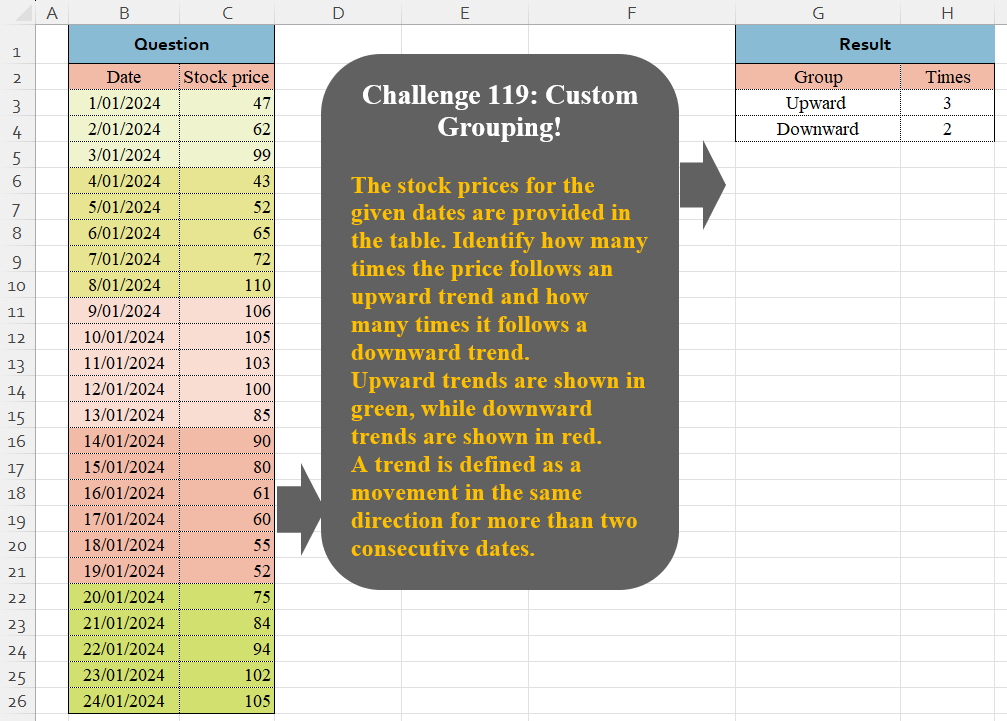
Challenge No. 119: The stock prices for the given dates are provided in the table.
Solved using:Excel (DROP, HSTACK, IF), Google Sheets, Power Query (Table.Group, Table.AddColumn, Table.Group), Python in Excel, and R.
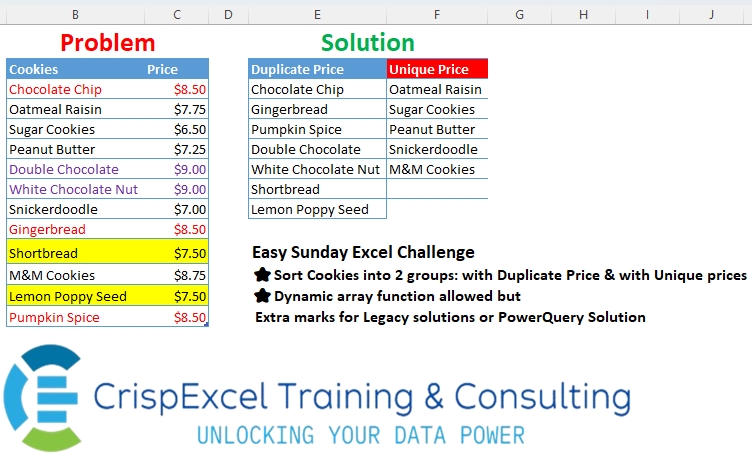
Challenge No. 38: Sort Cookies into 2 groups: with Duplicate Price & with Unique prices Dynamic array function allowed but
Extra marks for Legacy solutions or PowerQuery Solution.
Solved using: R.
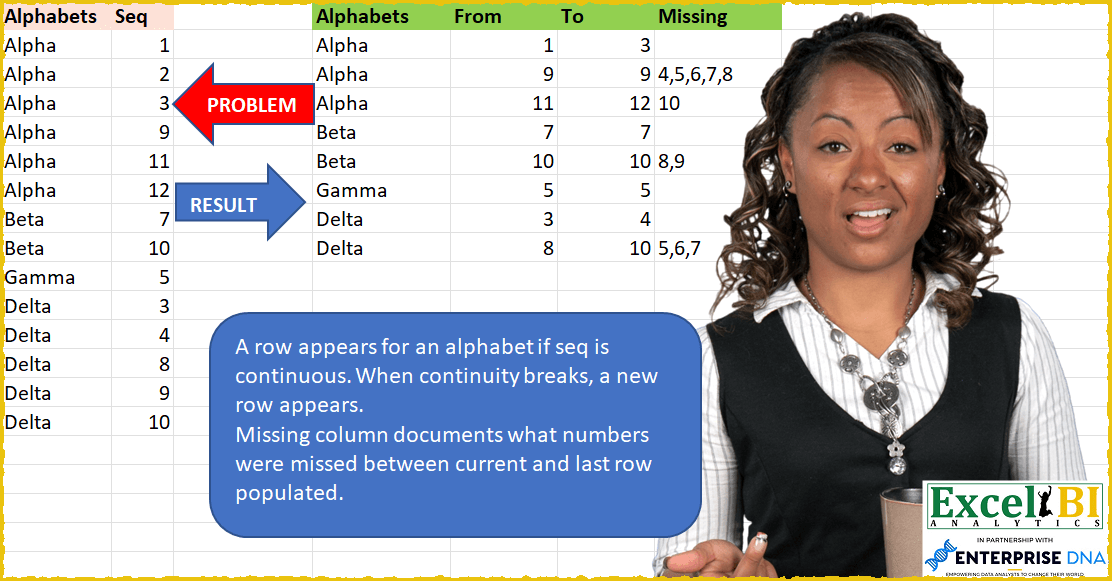
Challenge No. 42: A row appears for an alphabet if seq is continuous.
Solved using: SQL.

Challenge No. 118: Using the sales transactions from the provided table and the account balance as of 31/08/2024, calculate the Daily Sales Outstanding (DSO) for each customer.
Solved using:Excel, Google Sheets, Power Query, Python, Python in Excel, and R.
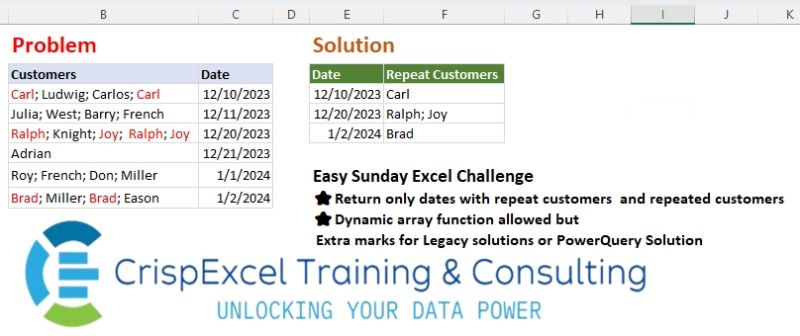
Challenge No. 37: Return only dates with repeat customers and repeated customers Dynamic array function allowed but Extra marks for Legacy solutions or PowerQuery Solution.
Solved using: Python in Excel.

Challenge No. 117: Add an Index column for the Question table with a separate counter for each stock.
Solved using:Excel (COUNTIF, HSTACK, IF), Google Sheets, Power Query (Table.AddIndexColumn, Table.Group, Table.Sort), Python, Python in Excel, and R.
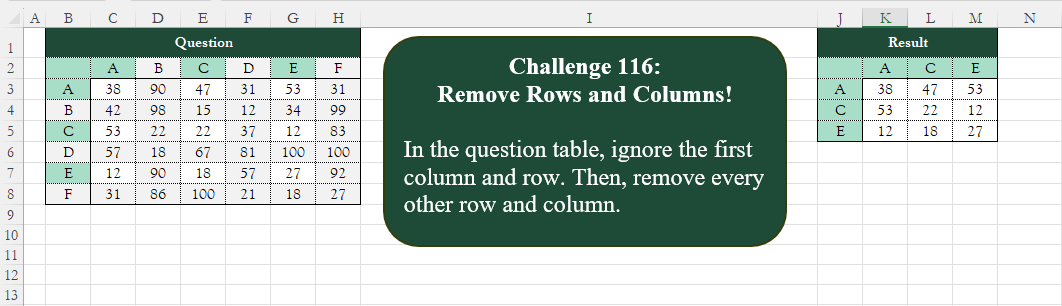
Challenge No. 116: Add an index column to the question table, with a separate counter for each stock.
Solved using:Excel (CHOOSECOLS, CHOOSEROWS, COLUMN), Google Sheets, Power Query (List.Alternate, Table.AlternateRows, Table.Column), Python, Python in Excel, and R.
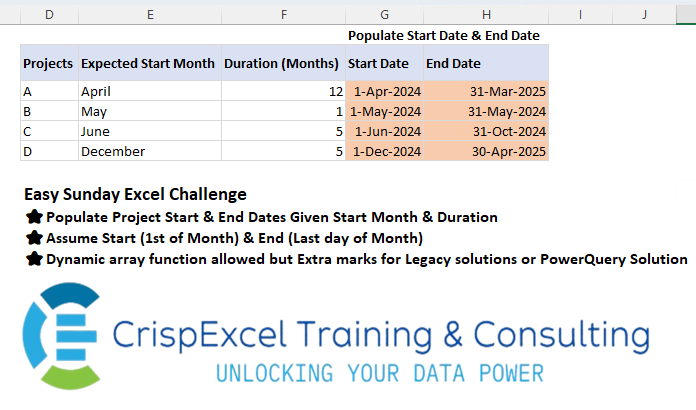
Challenge No. 35: Populate Project Start & End Dates Given Start Month & Duration Assume Start (1st of Month) & End (Last day of Month)
Dynamic array function allowed but Extra marks for Legacy solutions or PowerQuery Solution.
Solved using: R.
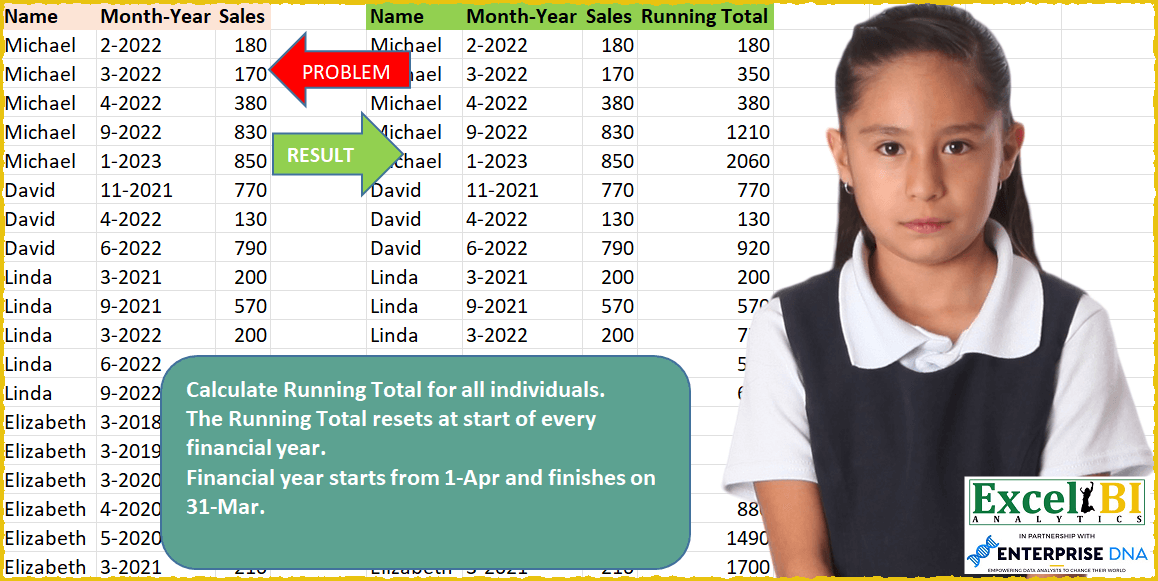
Challenge No. 39: Calculate Running Total for all individuals.
Solved using: Python in Excel.