
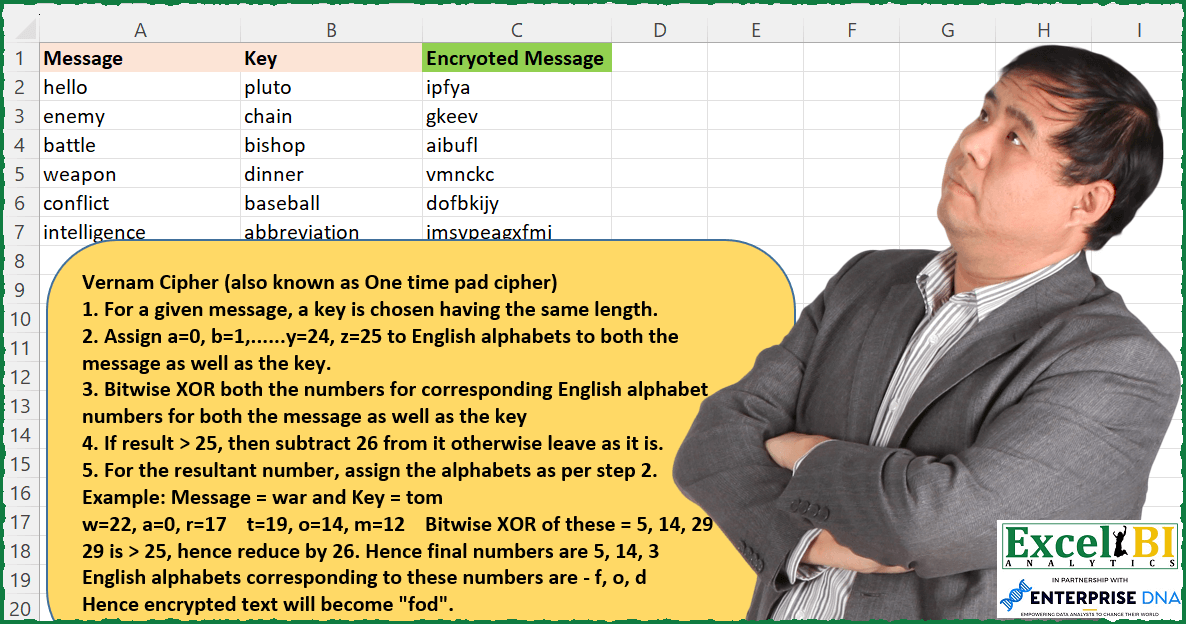
Challenge No. 173: This time, in step 3 in place of adding both the numbers, we need to do Bitwise XOR operation.
Solved using: Power Query (List.Transform).
Challenges categorized by topic.
Challenge No. 173: This time, in step 3 in place of adding both the numbers, we need to do Bitwise XOR operation.
Solved using: Power Query (List.Transform).

Challenge No. 172: Find the missing English Alphabets from First Ladies column.
Solved using: Power Query.
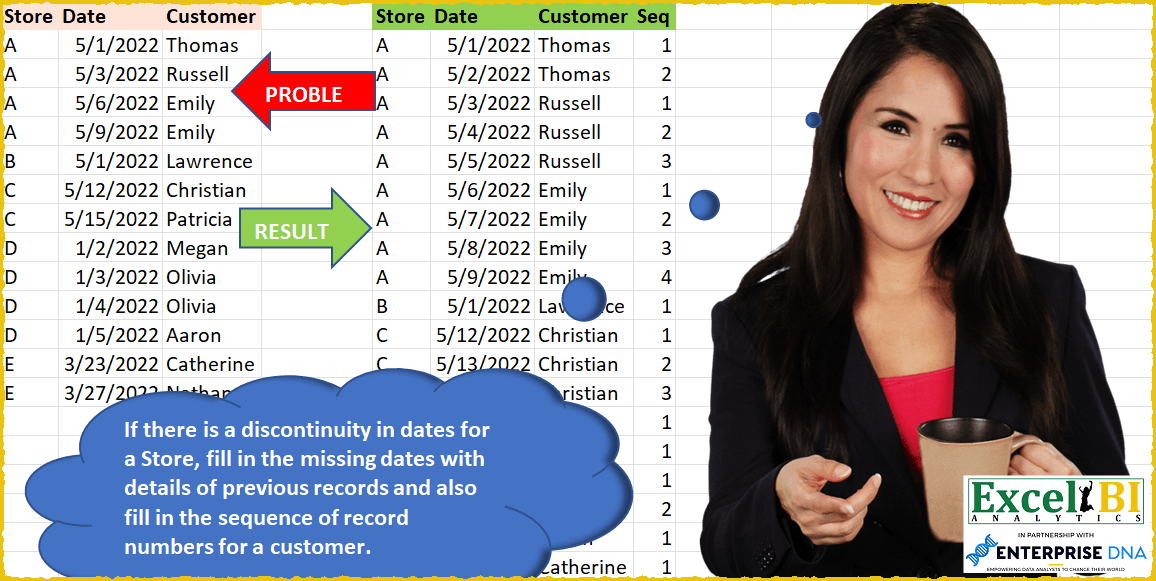
Challenge No. 50: If there is a discontinuity in dates for a Store, fill in the missing dates with details of previous records and also fill in the sequence of record numbers for a customer in that store.
Solved using: SQL.
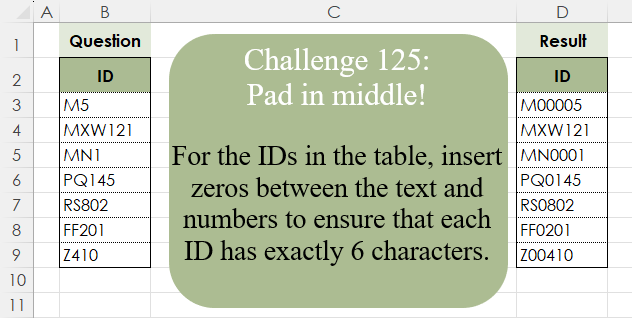
Challenge No. 125: For the IDs in the table, insert zeros between the text and numbers to ensure that each ID has exactly 6 characters.
Solved using:Excel (CONCAT, ISNUMBER, LAMBDA), Google Sheets, Power Query (Text.Repeat, Table.AddColumn), Python, Python in Excel, and R.
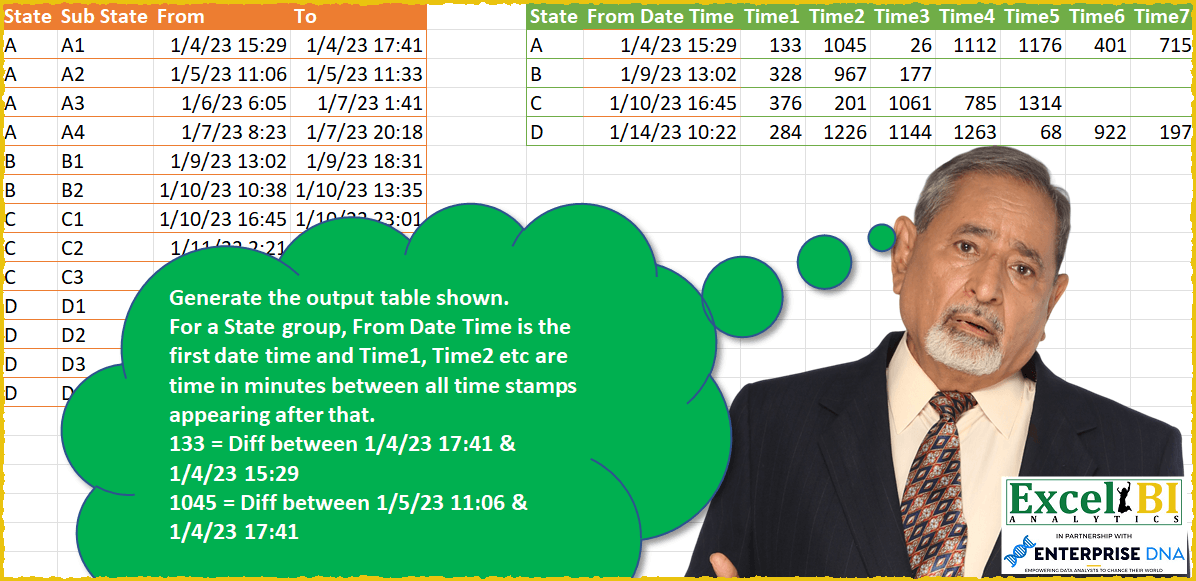
Challenge No. 49: Generate the output table shown.
Solved using: SQL.
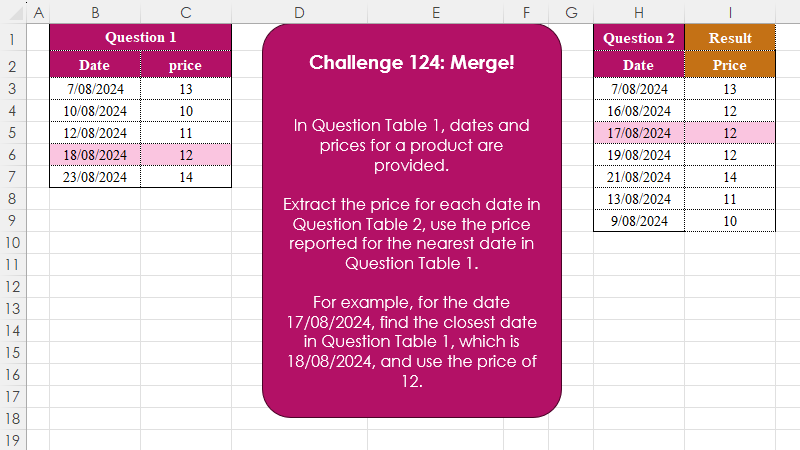
Challenge No. 124: In Question Table 1, dates and prices for a product are provided.
Solved using:Excel (INDEX, LAMBDA, LET), Google Sheets, Power Query (Table.AddColumn), Python, Python in Excel, and R.
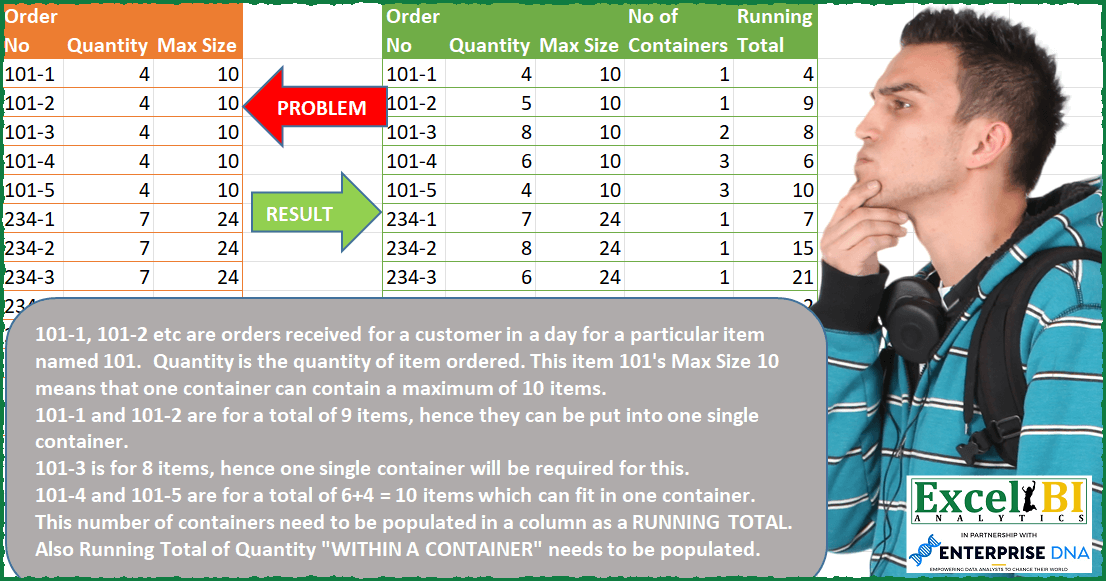
Challenge No. 48: — Input table Quantity data is wrong in picture.
Solved using: SQL.
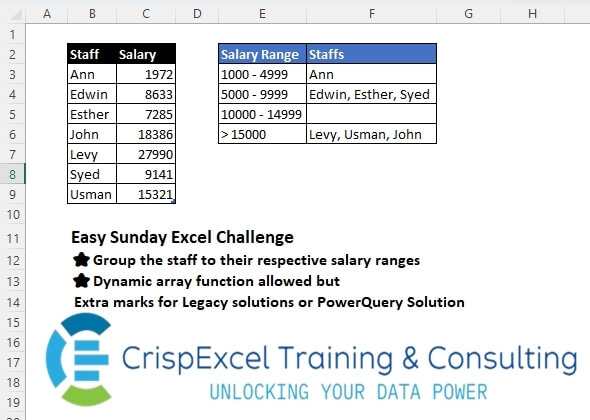
Challenge No. 43: Group the staff into their respective salary ranges
Dynamic array function allowed, but Extra marks for Legacy solutions or PowerQuery Solution.
Solved using: Python in Excel.
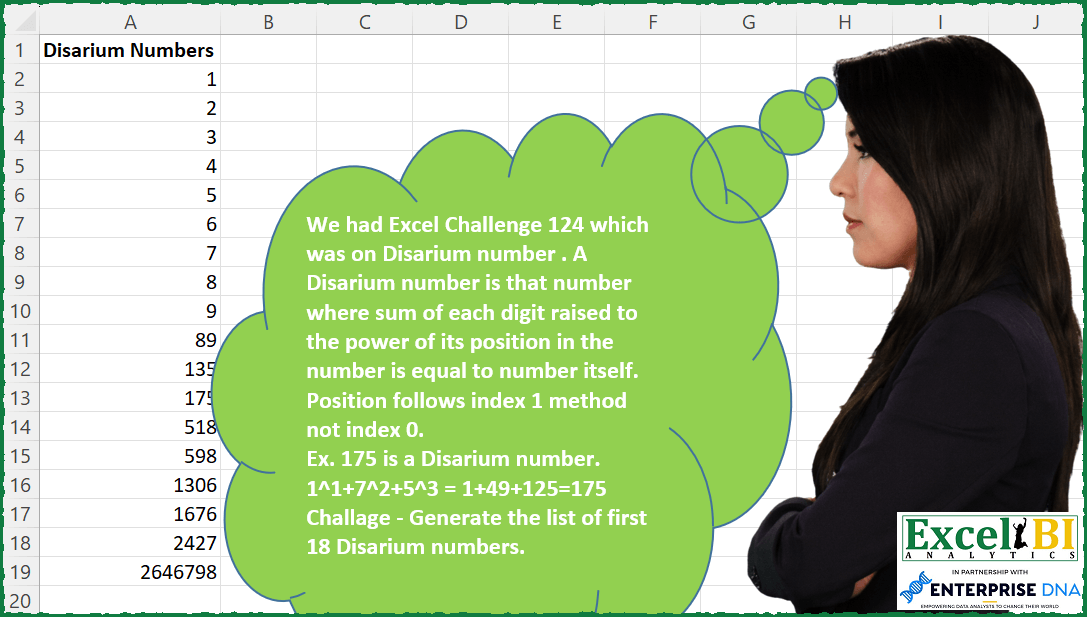
Challenge No. 164: A Disarium number is that number where sum of each digit raised to the power of its position in the number is equal to number itself.
Solved using: Python in Excel.
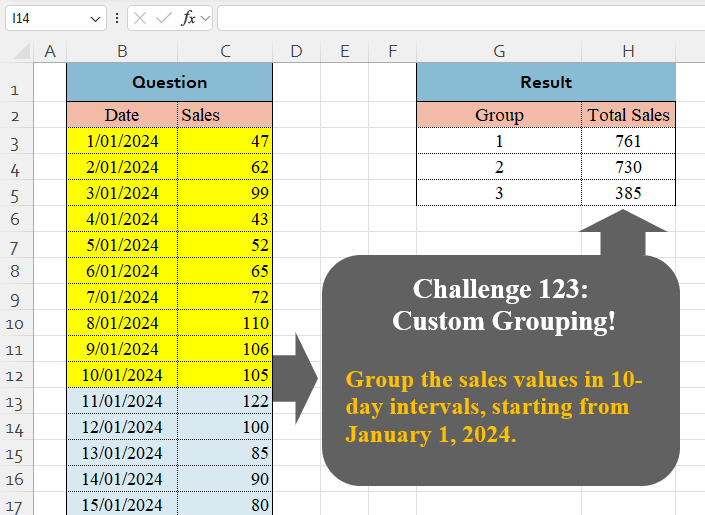
Challenge No. 123: Group the sales values in 10-day intervals, starting from January 1, 2024.
Solved using:Excel (BYROW, DAY, GROUPBY), Google Sheets, Power Query (Table.Group, List.Transform, Table.Group), Python, Python in Excel, and R.