
Challenge No. 123: Calculate Start and Finish date times along-with duration in hours for all weeks.
Solved using: Python in Excel.

Techniques and methods for splitting columns in data processing.
Challenge No. 123: Calculate Start and Finish date times along-with duration in hours for all weeks.
Solved using: Python in Excel.
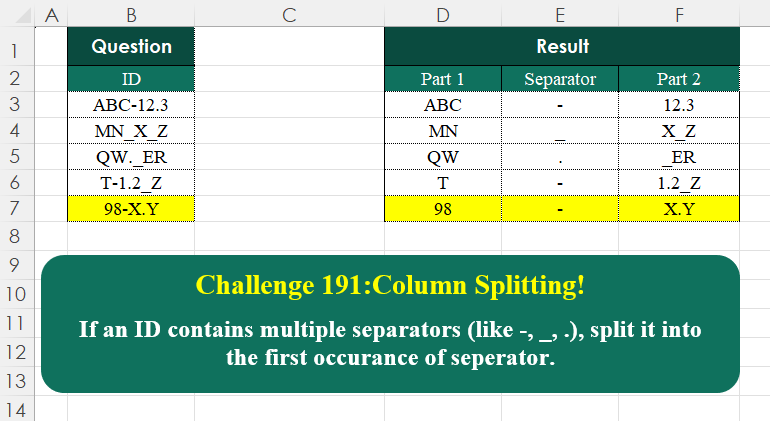
Challenge No. 191: If an ID contains multiple separators (like -, _, .
Solved using:Excel (HSTACK, LAMBDA, LEN), Google Sheets, Power Query (Text.PositionOf, Table.AddColumn, Table.FromRows), Python, Python in Excel, and R.

Challenge No. 186: Split the ID into two columns:
The first column should contain all vowels (A, E, I, O, U).
Solved using:Excel (BYROW, CONCAT, HSTACK), Google Sheets, Power Query (Text.Combine, Text.Remove, Text.Select), Python, Python in Excel, and R.
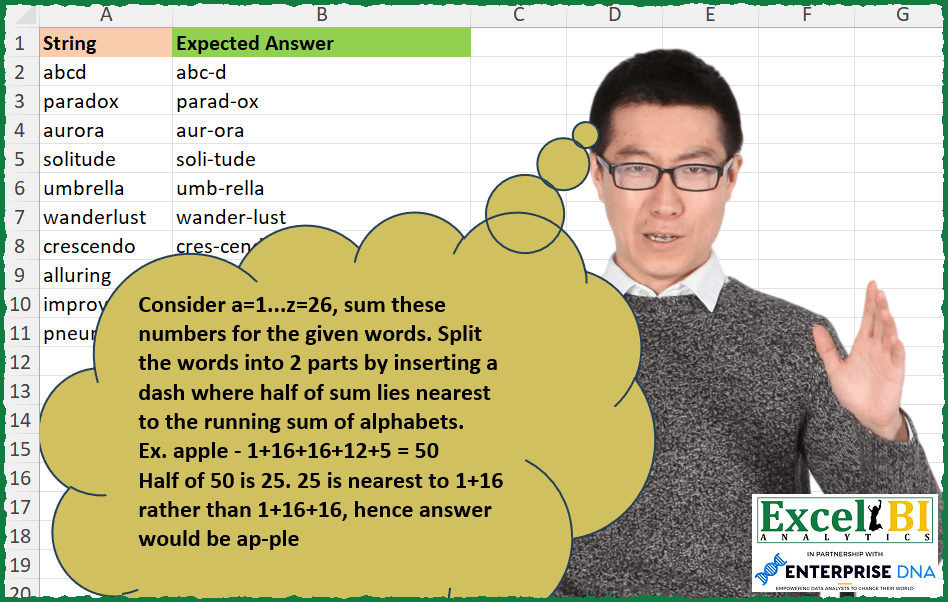
Challenge No. 299: Consider a=1..
Solved using: Python in Excel.
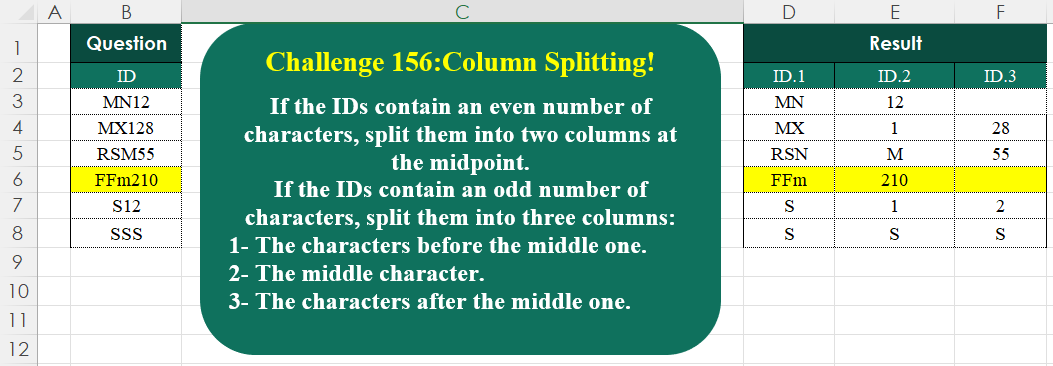
Challenge No. 156: If the IDs contain an even number of characters, split them into two columns at the midpoint.
Solved using:Excel (HSTACK, IF, IFNA), Google Sheets, Power Query (List.Transform, Text.End, Text.Start), Python, Python in Excel, and R.
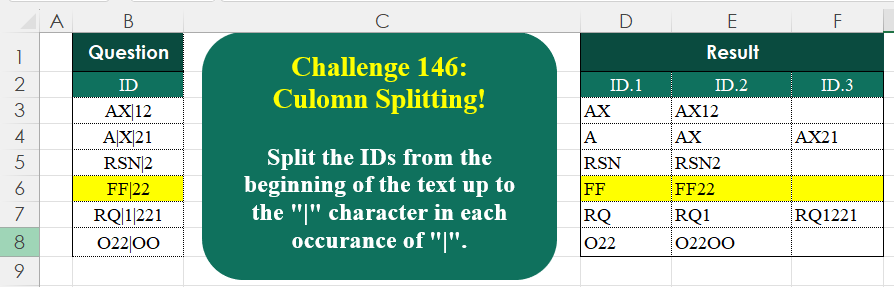
Challenge No. 146: Split the IDs from the beginning of the text up to the “|” character in each occurrence of “|”.
Solved using:Excel (IFNA, LAMBDA, LEN), Google Sheets, Power Query (List.Transform, Text.Combine, Text.Split), Python, Python in Excel, R, and VBA.
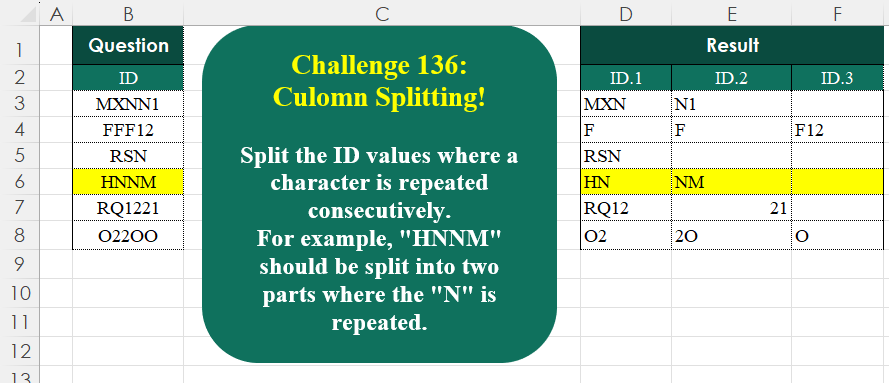
Challenge No. 136: Split the ID values where a character is repeated consecutively.
Solved using:Excel (CONCAT, DROP, IF), Google Sheets, Power Query (List.Transform, Text.Combine, Table.AddColumn), Python, Python in Excel, and R.
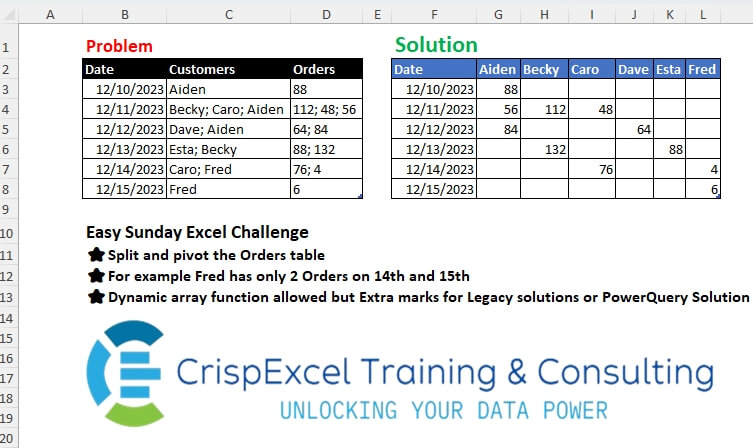
Challenge No. 34: Split and pivot the Orders table
For example, Fred has only 2 Orders on the 14th and 15th Dynamic array function allowed, but Extra marks for Legacy solutions or PowerQuery Solution.
Solved using: Python in Excel.
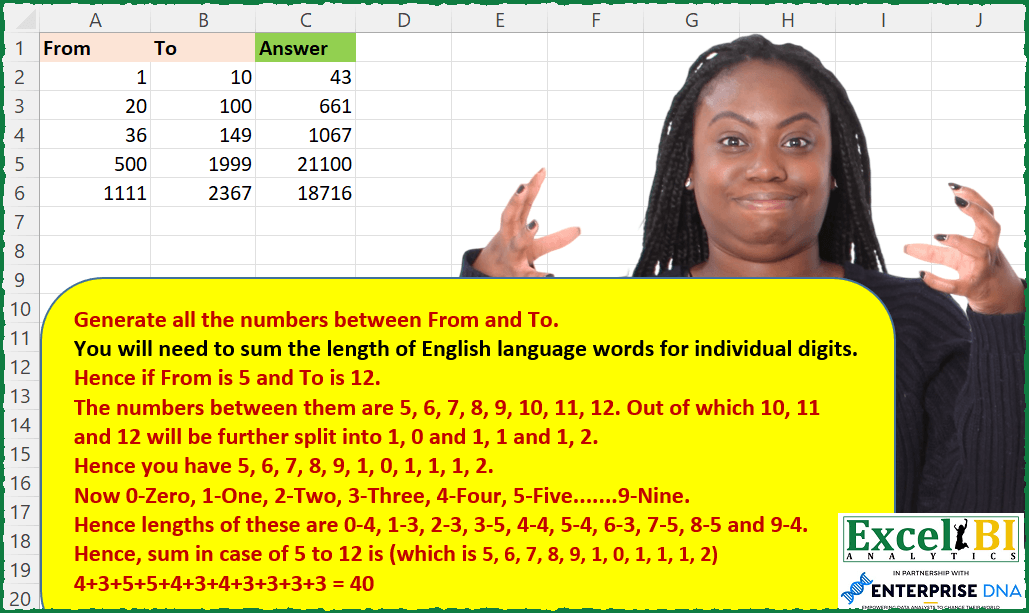
Challenge No. 111: Generate all the numbers between From and To.
Solved using: SQL.
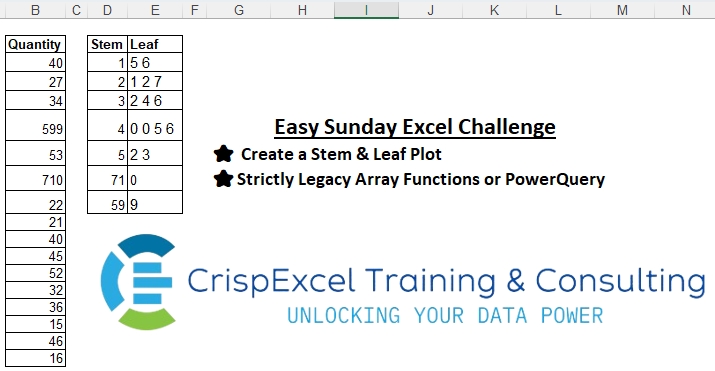
Challenge No. 1: Create a Stem & Leaf Plot
Strictly Legacy Array Functions or PowerQuery
NB:
A Stem and Leaf Plot is a special table where each data value is split into a “stem” (the first digit or digits) and a “leaf” (usually the last digit).
Solved using: Excel VBA.