
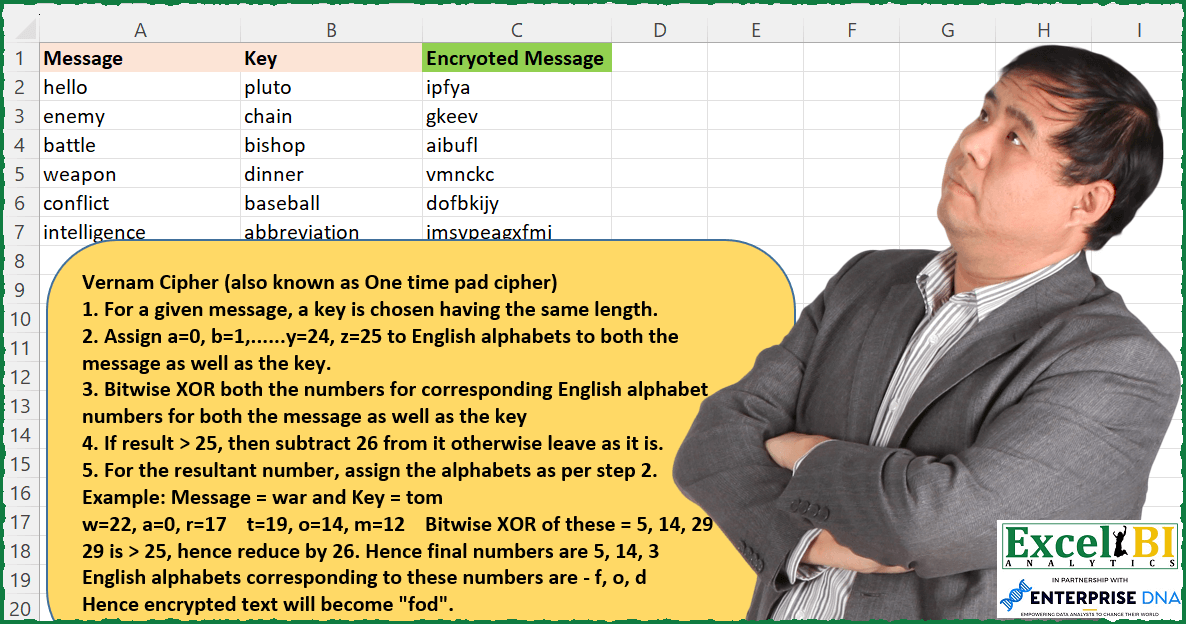
Challenge No. 173: This time, in step 3 in place of adding both the numbers, we need to do Bitwise XOR operation.
Solved using: Power Query (List.Transform).
Slightly challenging problems for learners.
Challenge No. 173: This time, in step 3 in place of adding both the numbers, we need to do Bitwise XOR operation.
Solved using: Power Query (List.Transform).
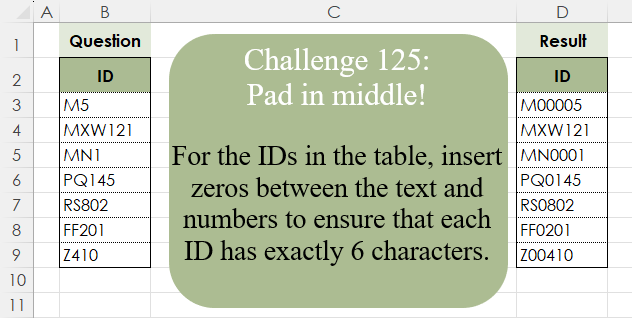
Challenge No. 125: For the IDs in the table, insert zeros between the text and numbers to ensure that each ID has exactly 6 characters.
Solved using:Excel (CONCAT, ISNUMBER, LAMBDA), Google Sheets, Power Query (Text.Repeat, Table.AddColumn), Python, Python in Excel, and R.

Challenge No. 165: List the First Ladies’ names which start with Top 3 most frequently occurring letters.
Solved using: Power Query.
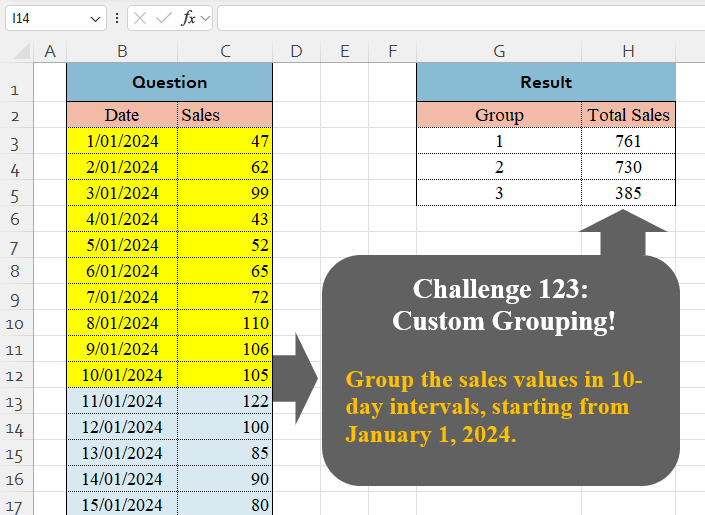
Challenge No. 123: Group the sales values in 10-day intervals, starting from January 1, 2024.
Solved using:Excel (BYROW, DAY, GROUPBY), Google Sheets, Power Query (Table.Group, List.Transform, Table.Group), Python, Python in Excel, and R.

Challenge No. 161: If a word in sentence has length > Number, then reverse that word.
Solved using: Power Query (Text.Combine).
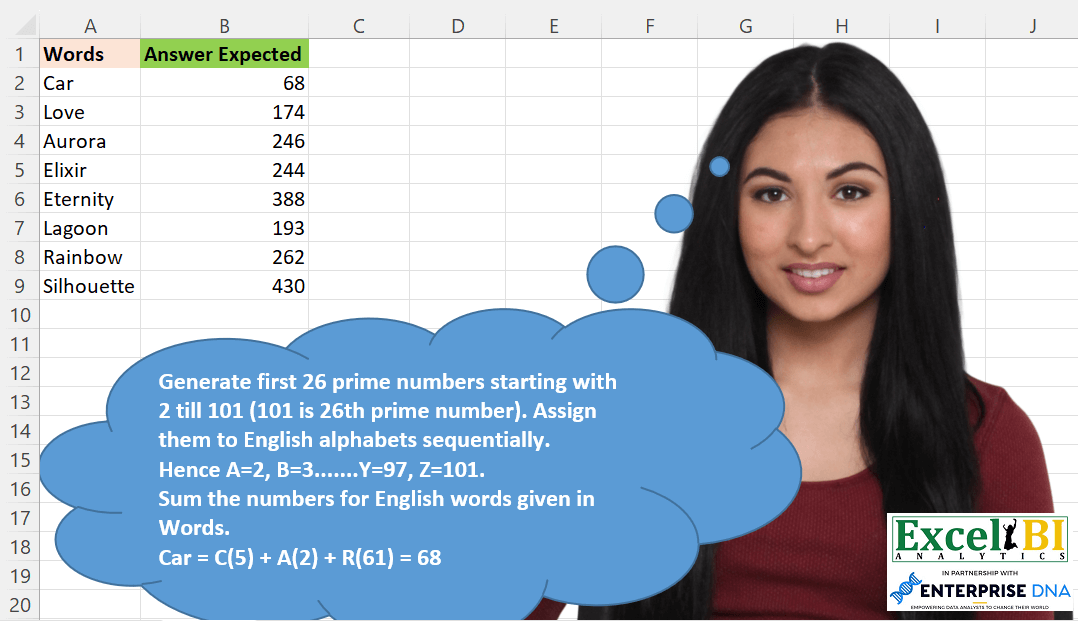
Challenge No. 160: Generate first 26 prime numbers starting with 2 till 101 (101 is 26th prime number).
Solved using: Python in Excel.

Challenge No. 121: Create the given table for the continuous values of power and bases.
Solved using:Excel (LAMBDA, MAKEARRAY, ROW), Office Script, Power Query (List.Transform), and Python in Excel.
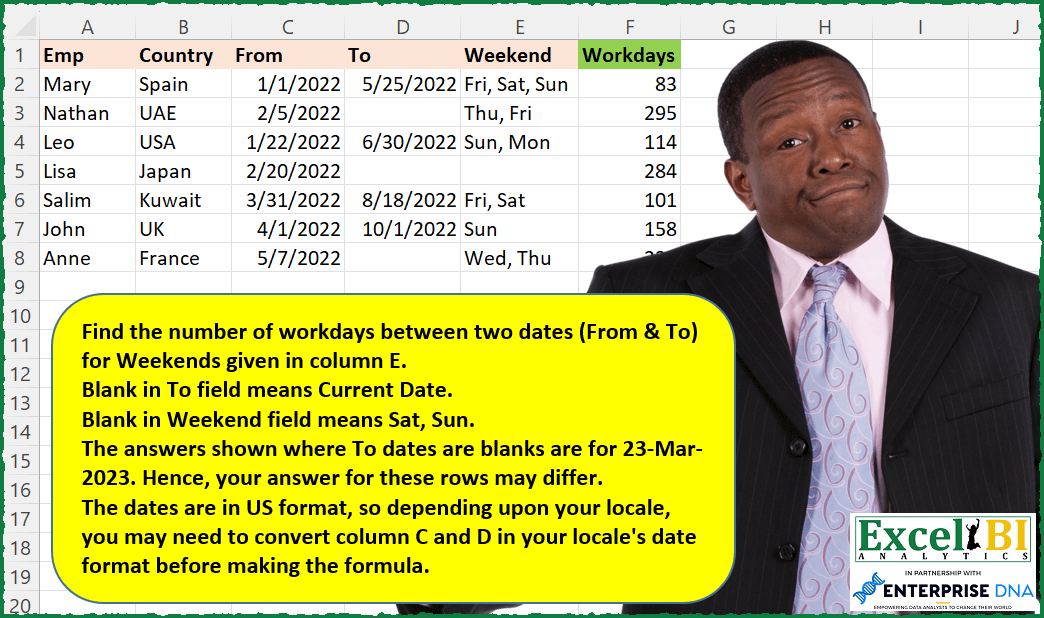
Challenge No. 157: Find the number of workdays between two dates (From & To) for Weekends given in column E.
Solved using: Power Query (NETWORKDAYS.INTL).

Challenge No. 40: Meeting Scheduled only on the following Workday (Mon, Wed, Fri) Write a dynamic formula to paste in Data Validation.
Solved using: Excel.

Challenge No. 154: Convert from Roman to Decimal.
Solved using: Python in Excel.