
Challenge No. 207: DATE CIPHER
Date cipher is a type of Caesar’s shift cipher where key is current date in YYYYMMDD format.
Solved using: Excel VBA.

Slightly challenging problems for learners.
Challenge No. 207: DATE CIPHER
Date cipher is a type of Caesar’s shift cipher where key is current date in YYYYMMDD format.
Solved using: Excel VBA.
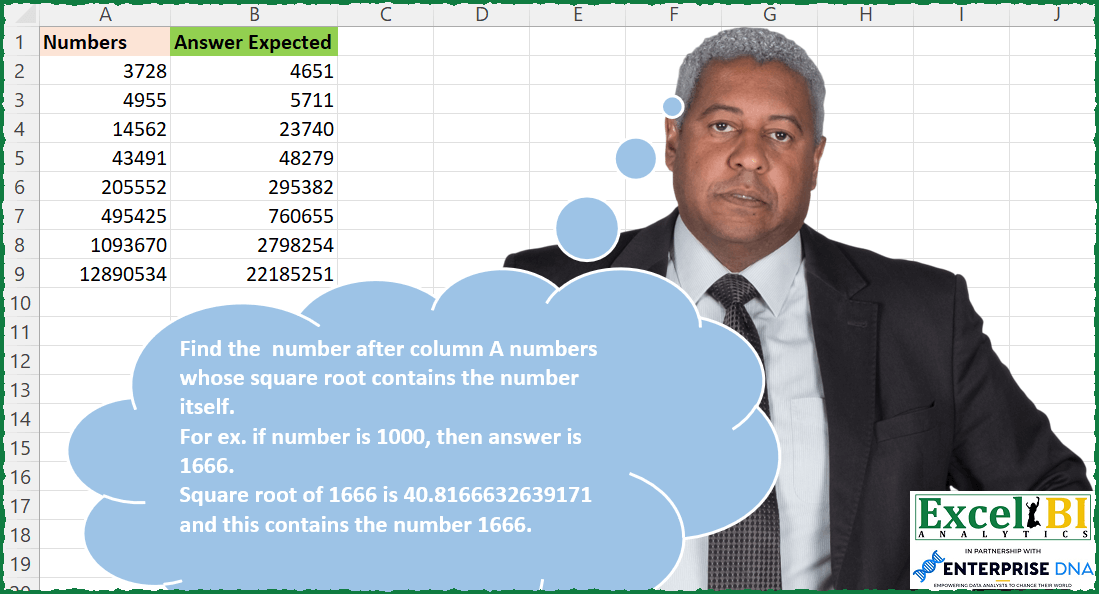
Challenge No. 206: Find the number after column A numbers whose square root contains the number itself.
Solved using: Excel VBA.
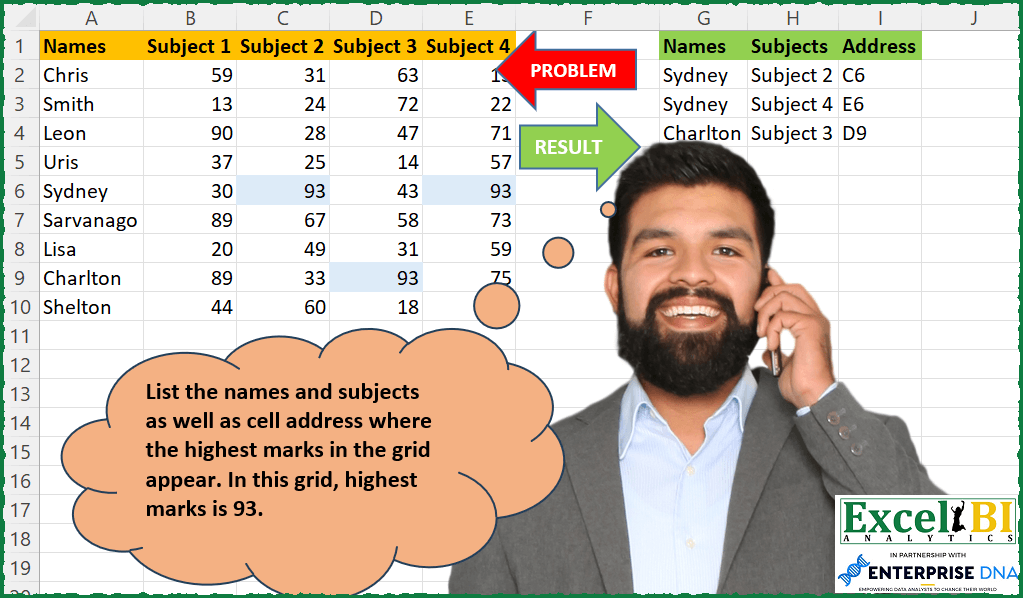
Challenge No. 202: List the names and subjects as well as cell address where the highest marks in the grid appear.
Solved using: Power Query.
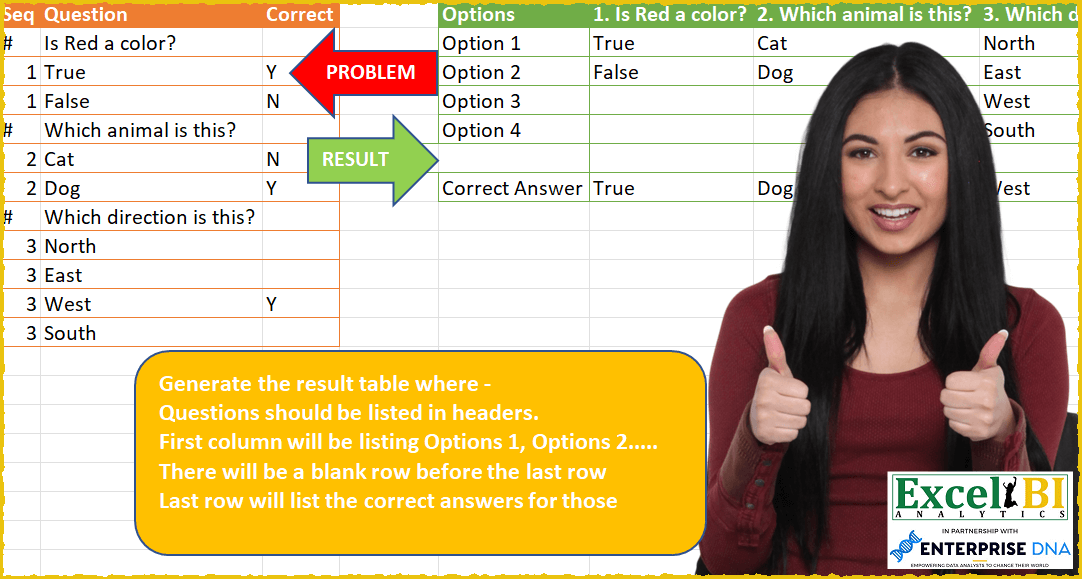
Challenge No. 59: Generate the result table where –
Questions should be listed in headers.
Solved using: Power Query (List.Transform, Table.SelectRows).
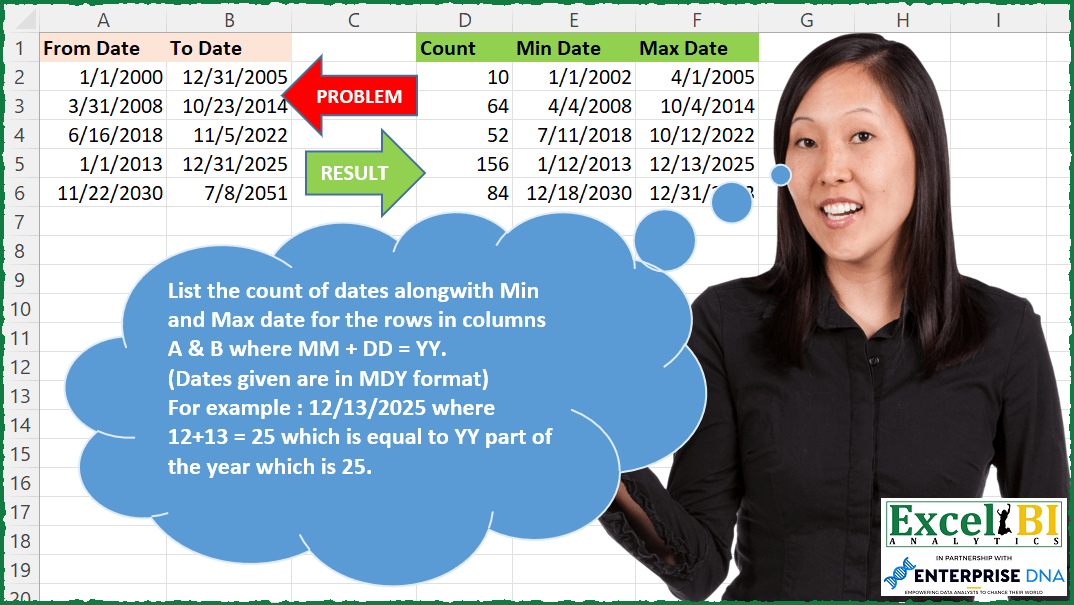
Challenge No. 199: List the count of dates along with Min and Max date for the rows in columns A & B where MM + DD = YY.
Solved using: Python in Excel.
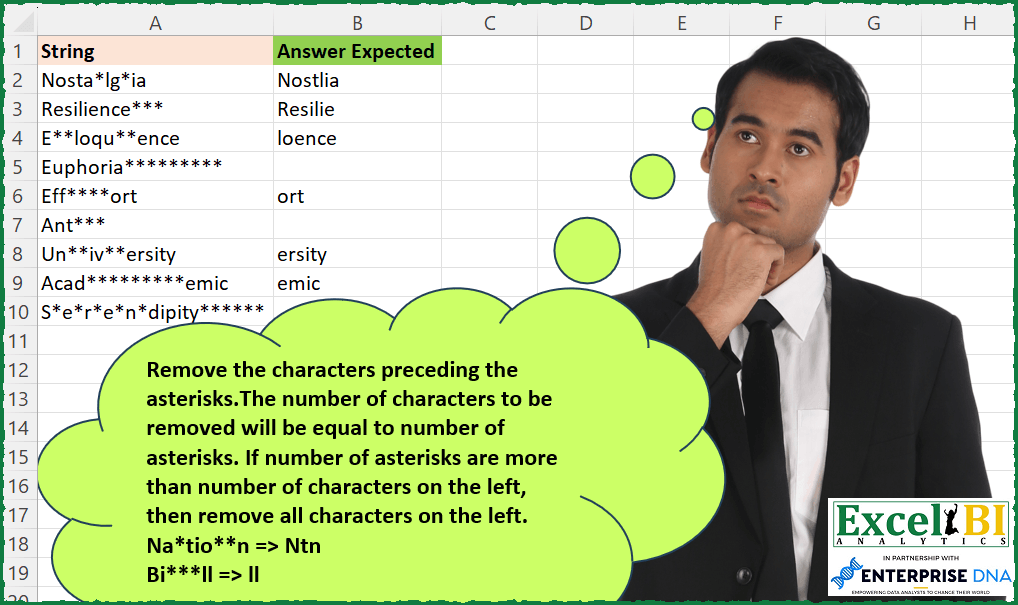
Challenge No. 194: Remove the characters preceding the asterisks.
Solved using: Power Query.

Challenge No. 133: Group the monthly sales values into three categories based on the following logic and provide one of the result tables:
Group 1: 1st to 10th of the month
Group 2: 11th to 20th of the month
Group 3: 21st to the end of the month.
Solved using:Excel (DATE, DAY, DROP), Google Sheets, Power Query (Table.Group, Date.Month, Table.AddColumn), Python, Python in Excel, and R.
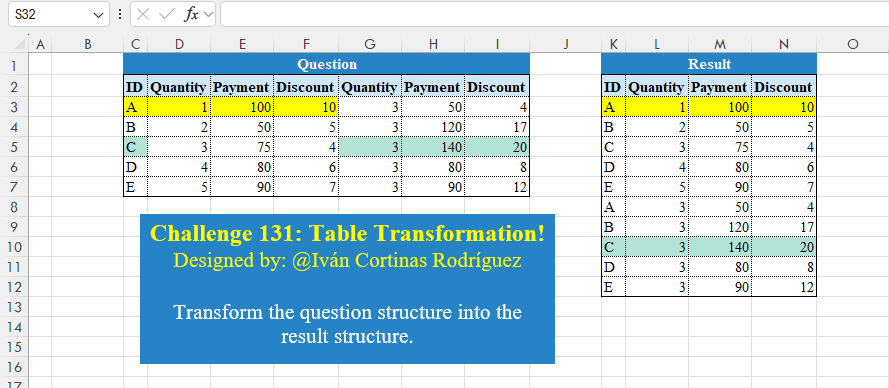
Challenge No. 131: Transform the question structure into the result structure.
Solved using:Excel (HSTACK, LET, ROWS), Google Sheets, Power Query (List.Skip, List.Split, List.Transform), Python, Python in Excel, and R.
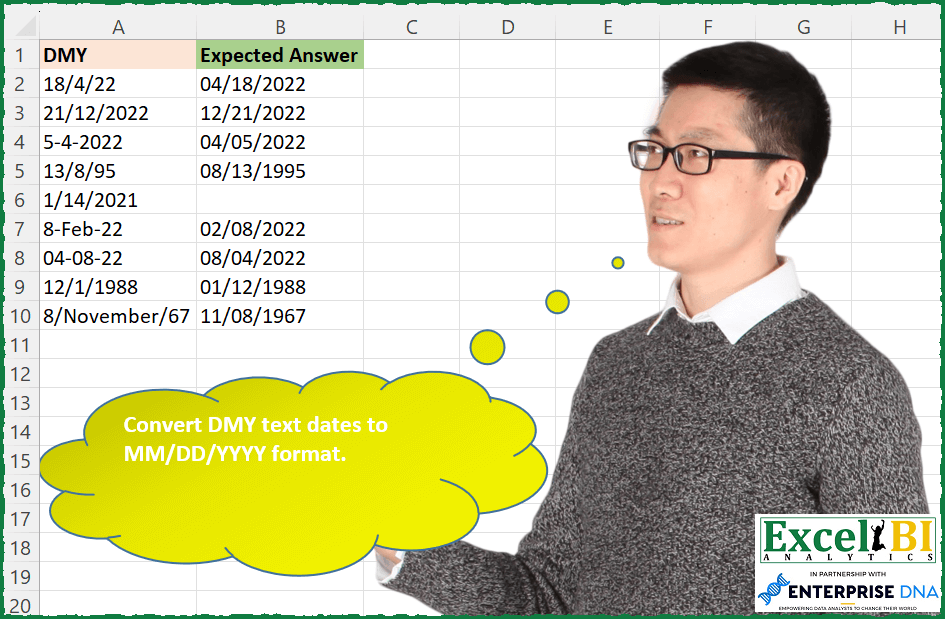
Challenge No. 181: Convert DMY text dates to MM/DD/YYYY format.
Solved using: Power Query.

Challenge No. 127: Add an index column to the question table, with a separate counter for each stock.
Solved using:Excel (DROP, FILTER, HSTACK), Google Sheets, Power Query (Table.AddColumn, Table.AddIndexColumn), Python, Python in Excel, and R.