
Challenge No. 69: — This week will be FIFA World Cup week.
Solved using: SQL.

Stacks arrays vertically into a single column in Excel.
Challenge No. 69: — This week will be FIFA World Cup week.
Solved using: SQL.
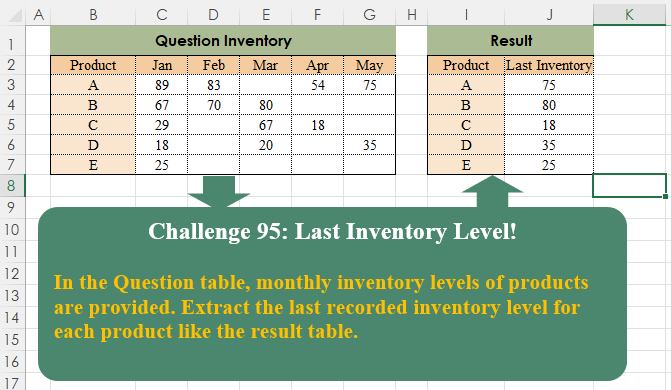
Challenge No. 95: In the Question table, monthly inventory levels of products are provided.
Solved using:Excel (BYROW, FILTER, HSTACK), Google Sheets, Power Query (List.RemoveNull, Table.AddColumn, Table.Group), Python, Python in Excel, and R.
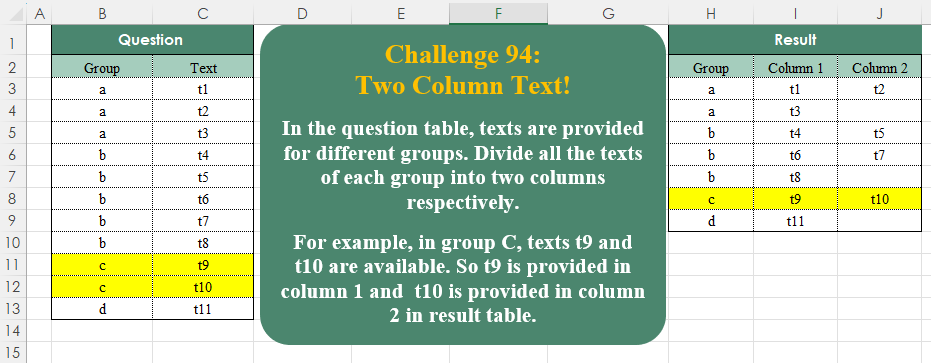
Challenge No. 94: In the question table, texts are provided for different groups.
Solved using:Excel (DROP, FILTER, HSTACK), Google Sheets, Power Query (List.Split, List.Transform, Table.ExpandTableColumn), Python, Python in Excel, and R.

Challenge No. 93: Randomly select a staff member from each department.
Solved using:Excel (FILTER, HSTACK, INDEX), Google Sheets, Power Query (Table.Group), Python, Python in Excel, and R.
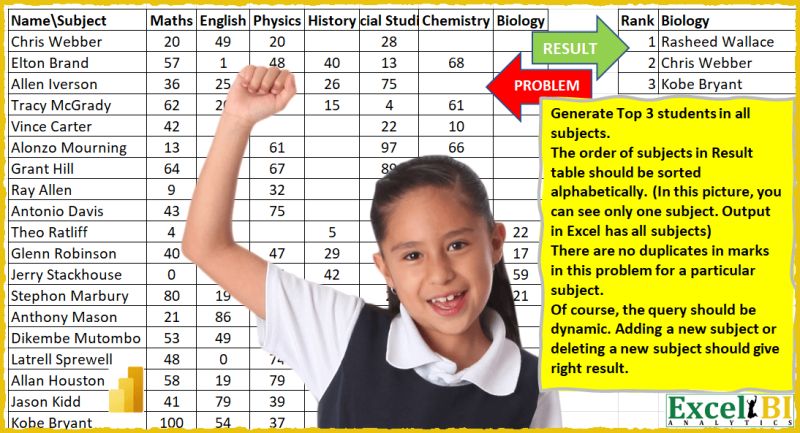
Challenge No. 15: (Excel formulas also welcome)
Generate Top 3 students in all subjects.
Solved using: Power Query.

Challenge No. 46: List the Teams and the number of matches won by them.
Solved using: Python in Excel.
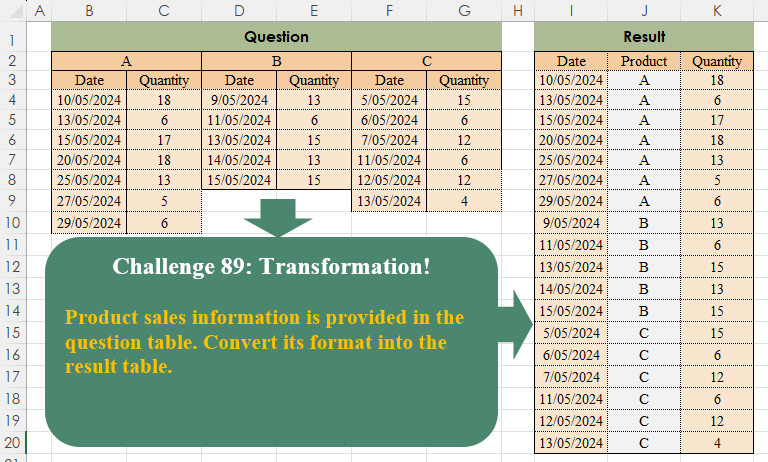
Challenge No. 89: Product sales information is provided in the question table.
Solved using:Excel (COUNTA, FILTER, HSTACK), Power Query (List.Transform, Table.SelectRows, Table.Skip), Python, Python in Excel, and R.

Challenge No. 86: K-nearest neighbors (KNN) is a simple technique for replacing missing values with the average of the nearest values.
Solved using:Excel, Power Query, and VBA.
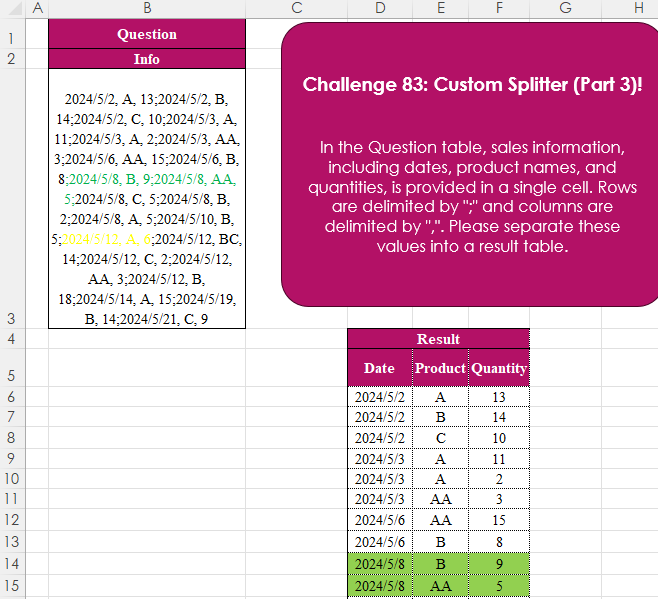
Challenge No. 83: In the Question table, sales information, including dates, product names, and quantities, is provided in a single cell.
Solved using:Excel (IFERROR, LET, ROWS), Power Query (List.Transform, Text.Split, Table.FromRows), Python, Python in Excel, R, and SQL.

Challenge No. 77: Create a formula to receive a number n as input and generate a rhombus with a diameter equal to n using “*” characters.
Solved using:Excel (DROP, IF, LAMBDA), Power Query (List.Transform), Python, R, and VBA.