
Challenge No. 46: List the Teams and the number of matches won by them.
Solved using: Python in Excel.

Returns unique values from a range or array in Excel.
Challenge No. 46: List the Teams and the number of matches won by them.
Solved using: Python in Excel.
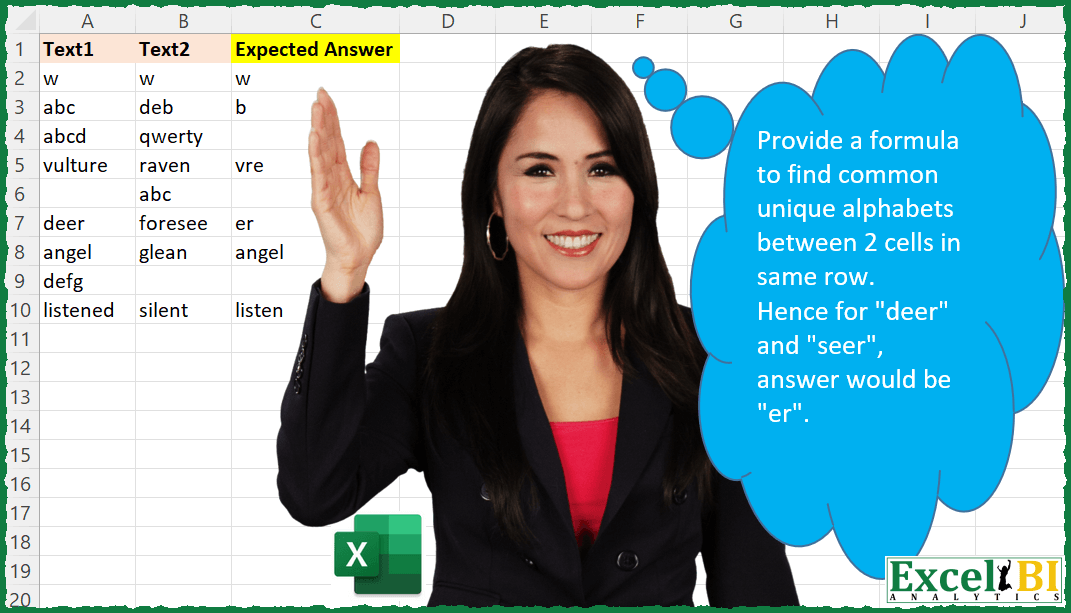
Challenge No. 40: Provide a formula to find common unique alphabets between 2 cells in same row.
Solved using: Power Query.
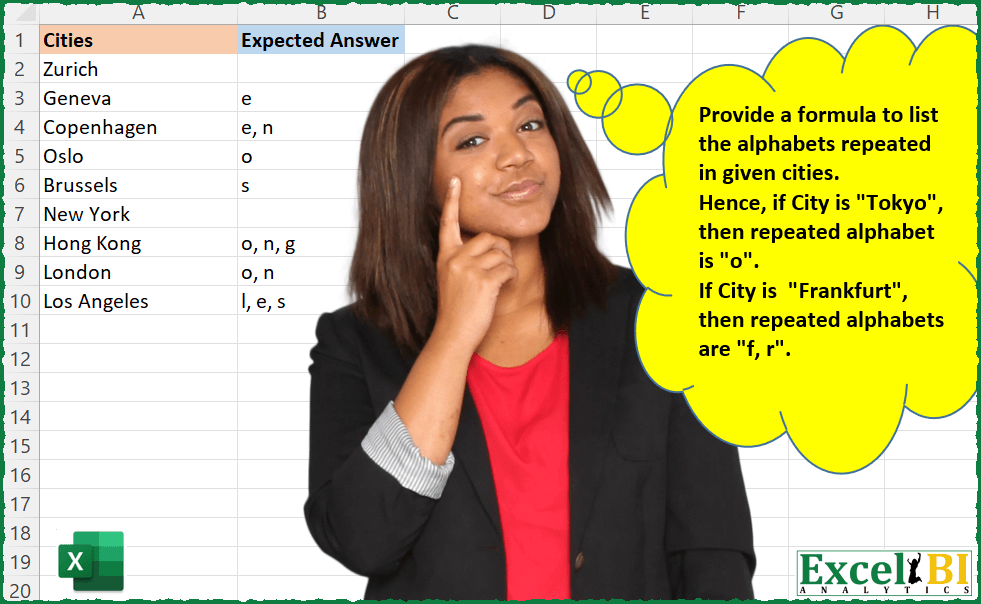
Challenge No. 30: Provide a formula to list the alphabets repeated in given cities.
Solved using: Power Query.
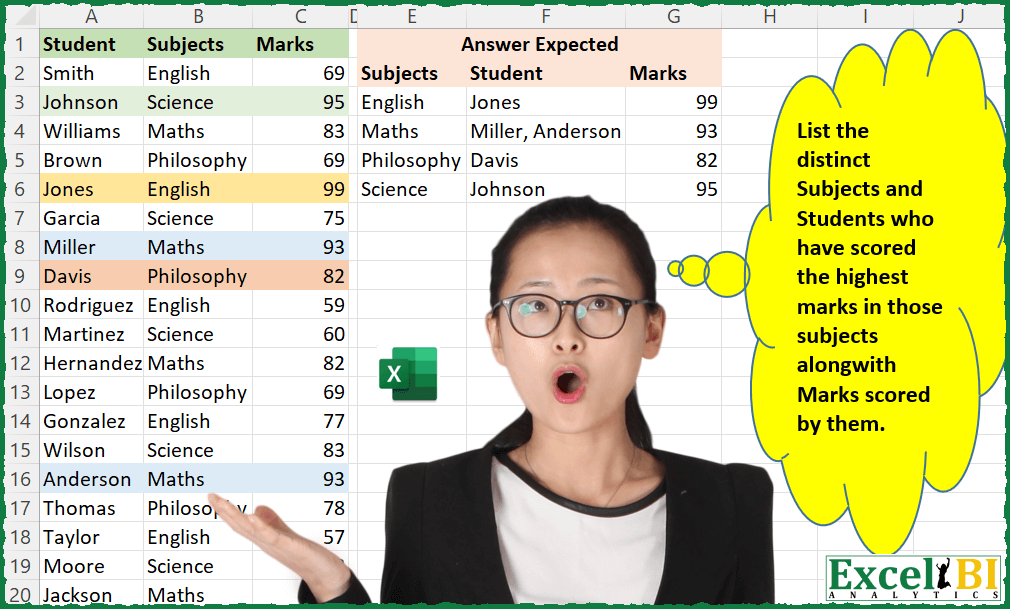
Challenge No. 20: List the distinct Subjects and Students who have scored the highest marks in those subjects along with Marks scored by them.
Solved using: Python in Excel.
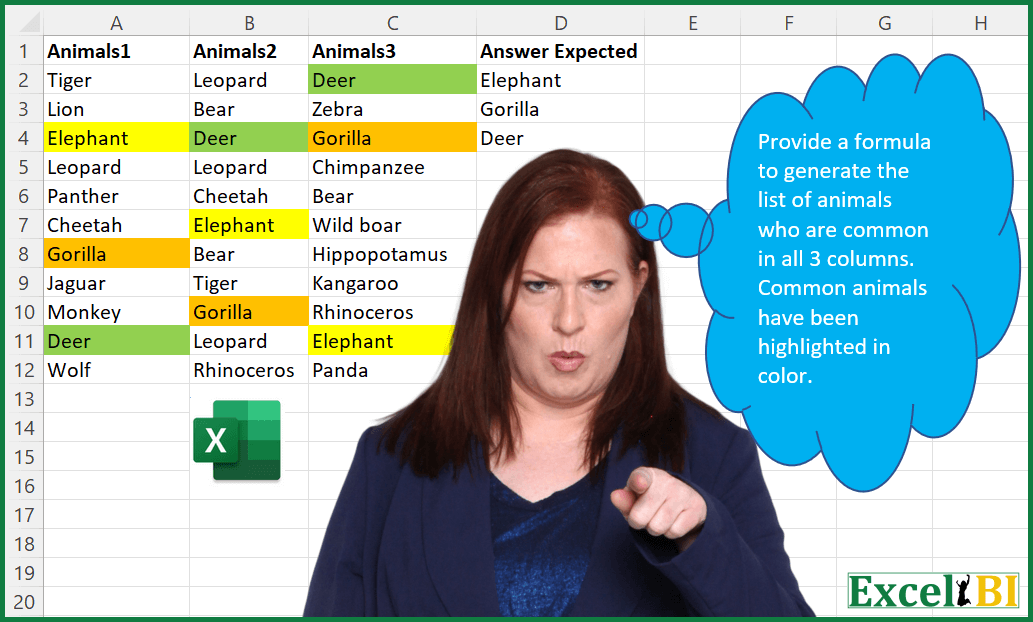
Challenge No. 13: Provide a formula to generate the list of animals who are common in all 3 columns.
Solved using: Python in Excel.
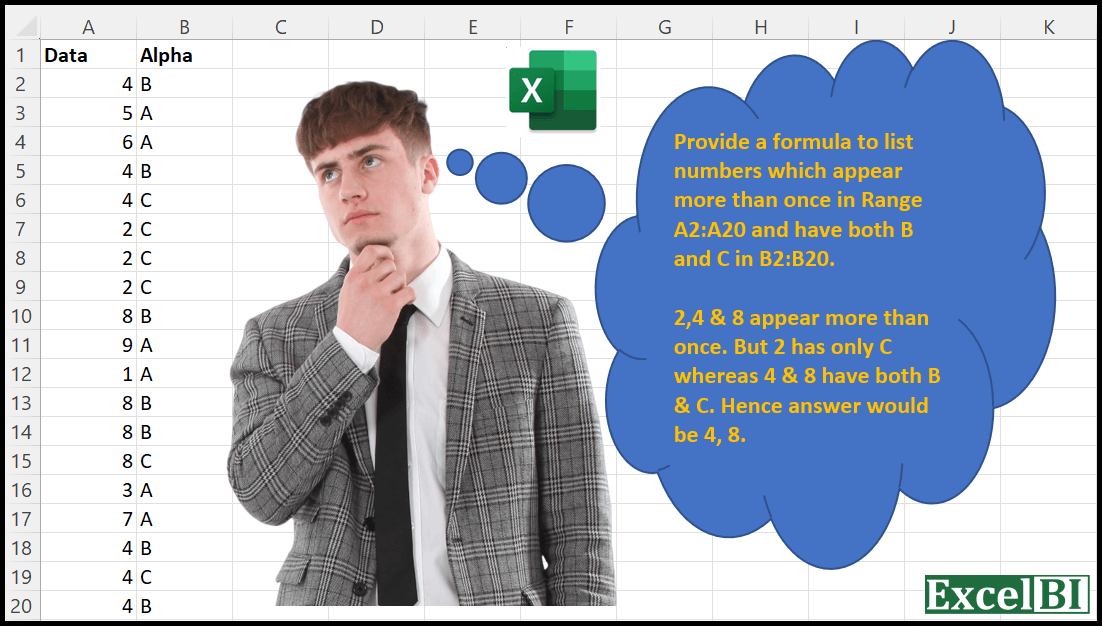
Challenge No. 6: Provide a formula to list numbers which appear more than once in Range A2:A20 and have both B and C in B2:B20.
Solved using: Python in Excel.
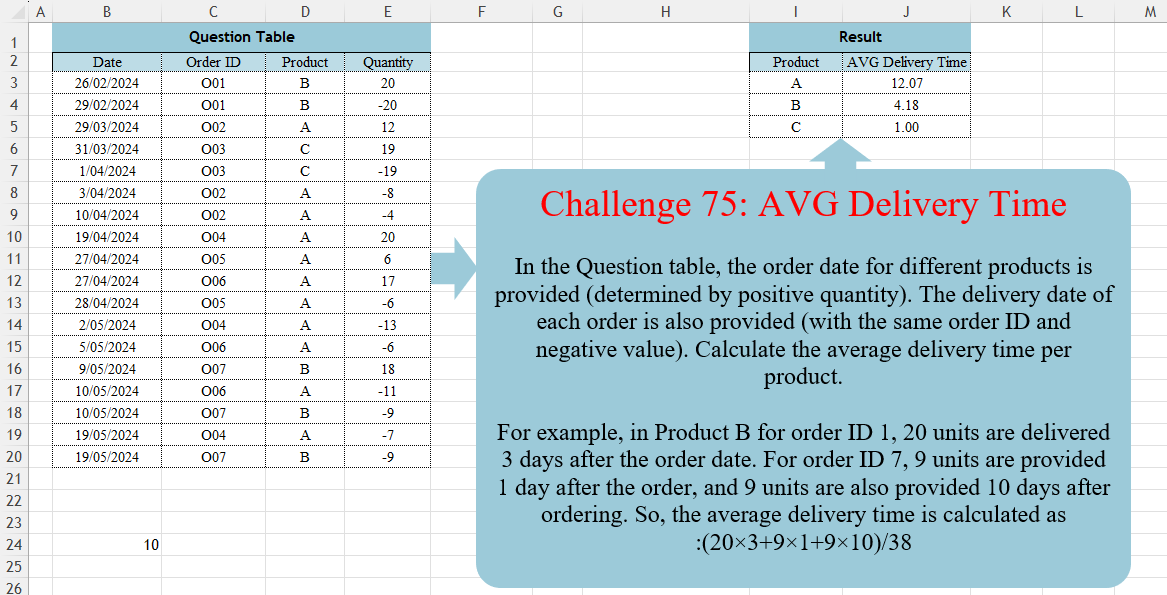
Challenge No. 75: In the Question table, the order date for different products is provided (determined by positive quantity).
Solved using:DAX, Excel (CHOOSECOLS, FILTER, HSTACK), Power Query (Table.AddColumn, Table.Group, Table.SelectRows), Python, R, and SQL.
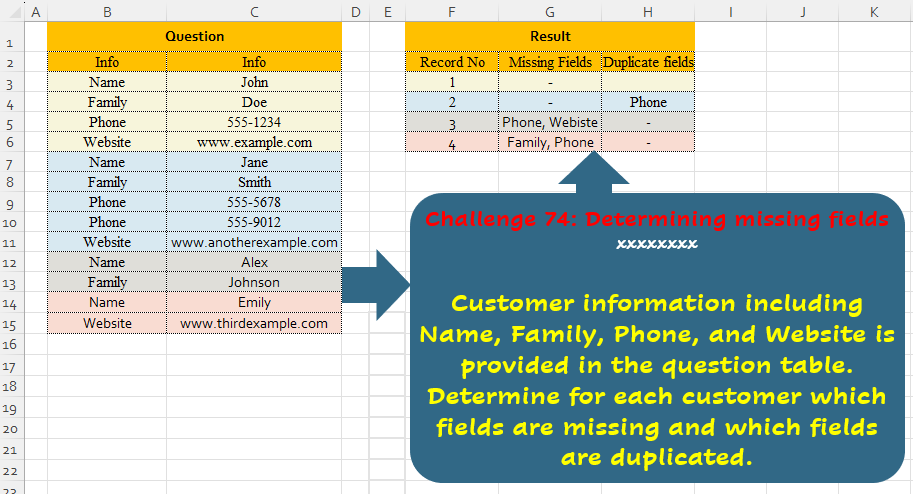
Challenge No. 74: Customer information including Name, Family, Phone, and Website is provided in the question table.
Solved using:Excel (ARRAYTOTEXT, FILTER, HSTACK), Power Query (List.Difference, List.Distinct, Text.Combine), Python, and R.

Challenge No. 66: Convert the Question table with the merge headers into the result table.
Solved using:Excel (DROP, HSTACK, IF), Power Query (List.Distinct, List.PositionOf, Table.Pivot), Python, R, and VBA.
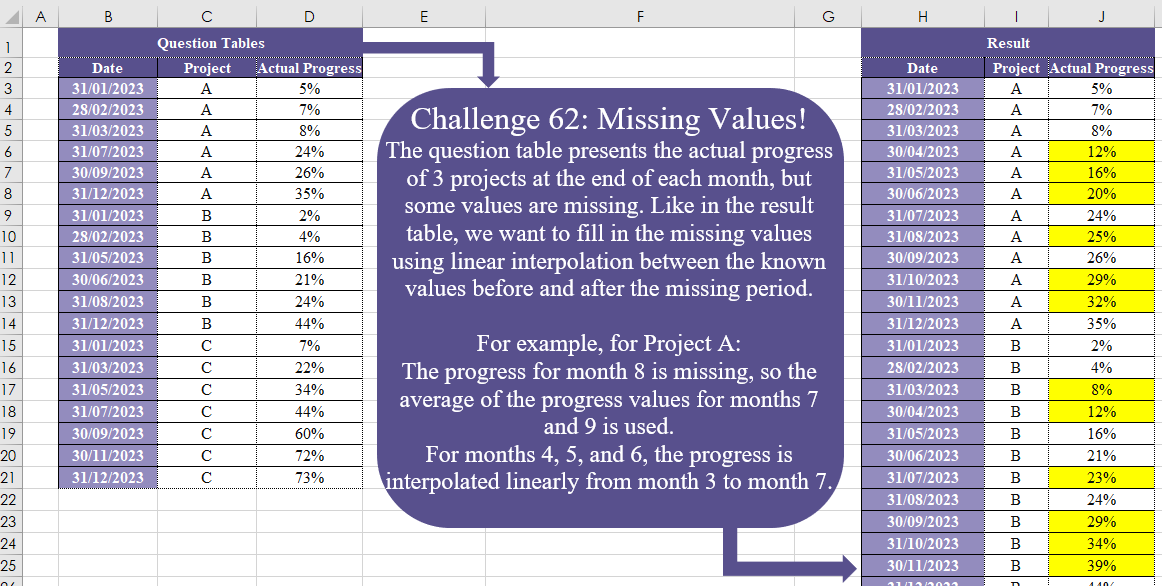
Challenge No. 62: The question table presents the actual progress of 3 projects at the end of each month, but some values are missing.
Solved using:Excel (DATE, DROP, IF), Power Query (Date.Month), Python, and R.