
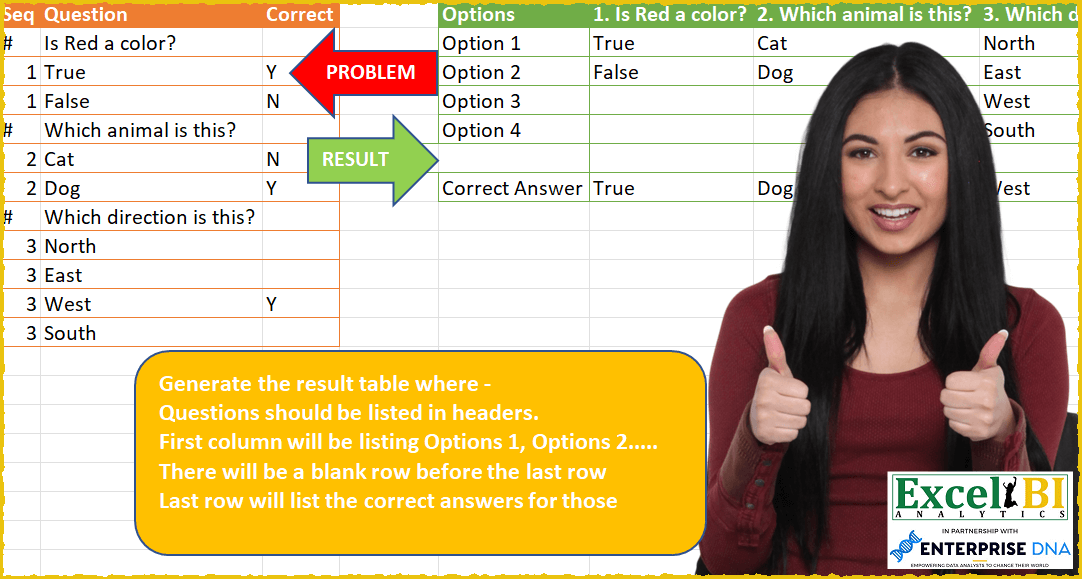
Challenge No. 59: Generate the result table where –
Questions should be listed in headers.
Solved using: Power Query (List.Transform, Table.SelectRows).
Returns unique values from a range or array in Excel.
Challenge No. 59: Generate the result table where –
Questions should be listed in headers.
Solved using: Power Query (List.Transform, Table.SelectRows).

Challenge No. 135: Find the number of occurrences of the “+-+” pattern across the test IDs for each product.
Solved using:Excel (BYROW, CONCAT, DROP), Google Sheets, Power Query (List.Range, Text.Combine, Table.AddColumn), Python, Python in Excel, and R.
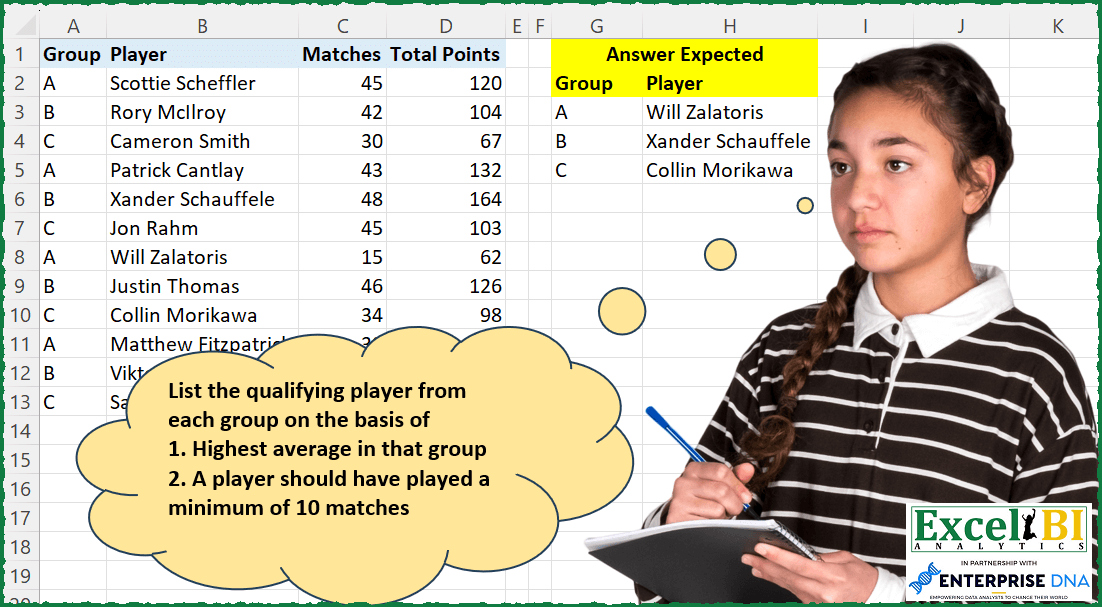
Challenge No. 197: List the qualifying player from each group on the basis of
1.
Solved using: Power Query (Table.AddColumn).

Challenge No. 133: Group the monthly sales values into three categories based on the following logic and provide one of the result tables:
Group 1: 1st to 10th of the month
Group 2: 11th to 20th of the month
Group 3: 21st to the end of the month.
Solved using:Excel (DATE, DAY, DROP), Google Sheets, Power Query (Table.Group, Date.Month, Table.AddColumn), Python, Python in Excel, and R.
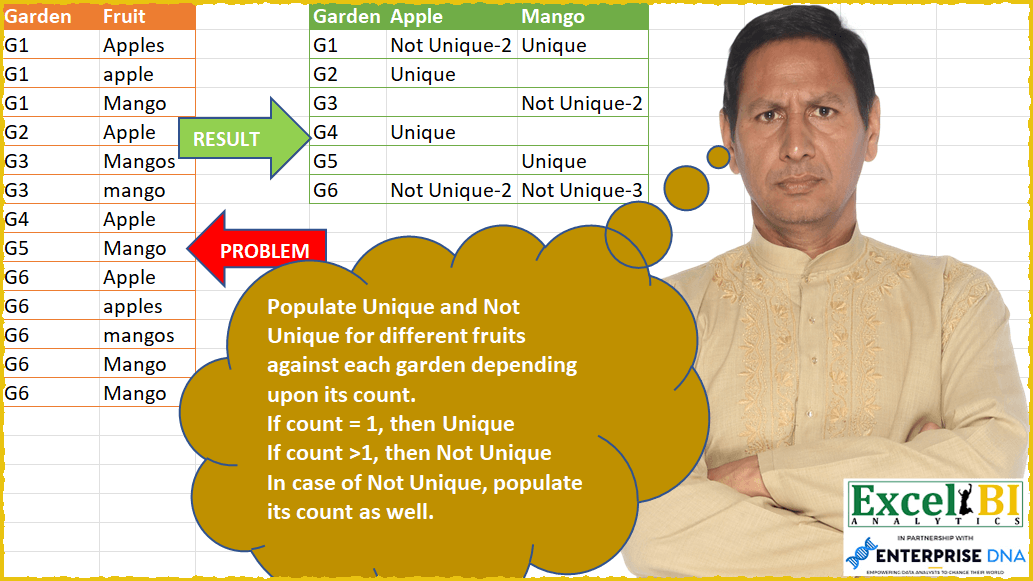
Challenge No. 56: Populate Unique and Not Unique for different fruits against each garden depending upon its count.
Solved using: Power Query (List.Distinct, Table.Group, Table.TransformColumns).

Challenge No. 190: Find the unique pairs of numbers whose sum is the maximum.
Solved using: Python in Excel.
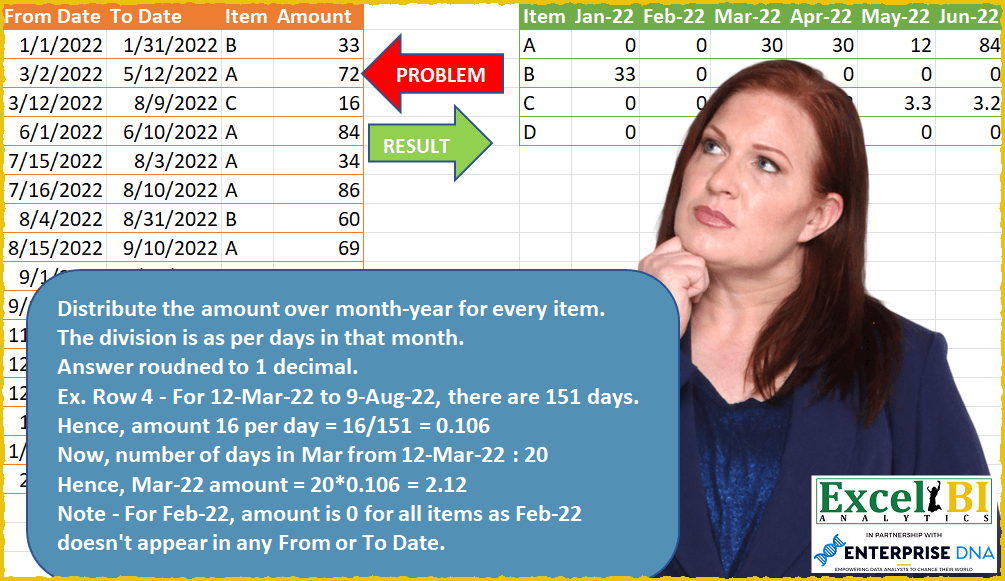
Challenge No. 51: Distribute the amount over month-year for every item.
Solved using: Power Query (List.Transform).
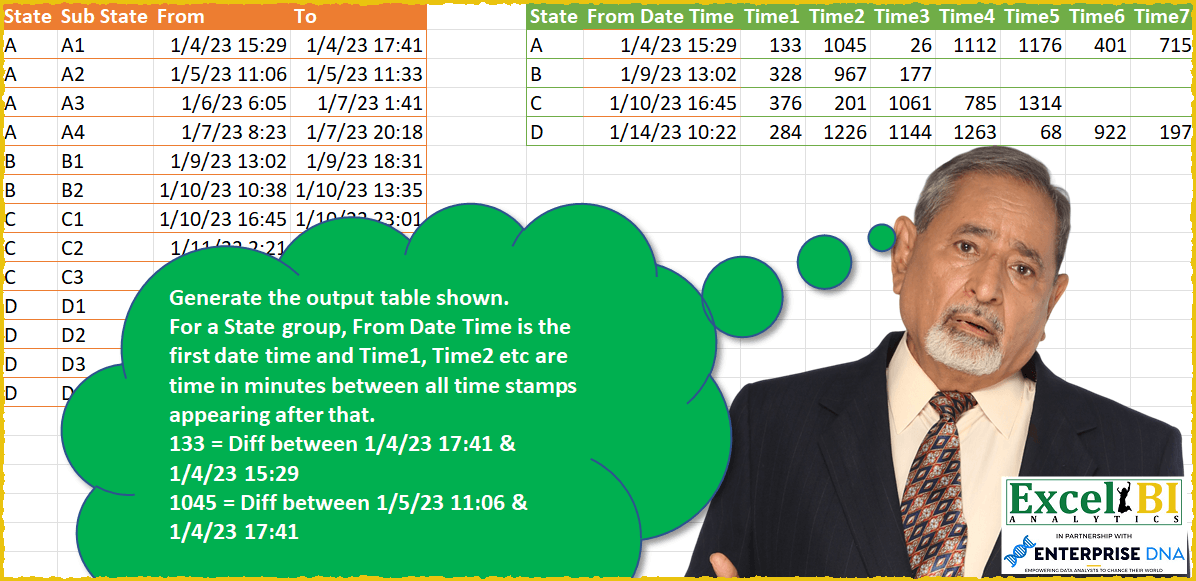
Challenge No. 49: Generate the output table shown.
Solved using: SQL.

Challenge No. 165: List the First Ladies’ names which start with Top 3 most frequently occurring letters.
Solved using: Power Query.
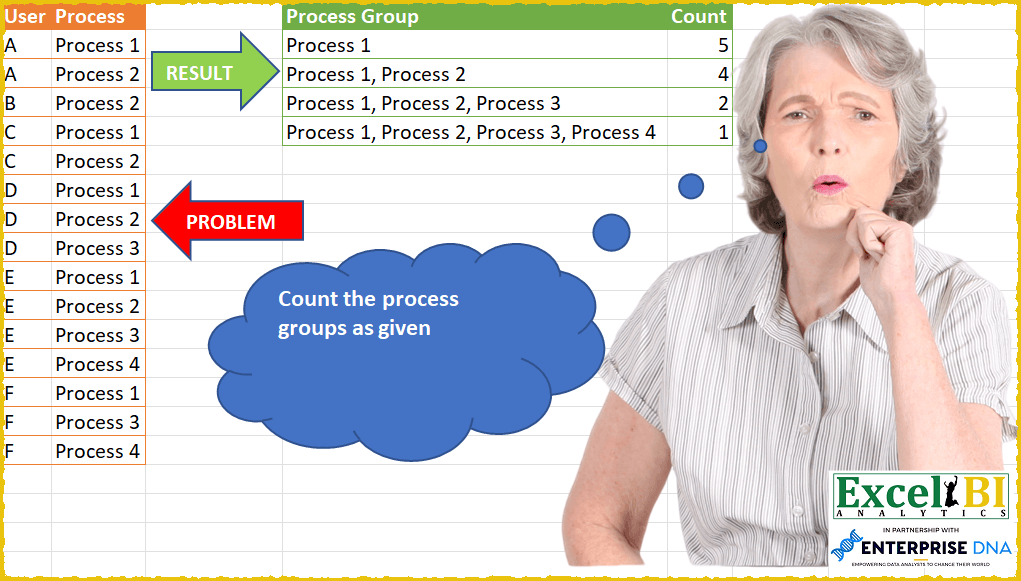
Challenge No. 47: Count the process groups as given.
Solved using: Power Query.