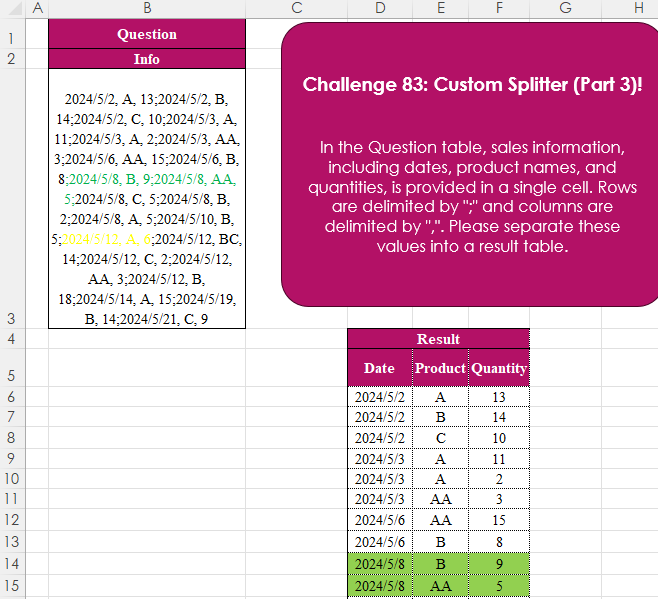
Challenge No. 83: In the Question table, sales information, including dates, product names, and quantities, is provided in a single cell.
Solved using:Excel (IFERROR, LET, ROWS), Power Query (List.Transform, Text.Split, Table.FromRows), Python, Python in Excel, R, and SQL.
TEXTSPLIT
Splits a text string into an array based on delimiters in Excel.
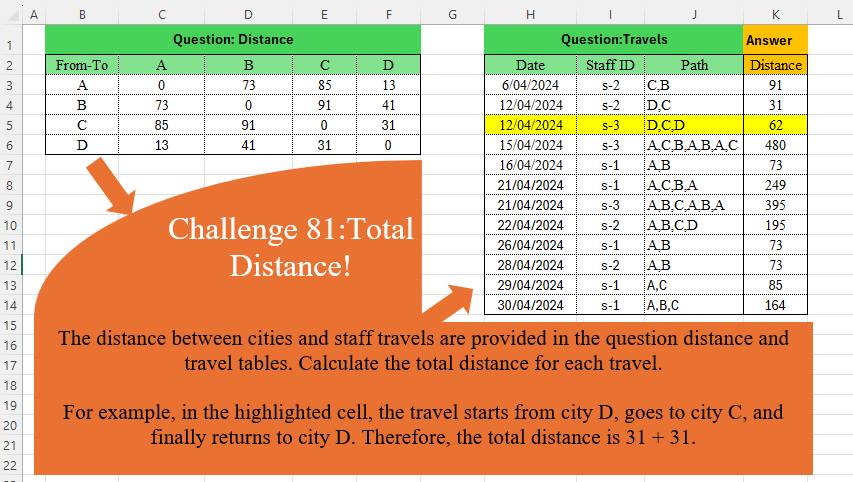
Total Distance!
Challenge No. 81: The distance between cities and staff travels are provided in the question distance and travel tables.
Solved using:Excel (DROP, IFNA, INDEX), Power Query (Table.AddColumn), Python, and R.
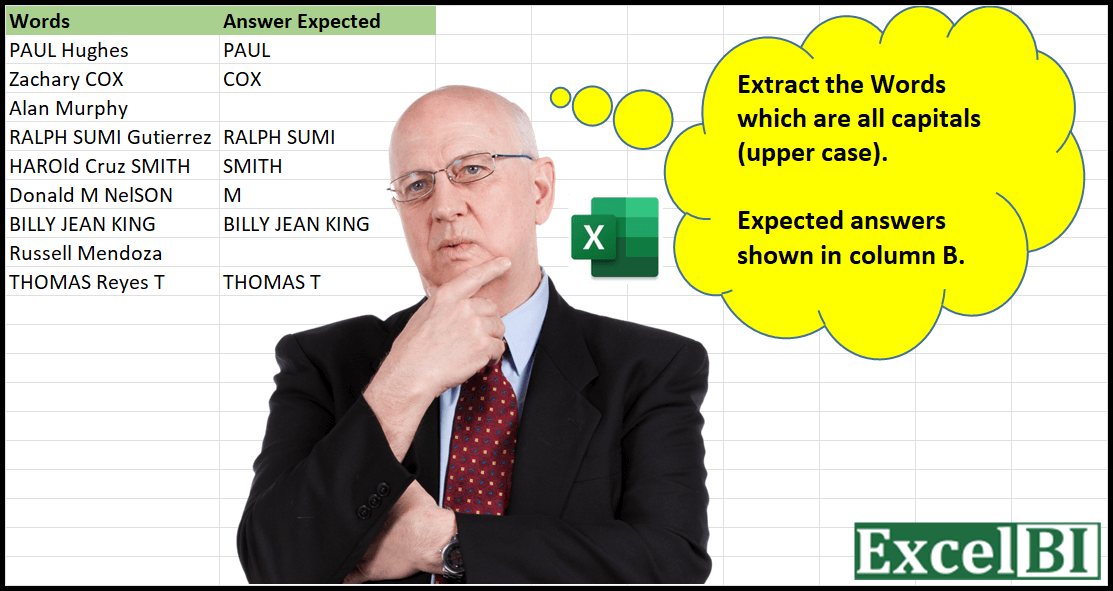
Extract All-Caps Words
Challenge No. 4: Provide a formula to Extract the Words which are all capitals (upper case).
Solved using: Python in Excel.
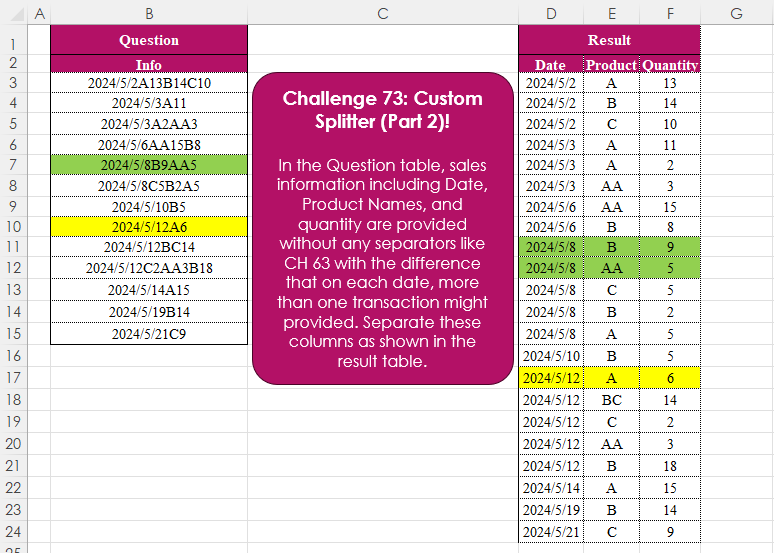
Custom Splitter (Part 2)!
Challenge No. 73: In the Question table, sales information including Date, Product Names, and quantity are provided without any separators like CH 63 with the difference that on each date, more than one transaction might provided.
Solved using:Excel (CHAR, DROP, HSTACK), Power Query (List.Skip, List.Transform, Table.AddColumn), Python, and R.
Extract From Text! Part 1
Challenge No. 71: Extract all the emails from the text provided in the question table.
Solved using:Excel (FILTER, LEN, LET), Power Query (List.Transform, Text.Contains, Text.Split), Python, and R.
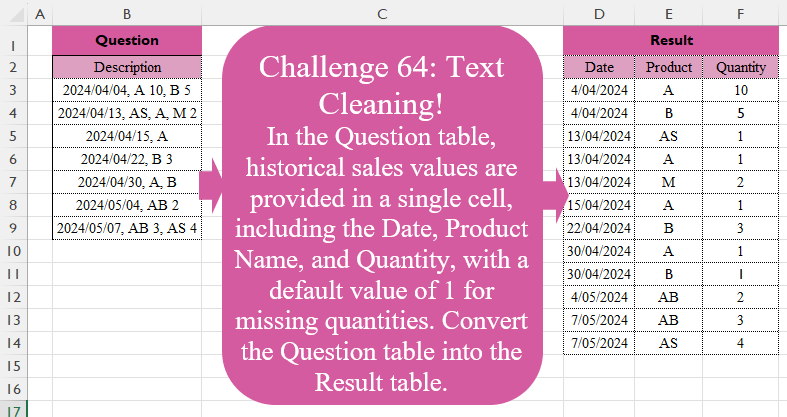
Text Cleaning!
Challenge No. 64: In the Question table, historical sales values are provided in a single cell, including the Date, Product Name, and Quantity, with a default value of 1 for missing quantities.
Solved using:Excel (DROP, HSTACK, IFERROR), Power Query (List.Transform, Text.Split, Table.Split), Python, R, and VBA.
Custom Splitter!
Challenge No. 63: In the Question table, sales information including Date, Product Name, and Quantity is provided without any separators.
Solved using:Excel (CHAR, HSTACK, LAMBDA), Power Query (List.Contains, Table.Combine, Table.FromRows), Python, R, and VBA.
Missing Values! Part 1
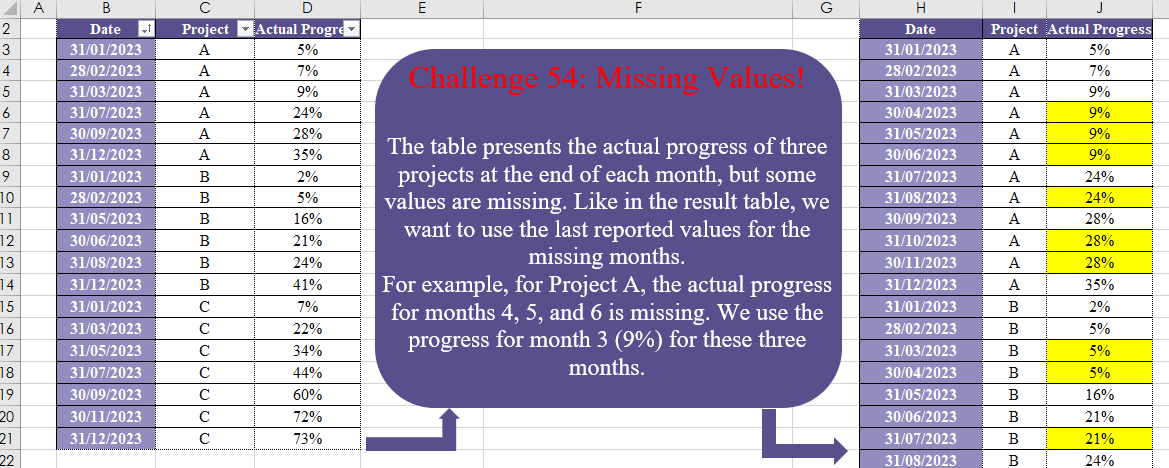
Challenge No. 54: The table presents the actual progress of three projects at the end of each month, but some values are missing.
Solved using:Excel (DATE, DROP, EOMONTH), Power Query (List.Transform, Table.Group, Table.TransformColumnTypes), Python, and R.
Purchasing Together!
Challenge No. 51: In the Question Table, historical sales data are provided.
Solved using:Excel (BYROW, HSTACK, LAMBDA), Power Query (List.Contains, List.ContainsAll, List.Transform), Python, and R.
Table Transformation! Part 7
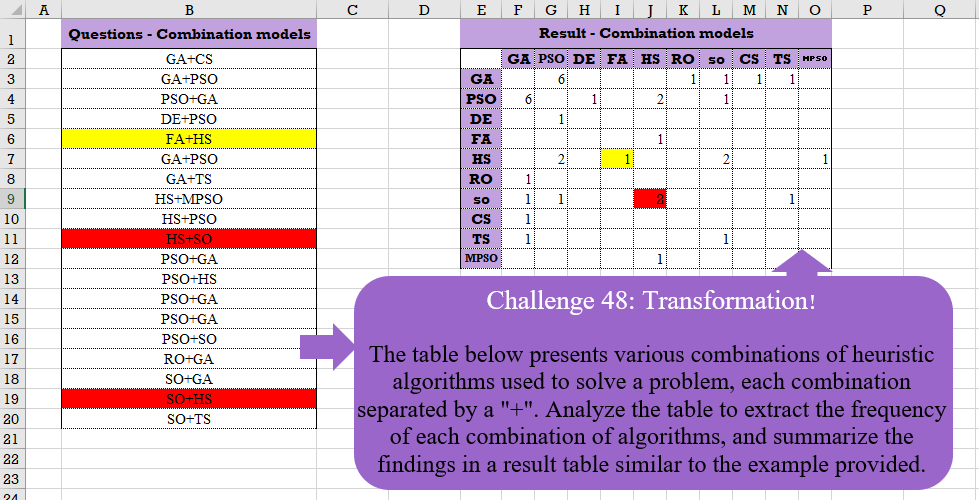
Challenge No. 48: The table below presents various combinations of heuristic algorithms used to solve a problem, each combination separated by a “+”.
Solved using:Excel (COUNTIF, HSTACK, IF), Google Sheets, Power Query (List.Distinct, List.Transform, Table.AddColumn), Python, and R.