
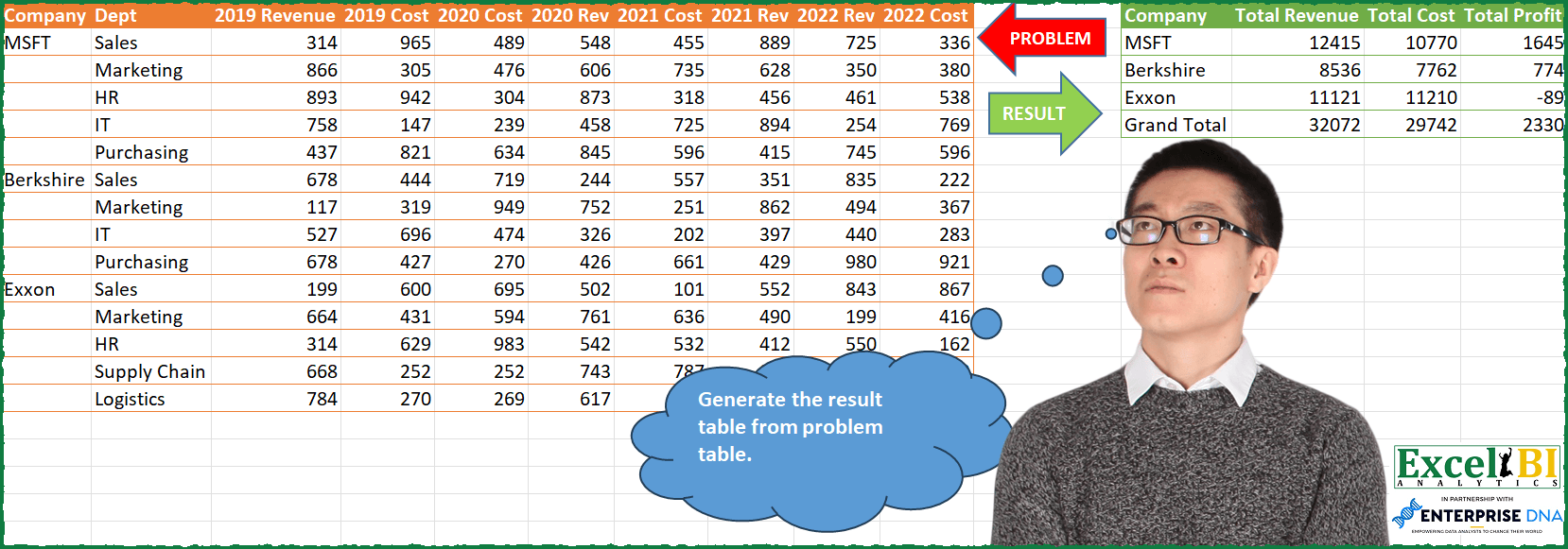
Challenge No. 85: Generate the result table from problem table.
Solved using: Python in Excel.
Checks if a text string contains a specific substring in Power Query.
Challenge No. 85: Generate the result table from problem table.
Solved using: Python in Excel.
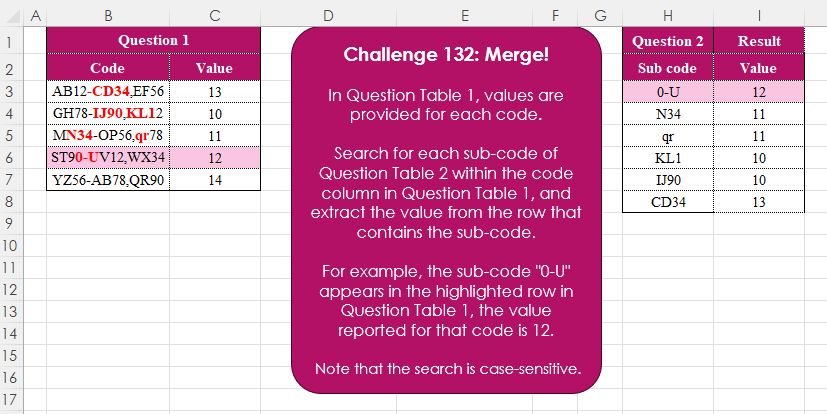
Challenge No. 132: In Question Table 1, values are provided for each code.
Solved using:Excel (FILTER, FIND, ISNUMBER), Google Sheets, Power Query (Text.Contains, Table.AddColumn, Table.SelectRows), Python, Python in Excel, R, and VBA.
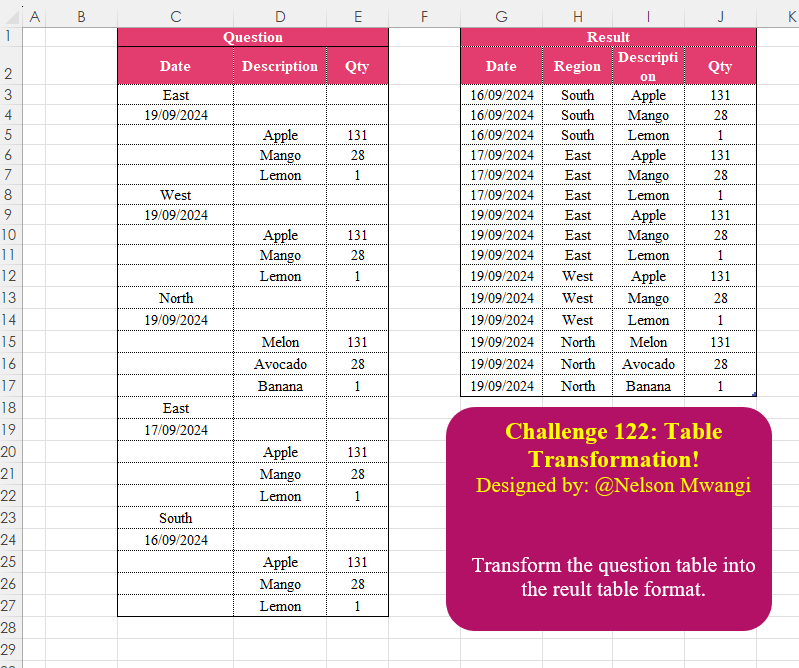
Challenge No. 122: Transform the question table into the reult table format.
Solved using:Excel (DROP, FILTER, HSTACK), Google Sheets, Power Query (List.Transform, Text.Contains, Table.AddColumn), Python, Python in Excel, and R.
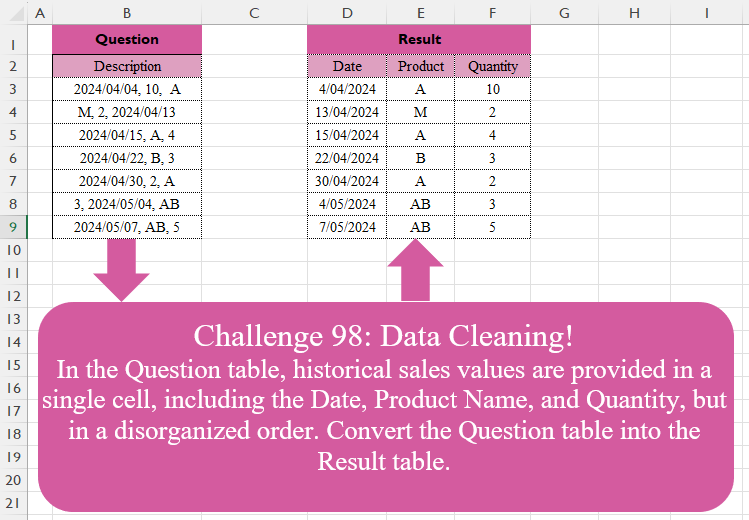
Challenge No. 98: In the Question table, historical sales values are provided in a single cell, including the Date, Product Name, and Quantity, but in a disorganized order.
Solved using:Excel (FILTER, HSTACK, IF), Google Sheets, Power Query (List.Transform, Text.Contains, Text.Split), Python, Python in Excel, and R.

Challenge No. 71: Extract all the emails from the text provided in the question table.
Solved using:Excel (FILTER, LEN, LET), Power Query (List.Transform, Text.Contains, Text.Split), Python, and R.