
Challenge No. 96: List Customer1 whose Store1 Visit Date Time is less than or equal to Store2 Visit Date Time if they visited Store2 also.
Solved using: Power Query (Table.SelectRows).
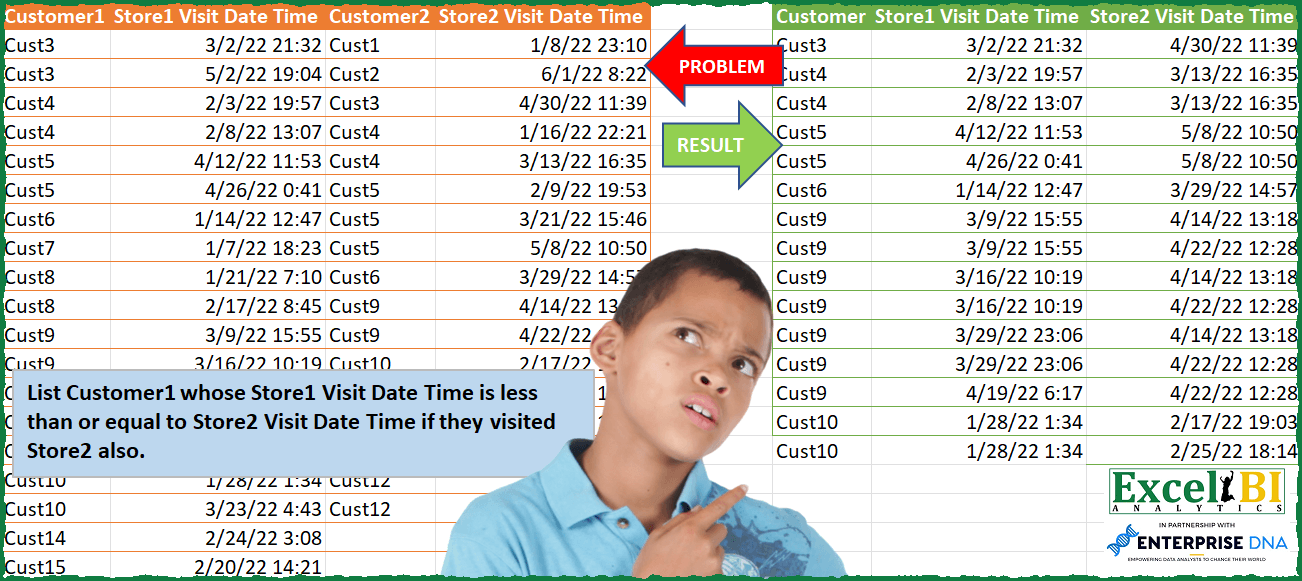
Filters rows in a table based on a condition in Power Query.
Challenge No. 96: List Customer1 whose Store1 Visit Date Time is less than or equal to Store2 Visit Date Time if they visited Store2 also.
Solved using: Power Query (Table.SelectRows).

Challenge No. 165: Based on monthly transactions, categorize each customer for each month into one of the following groups:
New: A customer who has never made a purchase in previous months.
Solved using:Excel (FILTER, HSTACK, IF), Google Sheets, Power Query (Table.Group, List.Difference, List.Distinct), Python, and R.
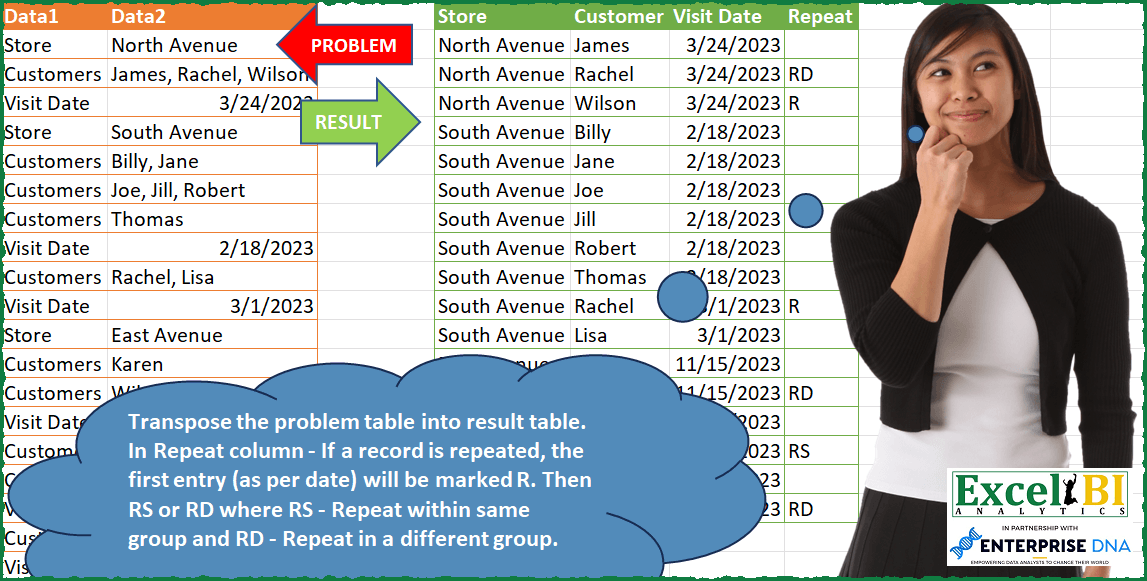
Challenge No. 91: Transpose the problem table into result table.
Solved using: Power Query (Table.AddColumn, Table.SelectRows).
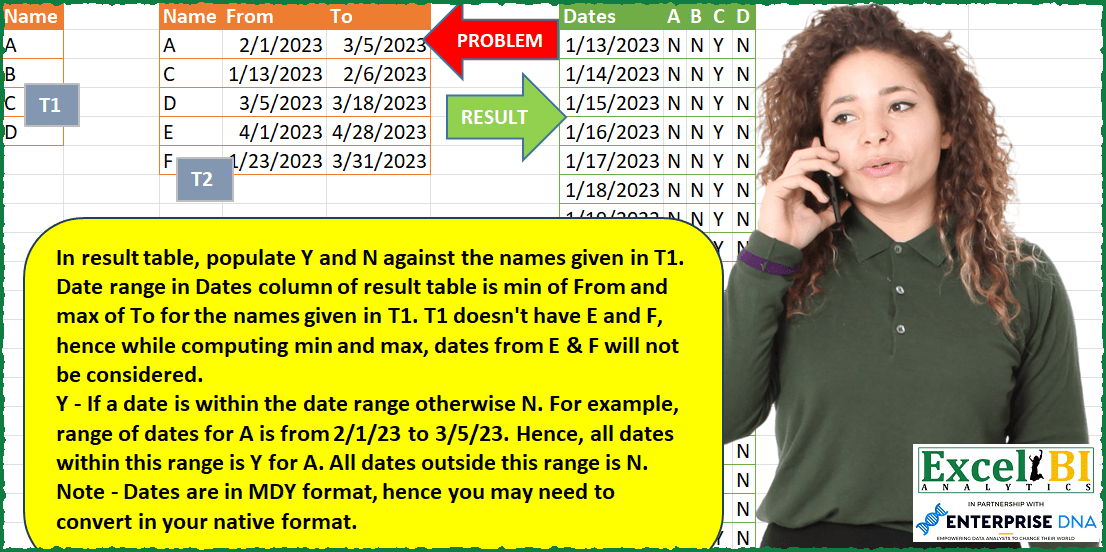
Challenge No. 86: In result table, populate Y and N against the names given in T1.
Solved using: Power Query (Table.SelectRows).

Challenge No. 155: Transform the question table into the result table format.
Solved using:Excel (DROP, FILTER, HSTACK), Google Sheets, Power Query (List.Skip, List.Transform, Table.AddColumn), Python, Python in Excel, and R.
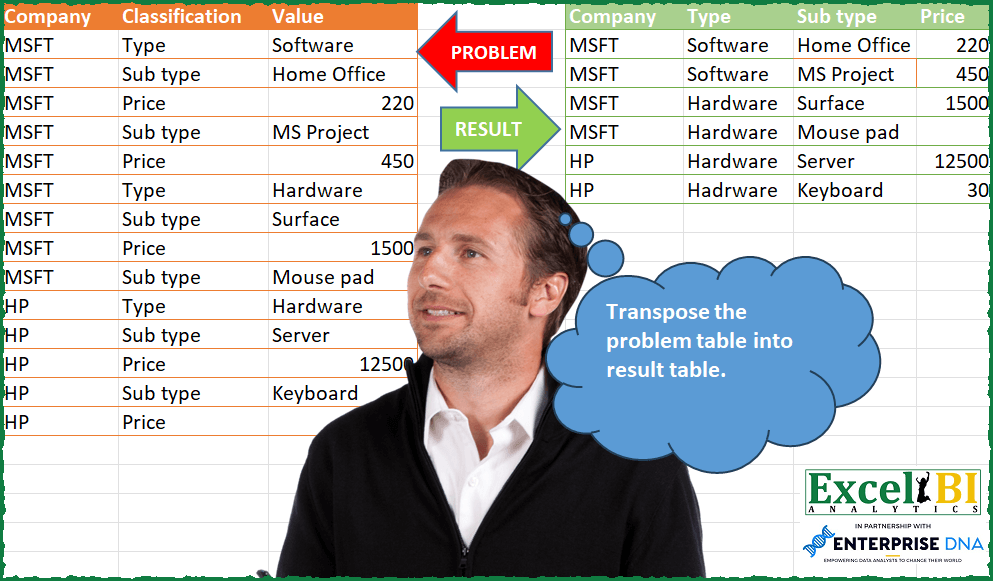
Challenge No. 84: Transpose the problem table into result table.
Solved using: Excel VBA.
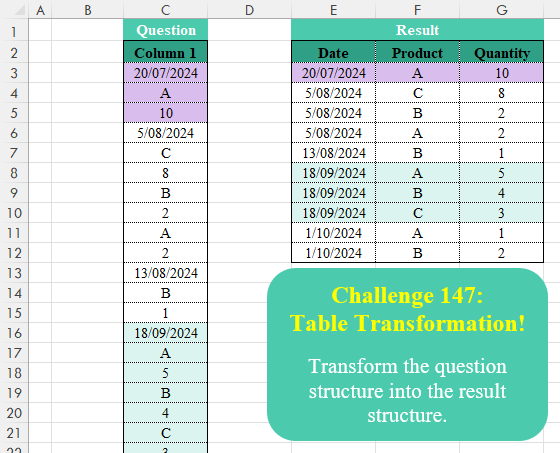
Challenge No. 147: Transform the question structure into the result structure.
Solved using:Excel (FILTER, HSTACK, IF), Google Sheets, Power Query (List.Skip, List.Split, Table.AddColumn), Python, Python in Excel, R, and VBA.

Challenge No. 75: Groups are separated by blank rows in Problem table.
Solved using: Python in Excel.
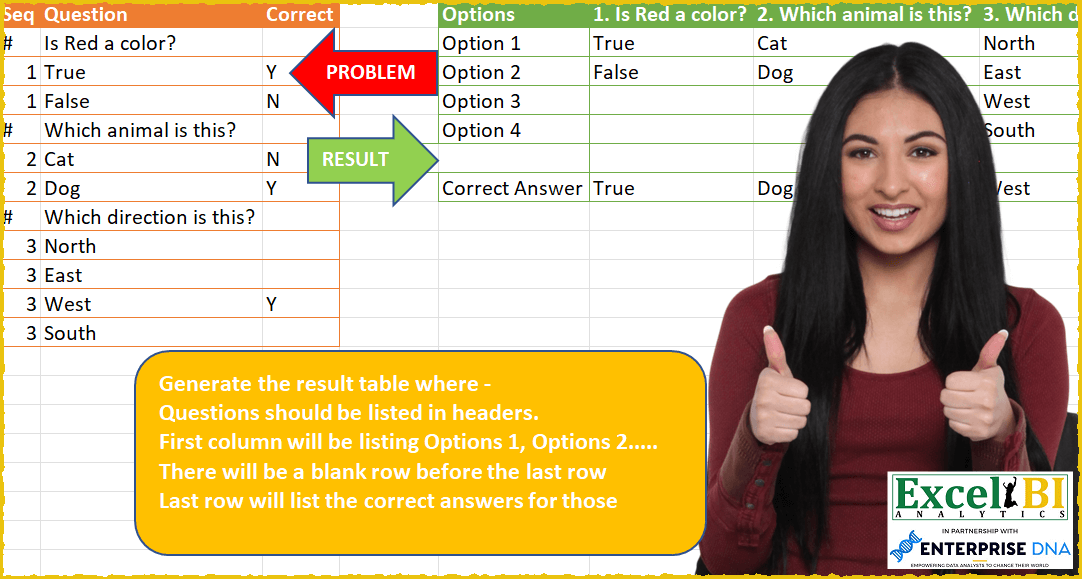
Challenge No. 59: Generate the result table where –
Questions should be listed in headers.
Solved using: Power Query (List.Transform, Table.SelectRows).
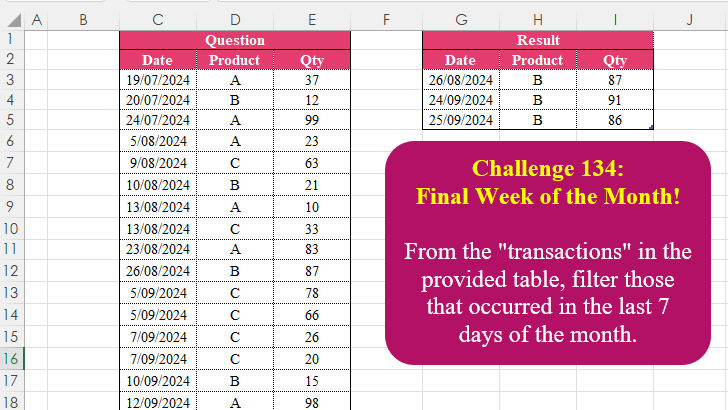
Challenge No. 134: From the “transactions” in the provided table, filter those that occurred in the last 7 days of the month.
Solved using:Excel (CHOOSECOLS, DAY, EOMONTH), Google Sheets, Power Query (Table.AddColumn, Table.SelectRows), Python, Python in Excel, R, and SQL.