
Challenge No. 259: List the fruits and the sum of total amount against a fruit.
Solved using: Python in Excel.

Converts a list of row lists into a table in Power Query.
Challenge No. 259: List the fruits and the sum of total amount against a fruit.
Solved using: Python in Excel.

Challenge No. 233: Calculate the Shipped and Non-shipped amounts (Quantity * Price) for all Fruits.
Solved using: Python.
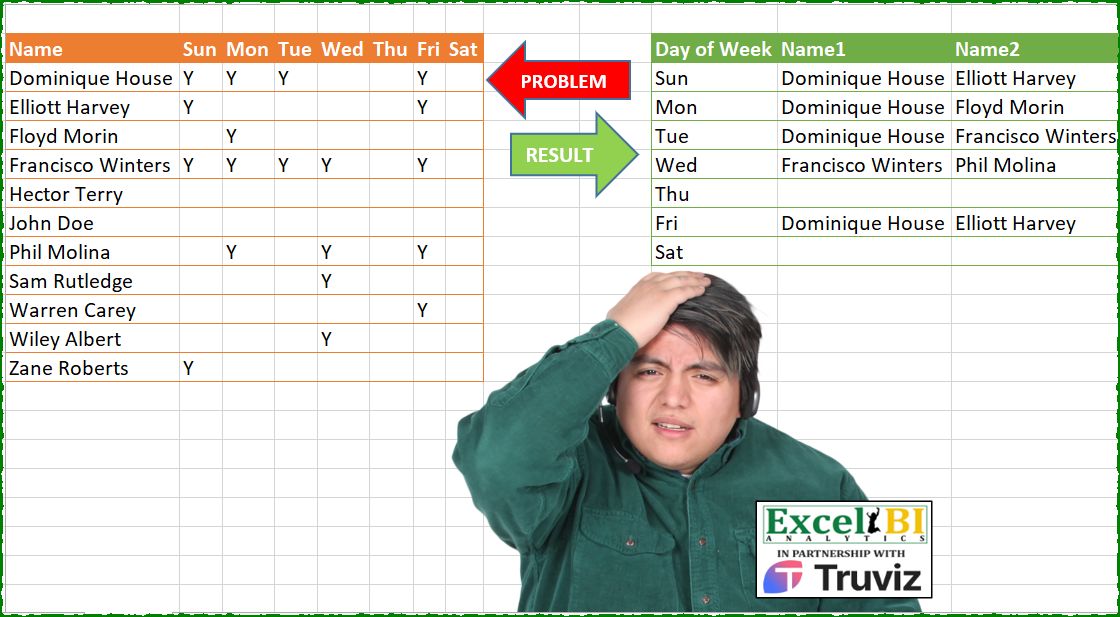
Challenge No. 207: Generate the result table from problem table.
Solved using: Python in Excel.
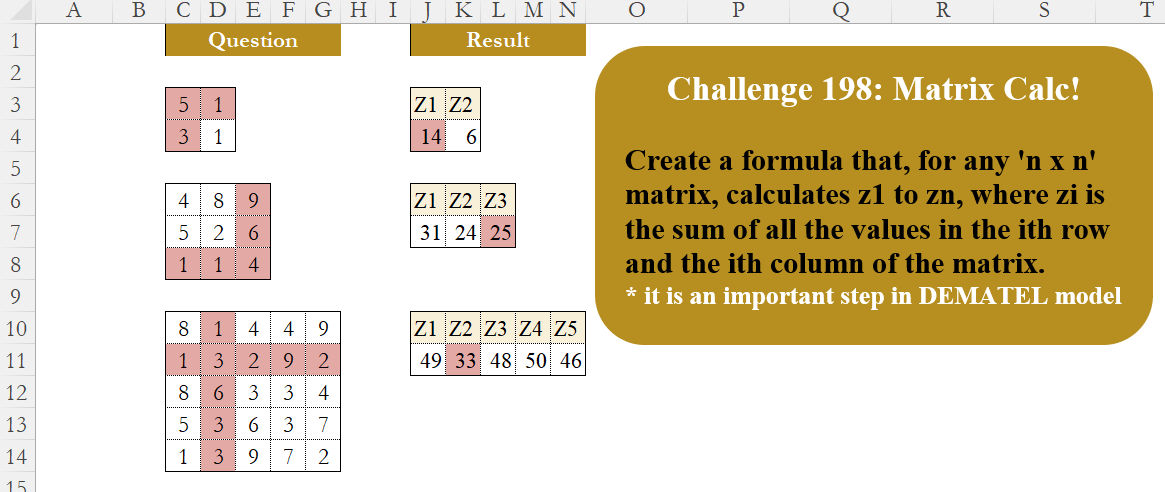
Challenge No. 198: Create a formula that, for any ‘n x n’ matrix, calculates z1 to zn, where zi is the sum of all the values in the ith row and the ith column of the matrix.
Solved using:Excel (BYCOL, INDEX, LAMBDA), Google Sheets, Power Query (List.Transform, Table.FromRows, Table.ToColumns), Python, Python in Excel, and R.
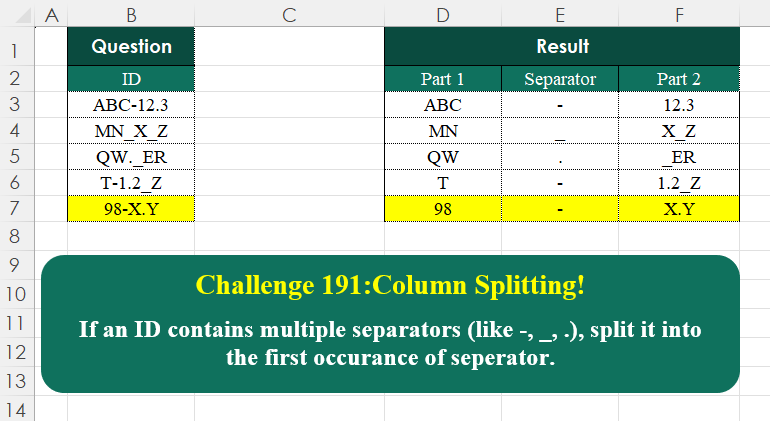
Challenge No. 191: If an ID contains multiple separators (like -, _, .
Solved using:Excel (HSTACK, LAMBDA, LEN), Google Sheets, Power Query (Text.PositionOf, Table.AddColumn, Table.FromRows), Python, Python in Excel, and R.

Challenge No. 182: In the question table, assign an index to the blank cells, starting from 1.
Solved using:Excel (IF, LAMBDA, LET), Google Sheets, Power Query (List.Combine, List.Split, List.Transform), Python, Python in Excel, and R.
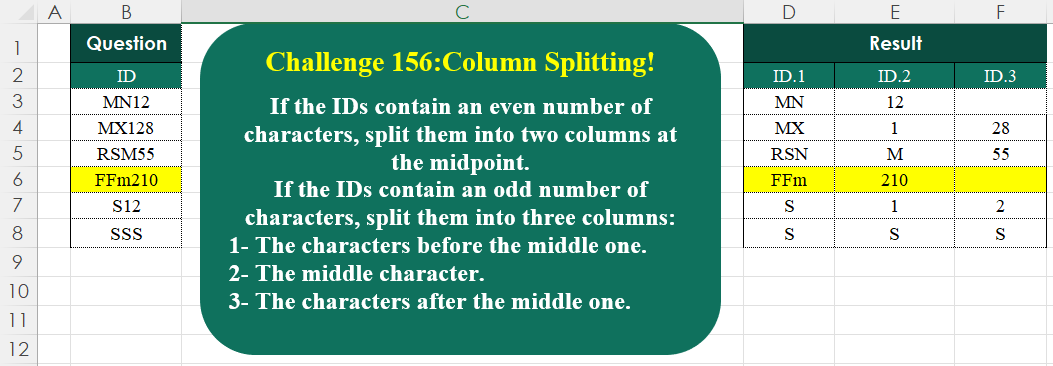
Challenge No. 156: If the IDs contain an even number of characters, split them into two columns at the midpoint.
Solved using:Excel (HSTACK, IF, IFNA), Google Sheets, Power Query (List.Transform, Text.End, Text.Start), Python, Python in Excel, and R.
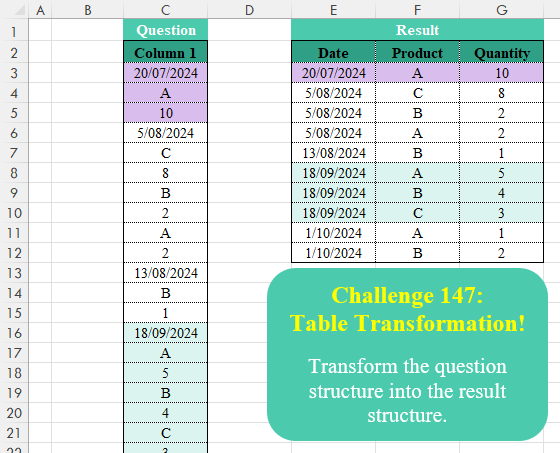
Challenge No. 147: Transform the question structure into the result structure.
Solved using:Excel (FILTER, HSTACK, IF), Google Sheets, Power Query (List.Skip, List.Split, Table.AddColumn), Python, Python in Excel, R, and VBA.
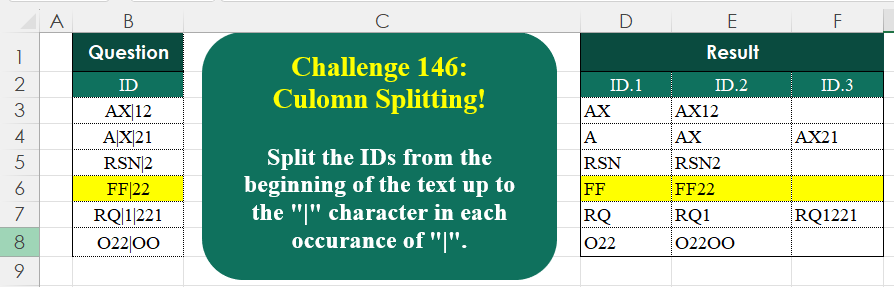
Challenge No. 146: Split the IDs from the beginning of the text up to the “|” character in each occurrence of “|”.
Solved using:Excel (IFNA, LAMBDA, LEN), Google Sheets, Power Query (List.Transform, Text.Combine, Text.Split), Python, Python in Excel, R, and VBA.
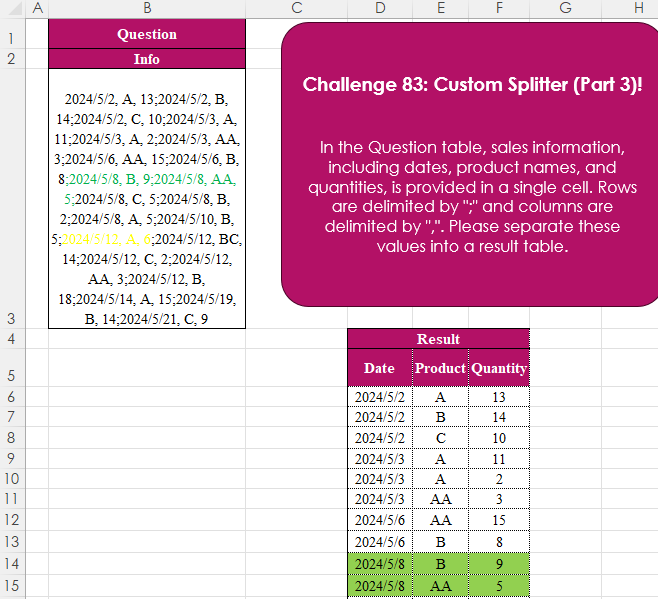
Challenge No. 83: In the Question table, sales information, including dates, product names, and quantities, is provided in a single cell.
Solved using:Excel (IFERROR, LET, ROWS), Power Query (List.Transform, Text.Split, Table.FromRows), Python, Python in Excel, R, and SQL.