
Challenge No. 222: Marks for various tests are given in problem table.
Solved using: R.

Expands a table column into separate rows in Power Query.
Challenge No. 222: Marks for various tests are given in problem table.
Solved using: R.

Challenge No. 185: For each group, generate the index.
Solved using: Excel VBA.
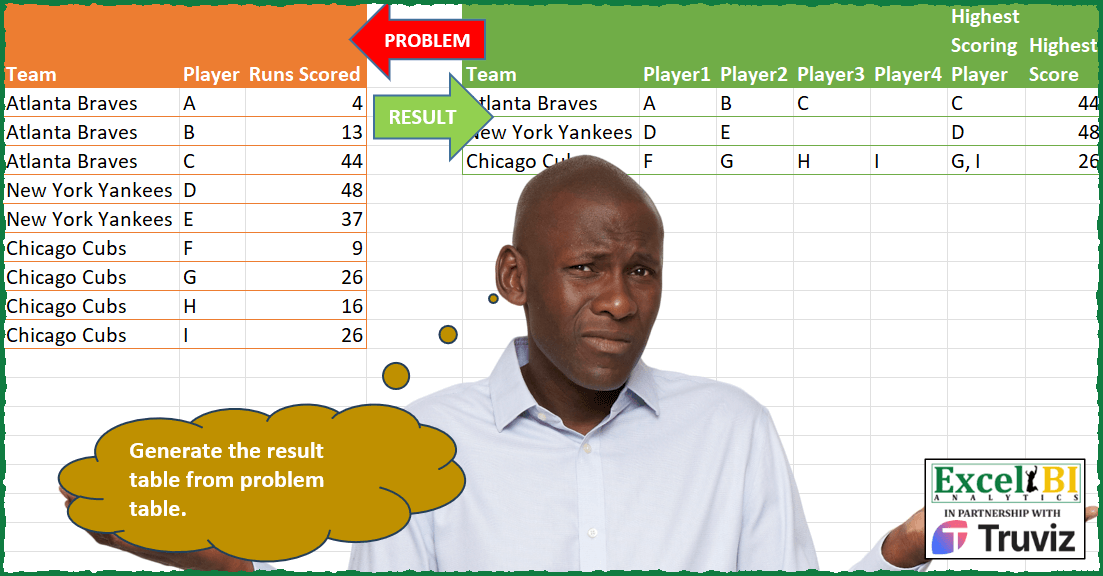
Challenge No. 179: Generate the result table from problem table.
Solved using: R.

Challenge No. 177: Transform the question structure into the result structure.
Solved using:Excel (DROP, FILTER, HSTACK), Google Sheets, Power Query (Table.AddColumn, Table.ExpandTableColumn, Table.Group), Python, Python in Excel, and R.
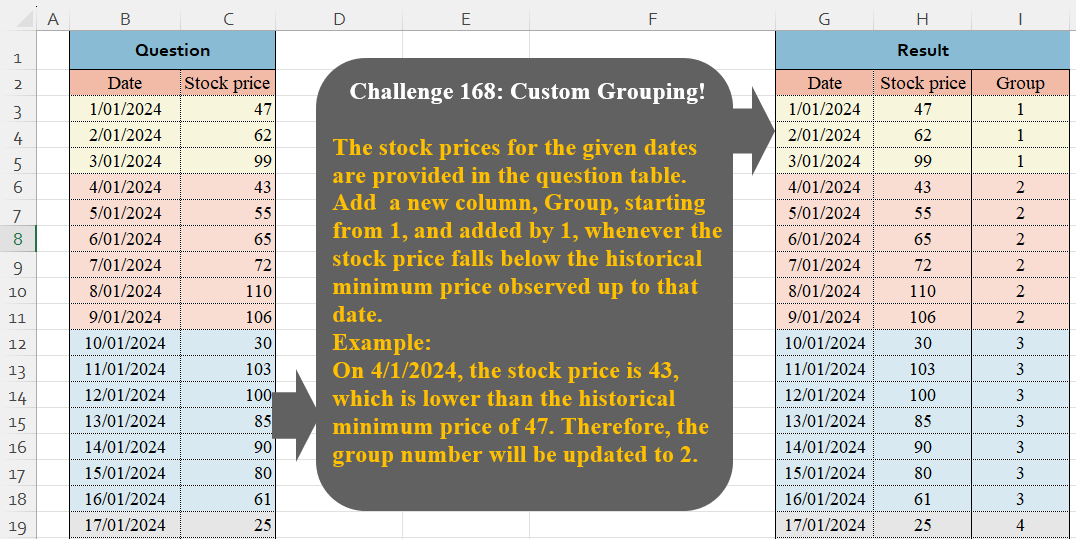
Challenge No. 168: The stock prices for the given dates are provided in the question table.
Solved using:Excel (IF, LAMBDA, LET), Google Sheets, Power Query (Table.Group, Table.AddIndexColumn, Table.ExpandTableColumn), Python, Python in Excel, and R.
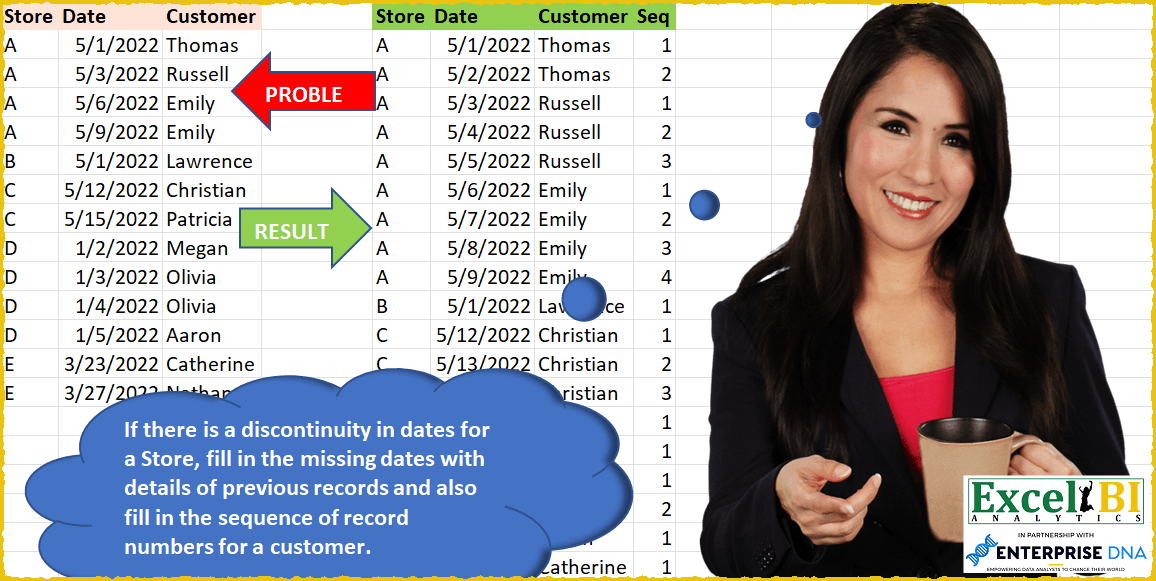
Challenge No. 50: If there is a discontinuity in dates for a Store, fill in the missing dates with details of previous records and also fill in the sequence of record numbers for a customer in that store.
Solved using: SQL.
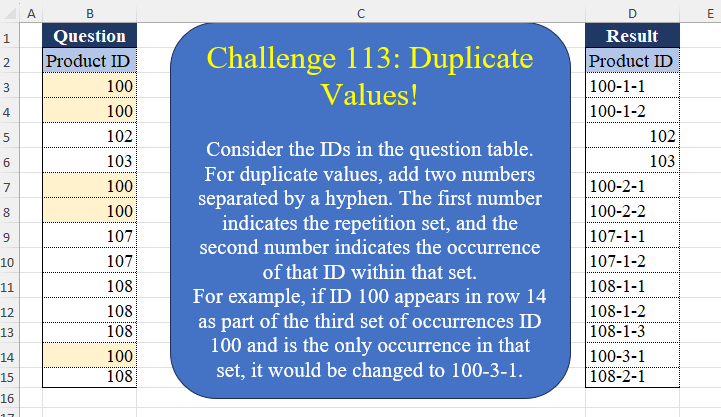
Challenge No. 113: Consider the IDs in the question table.
Solved using:Excel (DROP, IF, LAMBDA), Google Sheets, Power Query (List.Transform, Table.AddColumn, Table.AddIndexColumn), Python, Python in Excel, and R.
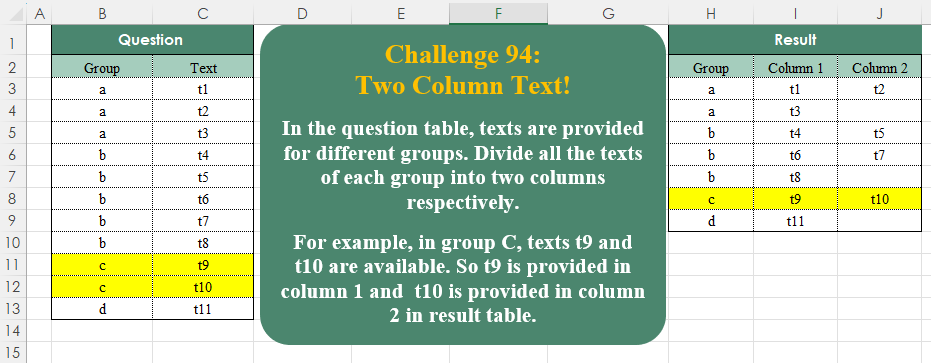
Challenge No. 94: In the question table, texts are provided for different groups.
Solved using:Excel (DROP, FILTER, HSTACK), Google Sheets, Power Query (List.Split, List.Transform, Table.ExpandTableColumn), Python, Python in Excel, and R.
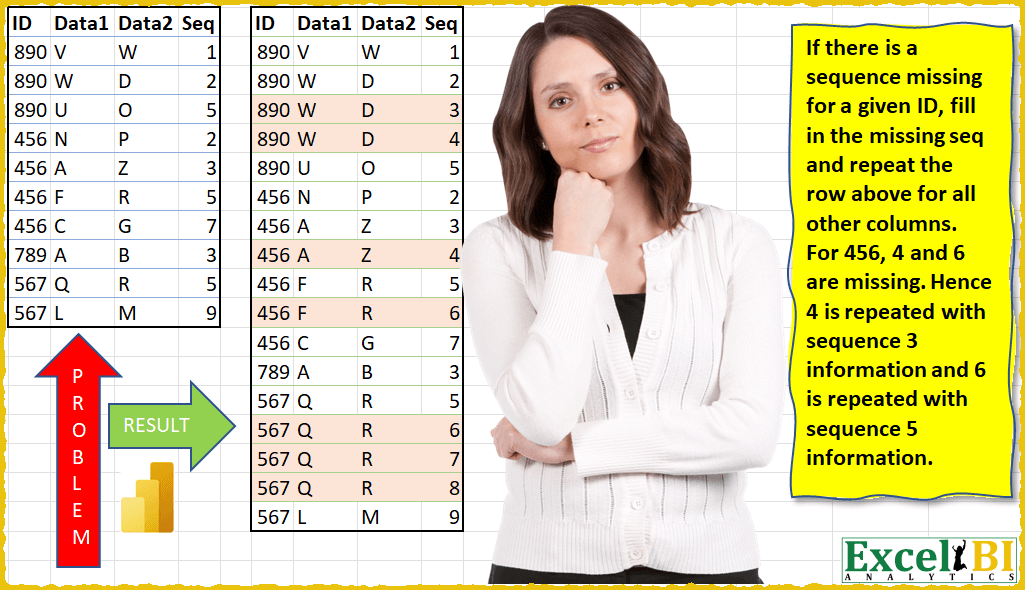
Challenge No. 12: (Excel formulas also welcome)
If there is a sequence missing for a given ID, fill in the missing sequence and repeat the row above for all other columns.
Solved using: Power Query (Table.AddColumn, Table.ExpandTableColumn, Table.Group).