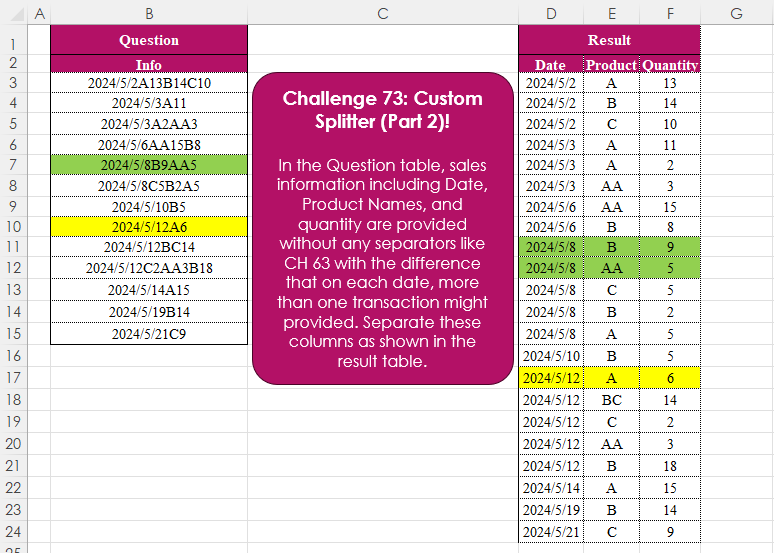
Challenge No. 73: In the Question table, sales information including Date, Product Names, and quantity are provided without any separators like CH 63 with the difference that on each date, more than one transaction might provided.
Solved using:Excel (CHAR, DROP, HSTACK), Power Query (List.Skip, List.Transform, Table.AddColumn), Python, and R.
SEQUENCE
Generates a sequence of numbers in an array in Excel.
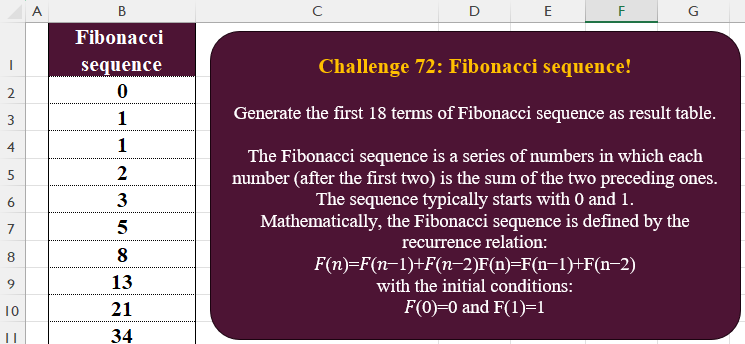
Fibonacci Sequence!
Challenge No. 72: Generate the first 18 terms of Fibonacci sequence as result table.
Solved using:Excel, Power Query, Python, R, and VBA.
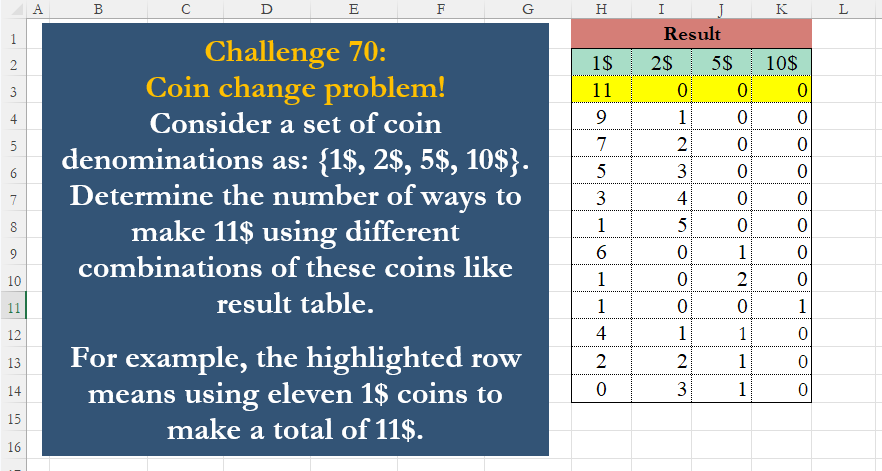
Coin Change Problem!
Challenge No. 70: Consider a set of coin denominations as: {1$, 2$, 5$, 10$}.
Solved using:Excel (FILTER, LAMBDA, LET), Power Query (List.Transform, Table.FromRows), Python, R, and VBA.
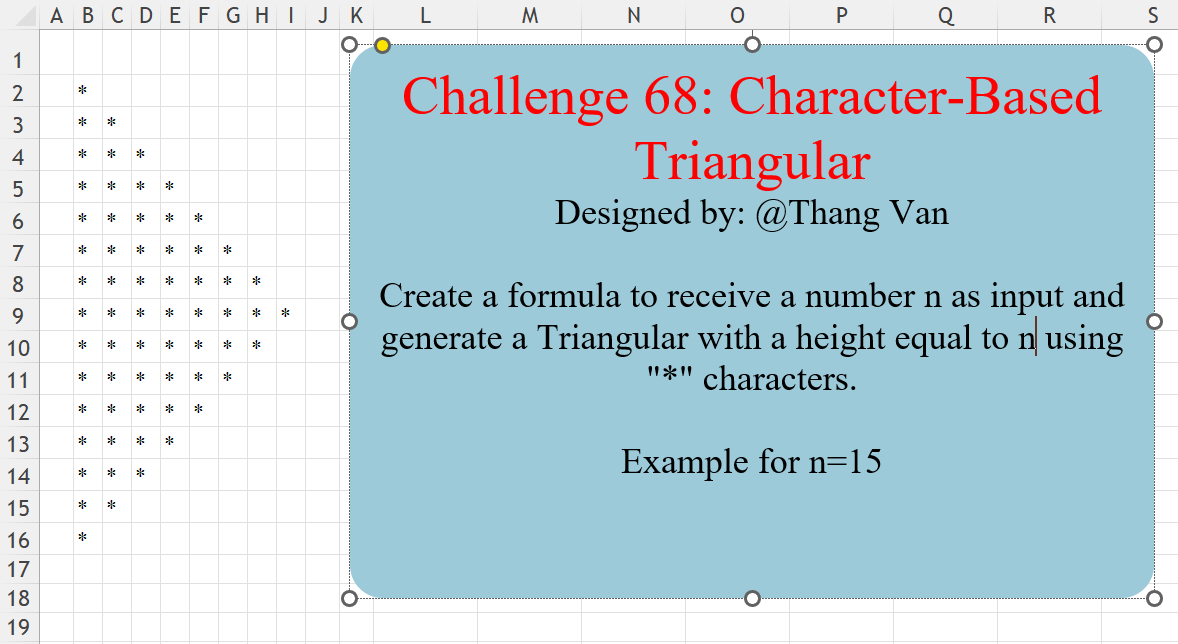
Character-Based Triangular
Challenge No. 68: Create a formula to receive a number n as input and generate a Triangular with a height equal to n using “*” characters.
Solved using:Excel (IF, LAMBDA, LET), Power Query (List.Repeat, List.Transform, Table.FromColumns), Python, R, and VBA.
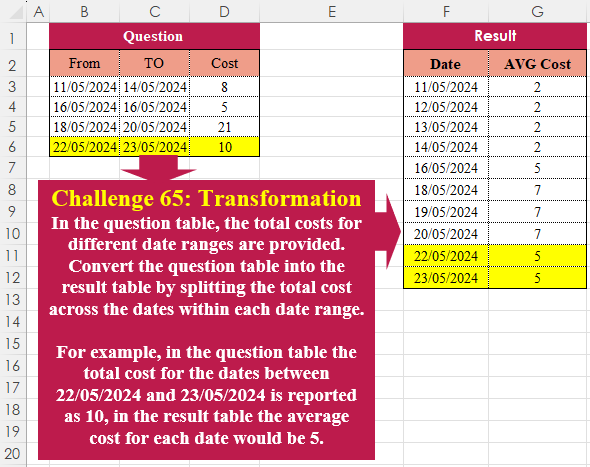
Table Transformation! Part 8
Challenge No. 65: In the question table, the total costs for different date ranges are provided.
Solved using:Excel (HSTACK, LAMBDA, LET), Power Query (List.Dates, List.Transform, Table.AddColumn), Python, R, and VBA.
Custom Splitter!
Challenge No. 63: In the Question table, sales information including Date, Product Name, and Quantity is provided without any separators.
Solved using:Excel (CHAR, HSTACK, LAMBDA), Power Query (List.Contains, Table.Combine, Table.FromRows), Python, R, and VBA.
Missing Values! Part 2
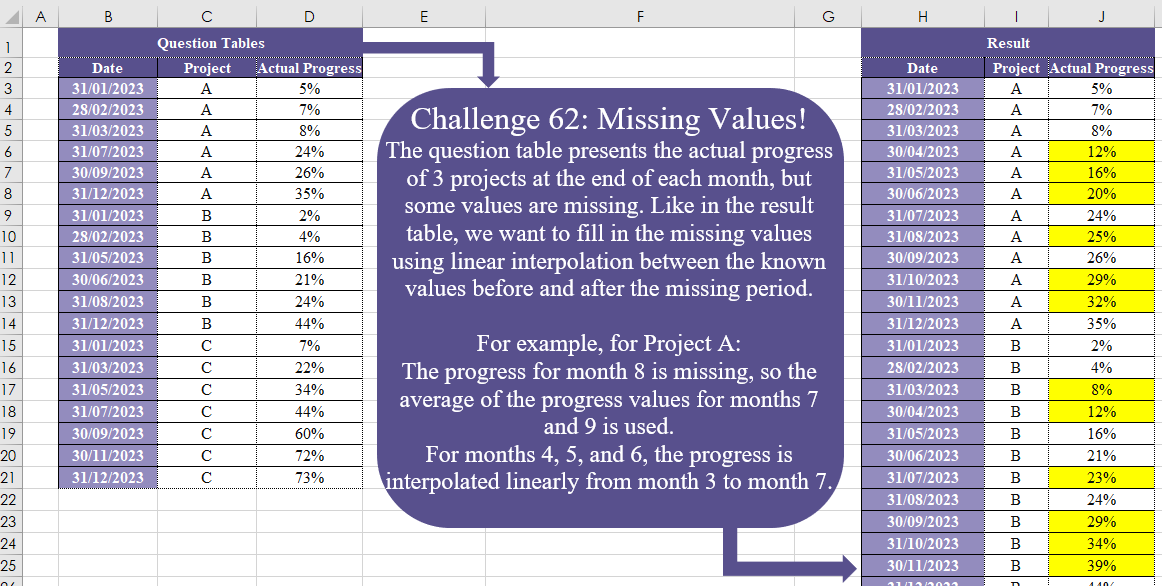
Challenge No. 62: The question table presents the actual progress of 3 projects at the end of each month, but some values are missing.
Solved using:Excel (DATE, DROP, IF), Power Query (Date.Month), Python, and R.
Match Payments!
Challenge No. 60: The customer receipt costs and their payments are provided in Question Tables 1 and 2.
Solved using:Excel, Power Query, and R.
Merge Columns
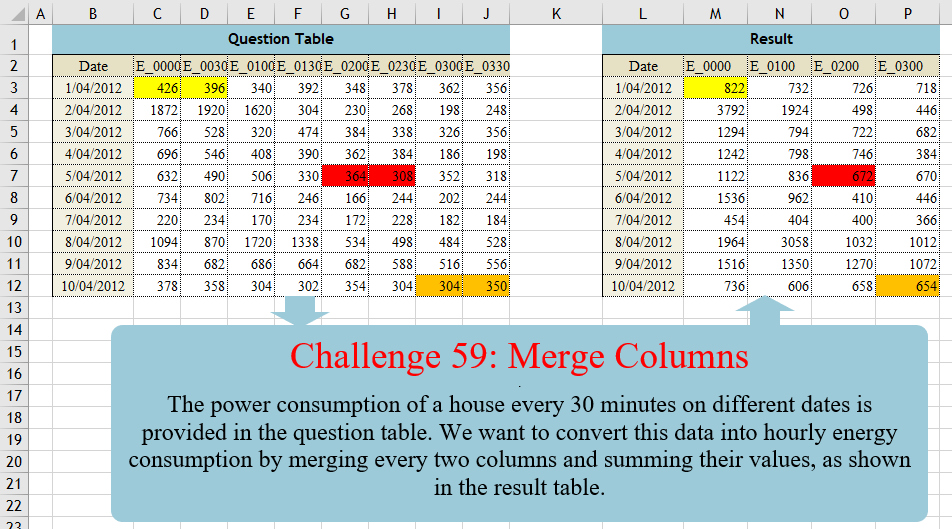
Challenge No. 59: The power consumption of a house every 30 minutes on different dates is provided in the question table.
Solved using:Excel (CHOOSECOLS, FILTER, HSTACK), Power Query (List.Distinct, List.Skip, List.Split), Python, Python in Excel, and R.
Missing Values! Part 1
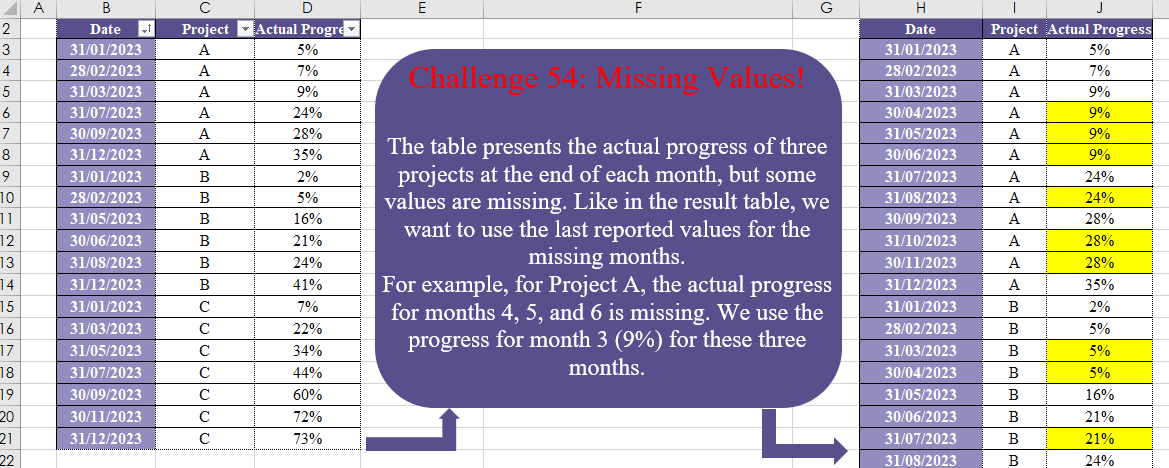
Challenge No. 54: The table presents the actual progress of three projects at the end of each month, but some values are missing.
Solved using:Excel (DATE, DROP, EOMONTH), Power Query (List.Transform, Table.Group, Table.TransformColumnTypes), Python, and R.