
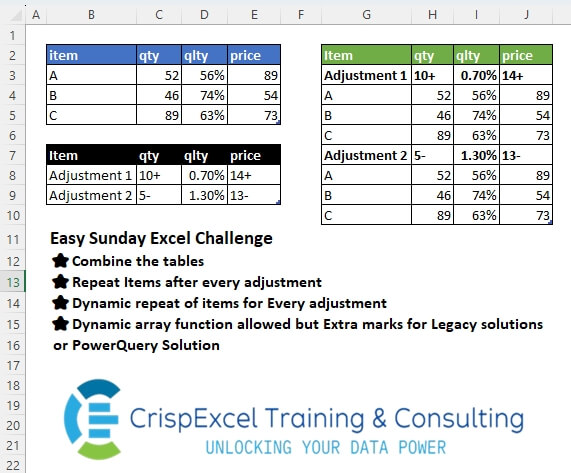
Challenge No. 54: Combine the tables
Repeat Items after every adjustment
Dynamic repeat of items for Every adjustment
Dynamic array function allowed but Extra marks for Legacy solutions or PowerQuery Solution.
Solved using: Python in Excel.
Returns the number of rows in an array or range in Excel.
Challenge No. 54: Combine the tables
Repeat Items after every adjustment
Dynamic repeat of items for Every adjustment
Dynamic array function allowed but Extra marks for Legacy solutions or PowerQuery Solution.
Solved using: Python in Excel.

Challenge No. 182: In the question table, assign an index to the blank cells, starting from 1.
Solved using:Excel (IF, LAMBDA, LET), Google Sheets, Power Query (List.Combine, List.Split, List.Transform), Python, Python in Excel, and R.
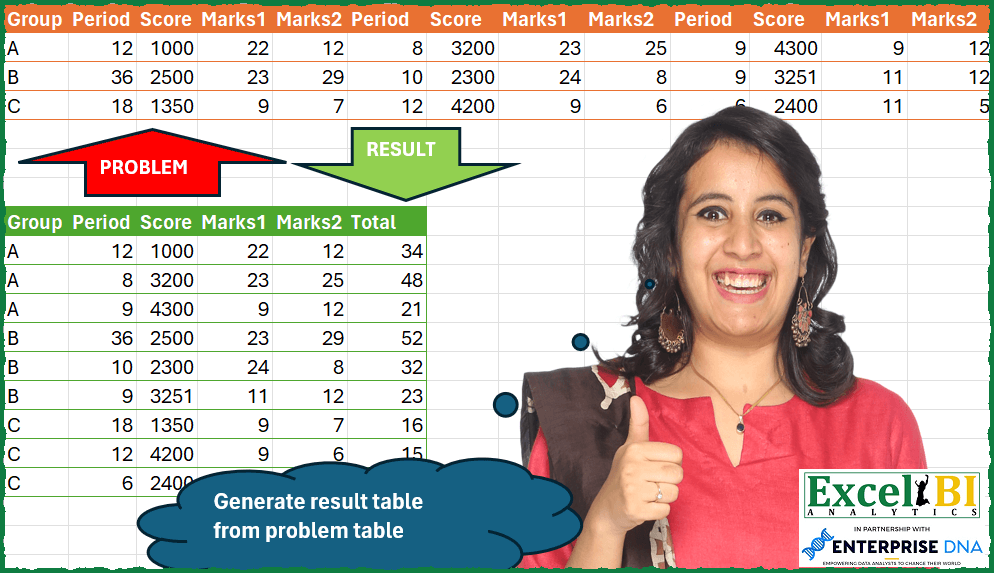
Challenge No. 113: Generate result table from problem table.
Solved using: Python in Excel.

Challenge No. 106: Generate the result table from problem table.
Solved using: Power Query.
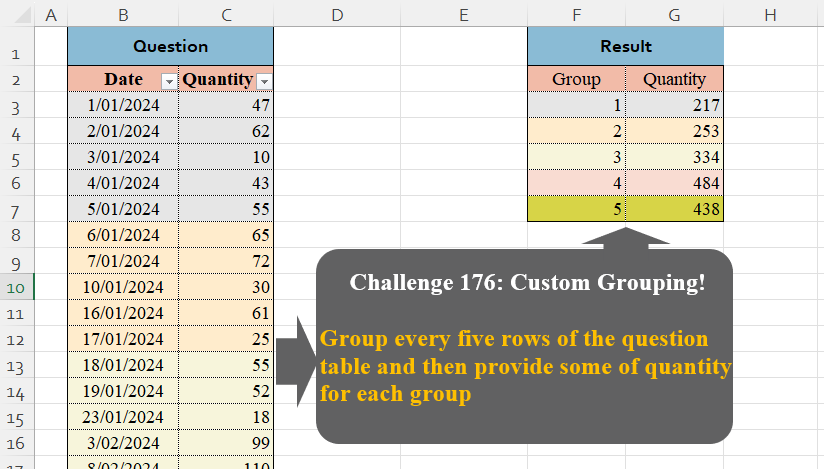
Challenge No. 176: Group every five rows of the question table and then provide some of quantity for each group.
Solved using:Excel (GROUPBY, HSTACK, LAMBDA), Google Sheets, Power Query (Table.Group, List.Transform, Table.AddIndexColumn), Python, Python in Excel, and R.
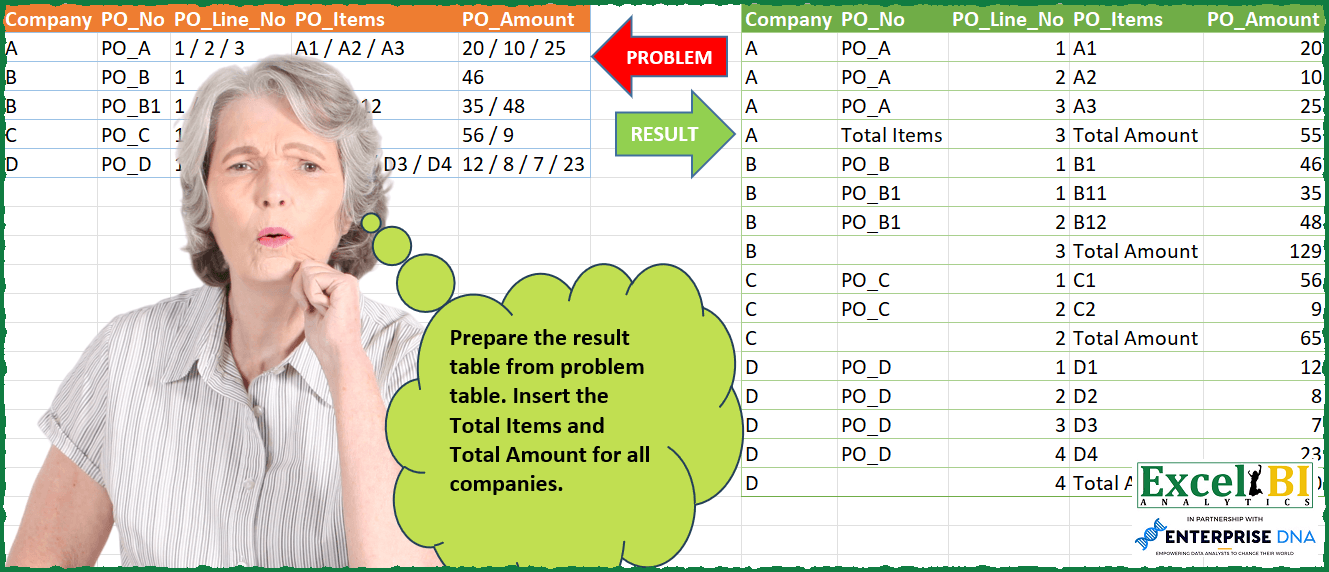
Challenge No. 104: Prepare the result table from problem table.
Solved using: Python.
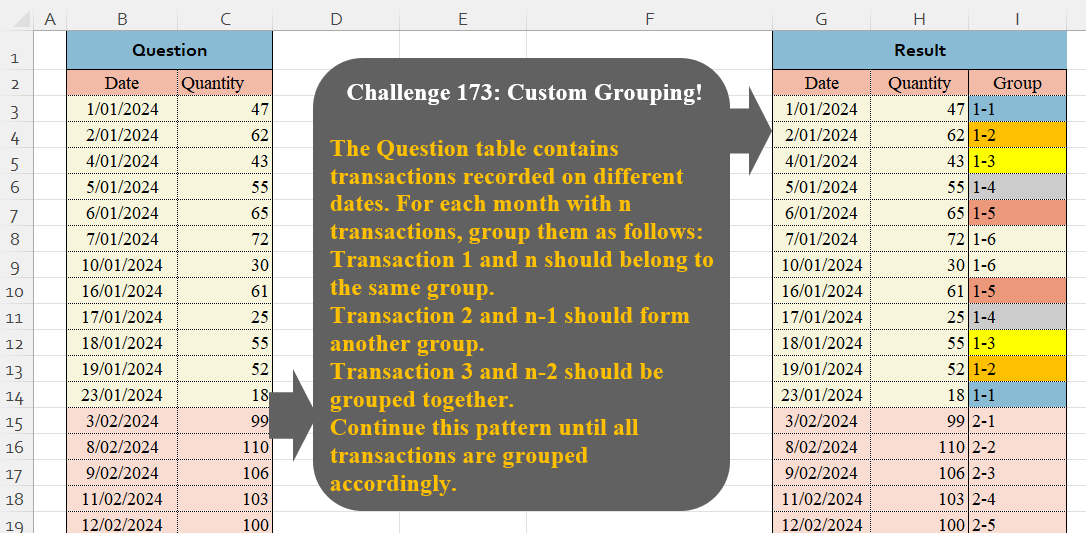
Challenge No. 173: The Question table contains transactions recorded on different dates.
Solved using:Excel (HSTACK, LAMBDA, LET), Google Sheets, Power Query (Table.Group, Date.Month, Table.AddIndexColumn), Python, Python in Excel, and R.
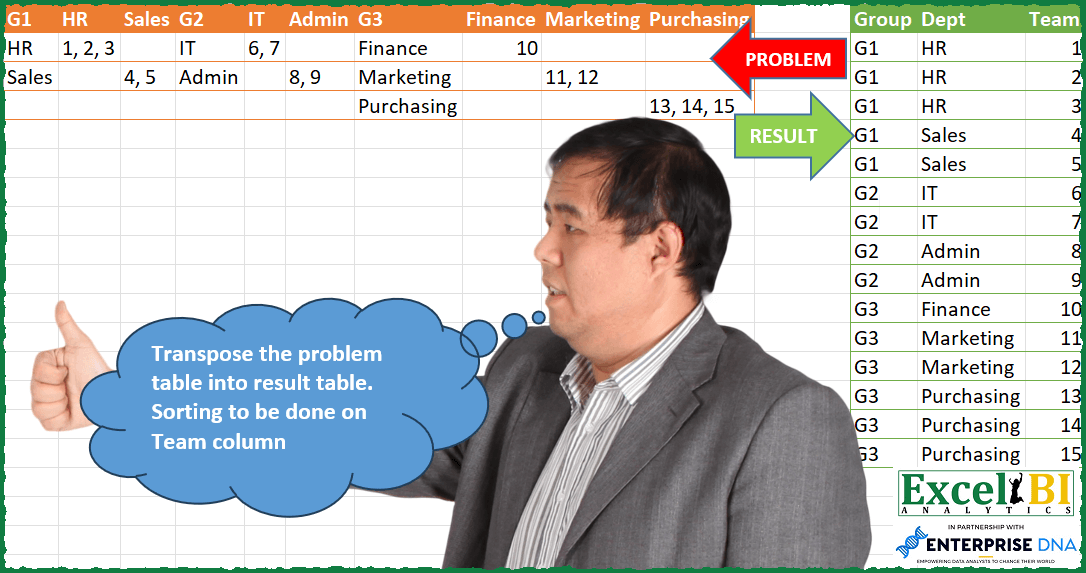
Challenge No. 103: Transpose the problem table into result table.
Solved using: Power Query (Table.SelectRows).
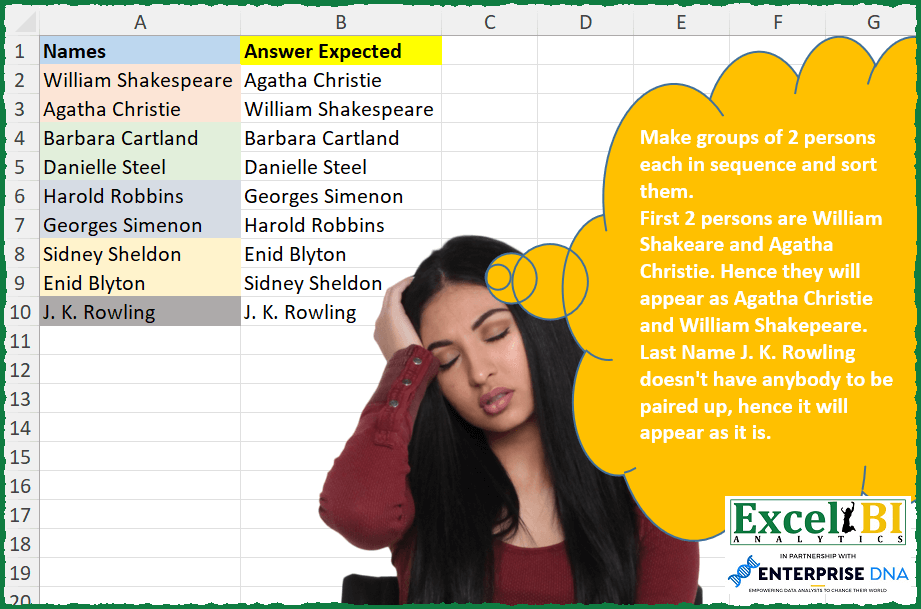
Challenge No. 288: Make groups of 2 persons each in sequence and sort them.
Solved using: Python in Excel.
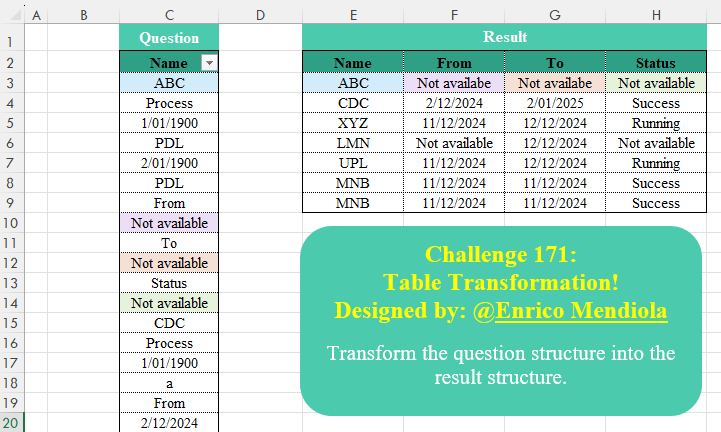
Challenge No. 171: Transform the question structure into the result structure.
Solved using:Excel (DROP, FILTER, HSTACK), Google Sheets, Power Query (List.Transform), Python, Python in Excel, and R.