
Challenge No. 8: (Excel formulas also welcome)
Clean the data and generate the result table as shown.
Solved using: Power Query (Table.AddColumn, Table.TransformColumns).

Returns the length of a text string in Excel.
Challenge No. 8: (Excel formulas also welcome)
Clean the data and generate the result table as shown.
Solved using: Power Query (Table.AddColumn, Table.TransformColumns).
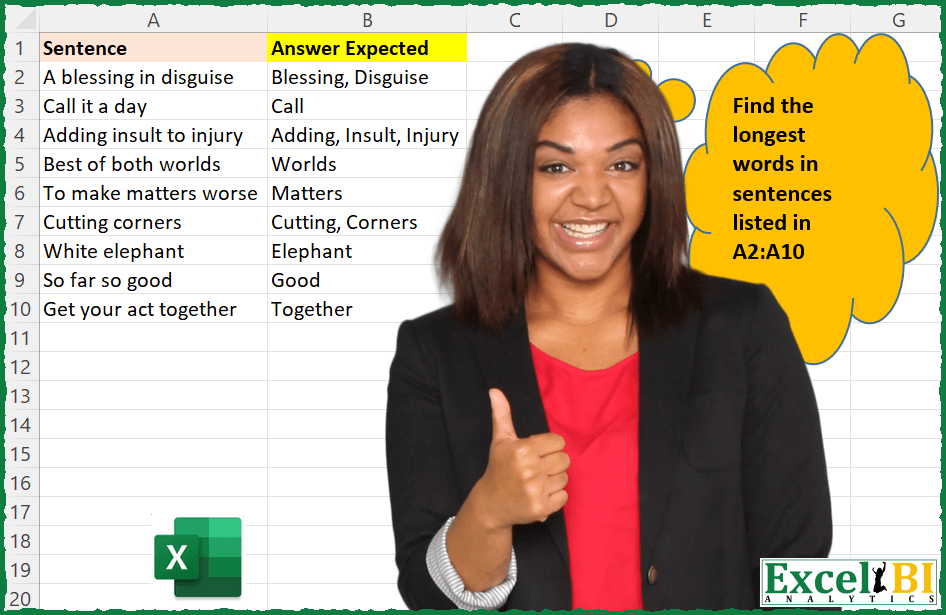
Challenge No. 19: Provide a formula to list longest words in sentences given in A2:A10.
Solved using: Python in Excel.

Challenge No. 15: Find the text of string following the last numeric digit in a string.
Solved using: Python in Excel.

Challenge No. 11: Cryptography Challenge – Caesar’s Cipher
Shift the each digit by values given in column B.
Solved using: Python in Excel.
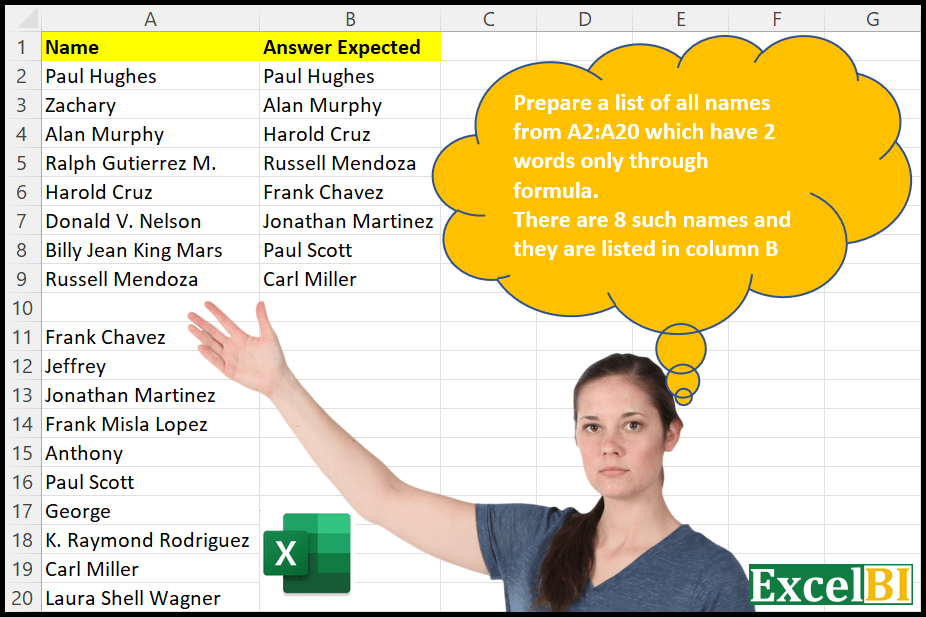
Challenge No. 10: Provide a formula to list all names in A2:A20 which has two words only.
Solved using: Python in Excel.
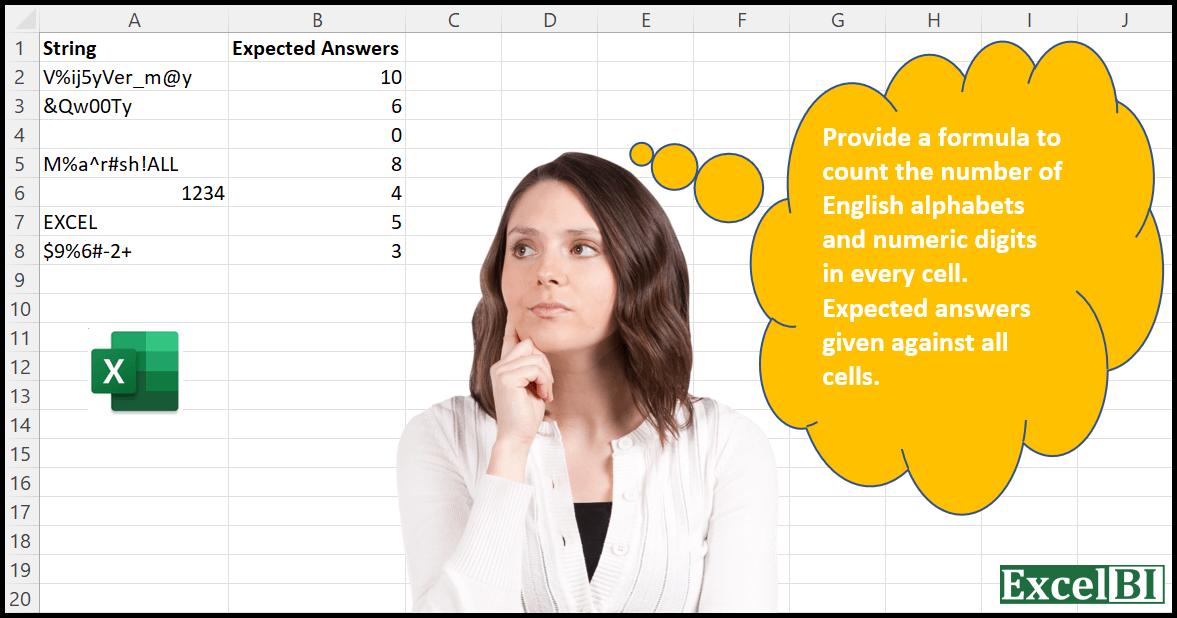
Challenge No. 7: Provide a formula to count the number of English alphabets and numeric digits in every cell.
Solved using: Python in Excel.
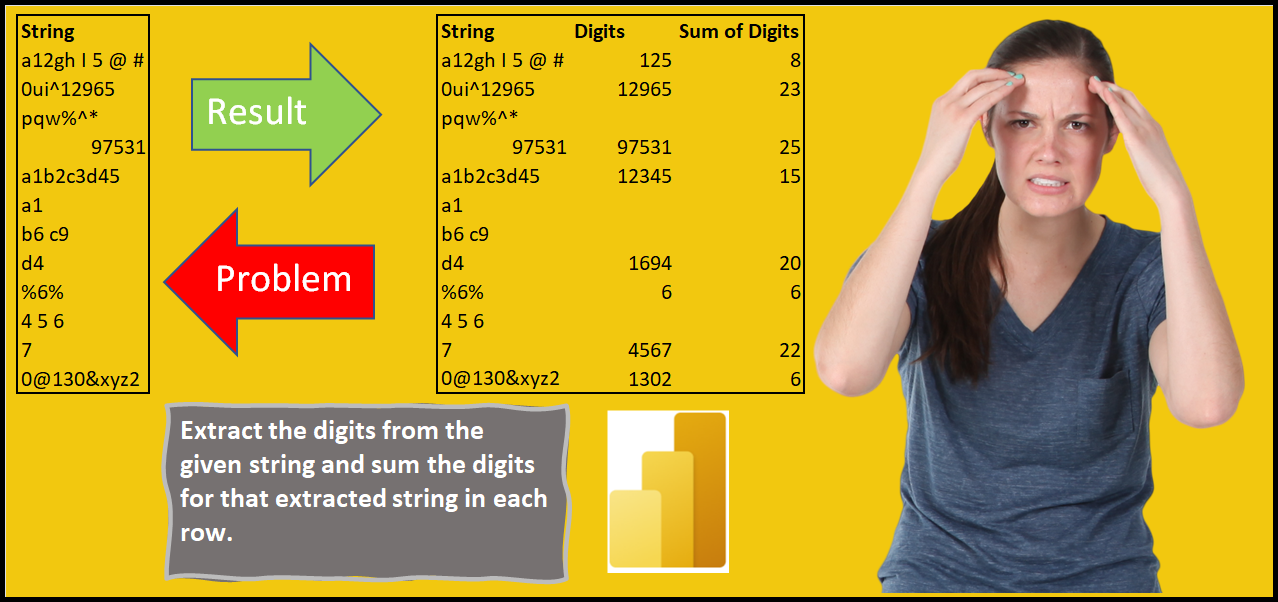
Challenge No. 1: Extract the numeric digits from the given strings in a column and sum the digits for those extracted strings in another column.
Solved using: Power Query (Table.AddColumn).
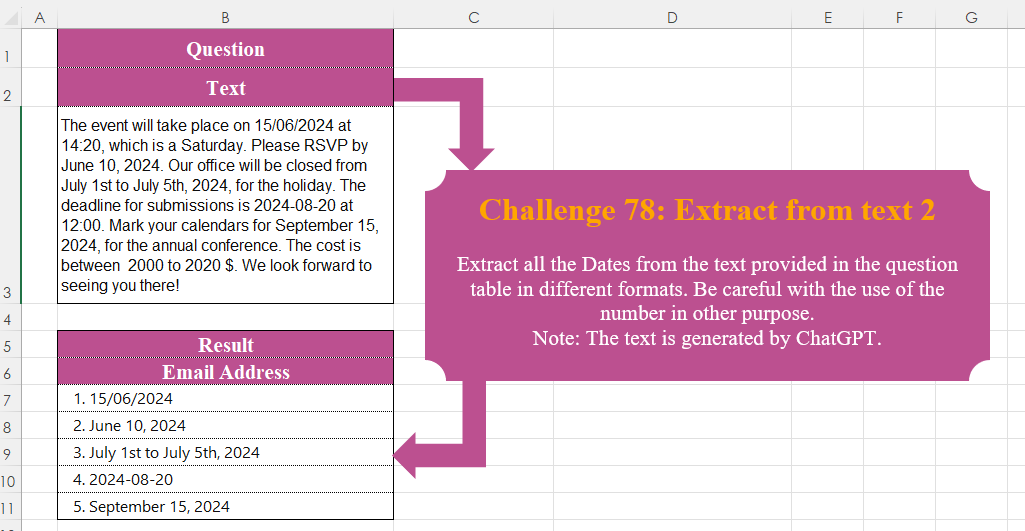
Challenge No. 78: Extract all the Dates from the text provided in the question table in different formats.
Solved using:Excel, Power Query, Python, R, and VBA.
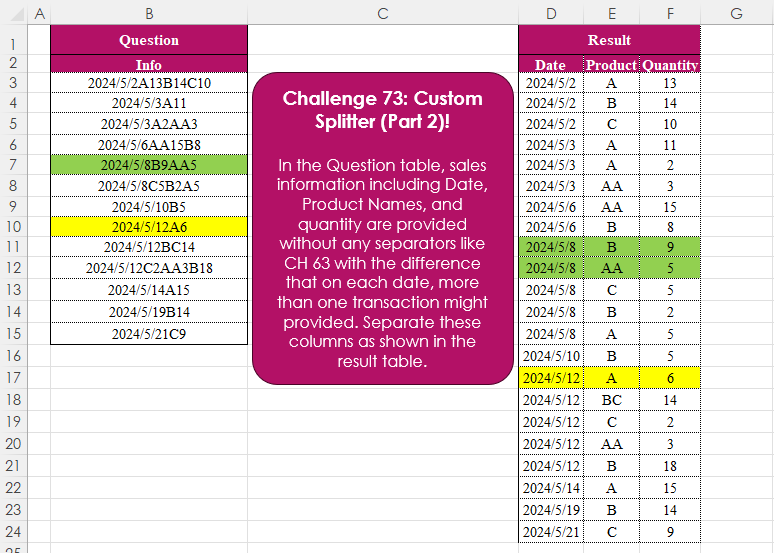
Challenge No. 73: In the Question table, sales information including Date, Product Names, and quantity are provided without any separators like CH 63 with the difference that on each date, more than one transaction might provided.
Solved using:Excel (CHAR, DROP, HSTACK), Power Query (List.Skip, List.Transform, Table.AddColumn), Python, and R.

Challenge No. 71: Extract all the emails from the text provided in the question table.
Solved using:Excel (FILTER, LEN, LET), Power Query (List.Transform, Text.Contains, Text.Split), Python, and R.