
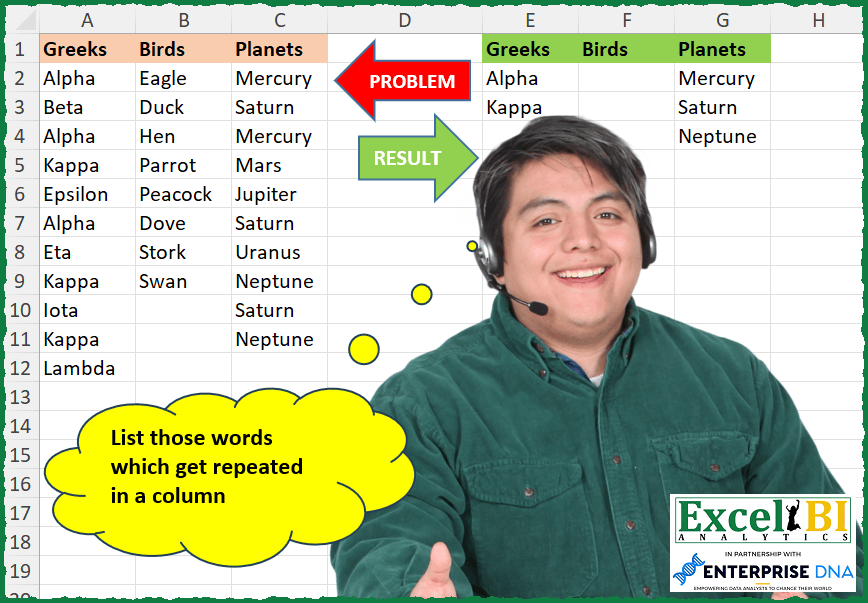
Challenge No. 257: List those words which get repeated in a column.
Solved using: Python in Excel.
Returns a custom value if a formula results in #N/A in Excel.
Challenge No. 257: List those words which get repeated in a column.
Solved using: Python in Excel.
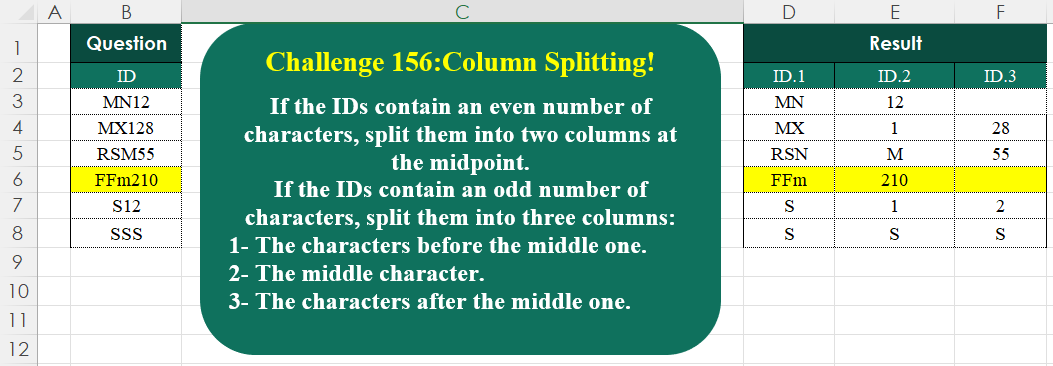
Challenge No. 156: If the IDs contain an even number of characters, split them into two columns at the midpoint.
Solved using:Excel (HSTACK, IF, IFNA), Google Sheets, Power Query (List.Transform, Text.End, Text.Start), Python, Python in Excel, and R.
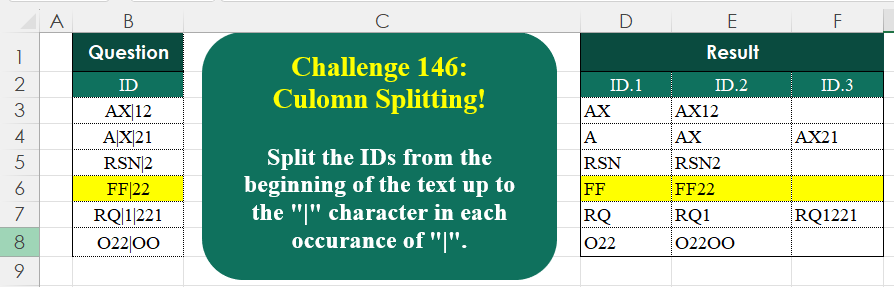
Challenge No. 146: Split the IDs from the beginning of the text up to the “|” character in each occurrence of “|”.
Solved using:Excel (IFNA, LAMBDA, LEN), Google Sheets, Power Query (List.Transform, Text.Combine, Text.Split), Python, Python in Excel, R, and VBA.
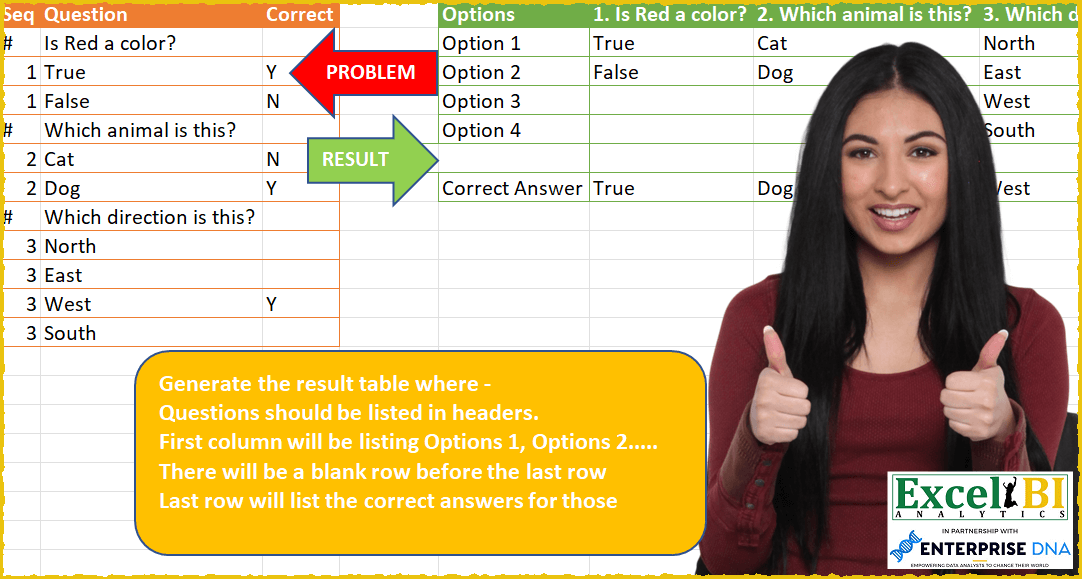
Challenge No. 59: Generate the result table where –
Questions should be listed in headers.
Solved using: Power Query (List.Transform, Table.SelectRows).
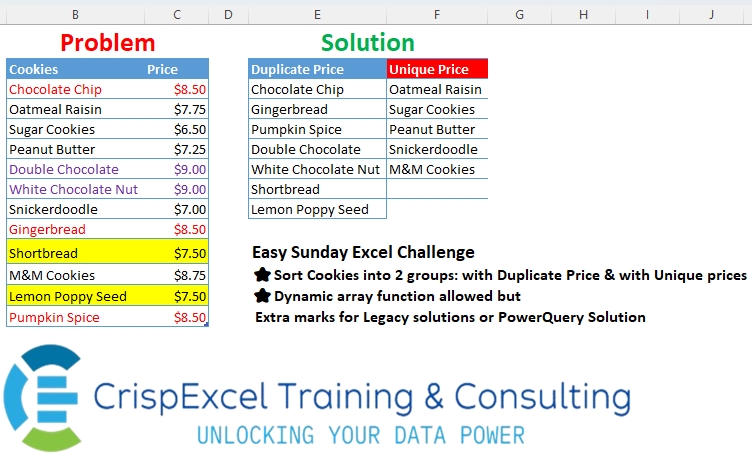
Challenge No. 38: Sort Cookies into 2 groups: with Duplicate Price & with Unique prices Dynamic array function allowed but
Extra marks for Legacy solutions or PowerQuery Solution.
Solved using: R.
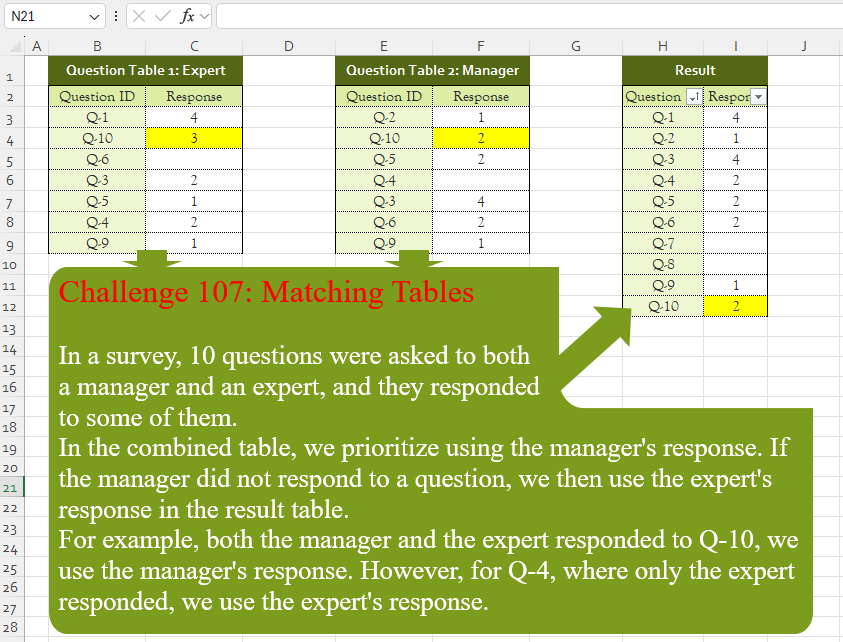
Challenge No. 107: In a survey, 10 questions were asked to both
a manager and an expert, and they responded
to some of them.
Solved using:Excel (CHOOSECOLS, FILTER, HSTACK), Google Sheets, Power Query (List.PositionOf, List.Transform, Table.AddColumn), Python, Python in Excel, and R.
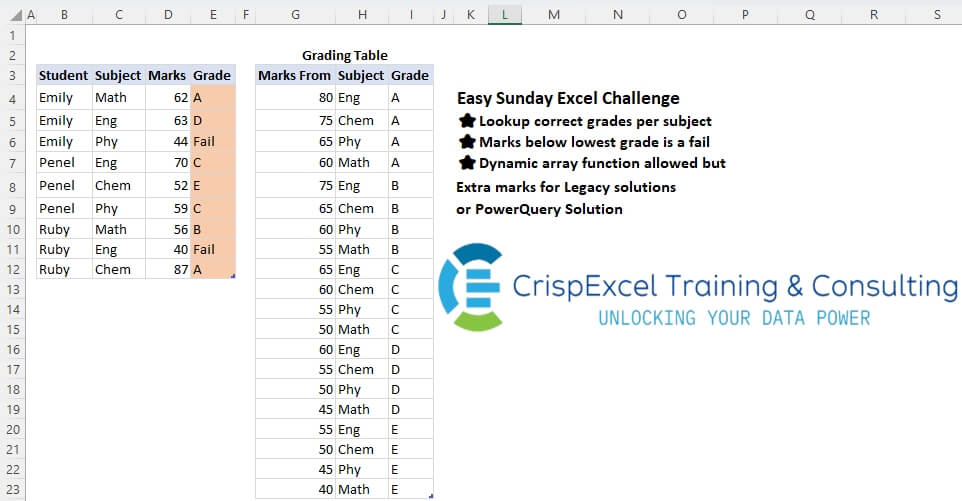
Challenge No. 21: Lookup correct grades per subject
Marks below lowest grade is a fail
Dynamic array function allowed, but Extra marks for Legacy solutions or PowerQuery Solution.
Solved using: Power Query.
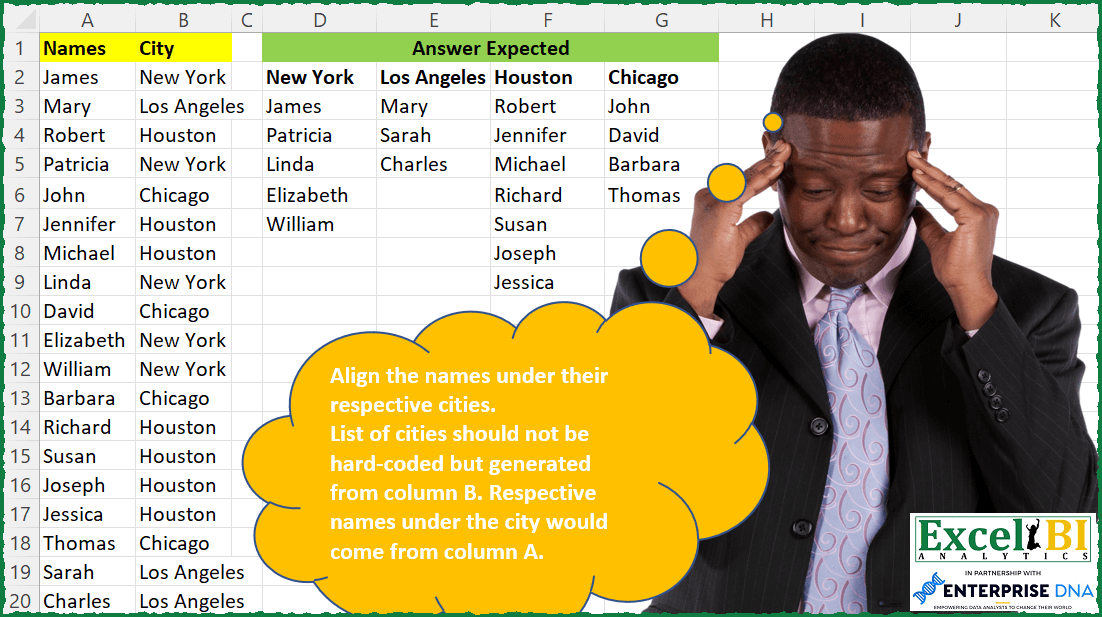
Challenge No. 86: Align the names under their respective cities.
Solved using: Power Query.
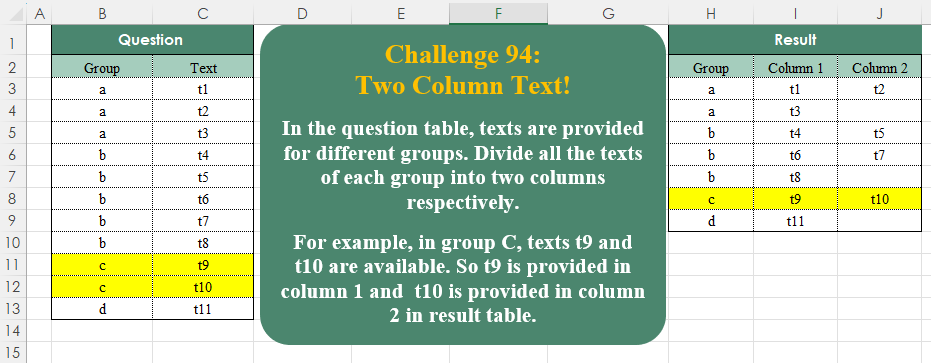
Challenge No. 94: In the question table, texts are provided for different groups.
Solved using:Excel (DROP, FILTER, HSTACK), Google Sheets, Power Query (List.Split, List.Transform, Table.ExpandTableColumn), Python, Python in Excel, and R.
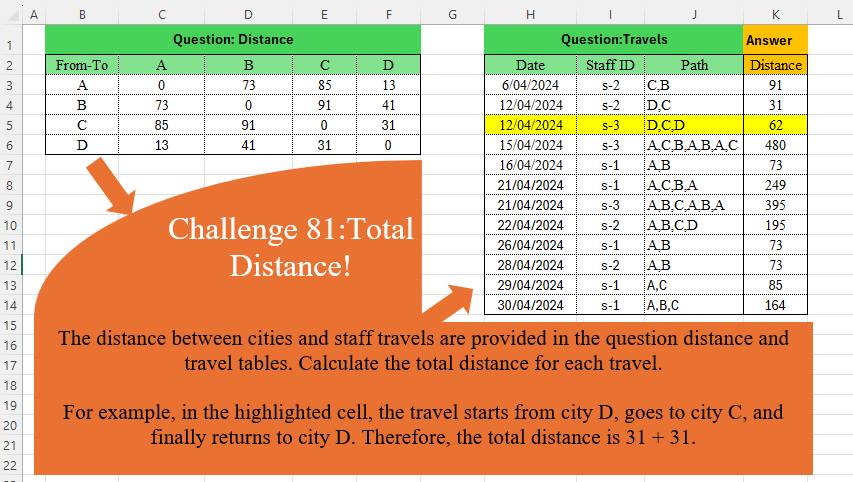
Challenge No. 81: The distance between cities and staff travels are provided in the question distance and travel tables.
Solved using:Excel (DROP, IFNA, INDEX), Power Query (Table.AddColumn), Python, and R.