
Challenge No. 44: The question tables display product sales across various regions for the different months of spring.
Solved using:Excel (DROP, FILTER, HSTACK), Power Query (List.Distinct, Table.Column, Table.ColumnNames), Python, and R.
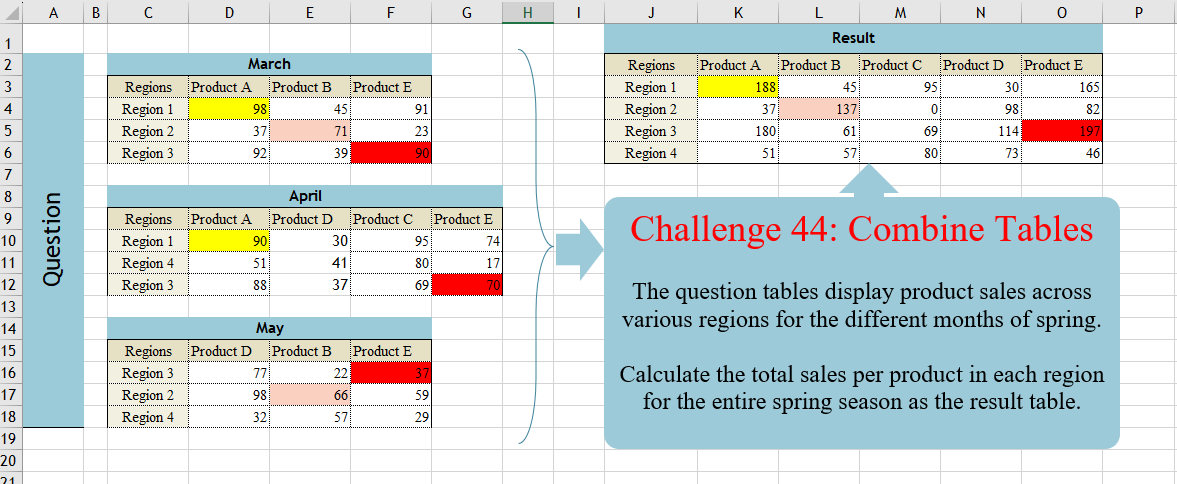
Challenge No. 44: The question tables display product sales across various regions for the different months of spring.
Solved using:Excel (DROP, FILTER, HSTACK), Power Query (List.Distinct, Table.Column, Table.ColumnNames), Python, and R.
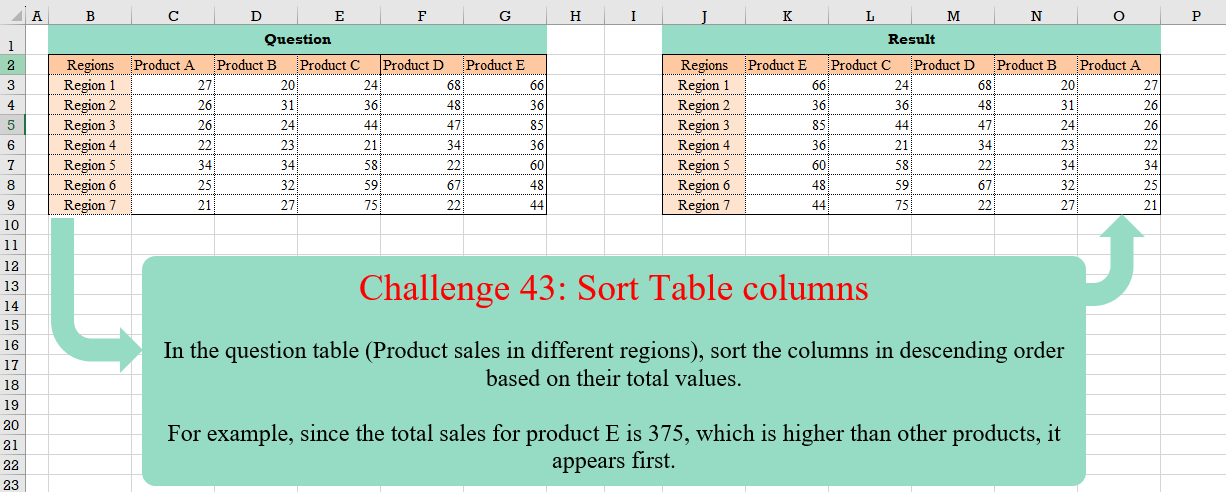
Challenge No. 43: In the question table (Product sales in different regions), sort the columns in descending order based on their total values.
Solved using:Excel (BYCOL, HSTACK, LAMBDA), Google Sheets, Power Query (List.Skip, Table.Column, Table.ColumnNames), Python, and R.

Challenge No. 42: In the question table, a list of patients is provided who are scheduled to visit the doctor for consultations and surgery.
Solved using:Excel (CHOOSECOLS, DROP, FILTER), Power Query (Text.Combine, Table.Group, Table.SelectRows), Python, and R.
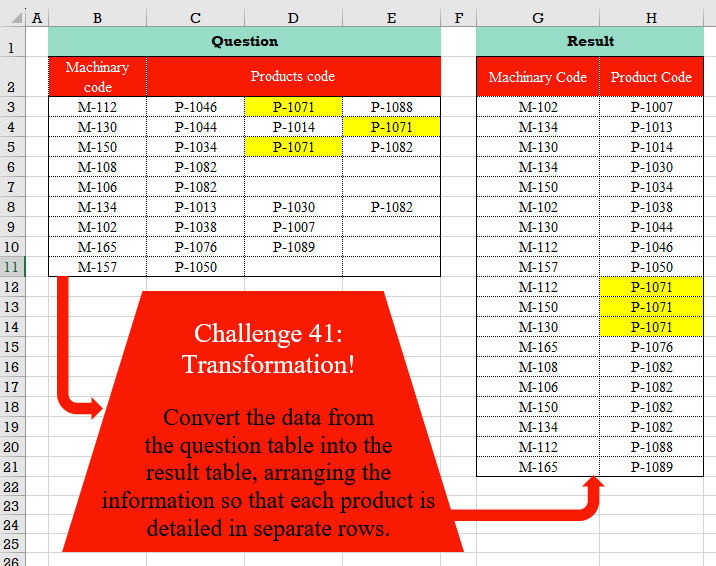
Challenge No. 41: Convert the data from the question table into the result table, arranging the information so that each product is detailed in separate rows.
Solved using:Excel (FILTER, HSTACK, LET), Power Query (List.Transform, Table.RemoveColumns, Table.Sort), Python, and R.
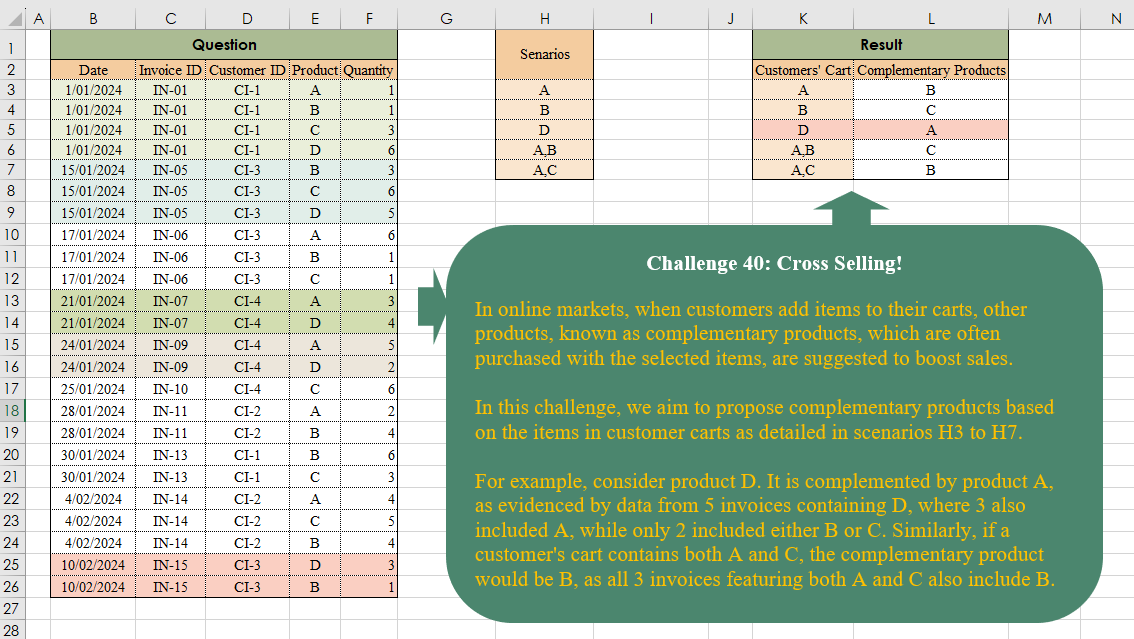
Challenge No. 40: In online markets, when customers add items to their carts, other products, known as complementary products, which are often purchased with the selected items, are suggested to boost sales.
Solved using:Excel (ARRAYTOTEXT, FILTER, HSTACK), Power Query (List.Transform, Text.Split, Table.AddColumn), and R.
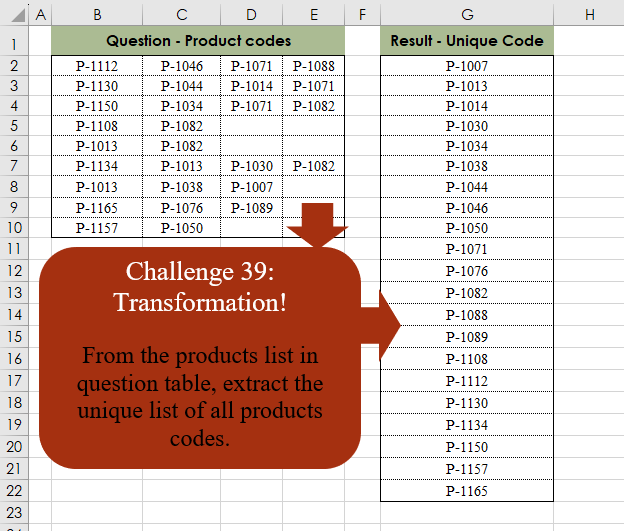
Challenge No. 39: From the products list in the question table, extract the unique list of all product codes.
Solved using:Excel (SORT, TOCOL, UNIQUE), Power Query (List.Distinct, Table.Distinct, Table.Sort), Python, and R.
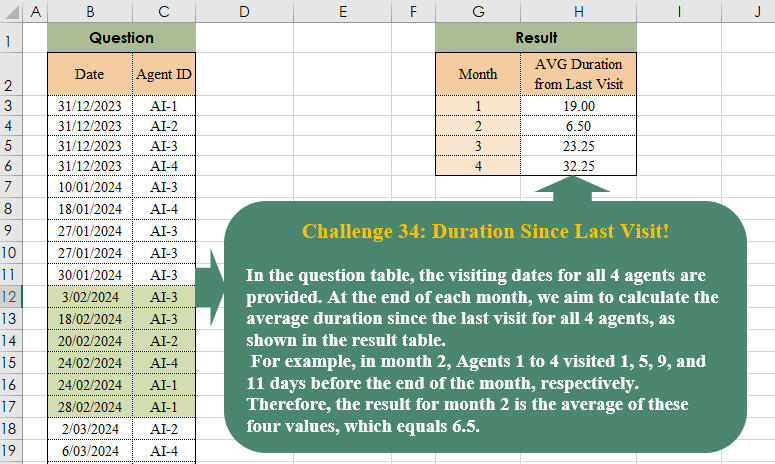
Challenge No. 38: In the question table, the visiting dates for all 4 agents are provided.
Solved using:Excel (AVERAGE, DROP, EOMONTH), Power Query (List.Transform, Table.AddColumn, Table.Group), Python, and R.
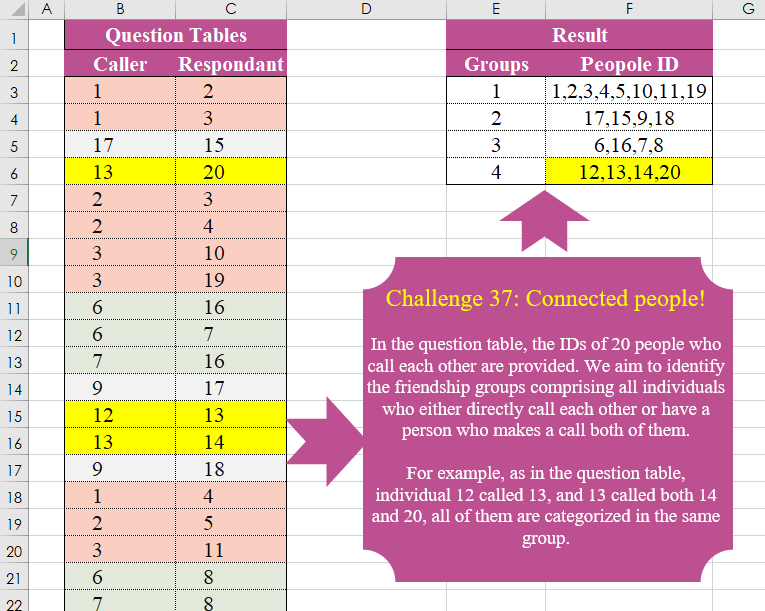
Challenge No. 37: In the question table, the IDs of 20 people who call each other are provided.
Solved using:Excel (FILTER, HSTACK, LAMBDA), Power Query (List.Transform, Text.Combine), Python, and R.

Challenge No. 36: In Multi-Objective Models, Instead Of A Single Solution, We Encounter A Pareto Front That Includes All Non-Dominant Solutions, And In This Quesion We Want To Extracth All Non Dominant Solutions.
Solved using:Excel (BYROW, FILTER, LAMBDA), Power Query (List.Transform, Table.SelectRows), Python, and R.

Challenge No. 35: In our company, we utilize a grading system to evaluate the technical performance of our agents, assigning grades of C, B, A, and A+.
Solved using:Excel (DROP, FILTER, HSTACK), Power Query (Table.AddColumn, Table.Group), and R.