
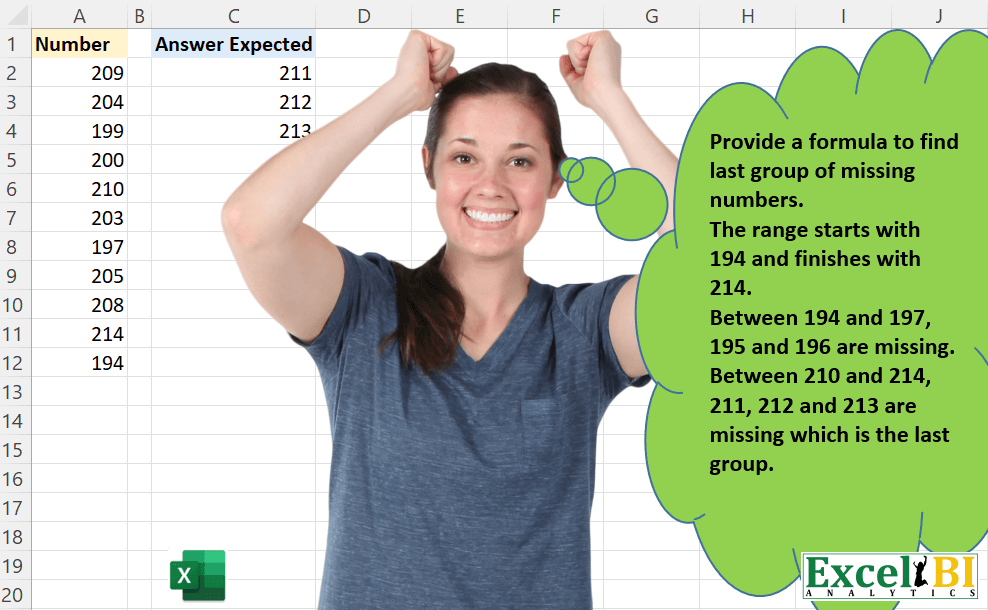
Challenge No. 42: Provide a formula to find last group of missing numbers.
Solved using: Power Query.
Challenge No. 42: Provide a formula to find last group of missing numbers.
Solved using: Power Query.
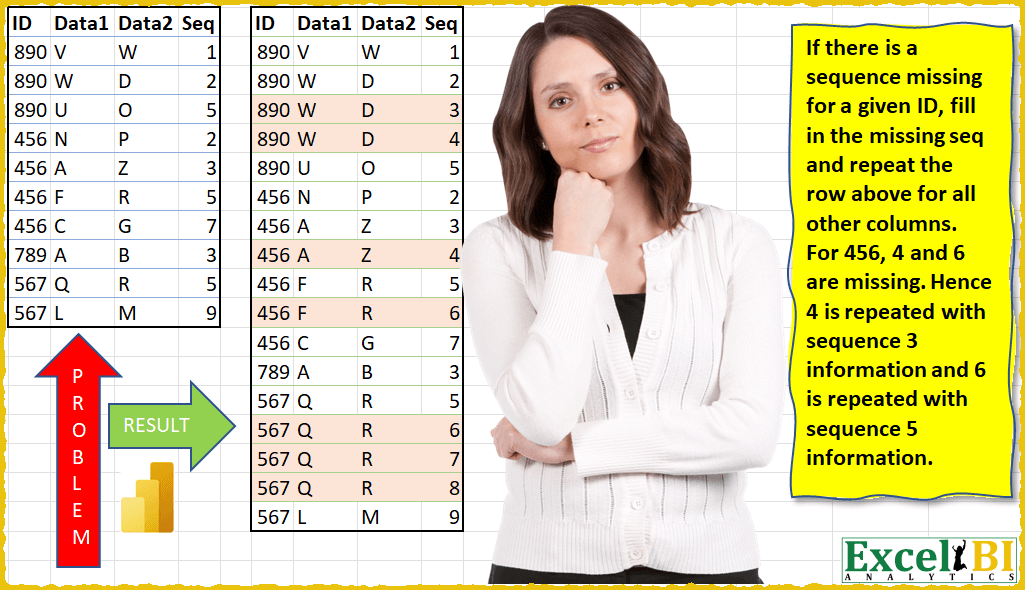
Challenge No. 12: (Excel formulas also welcome)
If there is a sequence missing for a given ID, fill in the missing sequence and repeat the row above for all other columns.
Solved using: Power Query (Table.AddColumn, Table.ExpandTableColumn, Table.Group).

Challenge No. 40: Provide a formula to find common unique alphabets between 2 cells in same row.
Solved using: Power Query.
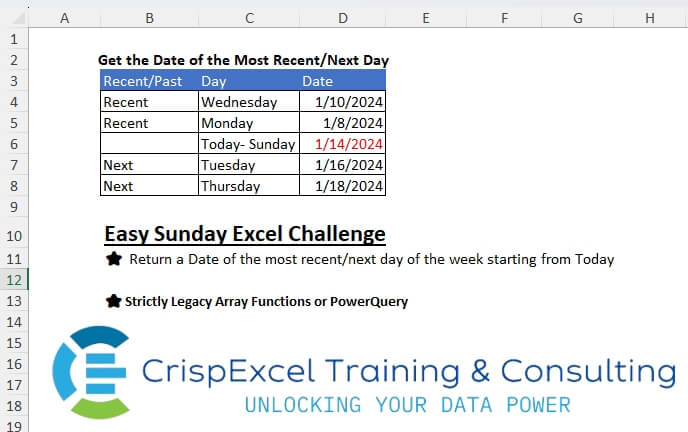
Challenge No. 5: Return a Date of the most recent/next day of the week starting from Today
Strictly Legacy Array Functions or PowerQuery.
Solved using: Power Query.
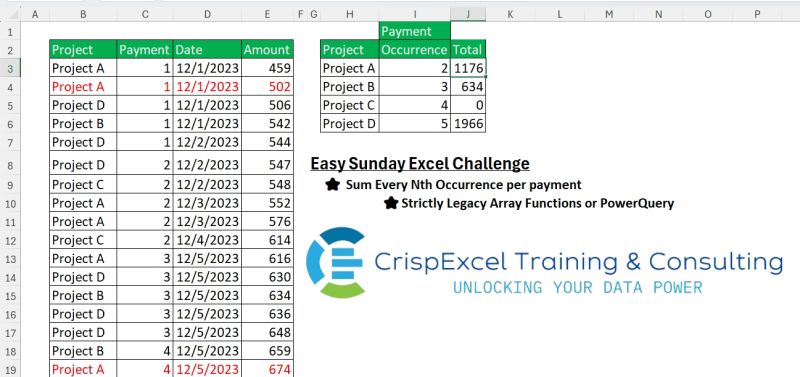
Challenge No. 4: Sum Every Nth Occurrence per payment if the project meets the criteria
Strictly Legacy Array Functions or PowerQuery
Note:
Every payment has 5 occurrences.
Solved using: Power Query.
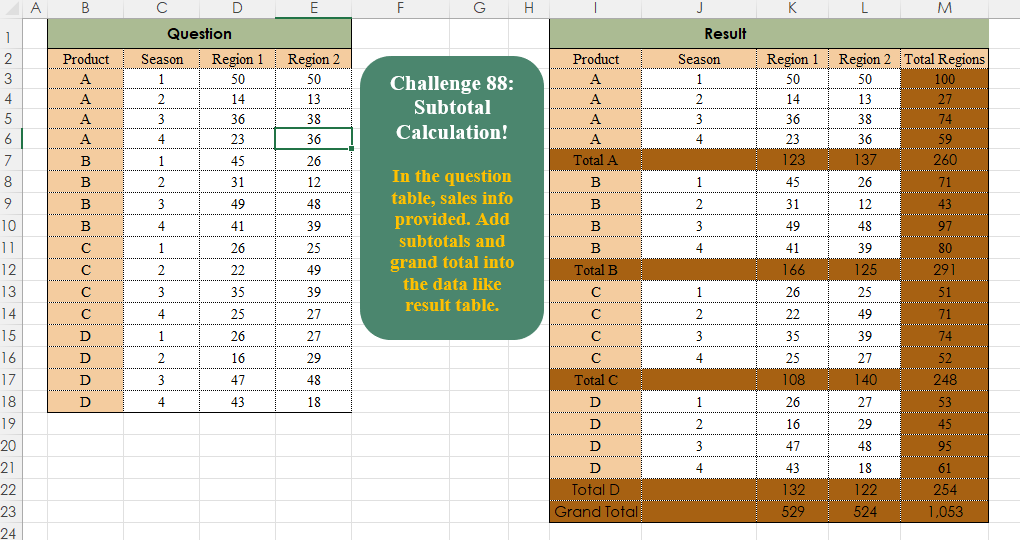
Challenge No. 88: In the question table, sales info is provided.
Solved using:Excel, Power Query, Python, R, and SQL.
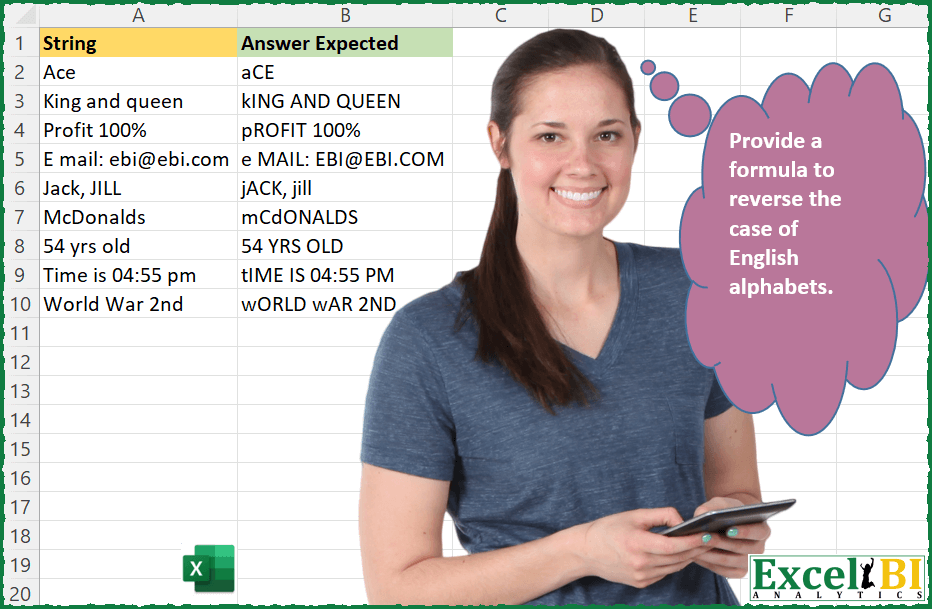
Challenge No. 36: Provide a formula to reverse the case of English alphabets.
Solved using: Power Query.
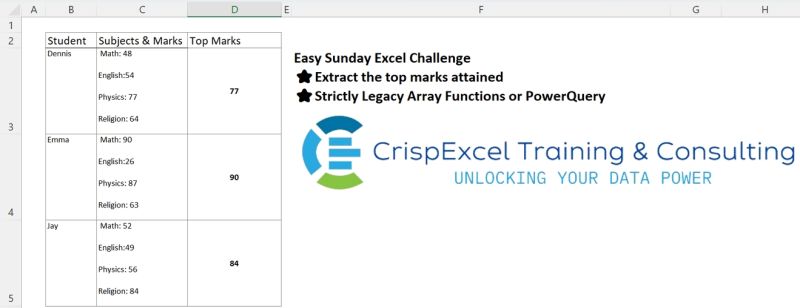
Challenge No. 3: Extract the top marks attained
Use strictly legacy array functions or power query.
Solved using: Power Query.
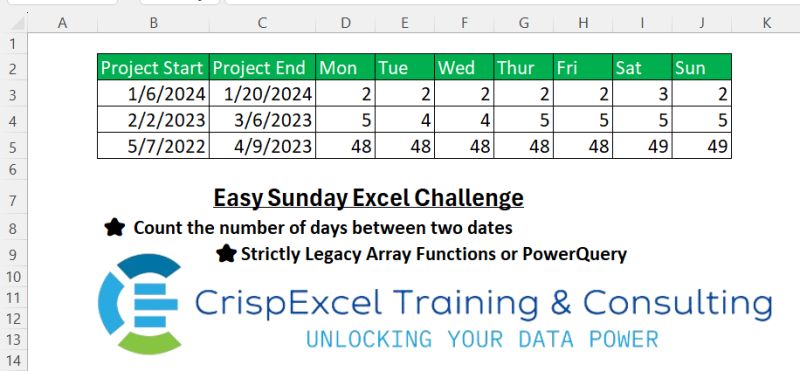
Challenge No. 2: Count the number of days between two dates
Strictly Legacy Array Functions or PowerQuery
Hazem Hassan.
Solved using: Power Query.
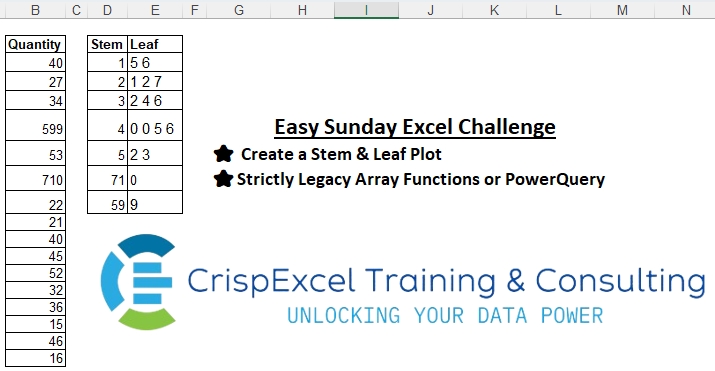
Challenge No. 1: Create a Stem & Leaf Plot
Strictly Legacy Array Functions or PowerQuery
NB:
A Stem and Leaf Plot is a special table where each data value is split into a “stem” (the first digit or digits) and a “leaf” (usually the last digit).
Solved using: Excel VBA.