
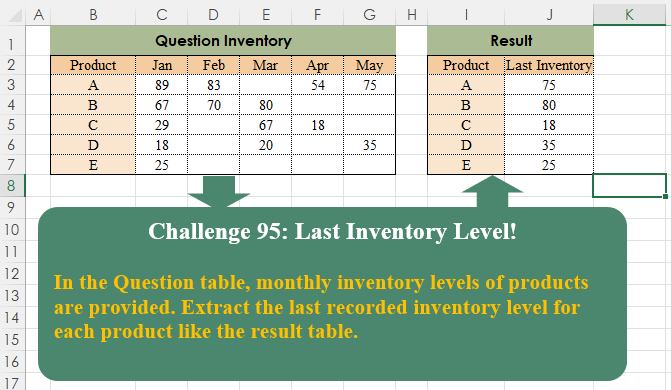
Challenge No. 95: In the Question table, monthly inventory levels of products are provided.
Solved using:Excel (BYROW, FILTER, HSTACK), Google Sheets, Power Query (List.RemoveNull, Table.AddColumn, Table.Group), Python, Python in Excel, and R.
Solutions categorized by software used.
Challenge No. 95: In the Question table, monthly inventory levels of products are provided.
Solved using:Excel (BYROW, FILTER, HSTACK), Google Sheets, Power Query (List.RemoveNull, Table.AddColumn, Table.Group), Python, Python in Excel, and R.
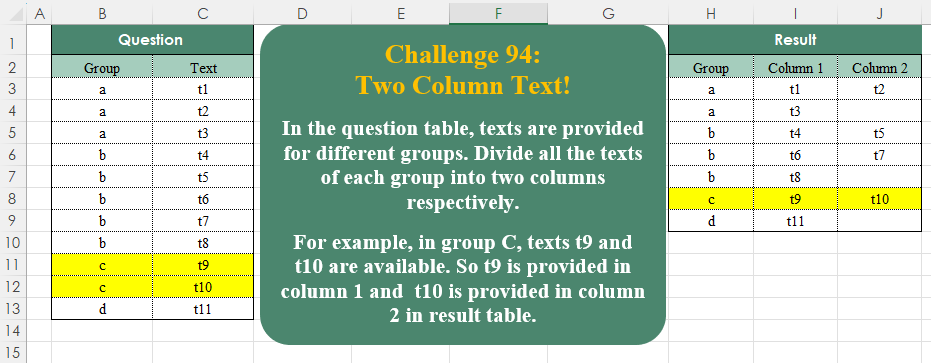
Challenge No. 94: In the question table, texts are provided for different groups.
Solved using:Excel (DROP, FILTER, HSTACK), Google Sheets, Power Query (List.Split, List.Transform, Table.ExpandTableColumn), Python, Python in Excel, and R.

Challenge No. 93: Randomly select a staff member from each department.
Solved using:Excel (FILTER, HSTACK, INDEX), Google Sheets, Power Query (Table.Group), Python, Python in Excel, and R.
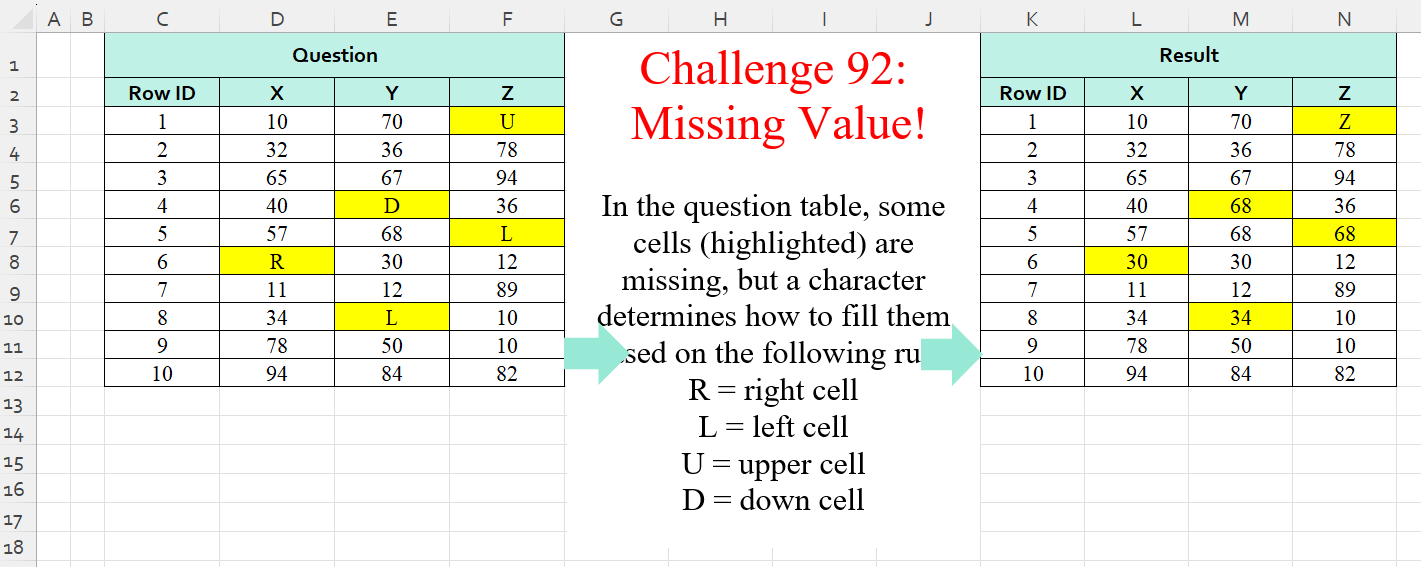
Challenge No. 92: In the question table, some cells (highlighted) are missing, but a character determines how to fill them based on the following rule:
R = right cell
L = left cell
U = upper cell
D = down cell.
Solved using:Excel (IF, IFS, INDEX), Power Query (List.PositionOf, List.Transform), Python, Python in Excel, and R.
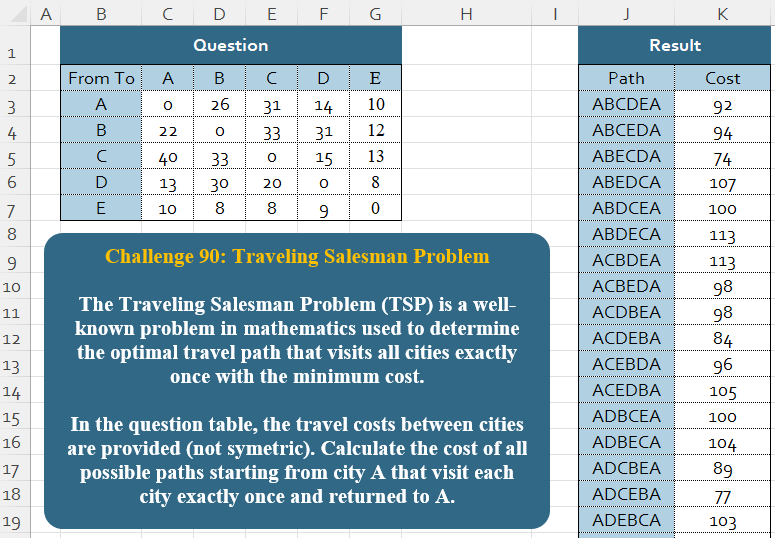
Challenge No. 90: The Traveling Salesman Problem (TSP) is a well-known problem in mathematics used to determine the optimal travel path that visits all cities exactly once with the minimum cost.
Solved using:Excel, Power Query, Python, and R.
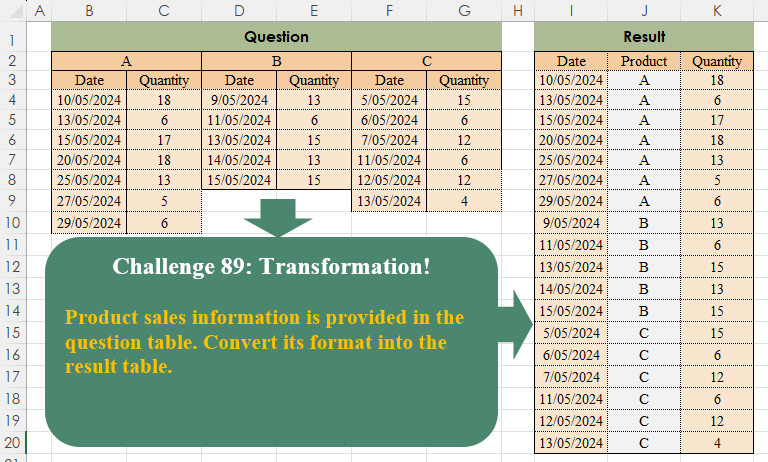
Challenge No. 89: Product sales information is provided in the question table.
Solved using:Excel (COUNTA, FILTER, HSTACK), Power Query (List.Transform, Table.SelectRows, Table.Skip), Python, Python in Excel, and R.
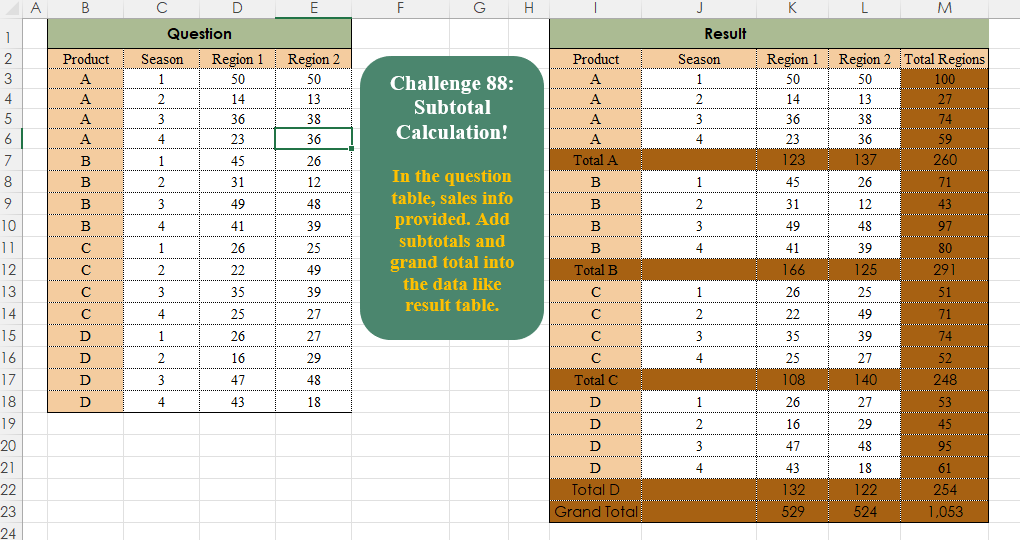
Challenge No. 88: In the question table, sales info is provided.
Solved using:Excel, Power Query, Python, R, and SQL.
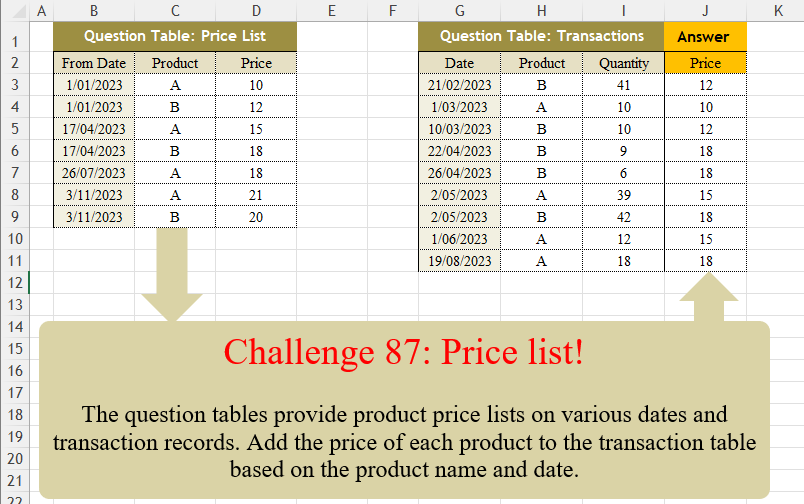
Challenge No. 87: The question tables provide product price lists on various dates and transaction records.
Solved using:Excel (FILTER, LAMBDA, LOOKUP), Power Query (Table.AddColumn, Table.SelectRows), Python, Python in Excel, R, and VBA.

Challenge No. 86: K-nearest neighbors (KNN) is a simple technique for replacing missing values with the average of the nearest values.
Solved using:Excel, Power Query, and VBA.

Challenge No. 85: In the Question Table, values are provided and we want to rank them in ascending order based on custom logic.
Solved using:Excel (FILTER, HSTACK, IF), Power Query (List.Sort, List.Transform), Python, and R.