
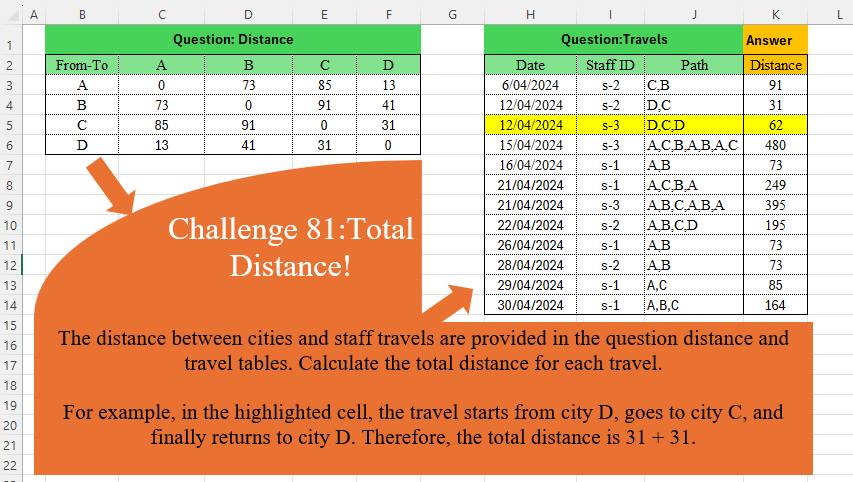
Challenge No. 81: The distance between cities and staff travels are provided in the question distance and travel tables.
Solved using:Excel (DROP, IFNA, INDEX), Power Query (Table.AddColumn), Python, and R.
Challenges categorized by topic.
Challenge No. 81: The distance between cities and staff travels are provided in the question distance and travel tables.
Solved using:Excel (DROP, IFNA, INDEX), Power Query (Table.AddColumn), Python, and R.
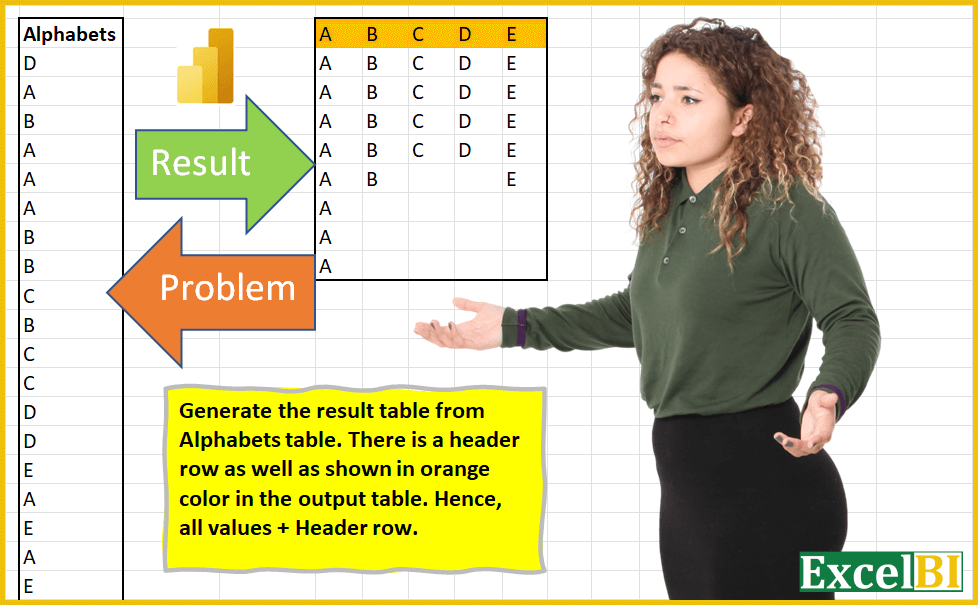
Challenge No. 3: (Excel formulas also welcome)
Generate the result table from Alphabets table.
Solved using: Power Query (List.Distinct).
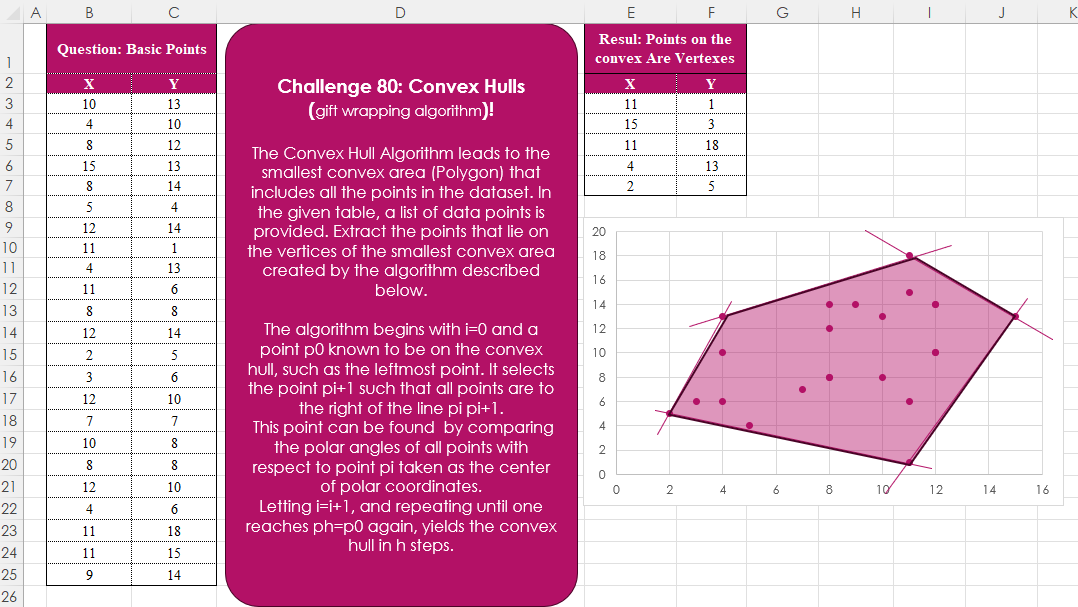
Challenge No. 80: The Convex Hull Algorithm leads to the smallest convex area (Polygon) that includes all the points in the dataset.
Solved using:Excel, Python, and R.
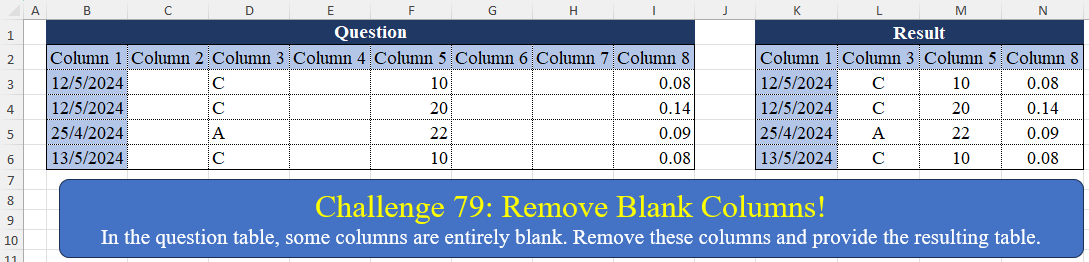
Challenge No. 79: In the question table, some columns are entirely blank.
Solved using:Excel (BYCOL, FILTER), Power Query (List.Transform, Table.Column, Table.ColumnNames), Python, Python in Excel, R, and VBA.
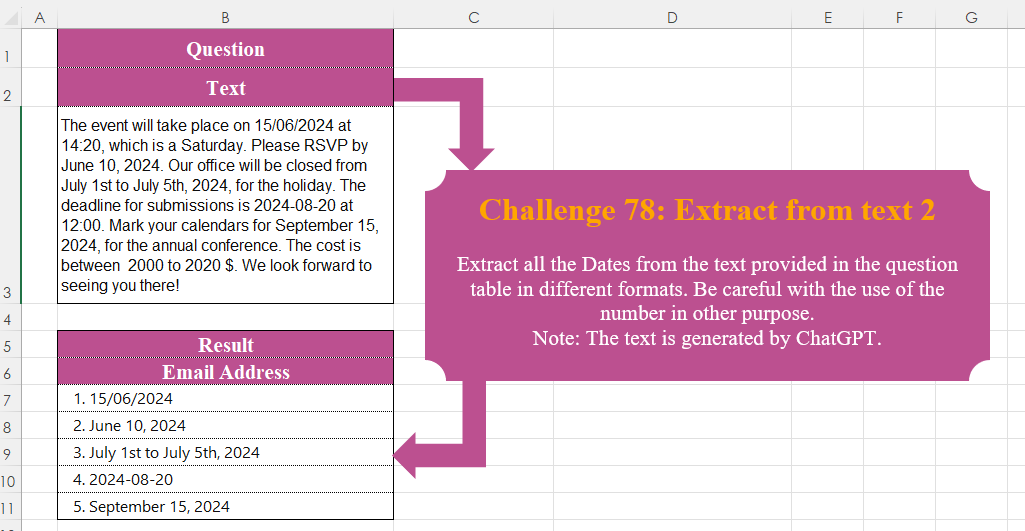
Challenge No. 78: Extract all the Dates from the text provided in the question table in different formats.
Solved using:Excel, Power Query, Python, R, and VBA.

Challenge No. 77: Create a formula to receive a number n as input and generate a rhombus with a diameter equal to n using “*” characters.
Solved using:Excel (DROP, IF, LAMBDA), Power Query (List.Transform), Python, R, and VBA.

Challenge No. 76: In challenge 58, we aimed to find an efficient way to calculate the stepped tax based on the tax rates presented in the question table.
Solved using:Excel (IFERROR, INDEX, LAMBDA), Power Query (Table.AddColumn), Python, Python in Excel, and R.
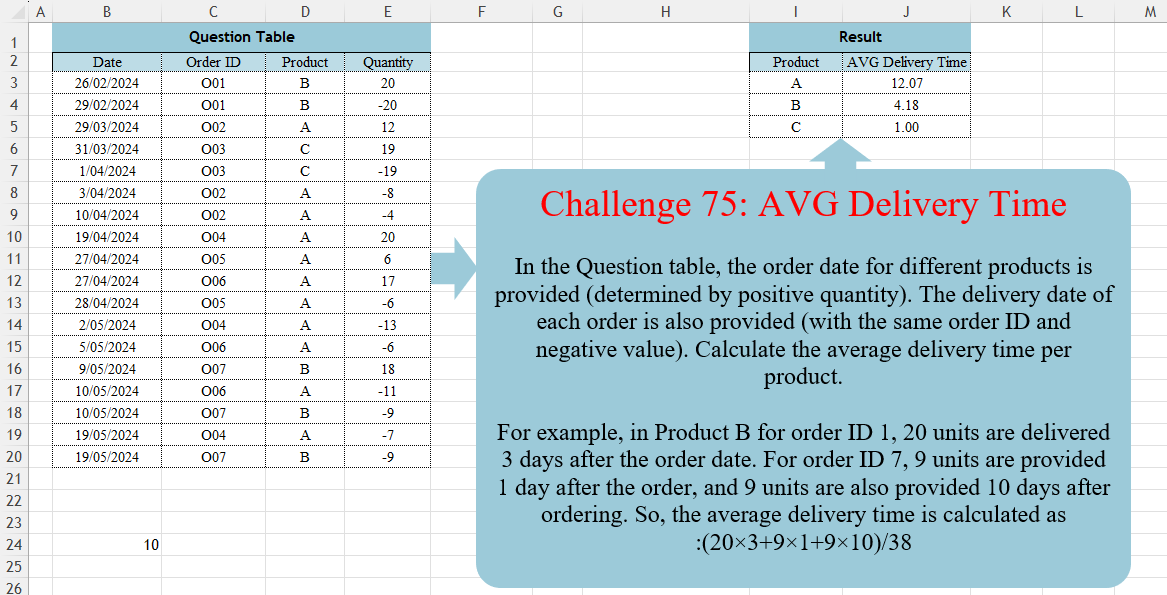
Challenge No. 75: In the Question table, the order date for different products is provided (determined by positive quantity).
Solved using:DAX, Excel (CHOOSECOLS, FILTER, HSTACK), Power Query (Table.AddColumn, Table.Group, Table.SelectRows), Python, R, and SQL.
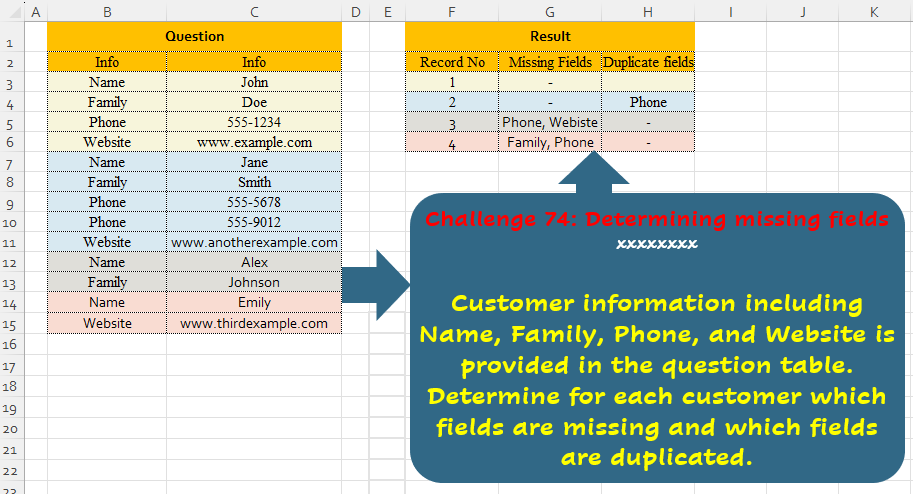
Challenge No. 74: Customer information including Name, Family, Phone, and Website is provided in the question table.
Solved using:Excel (ARRAYTOTEXT, FILTER, HSTACK), Power Query (List.Difference, List.Distinct, Text.Combine), Python, and R.
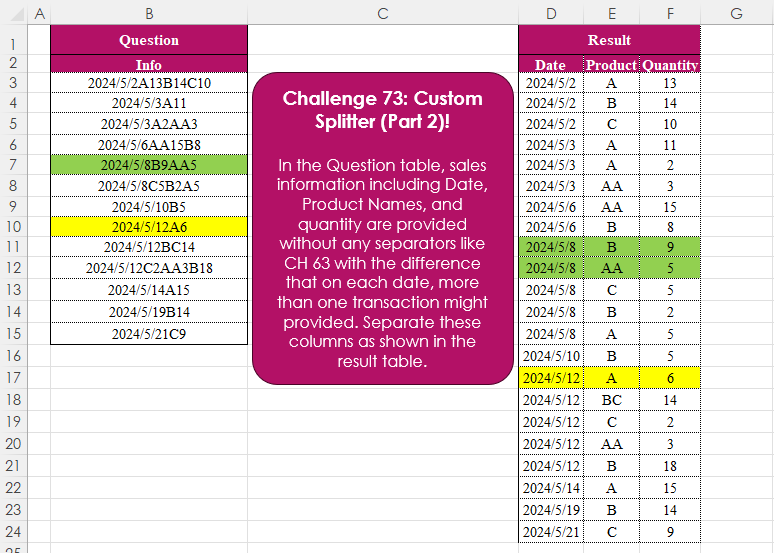
Challenge No. 73: In the Question table, sales information including Date, Product Names, and quantity are provided without any separators like CH 63 with the difference that on each date, more than one transaction might provided.
Solved using:Excel (CHAR, DROP, HSTACK), Power Query (List.Skip, List.Transform, Table.AddColumn), Python, and R.