
Challenge No. 86: K-nearest neighbors (KNN) is a simple technique for replacing missing values with the average of the nearest values.
Solved using:Excel, Power Query, and VBA.

Challenges categorized by topic.
Challenge No. 86: K-nearest neighbors (KNN) is a simple technique for replacing missing values with the average of the nearest values.
Solved using:Excel, Power Query, and VBA.
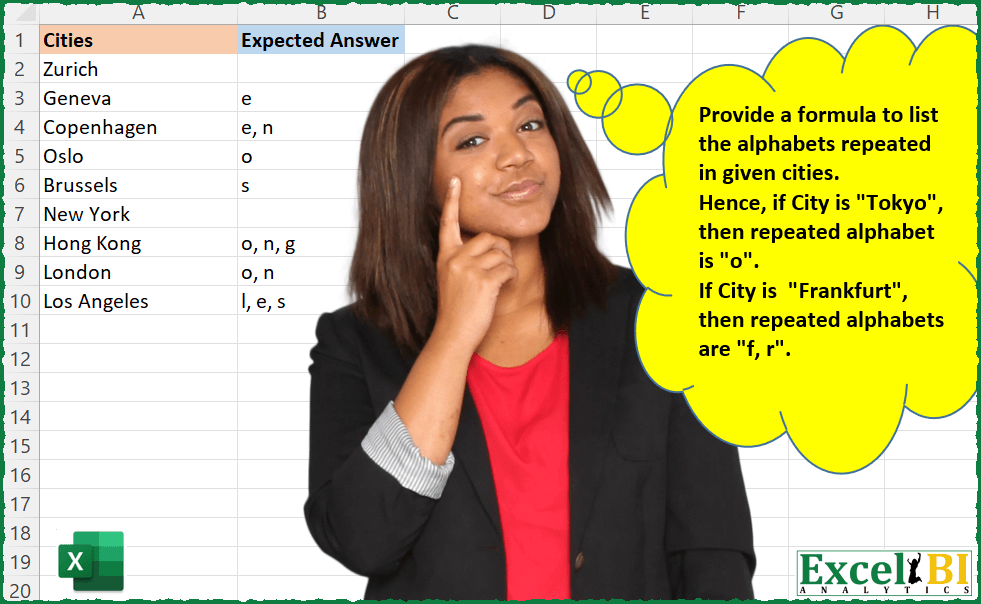
Challenge No. 30: Provide a formula to list the alphabets repeated in given cities.
Solved using: Power Query.

Challenge No. 27: A1:C9: List of candidates with their primary and secondary skills.
Solved using: Power Query (List.Intersect, Text.Split).

Challenge No. 85: In the Question Table, values are provided and we want to rank them in ascending order based on custom logic.
Solved using:Excel (FILTER, HSTACK, IF), Power Query (List.Sort, List.Transform), Python, and R.

Challenge No. 9: (Excel formulas also welcome)
There is a table which has Original Text and there is another table which contains the list of words which need to be replaced.
Solved using: Power Query (List.Transform, Table.AddColumn, Table.ReplaceValue).
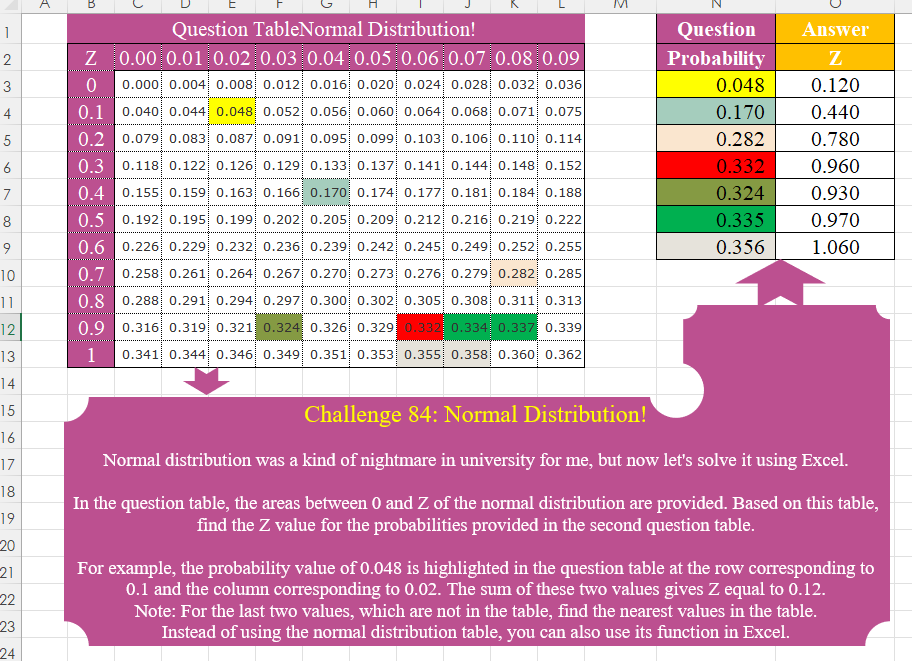
Challenge No. 84: Normal distribution was a kind of nightmare in university for me, but now let’s solve it using Excel.
Solved using:Excel (HSTACK, IF, INDEX), Power Query (Table.AddColumn), Python, Python in Excel, R, and VBA.

Challenge No. 21: A right angle triangle is that for whom following property is satisfied.
Solved using: Python in Excel.
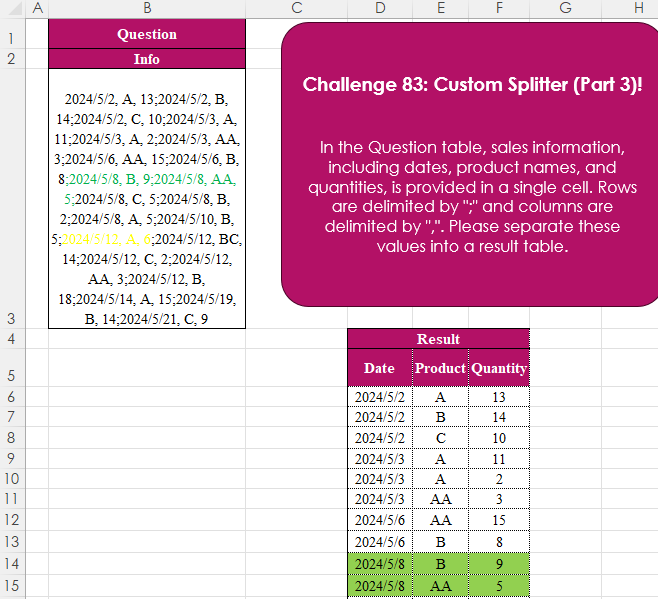
Challenge No. 83: In the Question table, sales information, including dates, product names, and quantities, is provided in a single cell.
Solved using:Excel (IFERROR, LET, ROWS), Power Query (List.Transform, Text.Split, Table.FromRows), Python, Python in Excel, R, and SQL.

Challenge No. 15: Find the text of string following the last numeric digit in a string.
Solved using: Python in Excel.
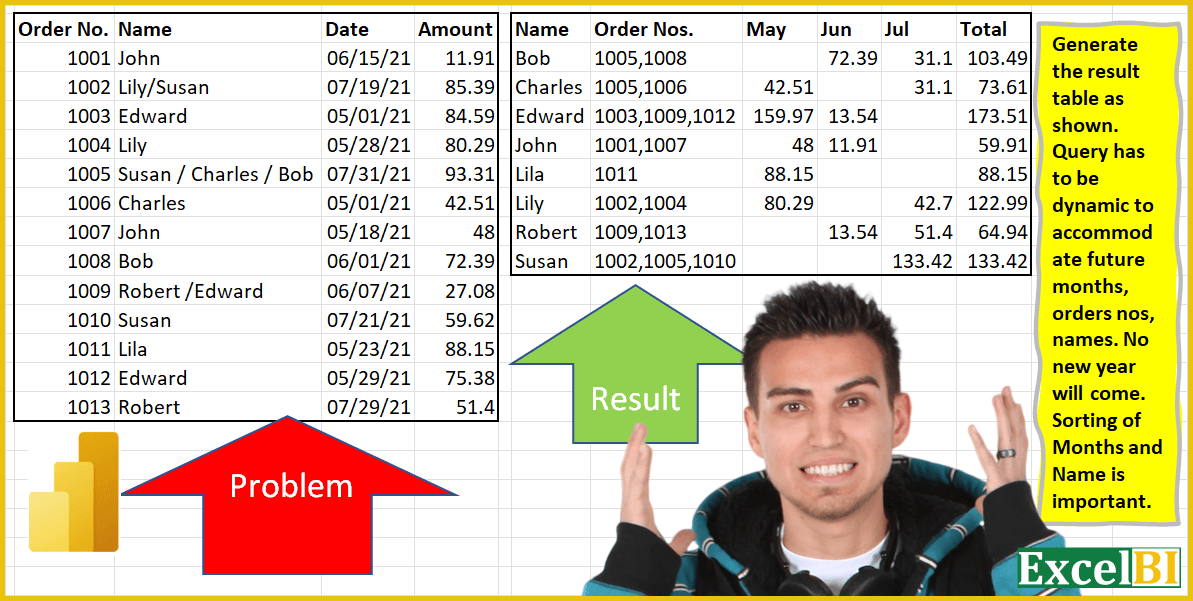
Challenge No. 4: Generate the result table as shown.
Solved using: Power Query.