
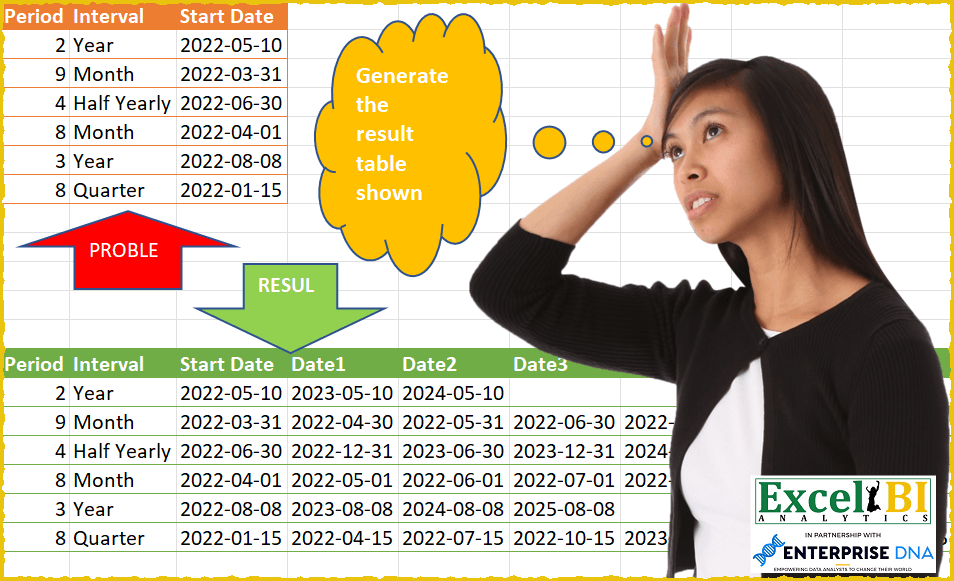
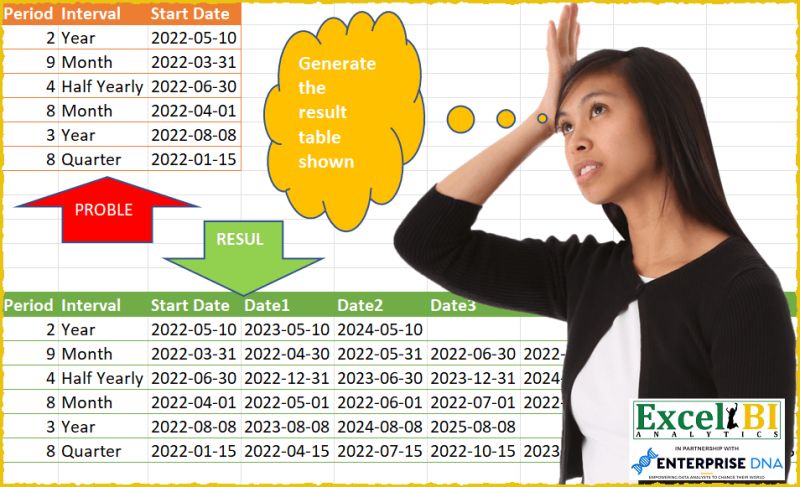
Challenge No. 46: Generate the result table as shown.
Solved using: SQL.
Working with date and time values.
Challenge No. 46: Generate the result table as shown.
Solved using: SQL.
Challenge No. 45: Calculate Running Total for each dealer.
Solved using: SQL.
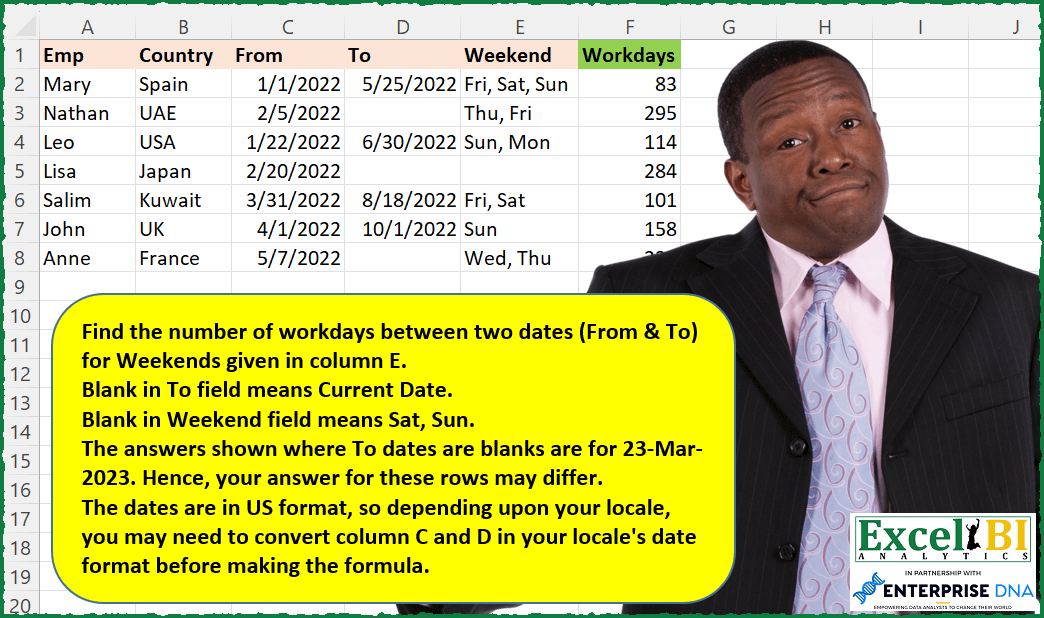
Challenge No. 157: Find the number of workdays between two dates (From & To) for Weekends given in column E.
Solved using: Power Query (NETWORKDAYS.INTL).

Challenge No. 156: Pythagorean dates are those dates where DD^2 + MM^2 = YY^2
For example: 16-Dec-2020 where 16^2 + 12 ^2 = 20^2
List all Pythagorean dates (in YYYYMMDD format) from current century.
Solved using: Python in Excel.
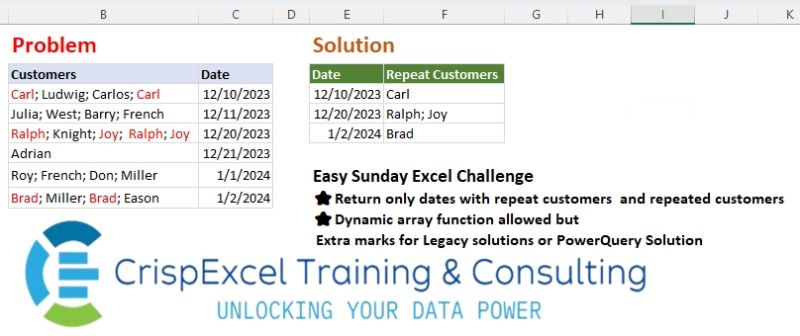
Challenge No. 37: Return only dates with repeat customers and repeated customers Dynamic array function allowed but Extra marks for Legacy solutions or PowerQuery Solution.
Solved using: Python in Excel.
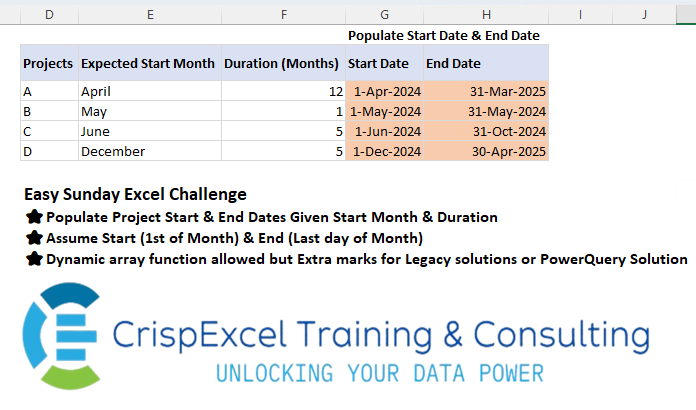
Challenge No. 35: Populate Project Start & End Dates Given Start Month & Duration Assume Start (1st of Month) & End (Last day of Month)
Dynamic array function allowed but Extra marks for Legacy solutions or PowerQuery Solution.
Solved using: R.
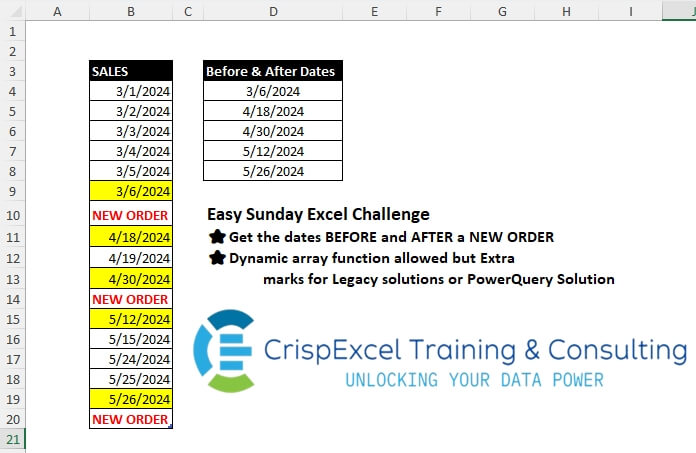
Challenge No. 33: Get the dates BEFORE and AFTER a NEW ORDER
Dynamic array function allowed but Extra marks for Legacy solutions or PowerQuery Solution.
Solved using: Python in Excel.

Challenge No. 34: Generate the Cartesian product as shown.
Solved using: SQL.
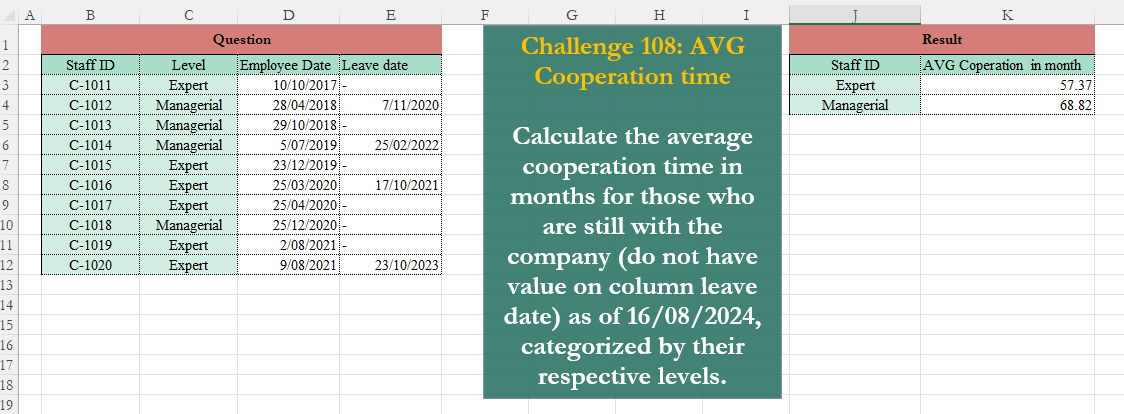
Challenge No. 108: Calculate the average cooperation time in months for those who are still with the company (do not have value on column leave date) as of 16/08/2024, categorized by their respective levels.
Solved using:Excel (AVERAGE, FILTER, HSTACK), Google Sheets, Power Query (Date.Month, Date.Year), Python, Python in Excel, and R.
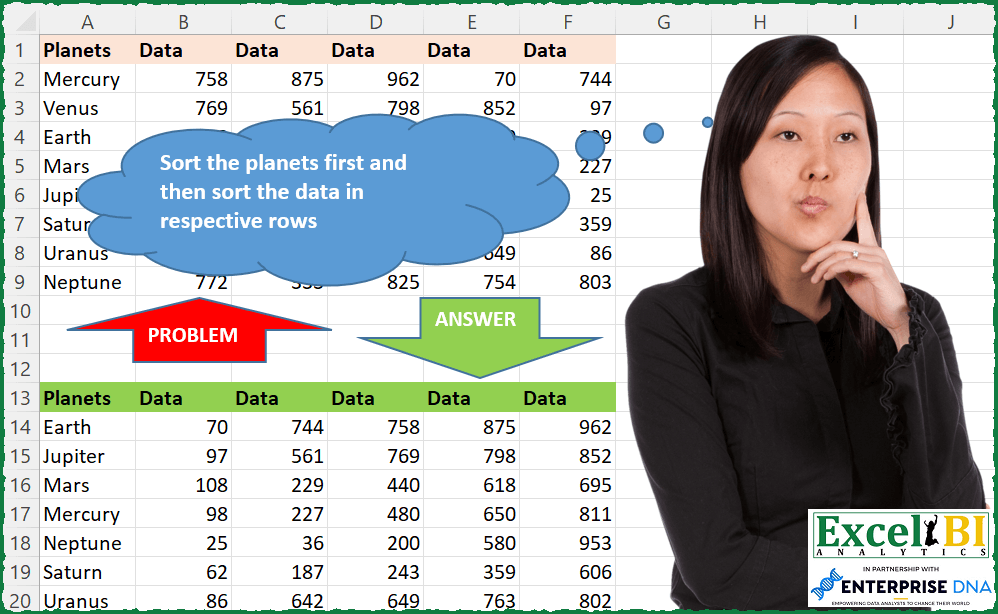
Challenge No. 113: Sort the planets first and then sort the data in respective rows
Note – I have updated the file but picture will continue to show wrong data.
Solved using: Python in Excel.