
Challenge No. 9: Reverse Lookup of all the scheduled jobs, Dates and Time
Strictly Legacy Array Functions or PowerQuery.
Solved using: Python.
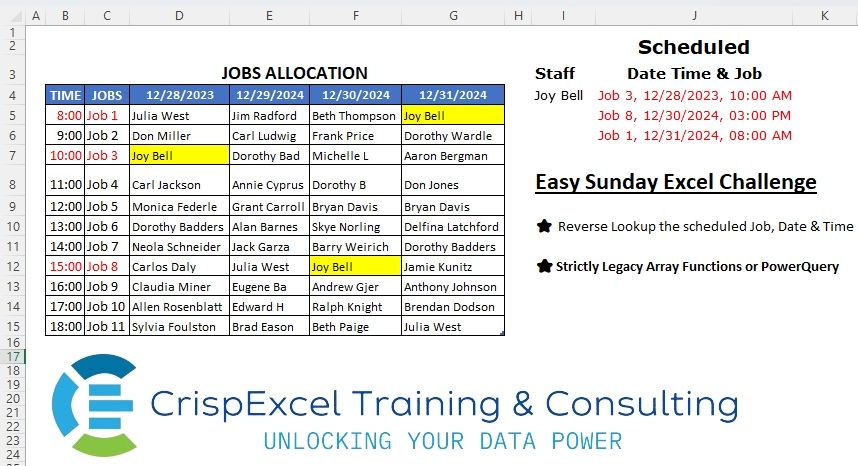
Working with date and time values.
Challenge No. 9: Reverse Lookup of all the scheduled jobs, Dates and Time
Strictly Legacy Array Functions or PowerQuery.
Solved using: Python.
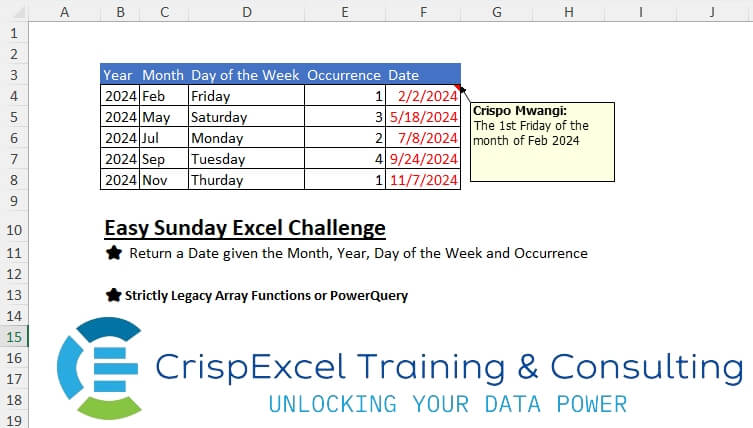
Challenge No. 7: Return a Date given the Month, Year, Day of the Week and Occurrence Strictly Legacy Array Functions or PowerQuery.
Solved using: Power Query.

Challenge No. 43: A1:C9: List of candidates with their primary and secondary skills.
Solved using: DAX.
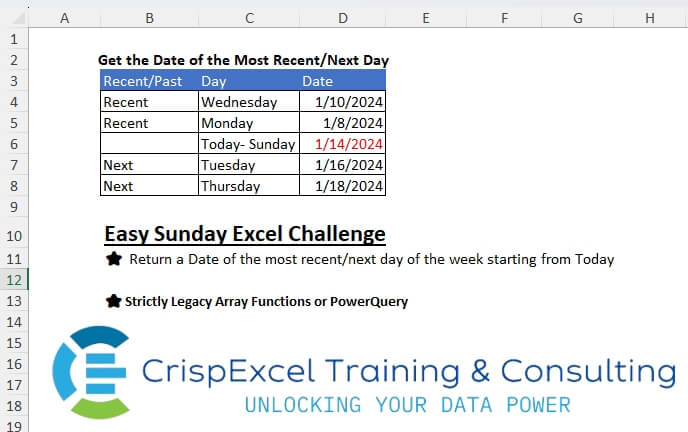
Challenge No. 5: Return a Date of the most recent/next day of the week starting from Today
Strictly Legacy Array Functions or PowerQuery.
Solved using: Power Query.
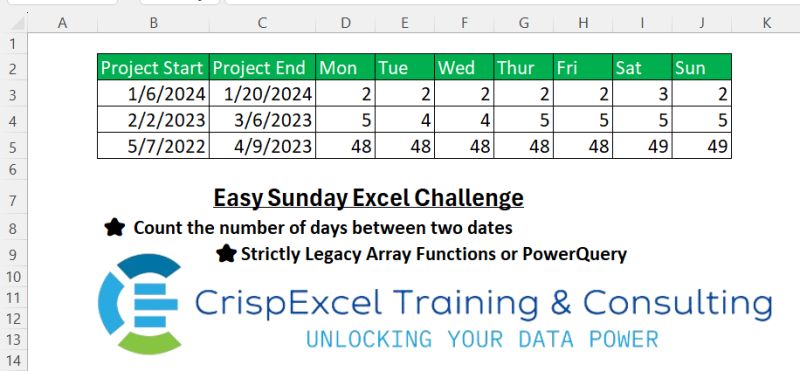
Challenge No. 2: Count the number of days between two dates
Strictly Legacy Array Functions or PowerQuery
Hazem Hassan.
Solved using: Power Query.
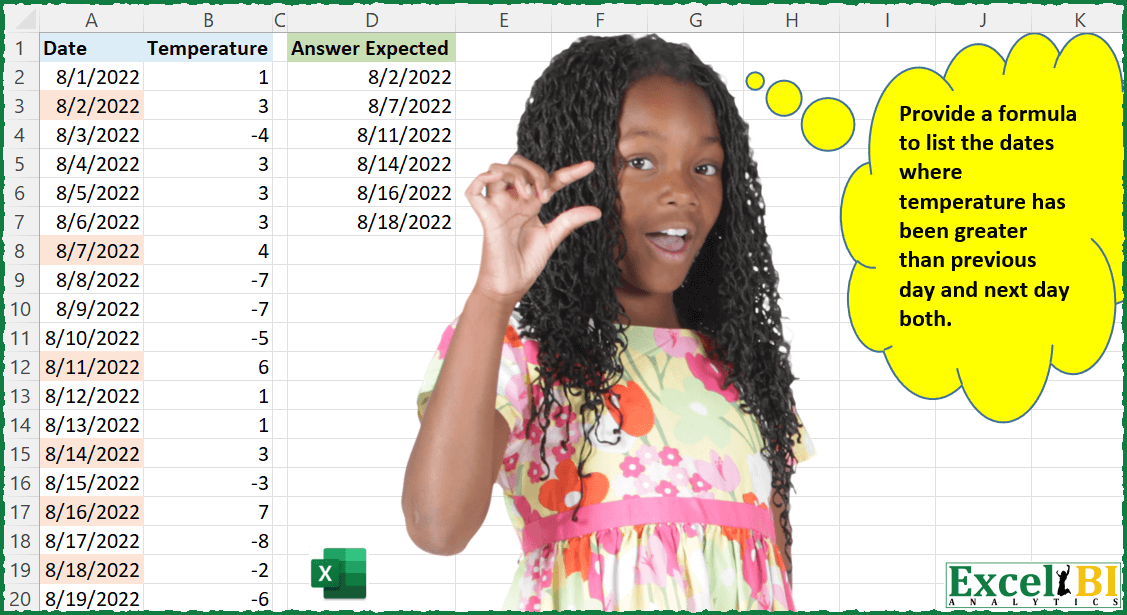
Challenge No. 32: Provide a formula to list the dates when temperature has been greater than previous day and next day both.
Solved using: Power Query (Table.AddColumn, Table.SelectRows).
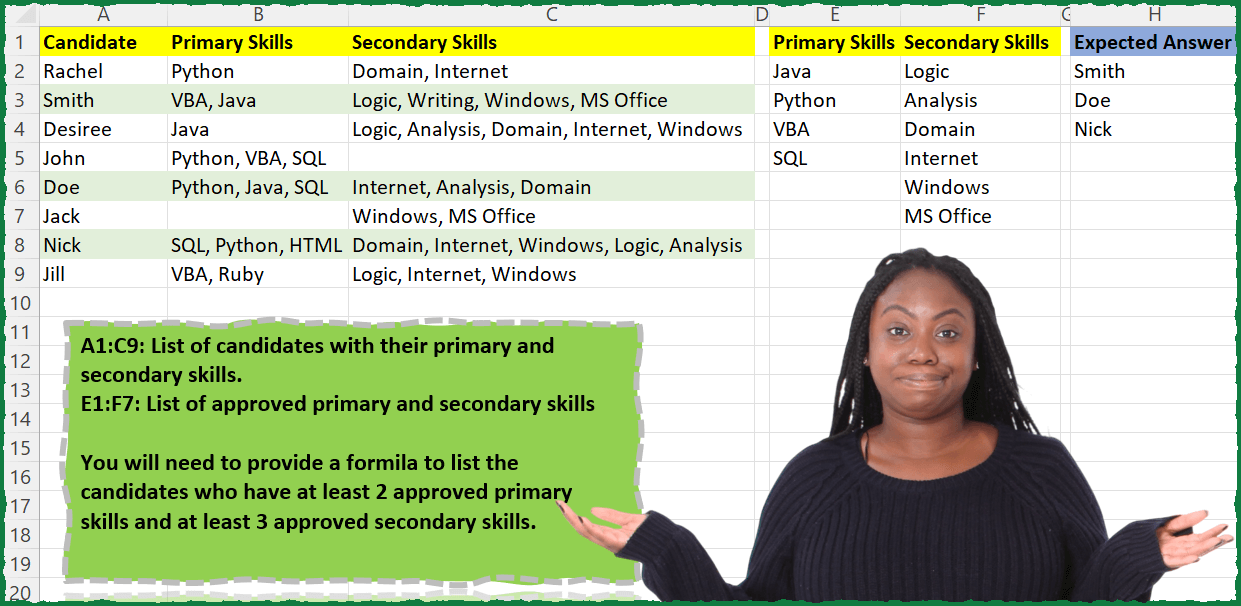
Challenge No. 27: A1:C9: List of candidates with their primary and secondary skills.
Solved using: Power Query (List.Intersect, Text.Split).

Challenge No. 9: (Excel formulas also welcome)
There is a table which has Original Text and there is another table which contains the list of words which need to be replaced.
Solved using: Power Query (List.Transform, Table.AddColumn, Table.ReplaceValue).
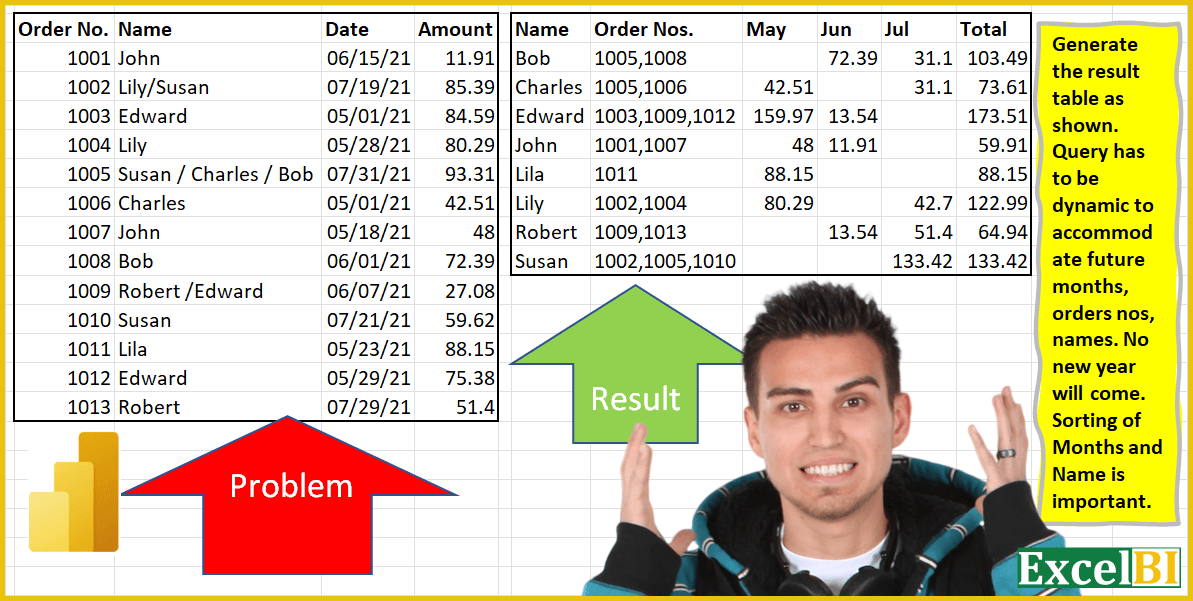
Challenge No. 4: Generate the result table as shown.
Solved using: Power Query.

Challenge No. 3: (Excel formulas also welcome)
Generate the result table from Alphabets table.
Solved using: Power Query (List.Distinct).