
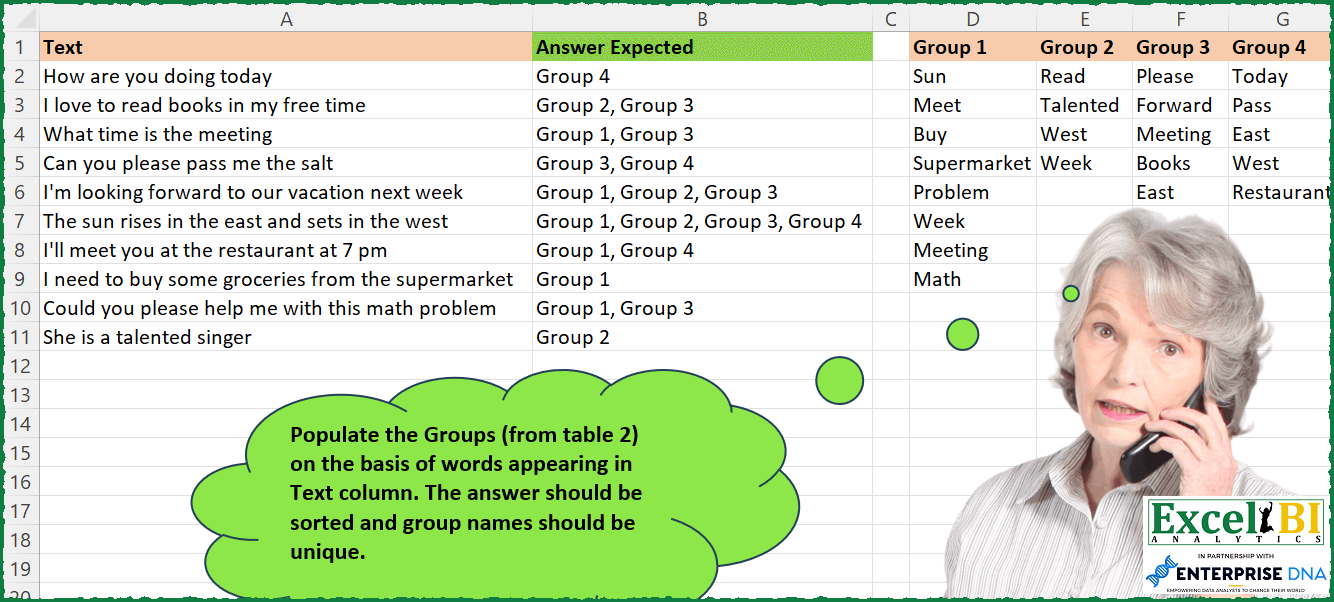
Challenge No. 235: Populate the Groups (from table 2) on the basis of words appearing in Text column.
Solved using: Power Query.
Challenges related to custom data grouping.
Challenge No. 235: Populate the Groups (from table 2) on the basis of words appearing in Text column.
Solved using: Power Query.
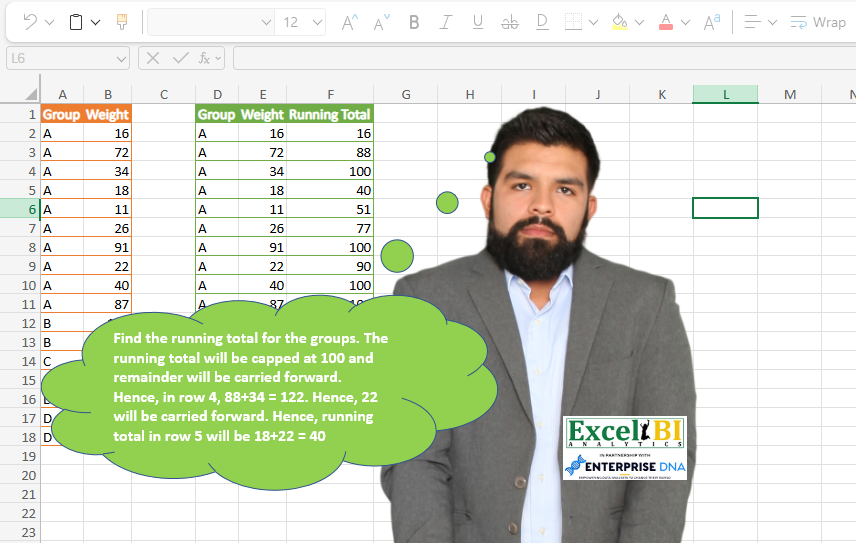
Challenge No. 71: Find the running total for the groups.
Solved using: Python in Excel.
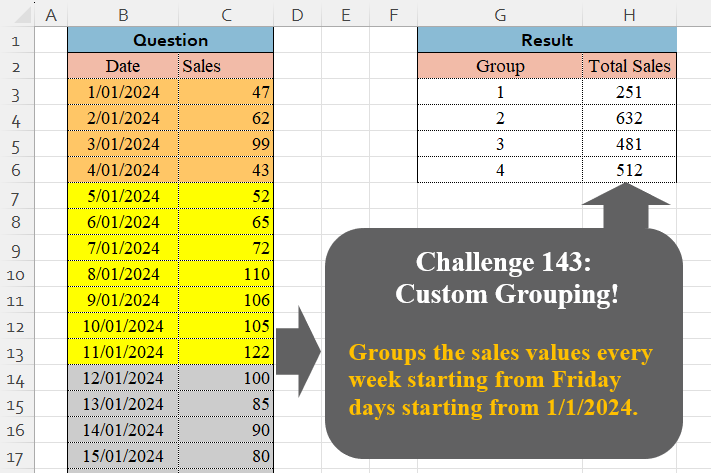
Challenge No. 143: Groups the sales values every week starting from Friday days starting from 1/1/2024.
Solved using:Excel (GROUPBY, LAMBDA, LET), Google Sheets, Power Query (Table.Group, Date.WeekOfYear, Table.AddColumn), Python, Python in Excel, and R.
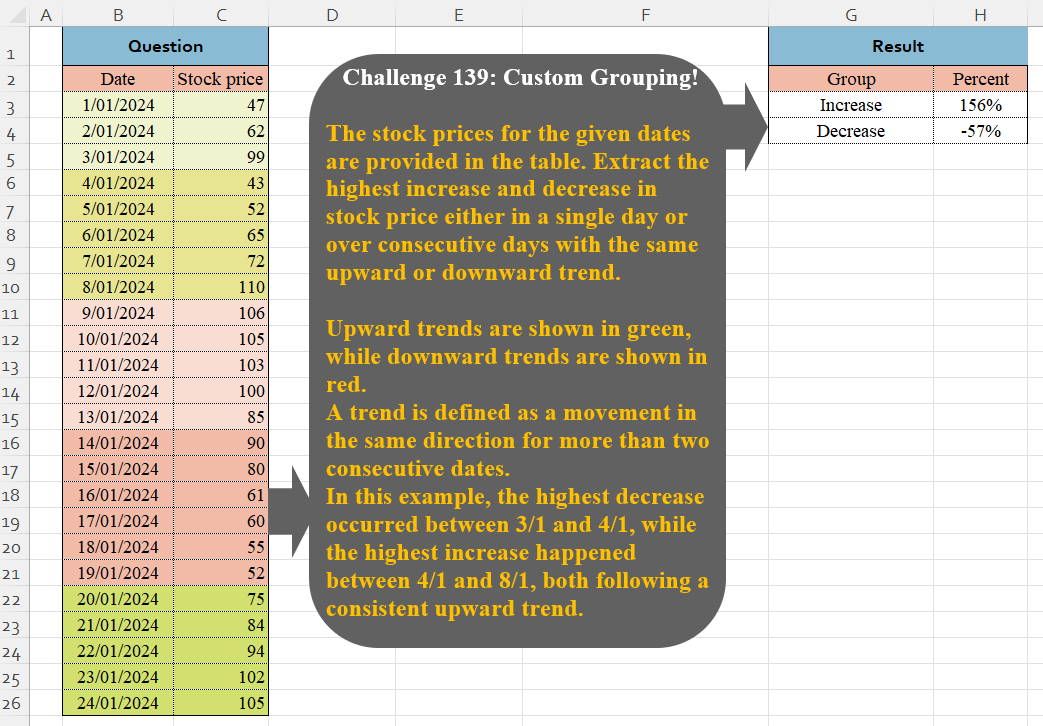
Challenge No. 139: The stock prices for the given dates are provided in the table.
Solved using:Excel (VSTACK), Google Sheets, Power Query (Table.Group, List.Combine, List.Transform), Python, and Python in Excel.
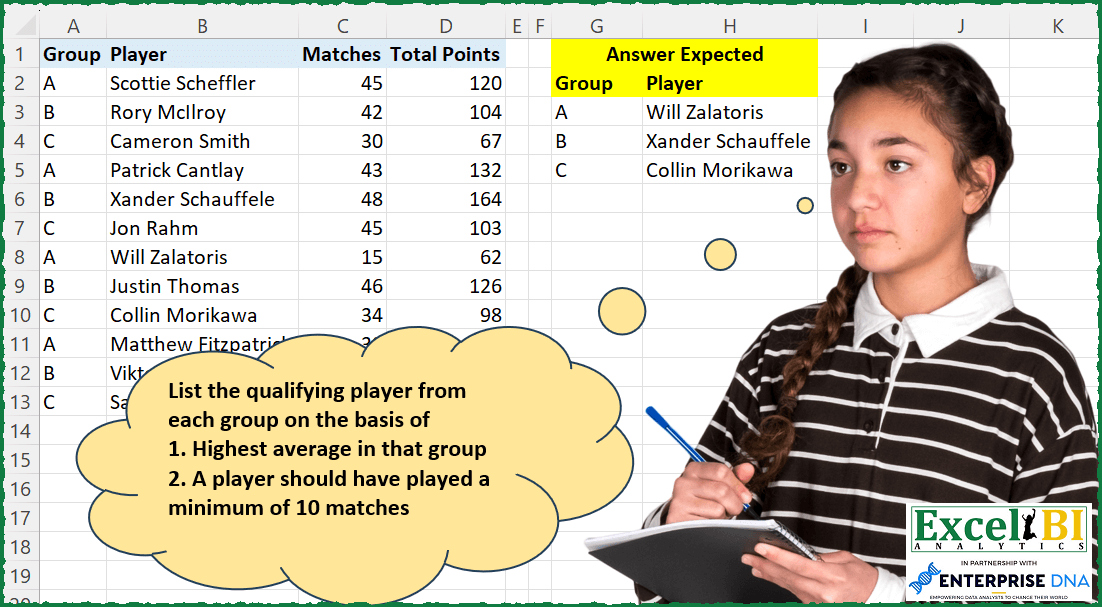
Challenge No. 197: List the qualifying player from each group on the basis of
1.
Solved using: Power Query (Table.AddColumn).
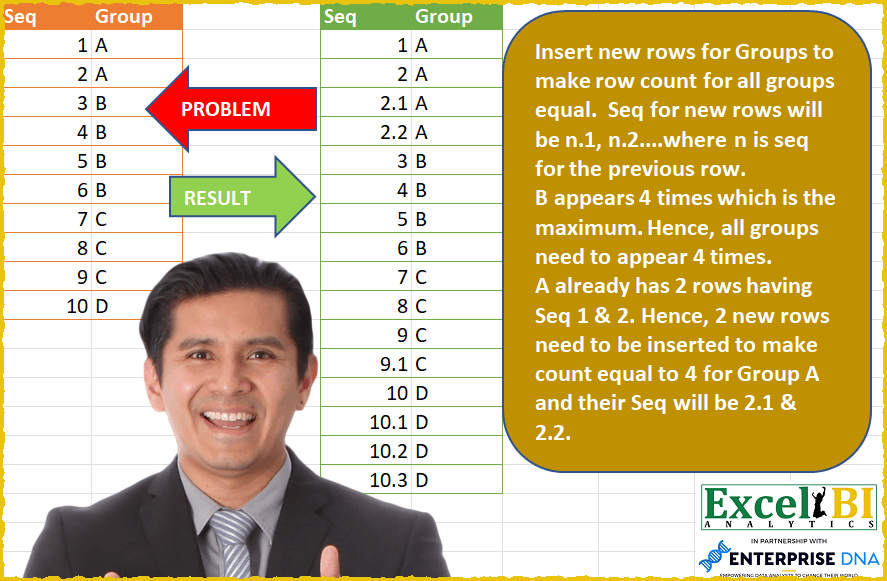
Challenge No. 57: Insert new rows for Groups to make row count for all groups equal.
Solved using: Power Query (Table.AddColumn).

Challenge No. 133: Group the monthly sales values into three categories based on the following logic and provide one of the result tables:
Group 1: 1st to 10th of the month
Group 2: 11th to 20th of the month
Group 3: 21st to the end of the month.
Solved using:Excel (DATE, DAY, DROP), Google Sheets, Power Query (Table.Group, Date.Month, Table.AddColumn), Python, Python in Excel, and R.
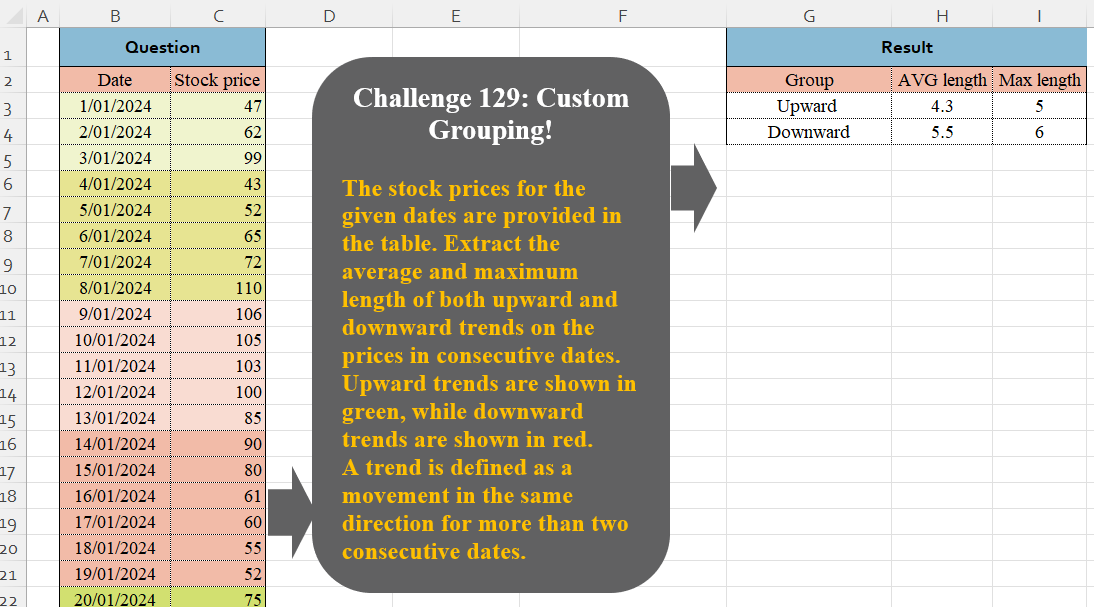
Challenge No. 129: The stock prices for the given dates are provided in the table.
Solved using:Excel (DROP, GROUPBY, HSTACK), Google Sheets, Power Query (Table.Group, Table.AddColumn, Table.Group), Python in Excel, and R.
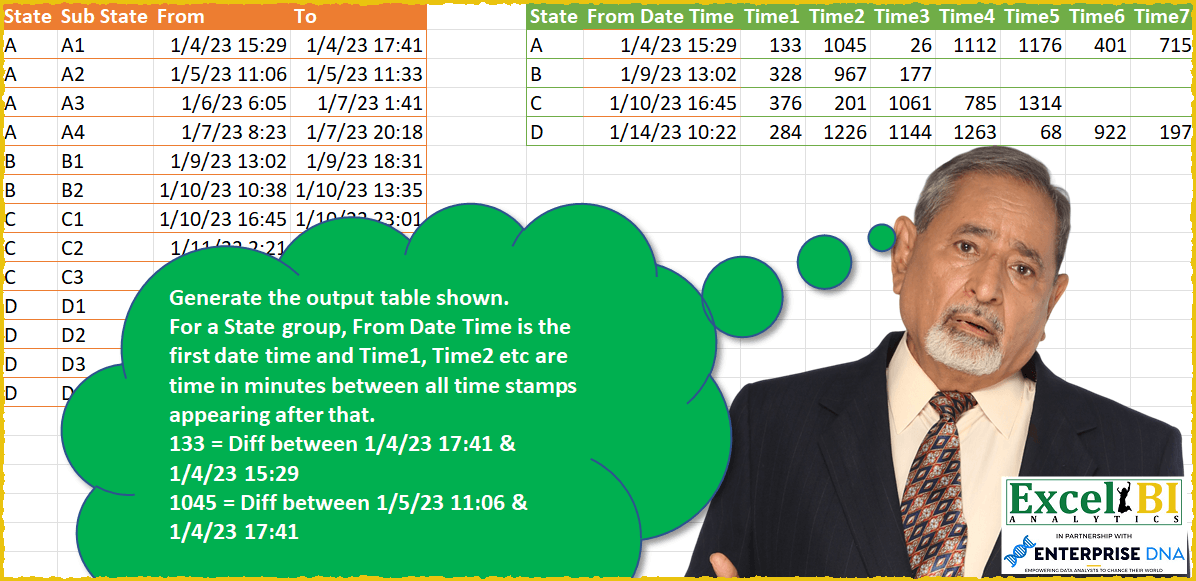
Challenge No. 49: Generate the output table shown.
Solved using: SQL.
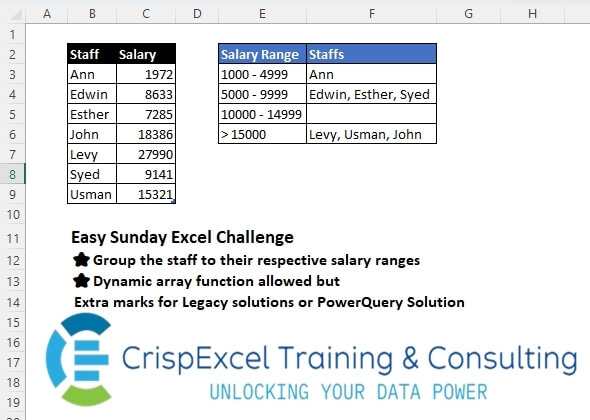
Challenge No. 43: Group the staff into their respective salary ranges
Dynamic array function allowed, but Extra marks for Legacy solutions or PowerQuery Solution.
Solved using: Python in Excel.