
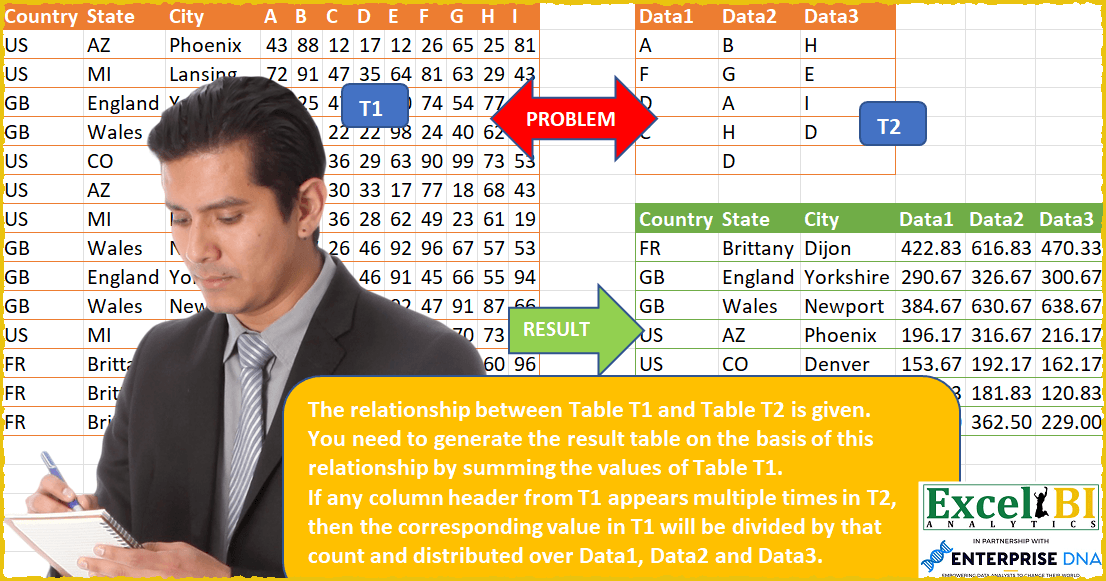
Challenge No. 53: The relationship between Table T1 and Table T2 is given.
Solved using: Power Query.
Challenges categorized by difficulty level.
Challenge No. 53: The relationship between Table T1 and Table T2 is given.
Solved using: Power Query.
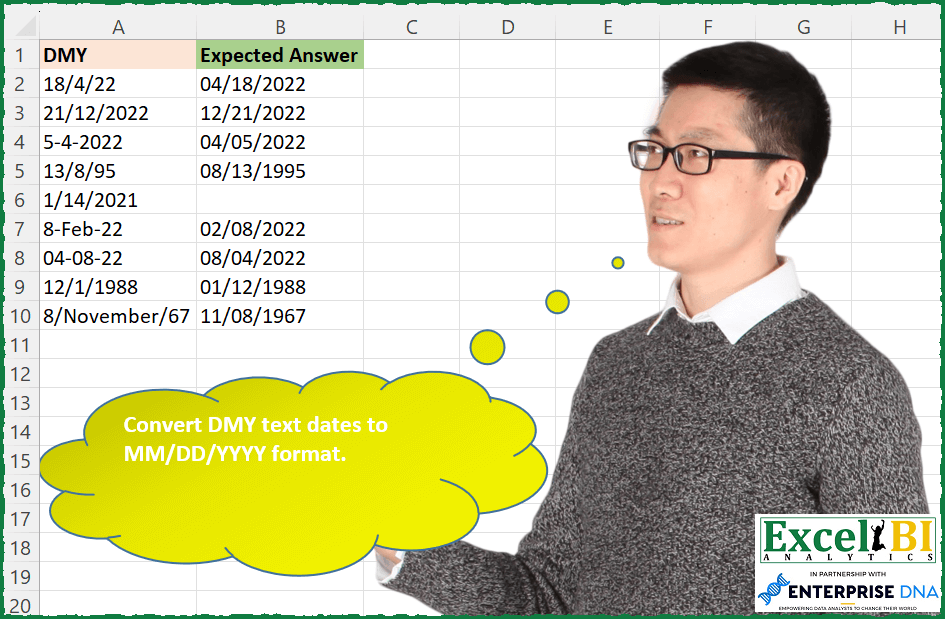
Challenge No. 181: Convert DMY text dates to MM/DD/YYYY format.
Solved using: Power Query.

Challenge No. 180: Provide a formula to list the maximum number of items (one unit only of each item) which can be bought in $150 from A2:A10.
Solved using: Power Query (Table.Sort).
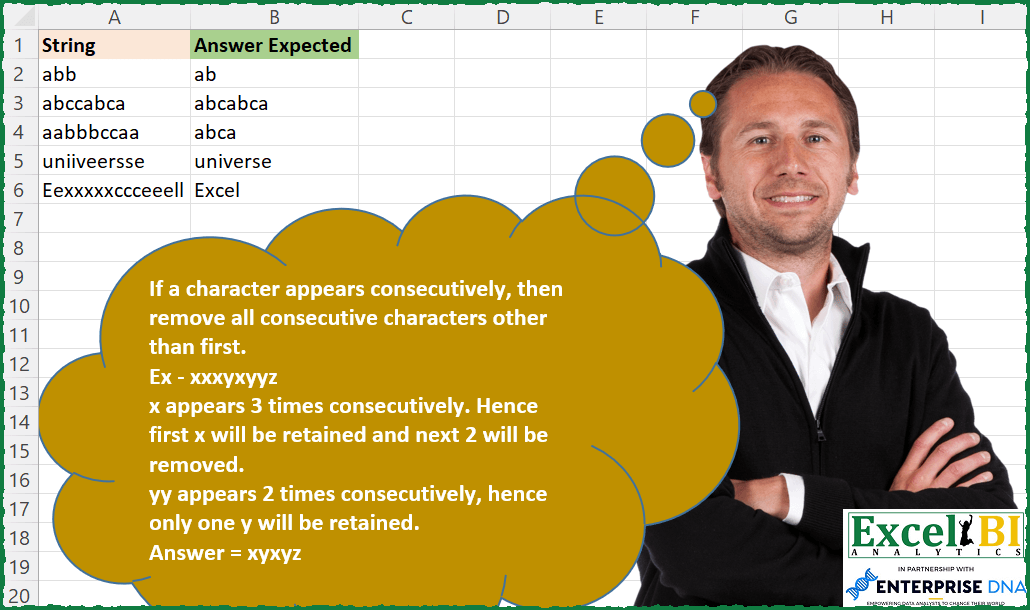
Challenge No. 179: If a character appears consecutively, then remove all consecutive characters other than first.
Solved using: Excel VBA.
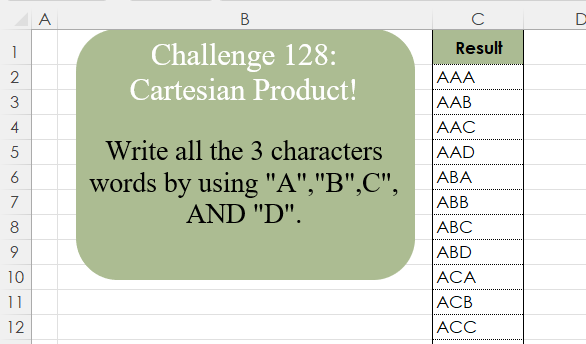
Challenge No. 128: Write all the 3 character words by using “A”,”B”,C”, AND “D”.
Solved using:Excel (LAMBDA, LET, REDUCE), Google Sheets, Power Query (List.Transform, List.TransformMany), Python, Python in Excel, and R.
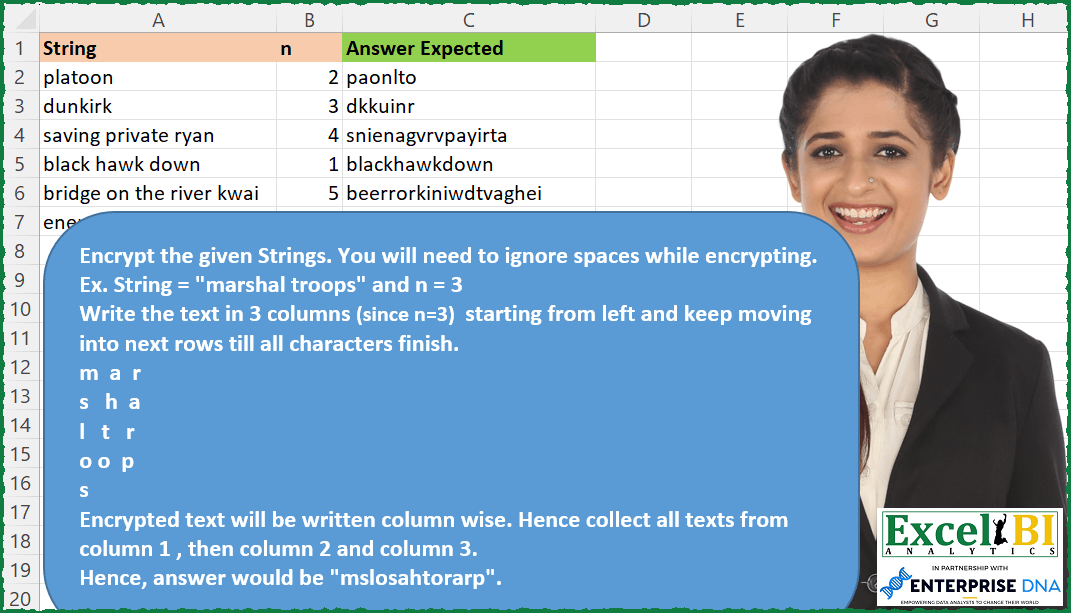
Challenge No. 178: Route Cipher
Encrypt the given Strings.
Solved using: Power Query.

Challenge No. 52: We had done a version of this challenge earlier.
Solved using: Power Query.
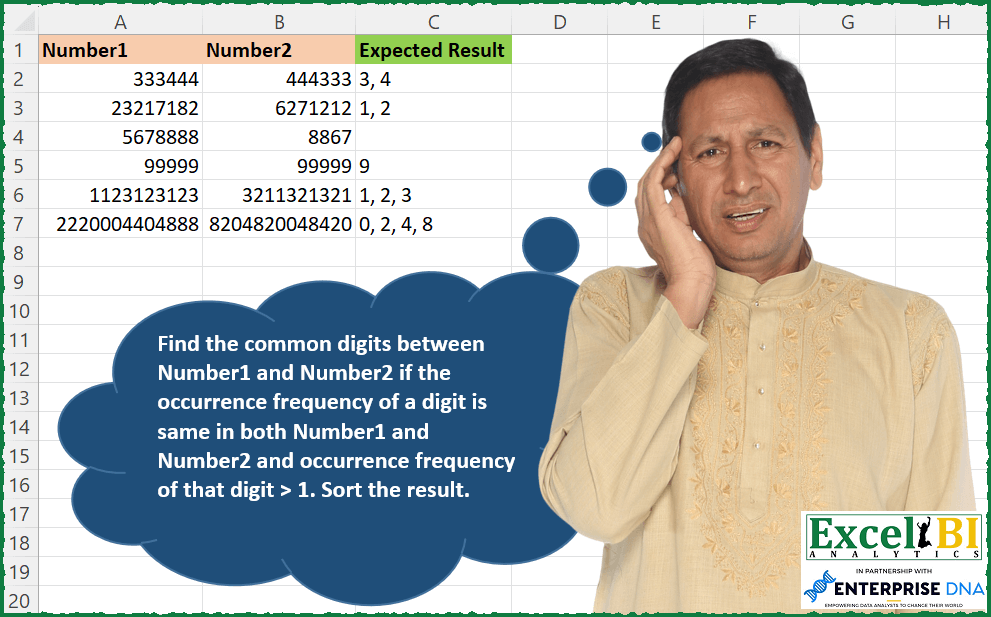
Challenge No. 177: Find the common digits between Number1 and Number2 if the occurrence frequency of a digit is same in both Number1 and Number2 and occurrence frequency of that digit > 1.
Solved using: Power Query (List.Transform).
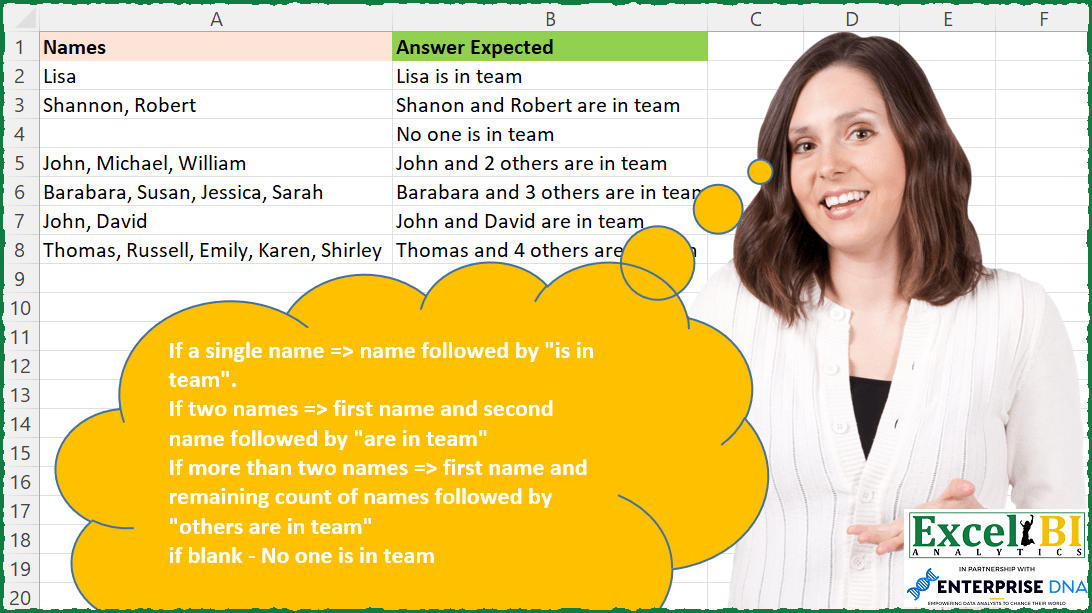
Challenge No. 176: If a single name => name followed by “is in team”.
Solved using: Power Query.

Challenge No. 127: Add an index column to the question table, with a separate counter for each stock.
Solved using:Excel (DROP, FILTER, HSTACK), Google Sheets, Power Query (Table.AddColumn, Table.AddIndexColumn), Python, Python in Excel, and R.