
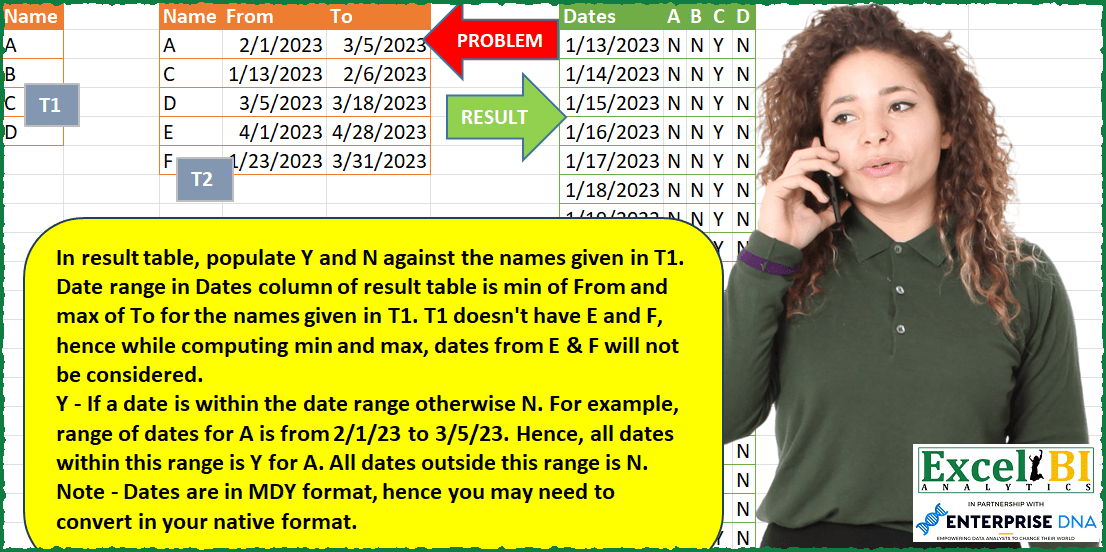
Challenge No. 86: In result table, populate Y and N against the names given in T1.
Solved using: Power Query (Table.SelectRows).
Highly advanced challenges.
Challenge No. 86: In result table, populate Y and N against the names given in T1.
Solved using: Power Query (Table.SelectRows).
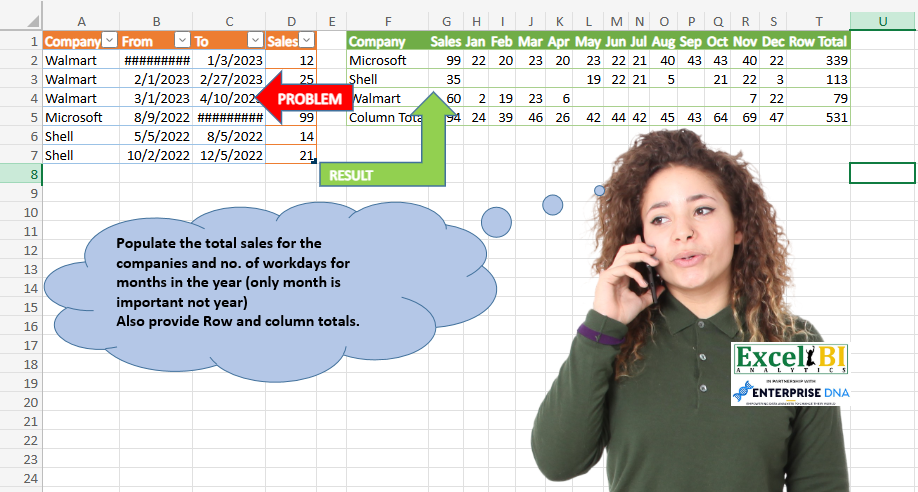
Challenge No. 68: Populate the total sales for the companies and no.
Solved using: Excel VBA.
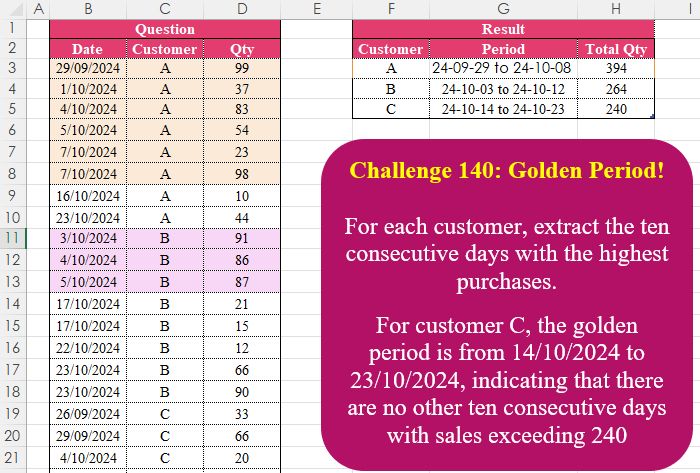
Challenge No. 140: For each customer, extract the ten consecutive days with the highest purchases.
Solved using:Excel (FILTER, HSTACK, IFS), Google Sheets, Power Query (Table.AddColumn, Table.Group), Python in Excel, and R.
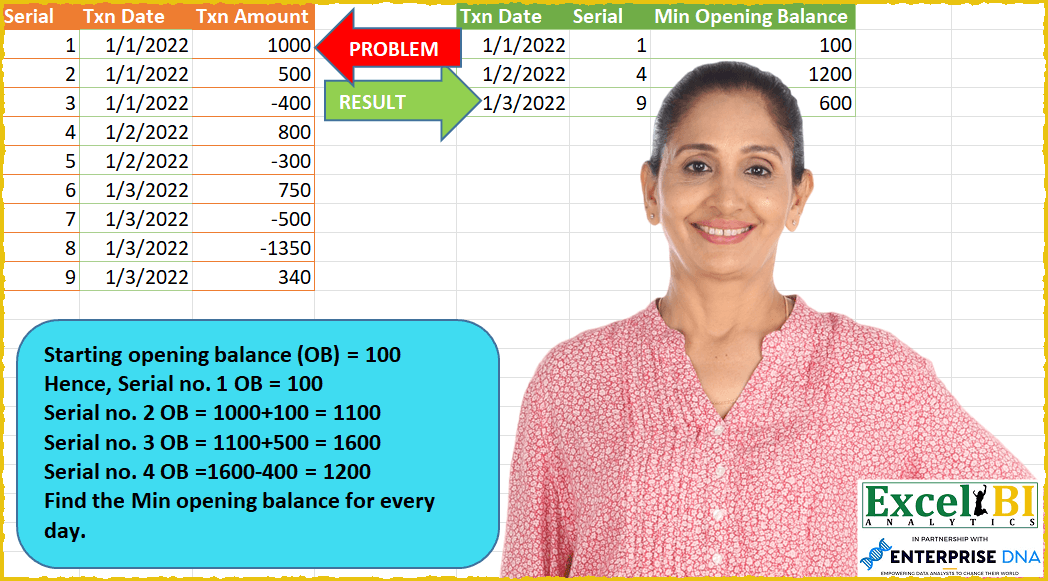
Challenge No. 58: Starting opening balance (OB) = 100 (This is given and you will need to work out OB for Serials 2 through 9)
Hence, Serial no.
Solved using: SQL.
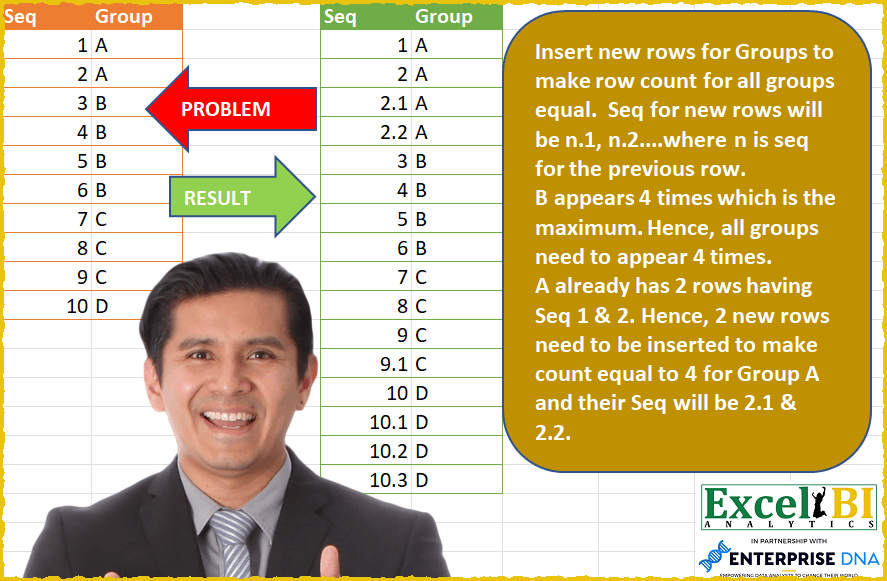
Challenge No. 57: Insert new rows for Groups to make row count for all groups equal.
Solved using: Power Query (Table.AddColumn).
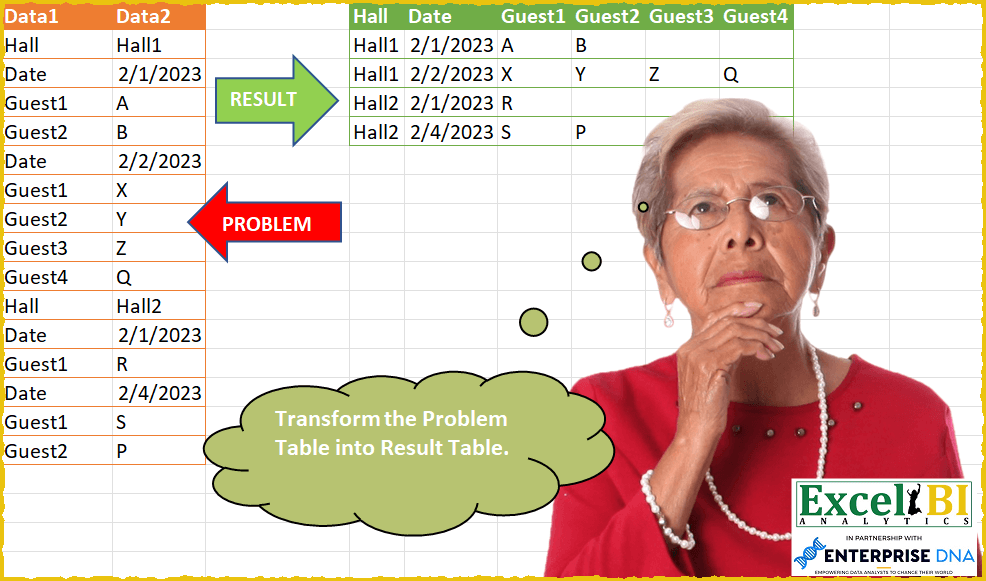
Challenge No. 55: This time problem statement is short.
Solved using: Power Query.
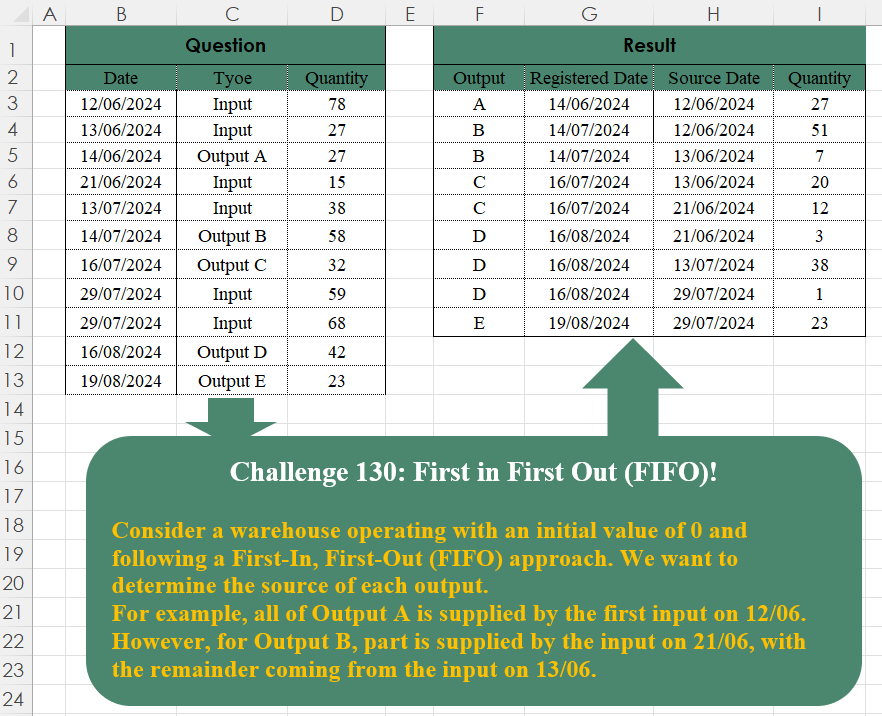
Challenge No. 130: Consider a warehouse operating with an initial value of 0 and following a First-In, First-Out (FIFO) approach.
Solved using:Excel (FILTER, TAKE), Google Sheets, Power Query (Table.SelectRows), Python, Python in Excel, and R.

Challenge No. 54: From the transaction table, generate output as shown.
Solved using: Power Query.

Challenge No. 52: We had done a version of this challenge earlier.
Solved using: Power Query.
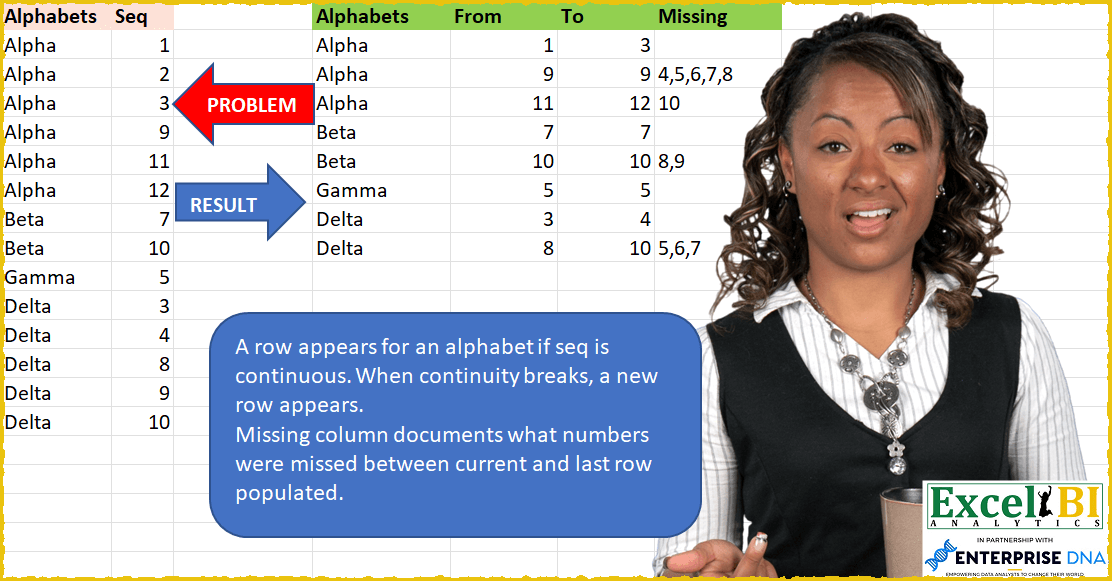
Challenge No. 42: A row appears for an alphabet if seq is continuous.
Solved using: SQL.