
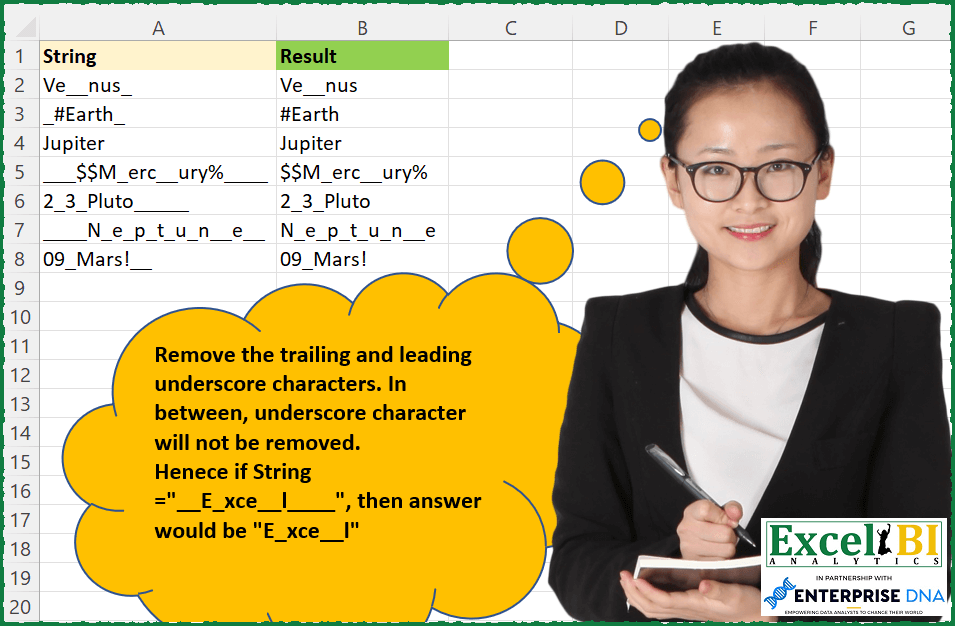
Challenge No. 119: Remove the trailing and leading underscore characters.
Solved using: SQL.
Returns the relative position of a value in an array with advanced options in Excel.
Challenge No. 119: Remove the trailing and leading underscore characters.
Solved using: SQL.
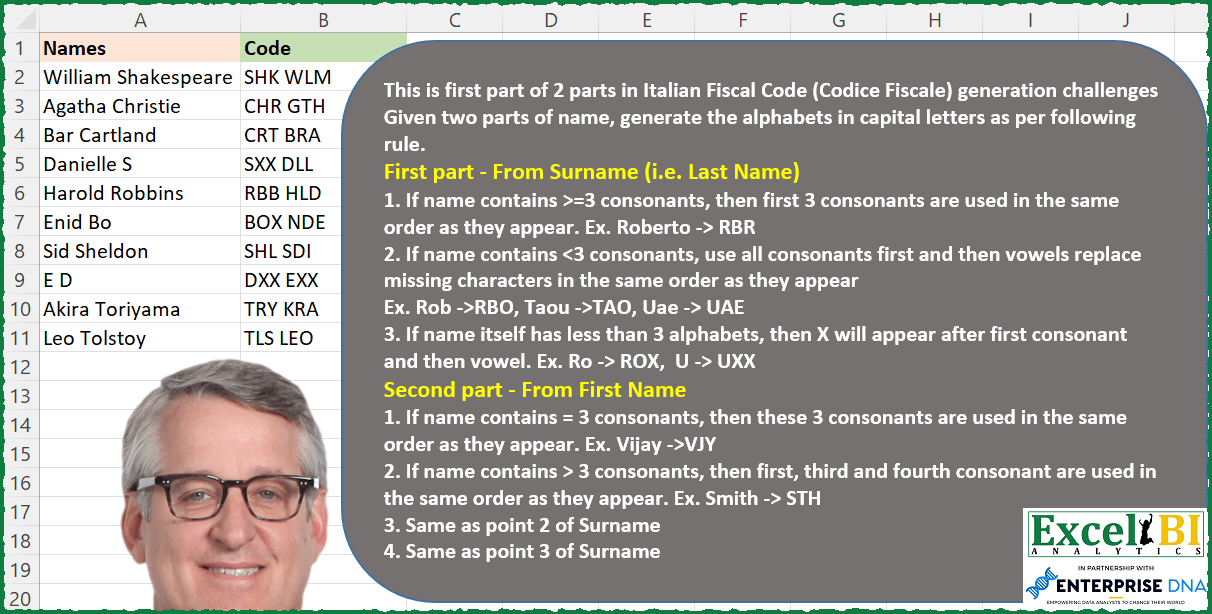
Challenge No. 102: This is first part of 2 parts Italian Fiscal Code (Codice Fiscale) generation challenges.
Solved using: SQL.

Challenge No. 86: K-nearest neighbors (KNN) is a simple technique for replacing missing values with the average of the nearest values.
Solved using:Excel, Power Query, and VBA.
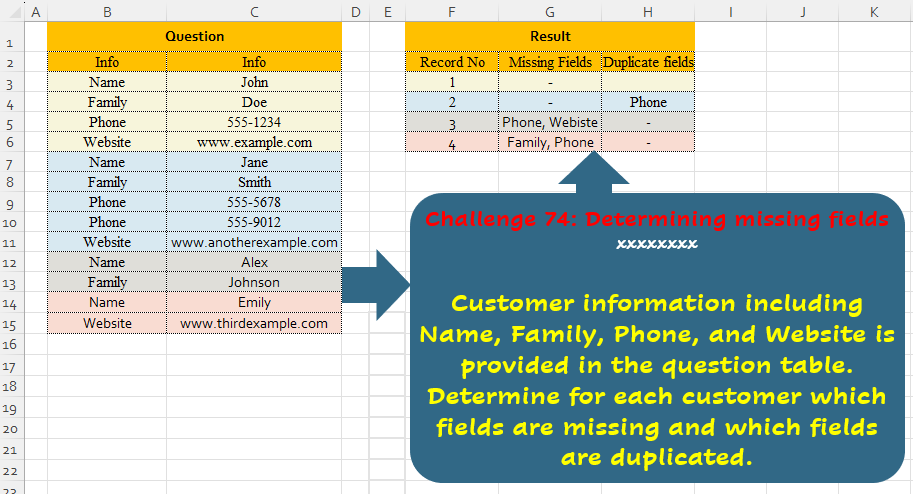
Challenge No. 74: Customer information including Name, Family, Phone, and Website is provided in the question table.
Solved using:Excel (ARRAYTOTEXT, FILTER, HSTACK), Power Query (List.Difference, List.Distinct, Text.Combine), Python, and R.
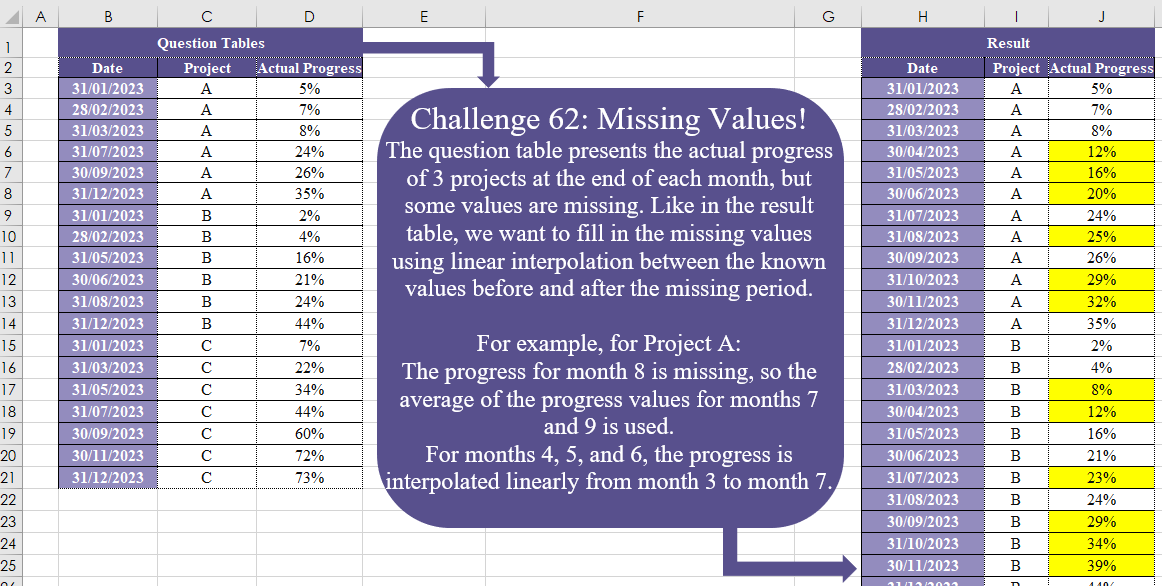
Challenge No. 62: The question table presents the actual progress of 3 projects at the end of each month, but some values are missing.
Solved using:Excel (DATE, DROP, IF), Power Query (Date.Month), Python, and R.
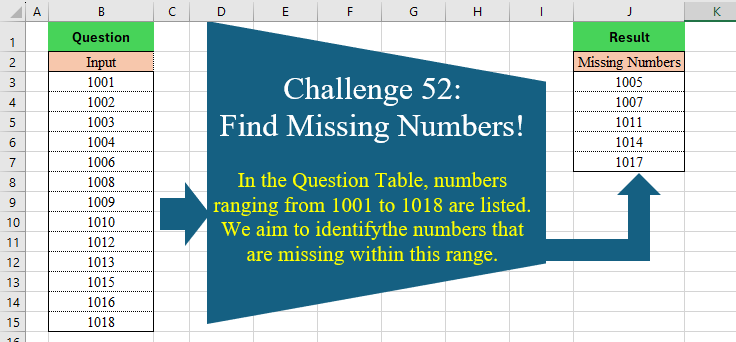
Challenge No. 52: In the Question Table, numbers ranging from 1001 to 1018 are listed.
Solved using:DAX, Excel (COUNTIF, FILTER, IF), Power Query (List.Difference), Python, Python in Excel, R, SQL, and VBA.
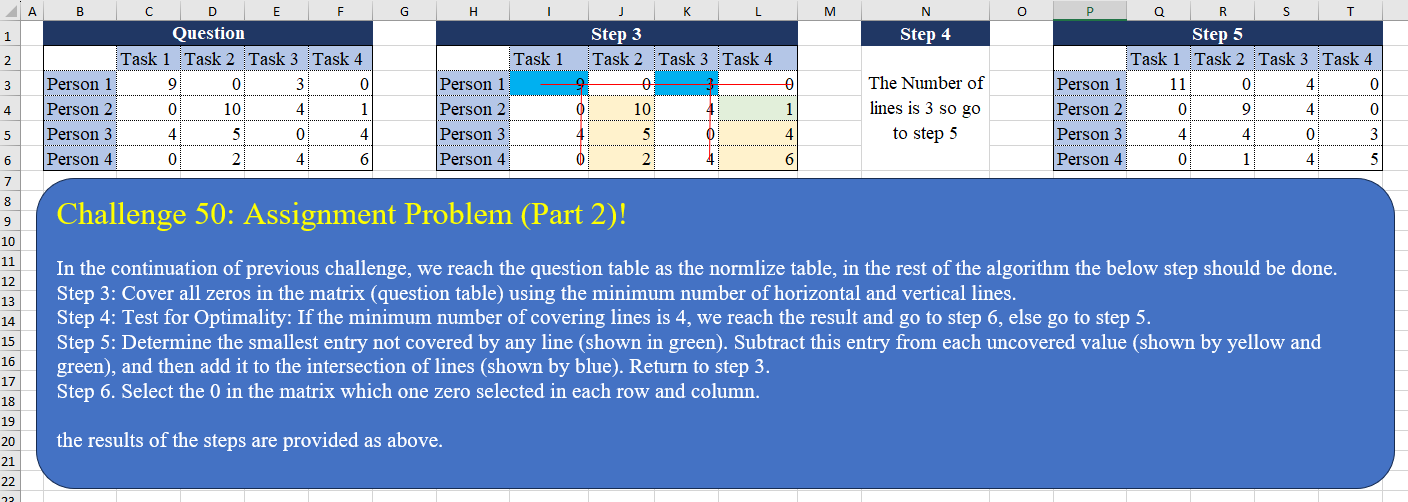
Challenge No. 50: In the continuation of the previous challenge, we reach the question table as the normalized table, in the rest of the algorithm the below step should be done.
Solved using:Excel (AND, BYCOL, BYROW), Power Query (List.Transform, Table.Column), Python, and R.
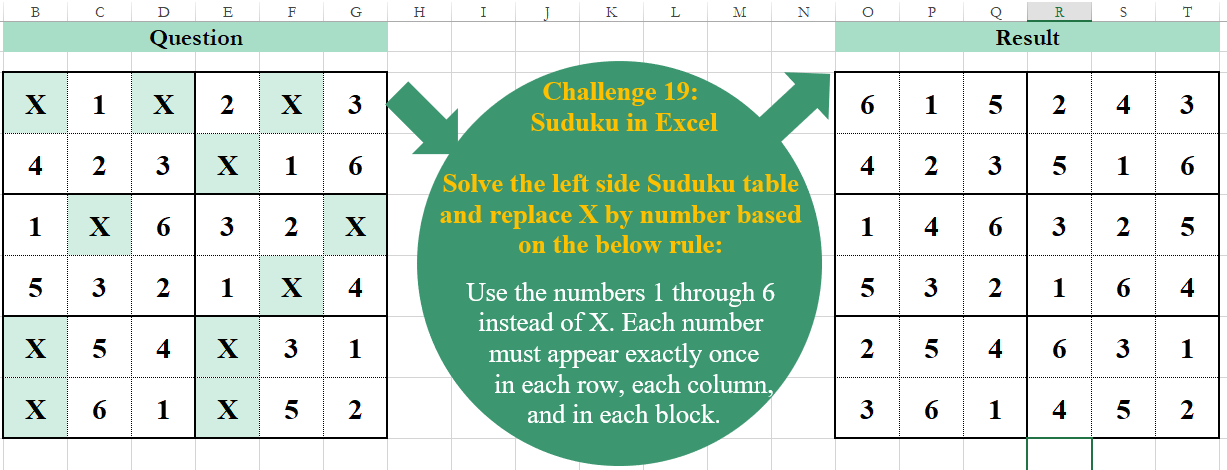
Challenge No. 19: Solve the left side Sudoku table and replace X by a number based on the below rule:
Use the numbers 1 through 6 instead of X.
Solved using:Excel, Power Query, and VBA.

Challenge No. 5: Determine how frequently products are bought together (same invoice number).
Solved using:Excel, and Power Query.
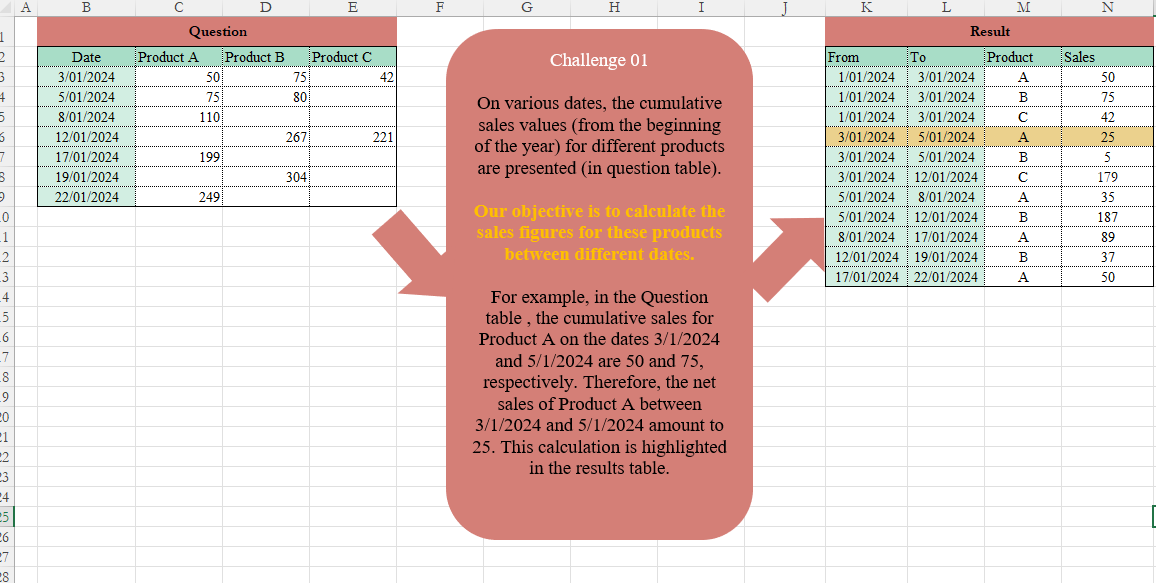
Challenge No. 1: On various dates, the cumulative sales values (from the beginning of the year) for different products are presented (in the Question table).
Solved using:Excel (DROP, FILTER, HSTACK), and Power Query (Table.AddColumn, Table.TransformColumnTypes).