
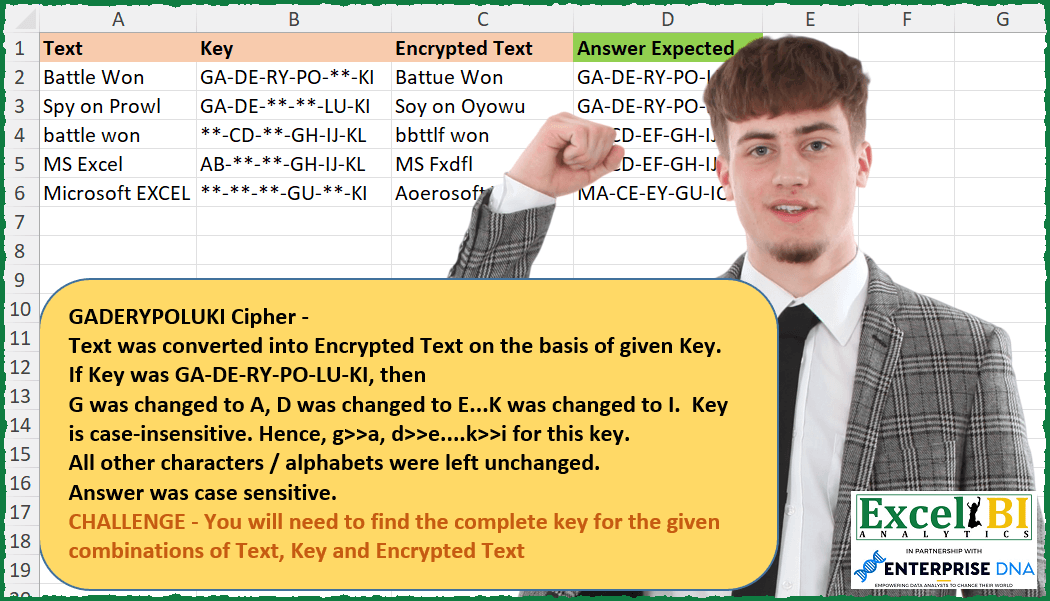
Challenge No. 253: NOTE – Order in answer is not important.
Solved using: Power Query (Text.Combine).
Returns unique values from a range or array in Excel.
Challenge No. 253: NOTE – Order in answer is not important.
Solved using: Power Query (Text.Combine).
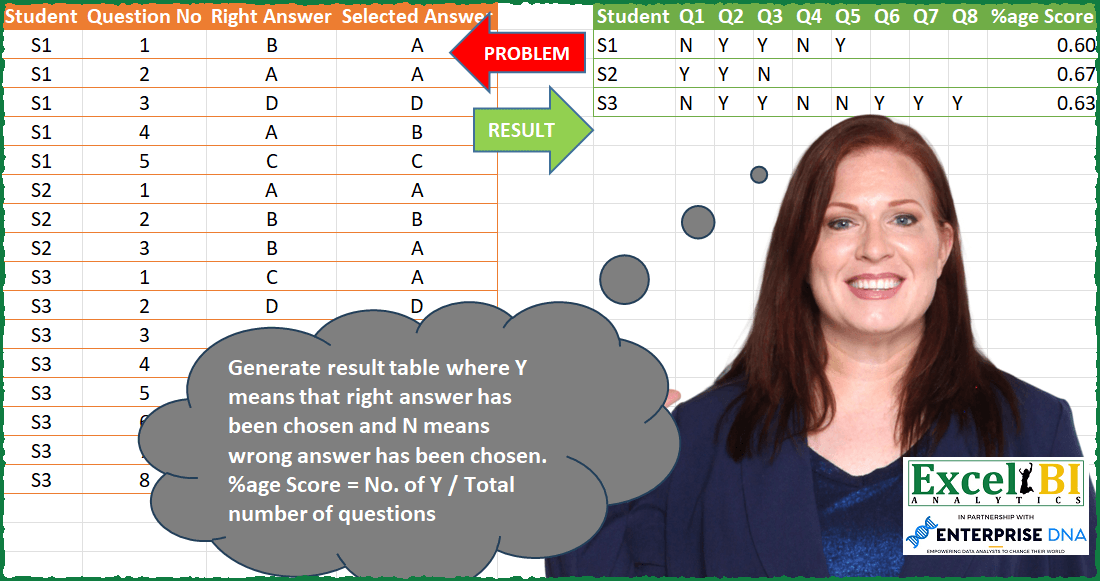
Challenge No. 83: Generate result table where Y means that right answer has been chosen and N means wrong answer has been chosen.
Solved using: Power Query (List.Distinct, Table.AddColumn).
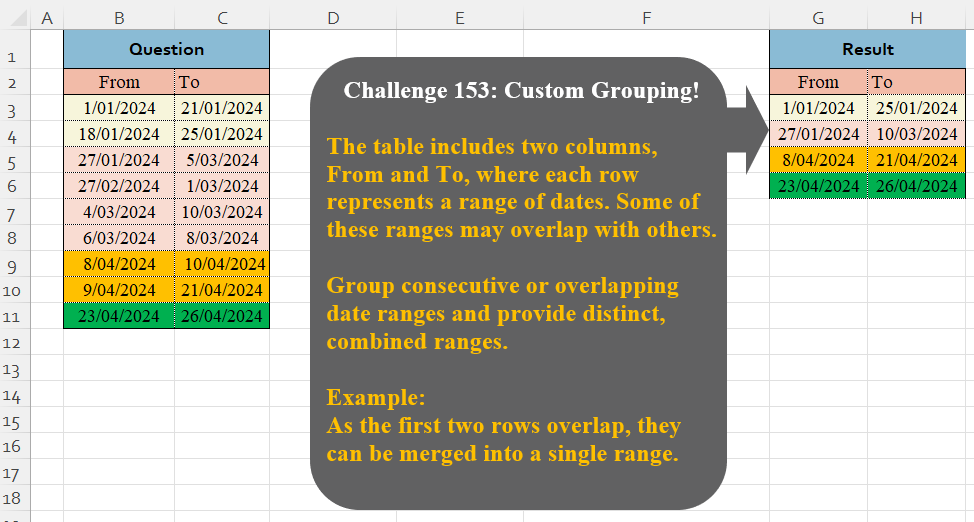
Challenge No. 153: The table includes two columns, From and To, where each row represents a range of dates.
Solved using:Excel (DROP, HSTACK, IF), Google Sheets, Power Query (Table.Group), Python, Python in Excel, and R.

Challenge No. 77: Generate the result table from problem table.
Solved using: Python in Excel.
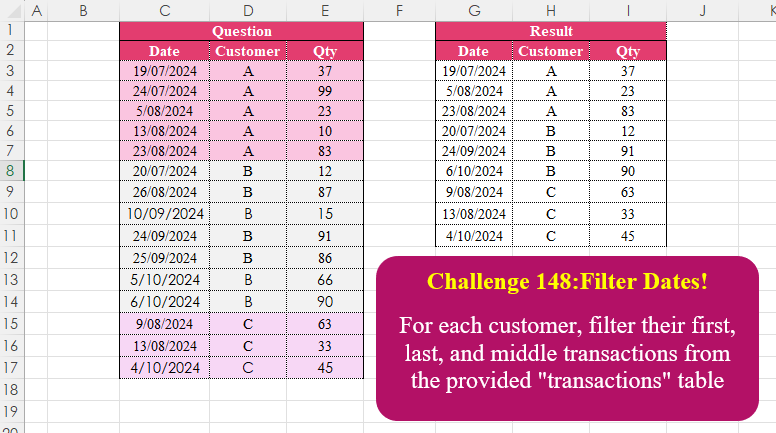
Challenge No. 148: For each customer, filter their first, last, and middle transactions from the provided “transactions” table.
Solved using:Excel (CHOOSEROWS, DROP, FILTER), Google Sheets, Power Query (Table.Combine, Table.Group), Python, Python in Excel, and R.
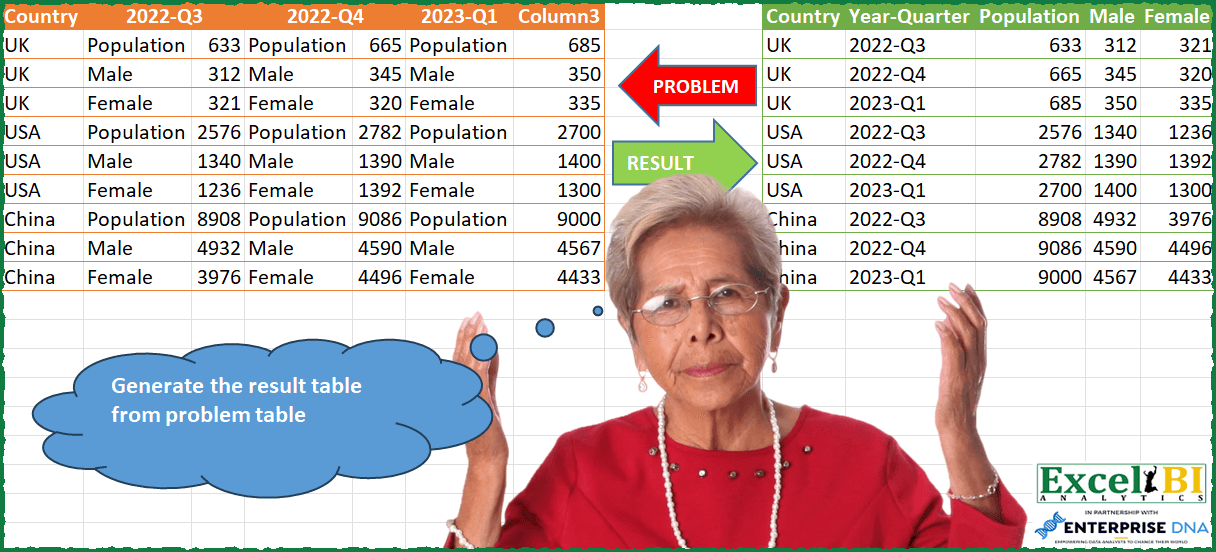
Challenge No. 76: Generate the result table from problem table.
Solved using: Power Query.
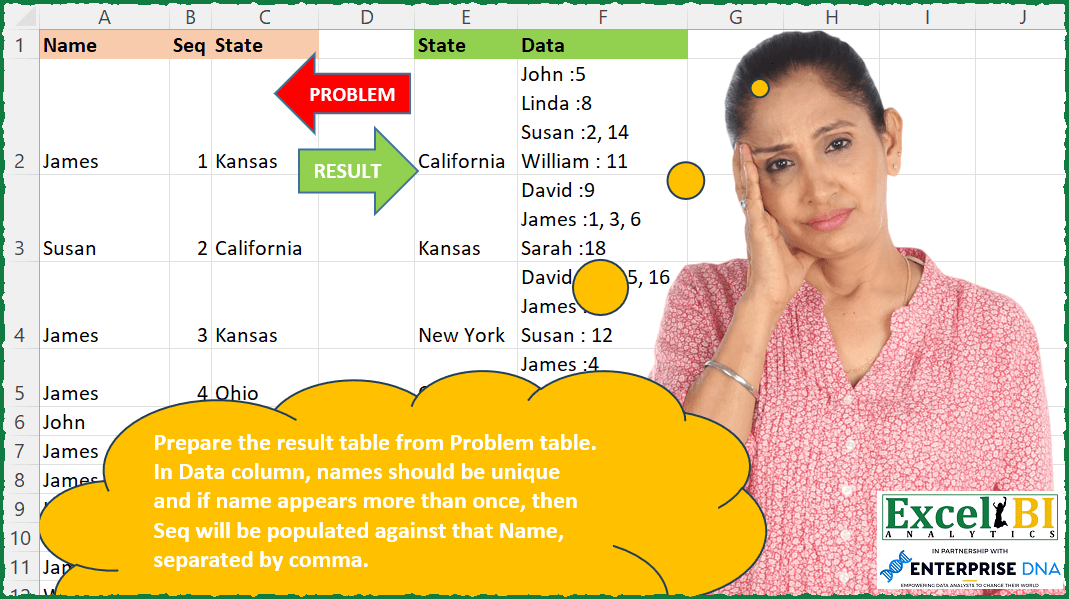
Challenge No. 237: Prepare the result table from Problem table.
Solved using: Power Query.
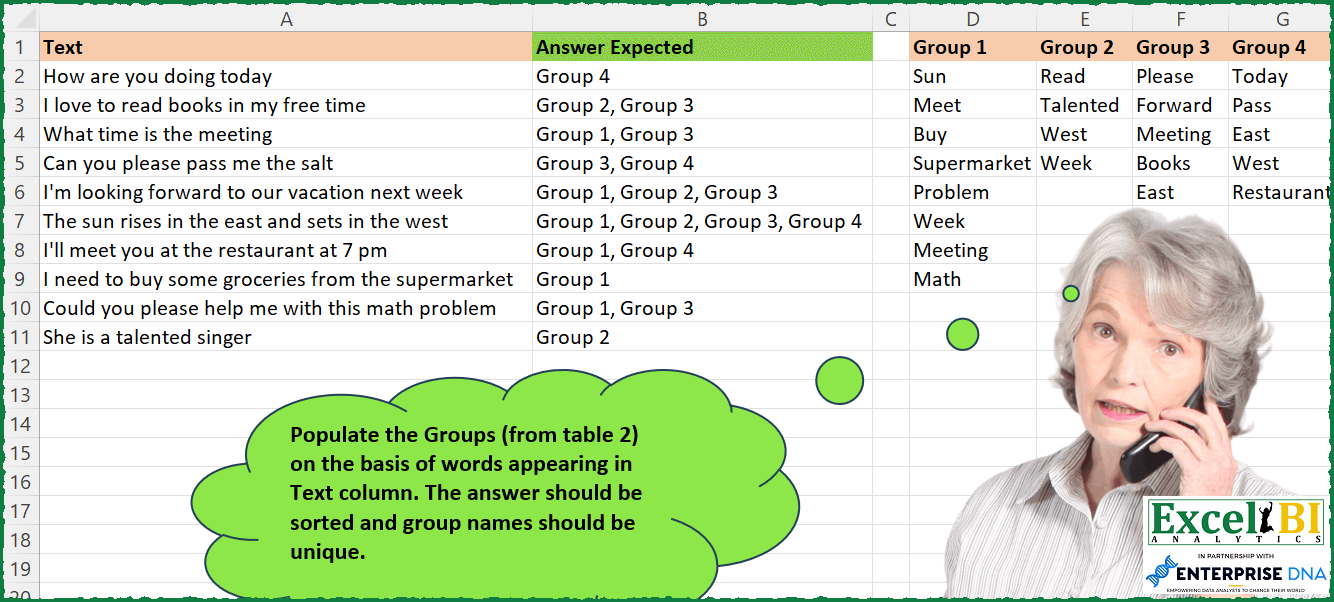
Challenge No. 235: Populate the Groups (from table 2) on the basis of words appearing in Text column.
Solved using: Power Query.
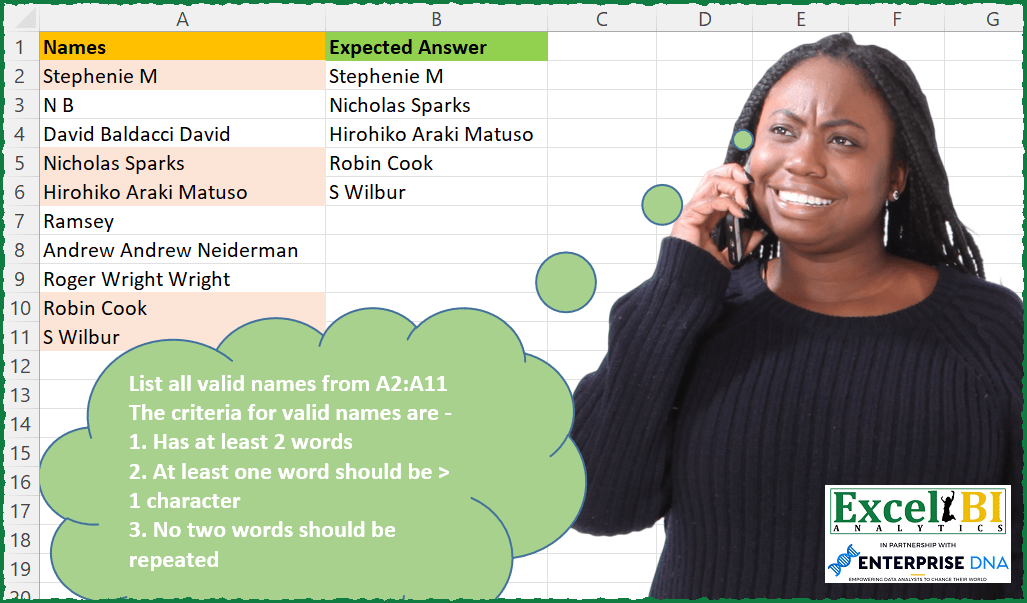
Challenge No. 233: List all valid names from A2:A11
The criteria for valid names are –
1.
Solved using: Power Query.

Challenge No. 144: From the provided “transactions” table, filter the first transaction for each.
Solved using:Excel (DROP, FILTER, LAMBDA), Google Sheets, Power Query (Date.Month, Table.AddColumn, Table.Group), Python, Python in Excel, and R.