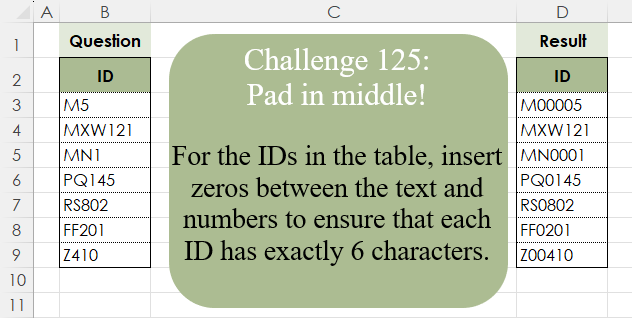
Challenge No. 125: For the IDs in the table, insert zeros between the text and numbers to ensure that each ID has exactly 6 characters.
Solved using:Excel (CONCAT, ISNUMBER, LAMBDA), Google Sheets, Power Query (Text.Repeat, Table.AddColumn), Python, Python in Excel, and R.
REPT
Repeats a text string a specified number of times in Excel.
Mask Specific Whole Words
Challenge No. 136: Mask the string with asterisks if a word given in Words column appears in that row.
Solved using: Power Query.
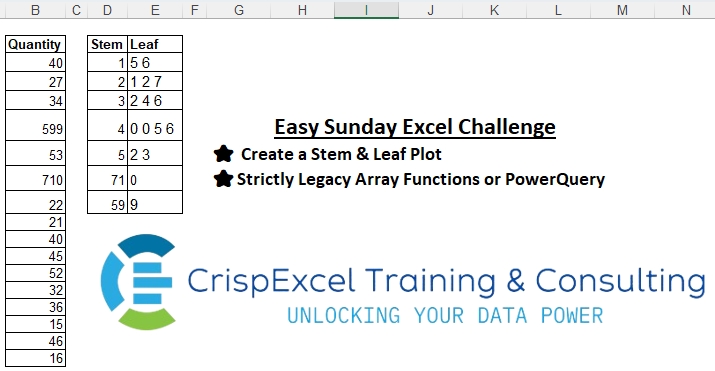
Creating the Stem & Leaf Report
Challenge No. 1: Create a Stem & Leaf Plot
Strictly Legacy Array Functions or PowerQuery
NB:
A Stem and Leaf Plot is a special table where each data value is split into a “stem” (the first digit or digits) and a “leaf” (usually the last digit).
Solved using: Excel VBA.
Character-Based Rhombus
Challenge No. 77: Create a formula to receive a number n as input and generate a rhombus with a diameter equal to n using “*” characters.
Solved using:Excel (DROP, IF, LAMBDA), Power Query (List.Transform), Python, R, and VBA.
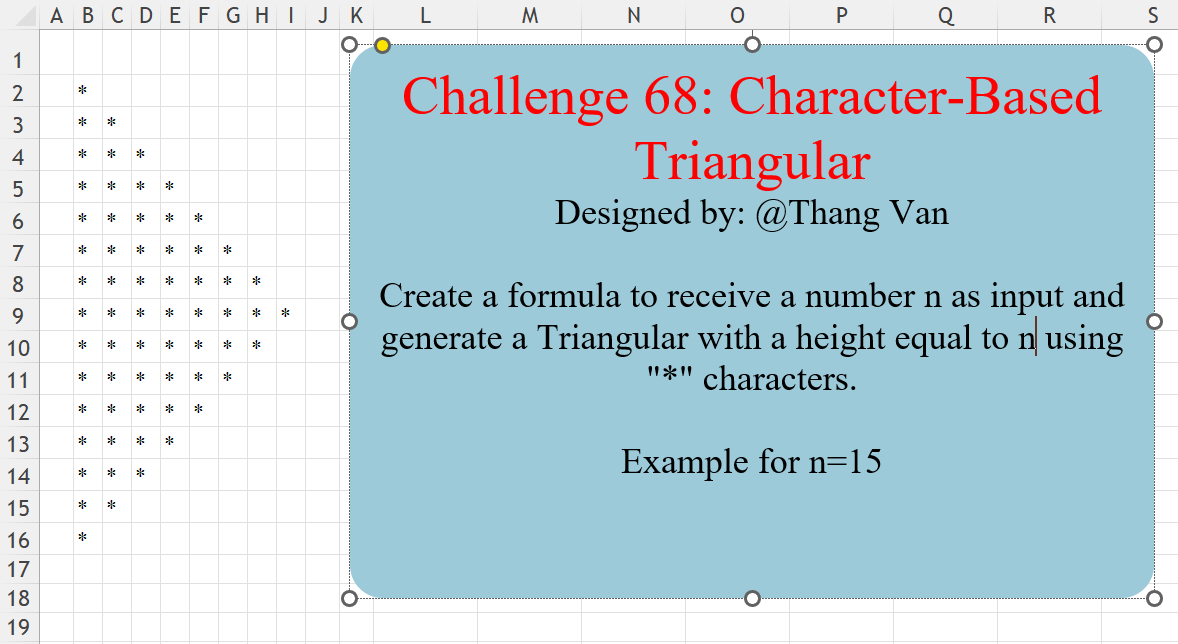
Character-Based Triangular
Challenge No. 68: Create a formula to receive a number n as input and generate a Triangular with a height equal to n using “*” characters.
Solved using:Excel (IF, LAMBDA, LET), Power Query (List.Repeat, List.Transform, Table.FromColumns), Python, R, and VBA.