
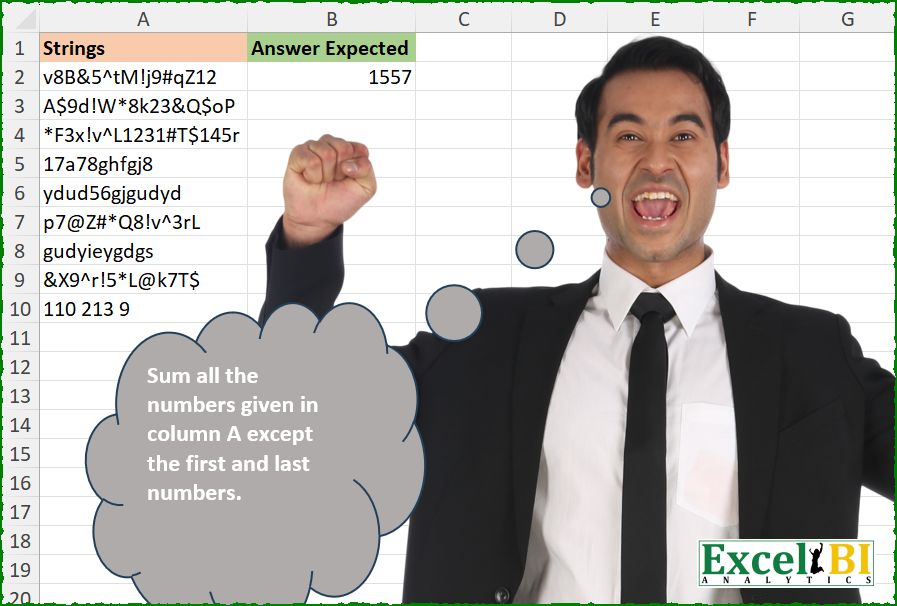
Challenge No. 688: Sum all the numbers given in column A except the first and last numbers in every cell.
Solved using: R.
Extracts text using a regular expression in Excel.
Challenge No. 688: Sum all the numbers given in column A except the first and last numbers in every cell.
Solved using: R.

Challenge No. 544: Extract the first and last set of numbers appearing in A2:A10 and sum them.
Solved using: R.
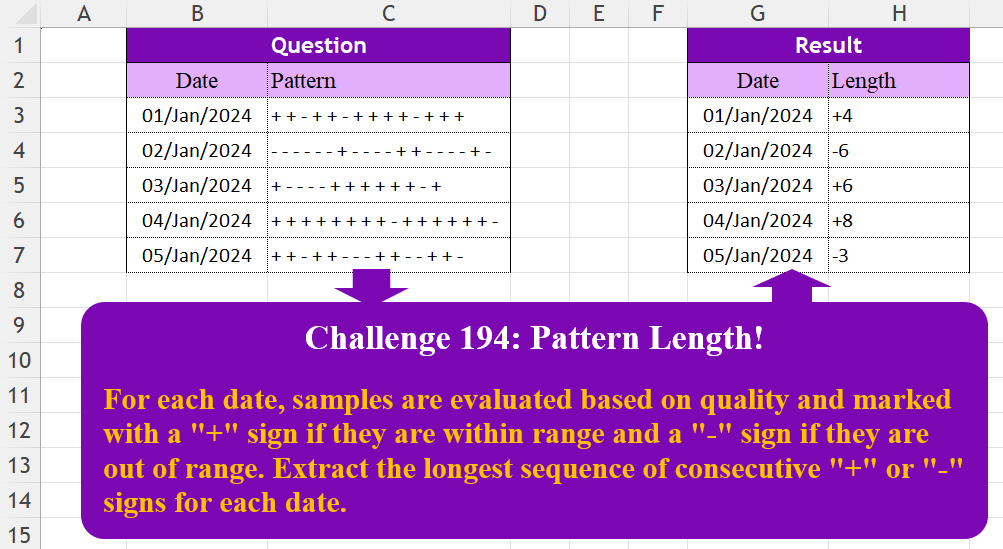
Challenge No. 194: For each date, samples are evaluated based on quality and marked with a “+” sign if they are within range and a “-” sign if they are out of range.
Solved using:Excel (DROP, HSTACK, IF), Google Sheets, Power Query (List.Transform, Text.Remove, Text.Split), Python, Python in Excel, and R.
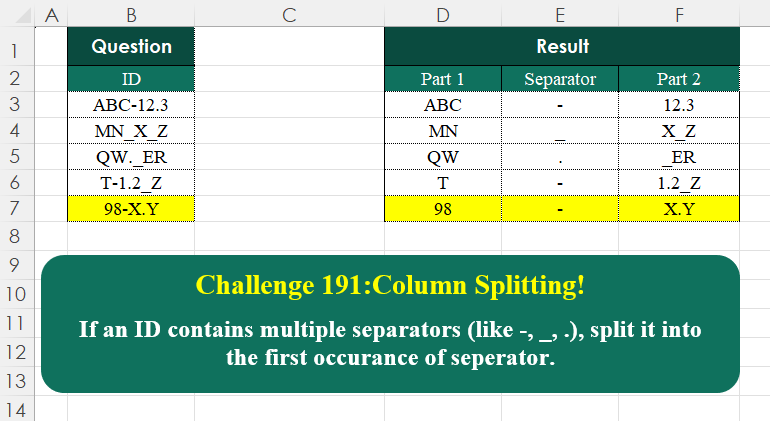
Challenge No. 191: If an ID contains multiple separators (like -, _, .
Solved using:Excel (HSTACK, LAMBDA, LEN), Google Sheets, Power Query (Text.PositionOf, Table.AddColumn, Table.FromRows), Python, Python in Excel, and R.
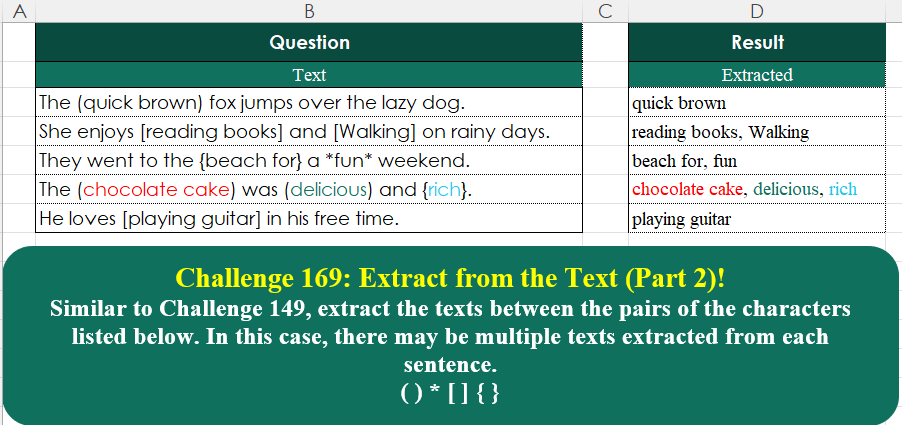
Challenge No. 169: Similar to Challenge 149, extract the texts between the pairs of the characters listed below.
Solved using:Excel (ARRAYTOTEXT, LAMBDA, MAP), Google Sheets, Power Query (List.Split, List.Transform, Text.Combine), Python, Python in Excel, and R.
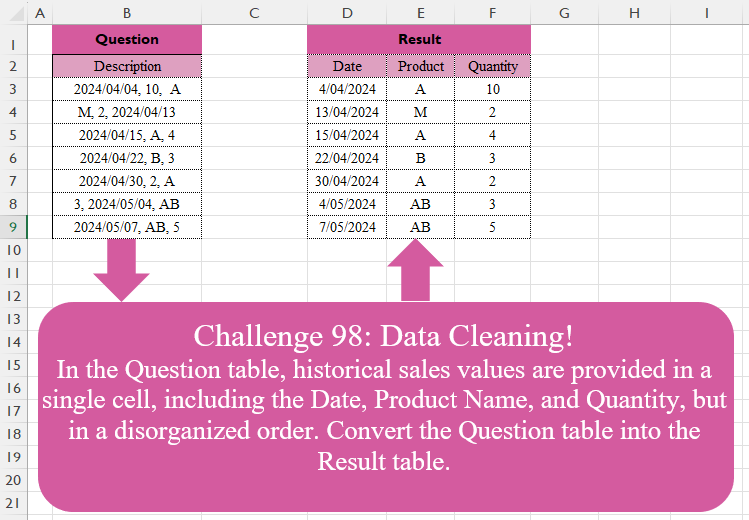
Challenge No. 98: In the Question table, historical sales values are provided in a single cell, including the Date, Product Name, and Quantity, but in a disorganized order.
Solved using:Excel (FILTER, HSTACK, IF), Google Sheets, Power Query (List.Transform, Text.Contains, Text.Split), Python, Python in Excel, and R.
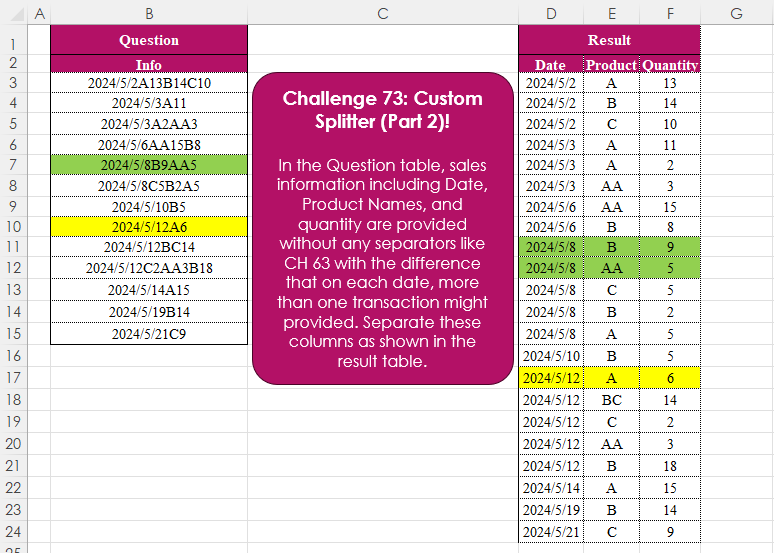
Challenge No. 73: In the Question table, sales information including Date, Product Names, and quantity are provided without any separators like CH 63 with the difference that on each date, more than one transaction might provided.
Solved using:Excel (CHAR, DROP, HSTACK), Power Query (List.Skip, List.Transform, Table.AddColumn), Python, and R.

Challenge No. 71: Extract all the emails from the text provided in the question table.
Solved using:Excel (FILTER, LEN, LET), Power Query (List.Transform, Text.Contains, Text.Split), Python, and R.

Challenge No. 63: In the Question table, sales information including Date, Product Name, and Quantity is provided without any separators.
Solved using:Excel (CHAR, HSTACK, LAMBDA), Power Query (List.Contains, Table.Combine, Table.FromRows), Python, R, and VBA.