
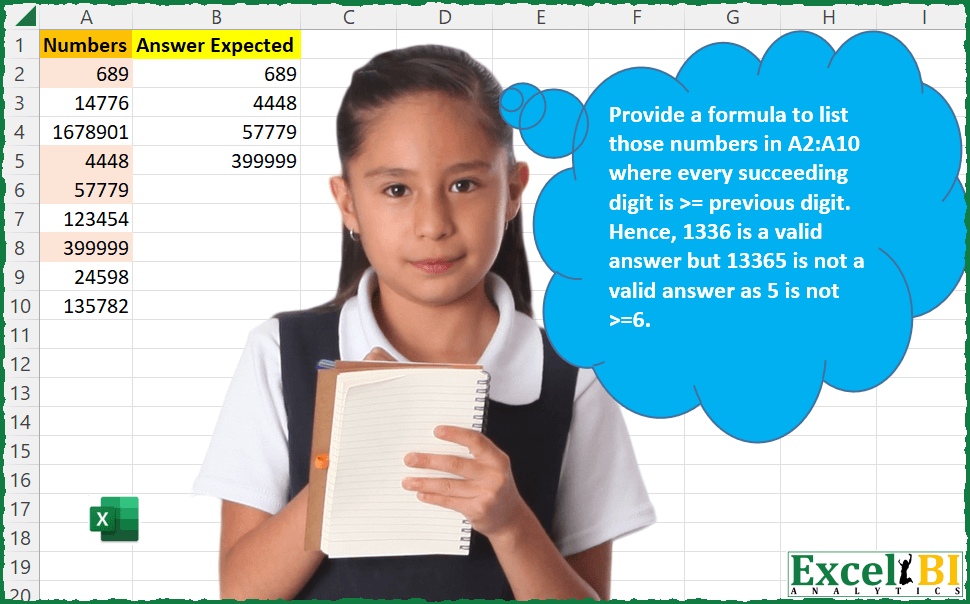
Challenge No. 49: Provide a formula to list those numbers in A2:A10 where every succeeding digit is >= previous digit.
Solved using: Python in Excel.
Applies a function to each element of one or more arrays in Excel.
Challenge No. 49: Provide a formula to list those numbers in A2:A10 where every succeeding digit is >= previous digit.
Solved using: Python in Excel.
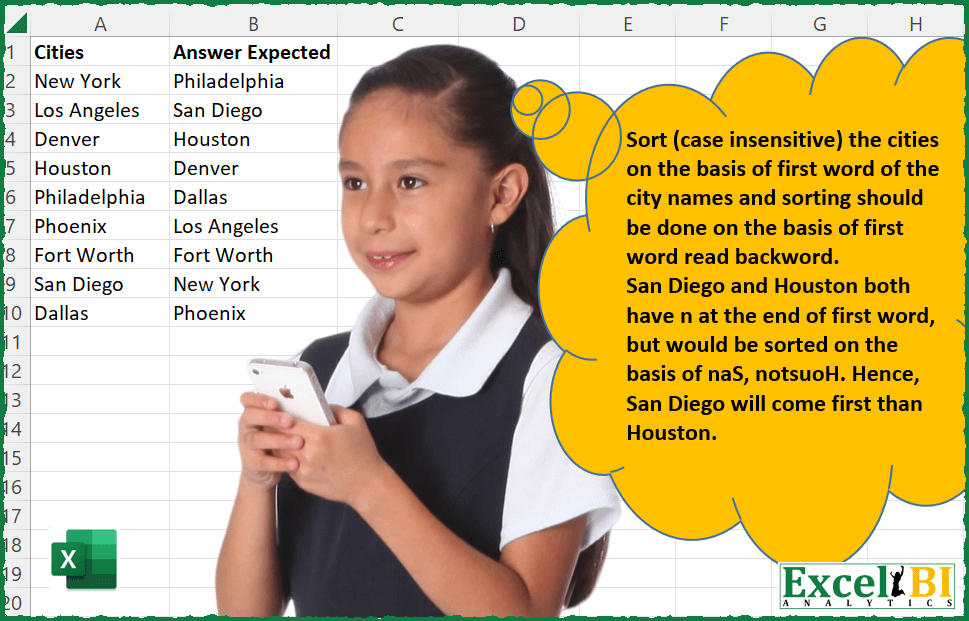
Challenge No. 48: Sort (case insensitive) the cities on the basis of first word of the city names and sorting should be done on the basis of first word read backward i.
Solved using: Power Query (Table.AddColumn, Table.Sort).
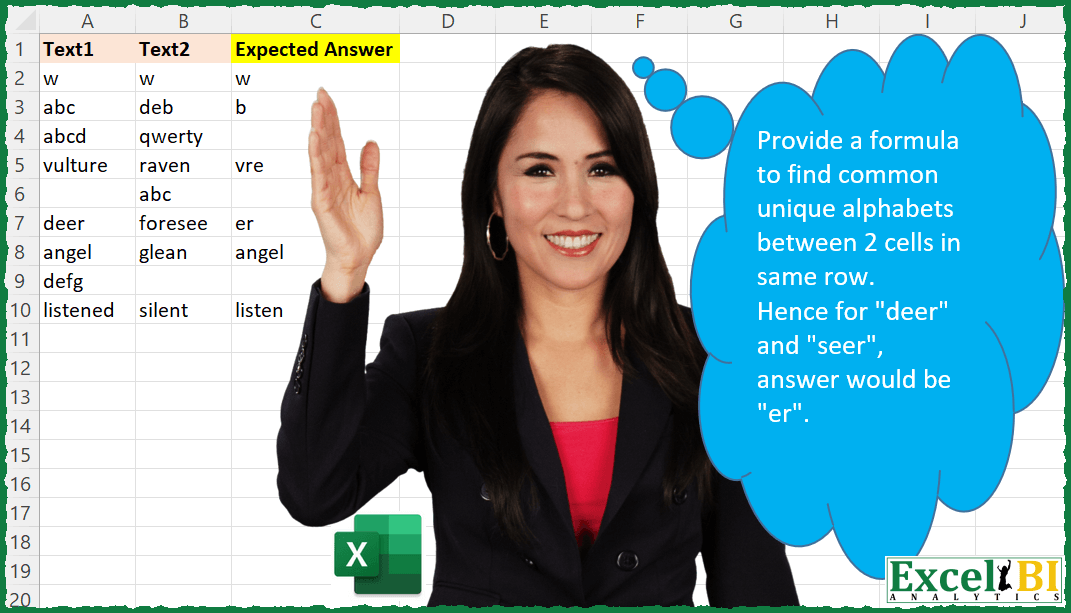
Challenge No. 40: Provide a formula to find common unique alphabets between 2 cells in same row.
Solved using: Power Query.
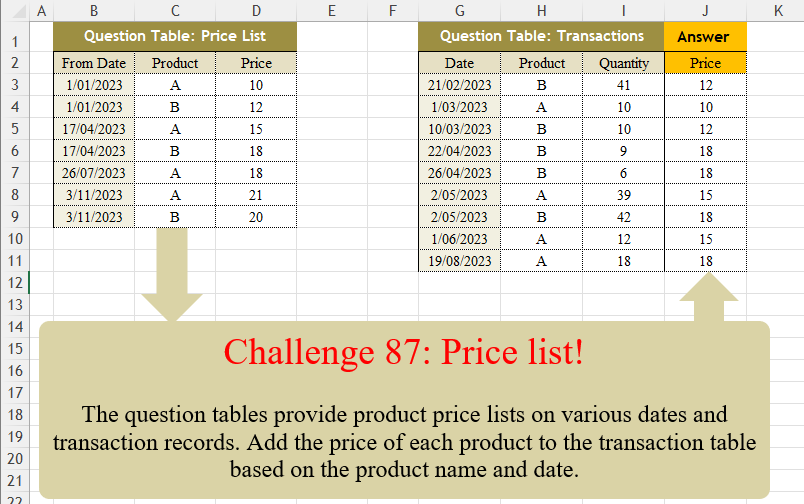
Challenge No. 87: The question tables provide product price lists on various dates and transaction records.
Solved using:Excel (FILTER, LAMBDA, LOOKUP), Power Query (Table.AddColumn, Table.SelectRows), Python, Python in Excel, R, and VBA.

Challenge No. 86: K-nearest neighbors (KNN) is a simple technique for replacing missing values with the average of the nearest values.
Solved using:Excel, Power Query, and VBA.
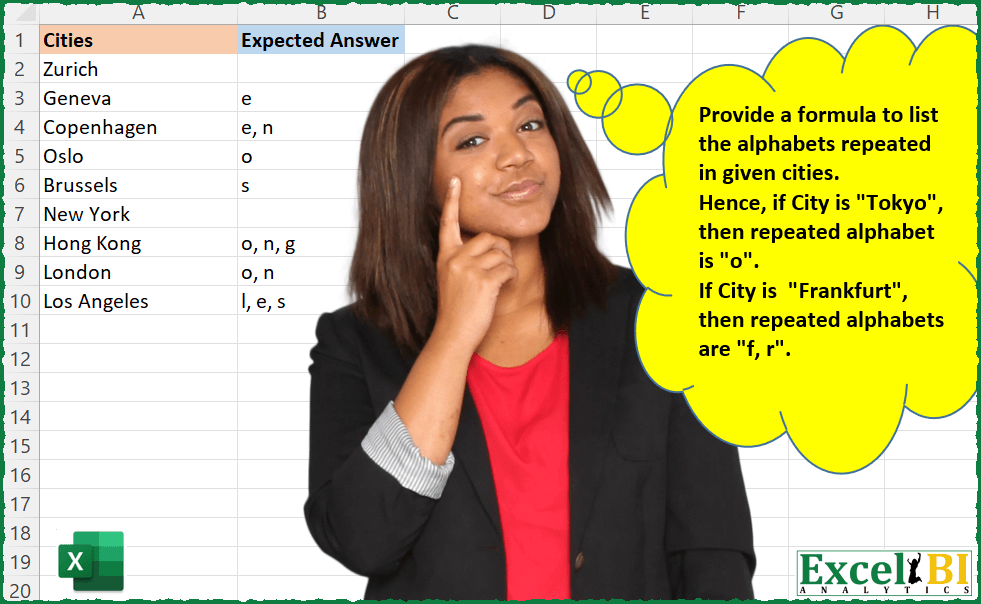
Challenge No. 30: Provide a formula to list the alphabets repeated in given cities.
Solved using: Power Query.
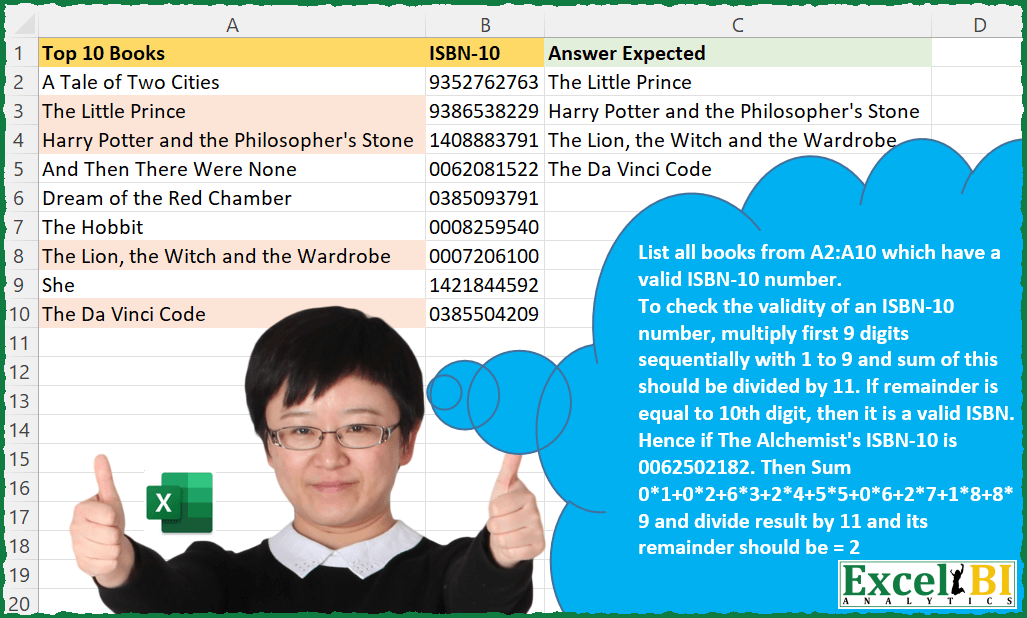
Challenge No. 29: List all books from A2:A10 which have a valid ISBN-10 number.
Solved using: Python in Excel.
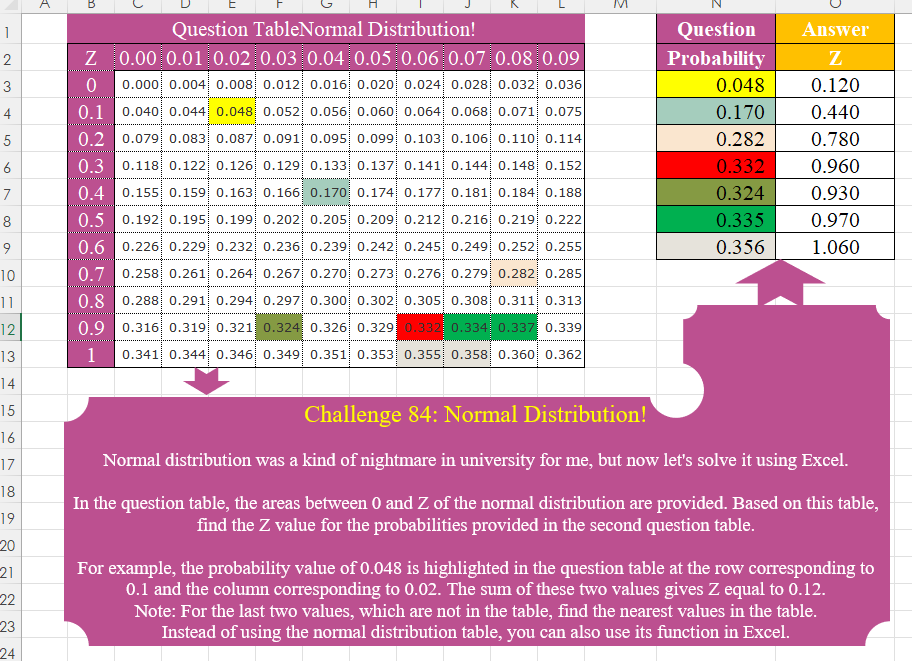
Challenge No. 84: Normal distribution was a kind of nightmare in university for me, but now let’s solve it using Excel.
Solved using:Excel (HSTACK, IF, INDEX), Power Query (Table.AddColumn), Python, Python in Excel, R, and VBA.
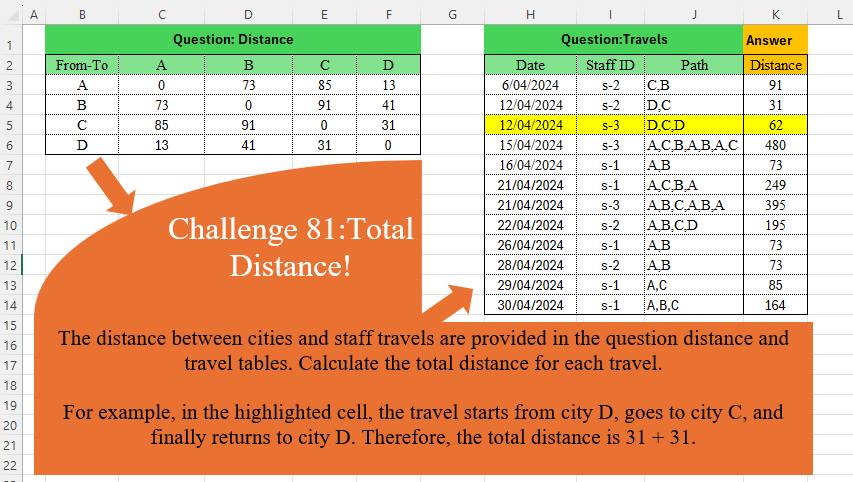
Challenge No. 81: The distance between cities and staff travels are provided in the question distance and travel tables.
Solved using:Excel (DROP, IFNA, INDEX), Power Query (Table.AddColumn), Python, and R.

Challenge No. 76: In challenge 58, we aimed to find an efficient way to calculate the stepped tax based on the tax rates presented in the question table.
Solved using:Excel (IFERROR, INDEX, LAMBDA), Power Query (Table.AddColumn), Python, Python in Excel, and R.