
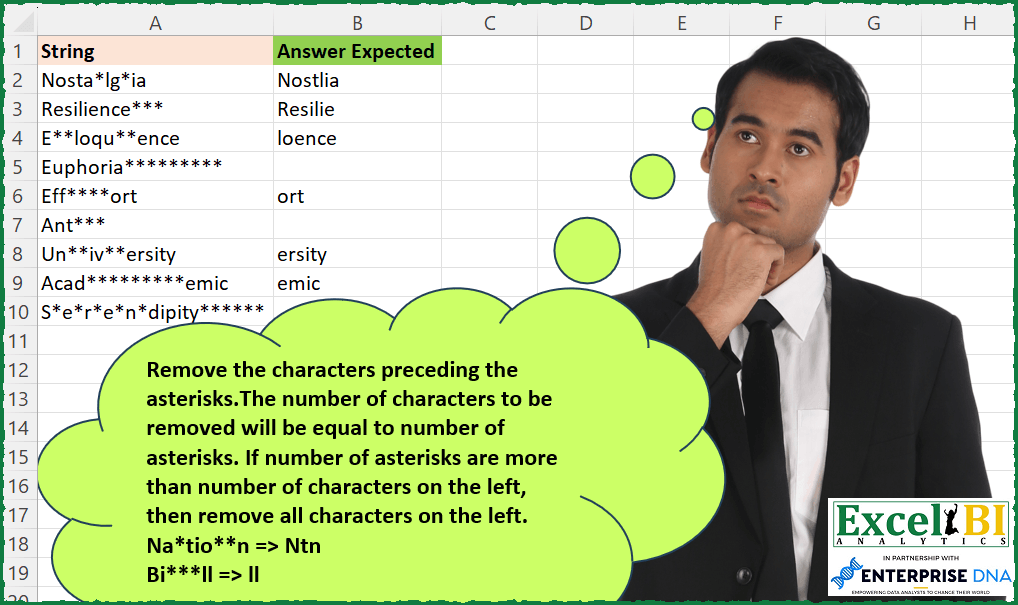
Challenge No. 194: Remove the characters preceding the asterisks.
Solved using: Power Query.
Assigns names to values or calculations to simplify formulas in Excel.
Challenge No. 194: Remove the characters preceding the asterisks.
Solved using: Power Query.

Challenge No. 133: Group the monthly sales values into three categories based on the following logic and provide one of the result tables:
Group 1: 1st to 10th of the month
Group 2: 11th to 20th of the month
Group 3: 21st to the end of the month.
Solved using:Excel (DATE, DAY, DROP), Google Sheets, Power Query (Table.Group, Date.Month, Table.AddColumn), Python, Python in Excel, and R.
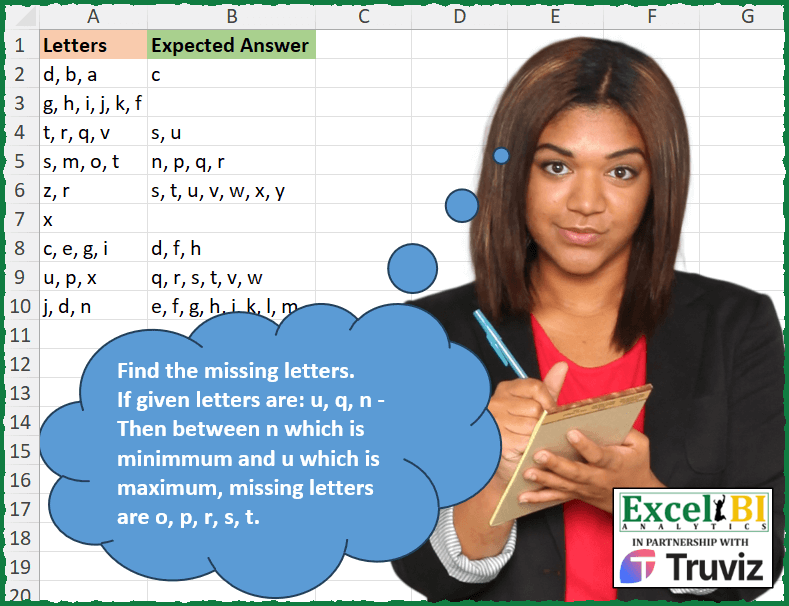
Challenge No. 193: Listed are the strings where letters are in increasing order.
Solved using: Power Query.
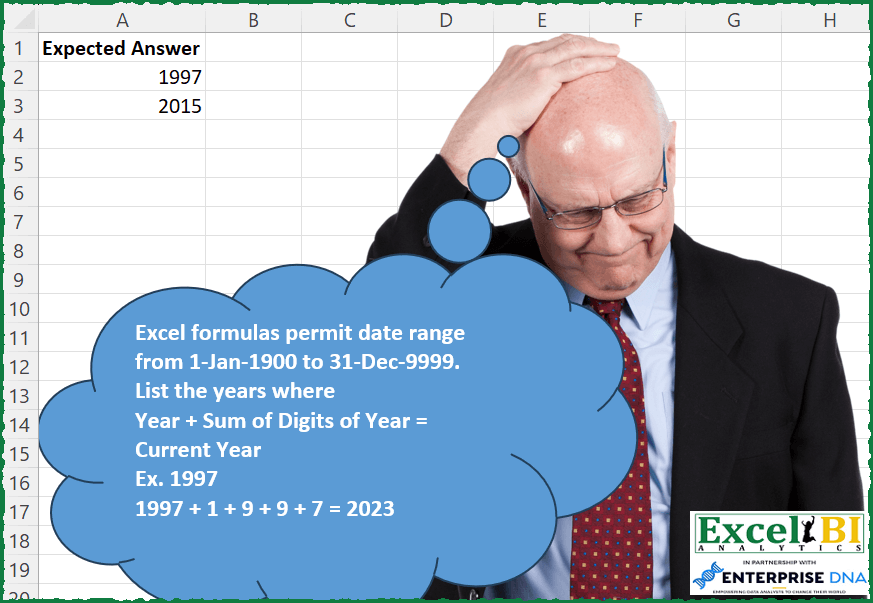
Challenge No. 192: Excel formulas permit date range from 1-Jan-1900 to 31-Dec-9999.
Solved using: Python in Excel.
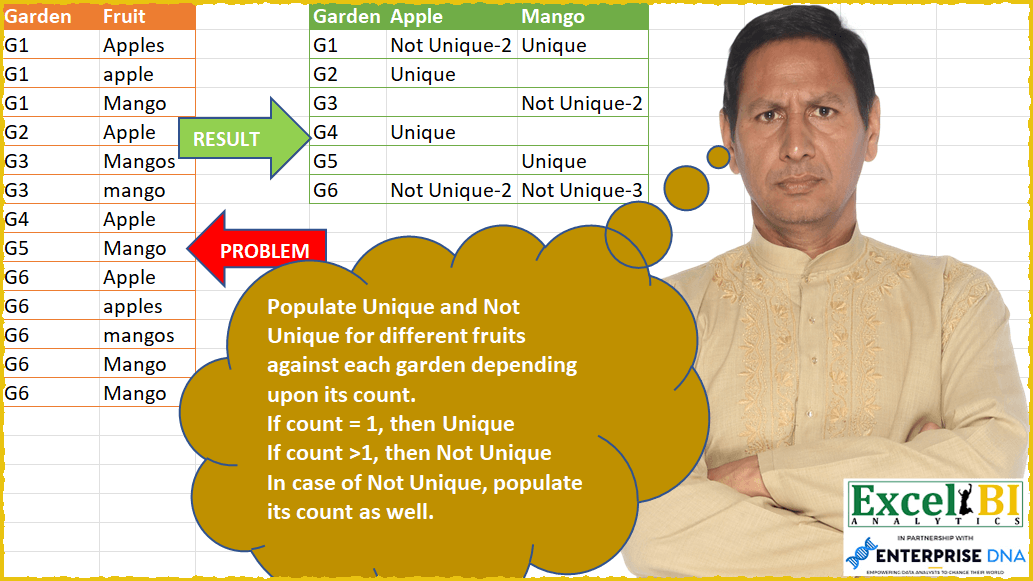
Challenge No. 56: Populate Unique and Not Unique for different fruits against each garden depending upon its count.
Solved using: Power Query (List.Distinct, Table.Group, Table.TransformColumns).

Challenge No. 190: Find the unique pairs of numbers whose sum is the maximum.
Solved using: Python in Excel.
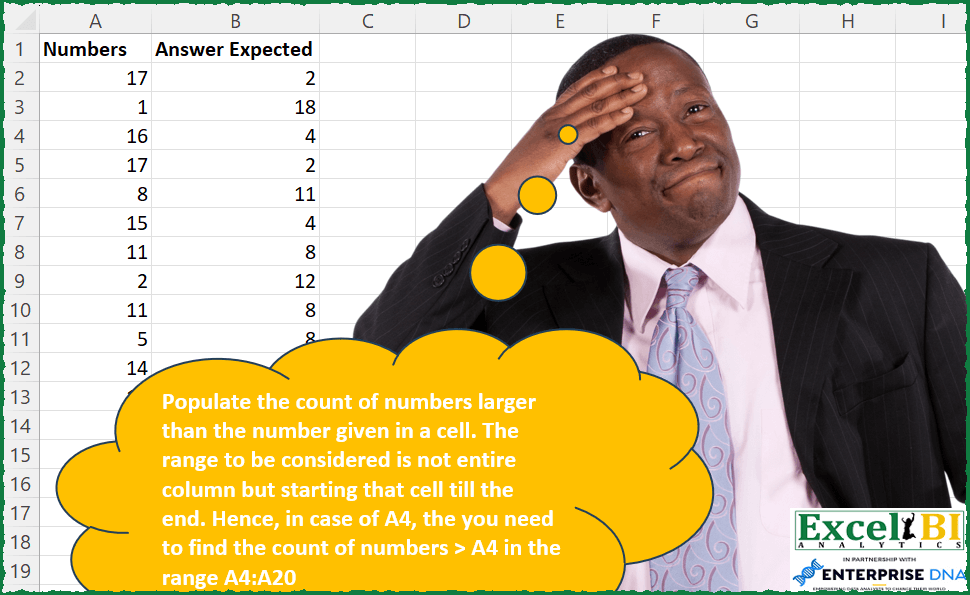
Challenge No. 189: Populate the count of numbers larger than the number given in a cell.
Solved using: Python in Excel.

Challenge No. 188: Sort Col 1 through 5 column wise on the basis of frequency.
Solved using: Power Query (List.Transform).
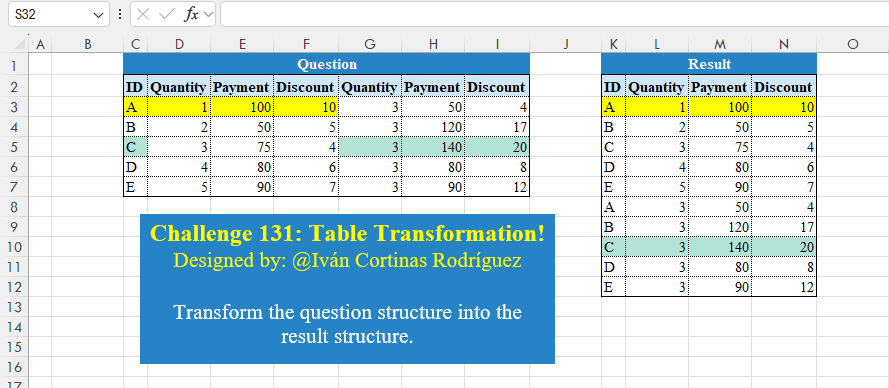
Challenge No. 131: Transform the question structure into the result structure.
Solved using:Excel (HSTACK, LET, ROWS), Google Sheets, Power Query (List.Skip, List.Split, List.Transform), Python, Python in Excel, and R.
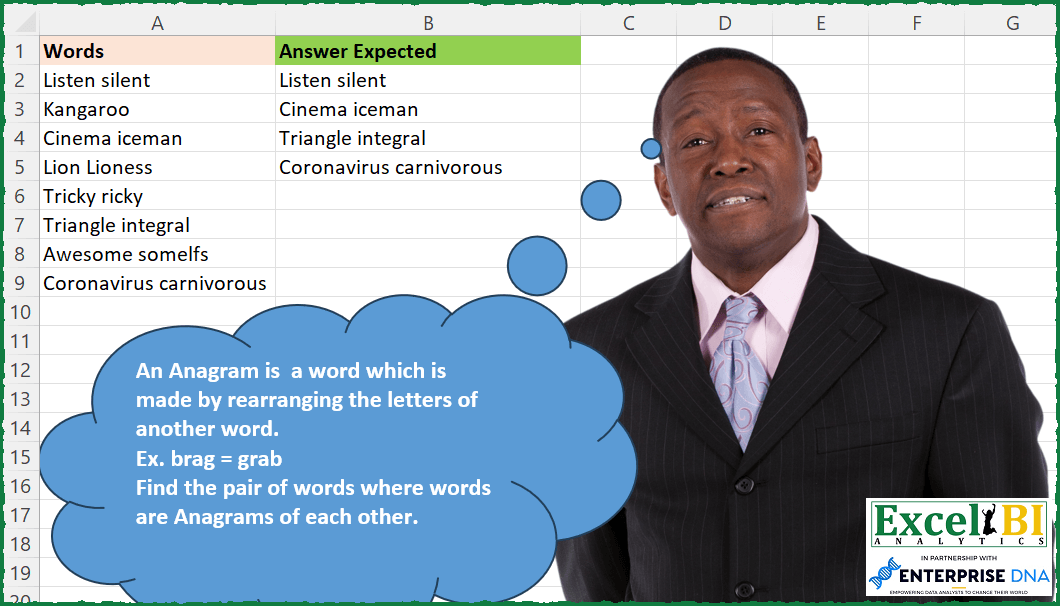
Challenge No. 187: An Anagram is a word which is made by rearranging the letters of another word.
Solved using: Power Query.