
Challenge No. 188: Sort Col 1 through 5 column wise on the basis of frequency.
Solved using: Power Query (List.Transform).

Removes a specified number of rows or columns from an array in Excel.
Challenge No. 188: Sort Col 1 through 5 column wise on the basis of frequency.
Solved using: Power Query (List.Transform).

Challenge No. 54: From the transaction table, generate output as shown.
Solved using: Power Query.

Challenge No. 182: Find the missing numbers in Arithmetic Progressions given.
Solved using: Python in Excel.
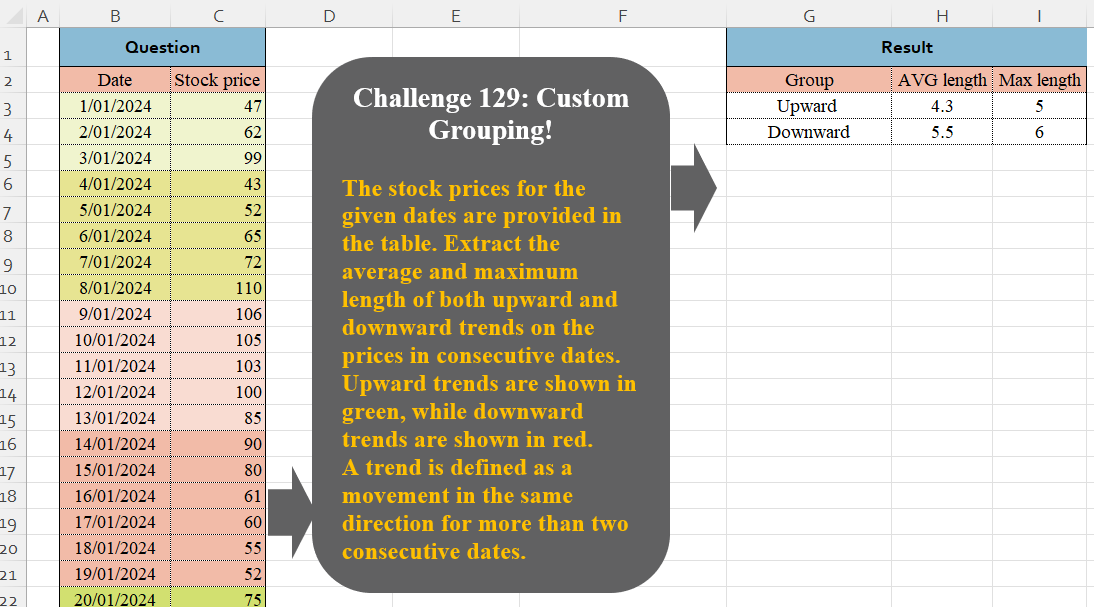
Challenge No. 129: The stock prices for the given dates are provided in the table.
Solved using:Excel (DROP, GROUPBY, HSTACK), Google Sheets, Power Query (Table.Group, Table.AddColumn, Table.Group), Python in Excel, and R.
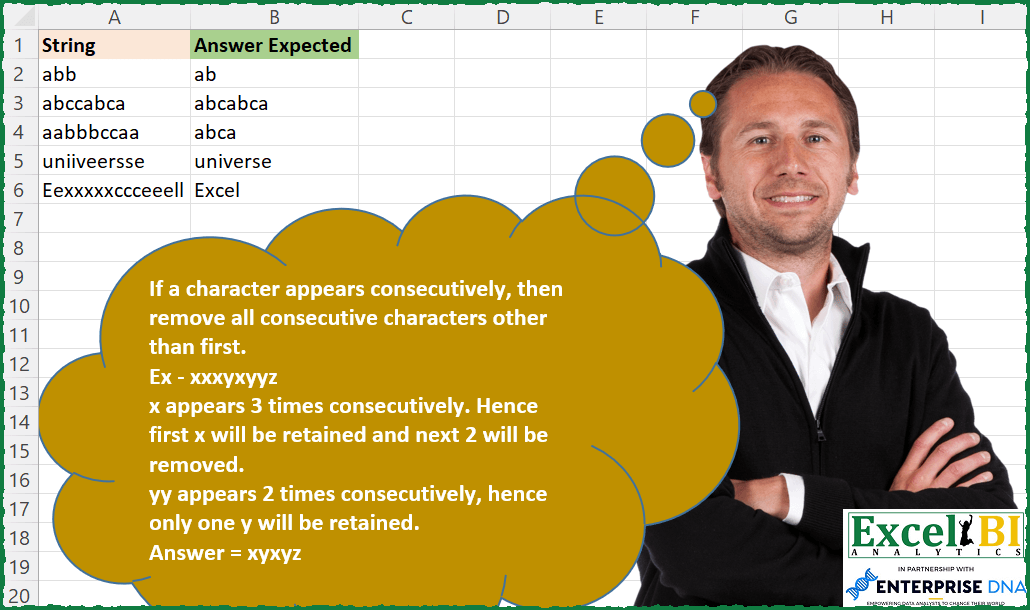
Challenge No. 179: If a character appears consecutively, then remove all consecutive characters other than first.
Solved using: Excel VBA.

Challenge No. 127: Add an index column to the question table, with a separate counter for each stock.
Solved using:Excel (DROP, FILTER, HSTACK), Google Sheets, Power Query (Table.AddColumn, Table.AddIndexColumn), Python, Python in Excel, and R.
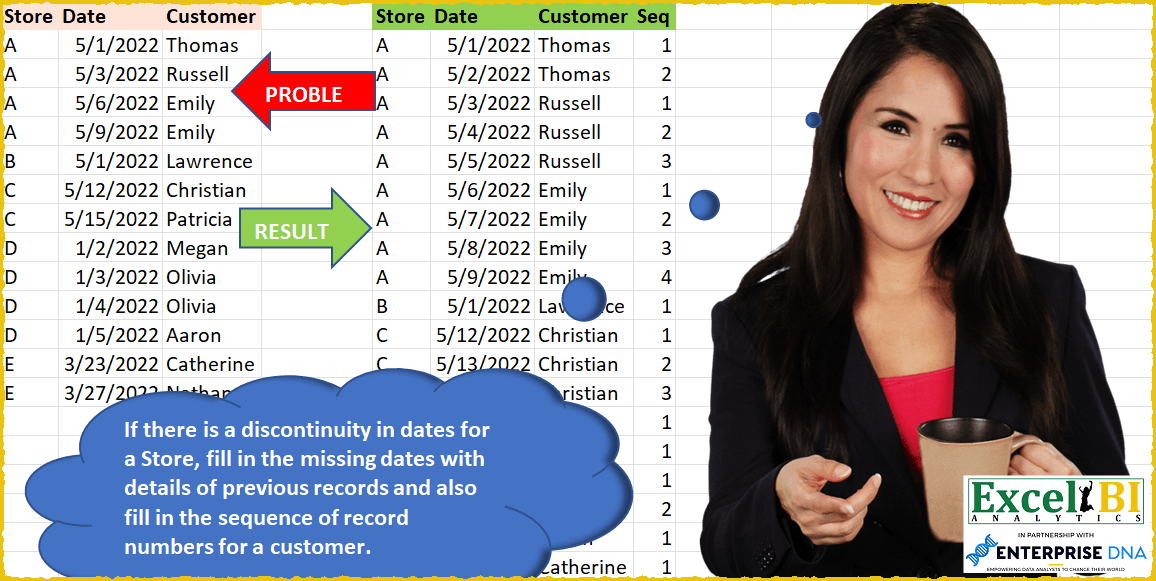
Challenge No. 50: If there is a discontinuity in dates for a Store, fill in the missing dates with details of previous records and also fill in the sequence of record numbers for a customer in that store.
Solved using: SQL.
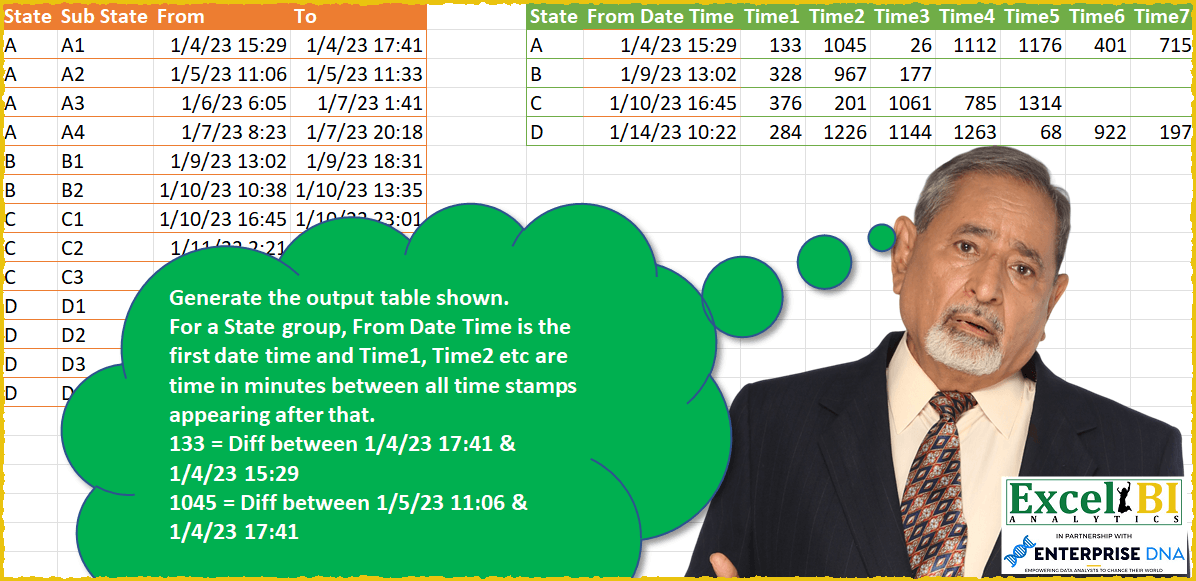
Challenge No. 49: Generate the output table shown.
Solved using: SQL.
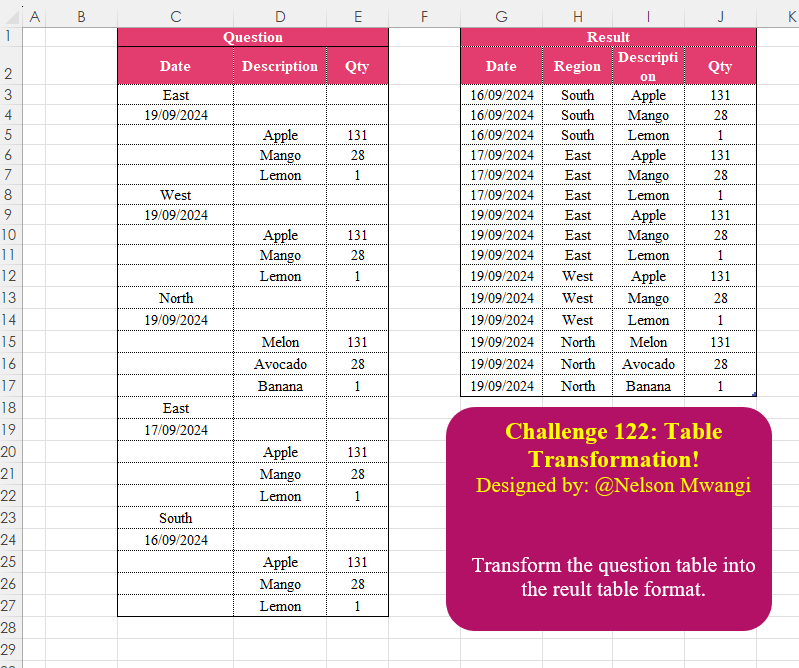
Challenge No. 122: Transform the question table into the reult table format.
Solved using:Excel (DROP, FILTER, HSTACK), Google Sheets, Power Query (List.Transform, Text.Contains, Table.AddColumn), Python, Python in Excel, and R.

Challenge No. 159: Reverse all columns from Cities1 to Cities5.
Solved using: Power Query (List.RemoveNull, List.Reverse, List.Transform).