
Challenge No. 147: Fill down / up all 4 columns for different customer IDs.
Solved using: Python.

Returns a list of column names from a table in Power Query.
Challenge No. 147: Fill down / up all 4 columns for different customer IDs.
Solved using: Python.
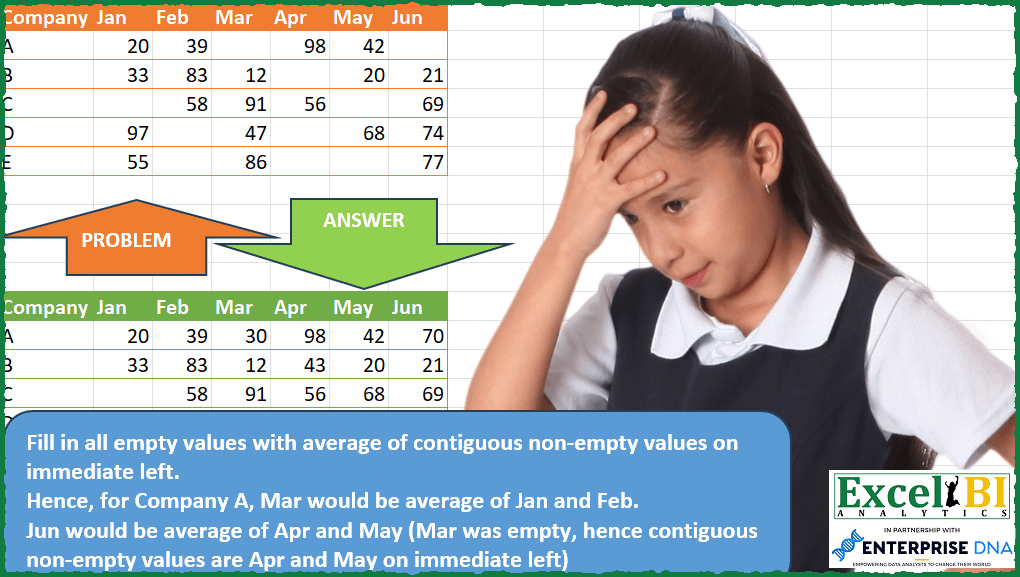
Challenge No. 120: Fill in all empty values with average of contiguous non-empty values on immediate left.
Solved using: Power Query (List.Transform, Table.Column, Table.ColumnNames).

Challenge No. 182: In the question table, assign an index to the blank cells, starting from 1.
Solved using:Excel (IF, LAMBDA, LET), Google Sheets, Power Query (List.Combine, List.Split, List.Transform), Python, Python in Excel, and R.
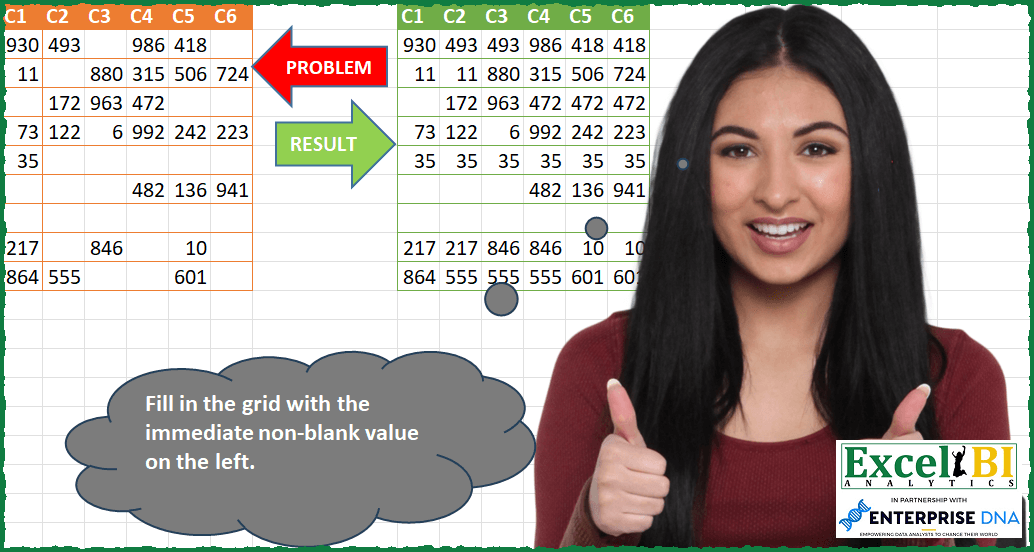
Challenge No. 97: Fill in the grid with the immediate non-blank value on the left.
Solved using: Excel VBA.
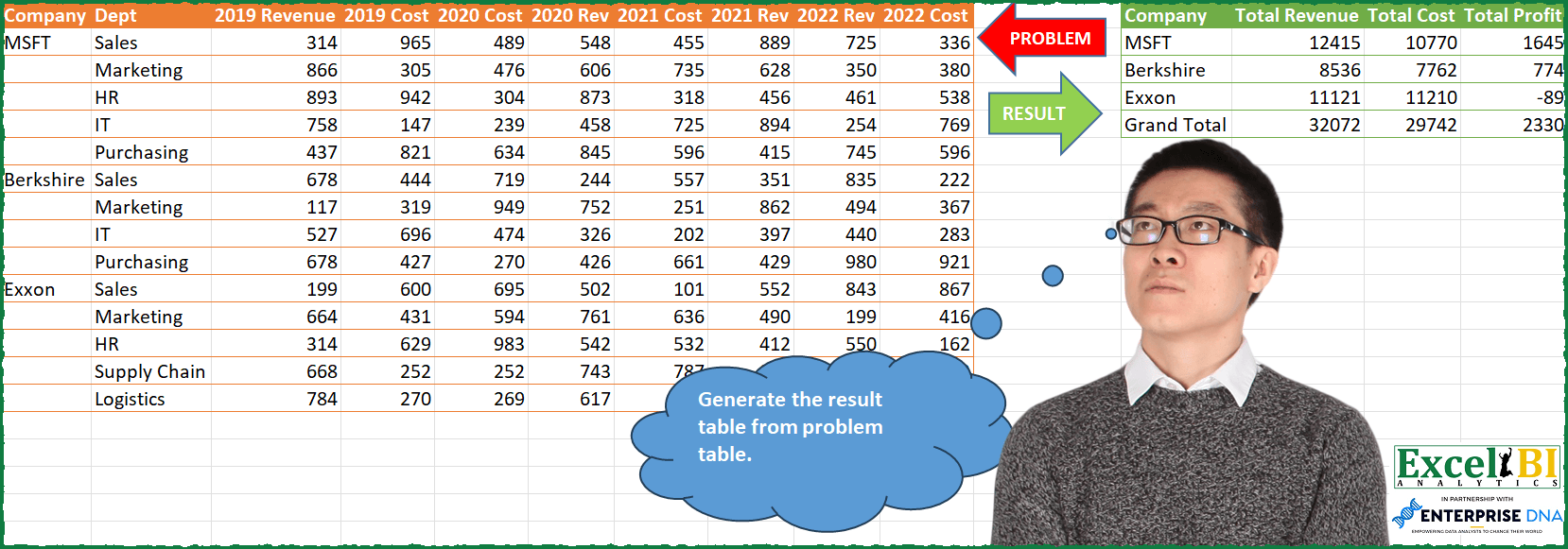
Challenge No. 85: Generate the result table from problem table.
Solved using: Python in Excel.

Challenge No. 155: Transform the question table into the result table format.
Solved using:Excel (DROP, FILTER, HSTACK), Google Sheets, Power Query (List.Skip, List.Transform, Table.AddColumn), Python, Python in Excel, and R.
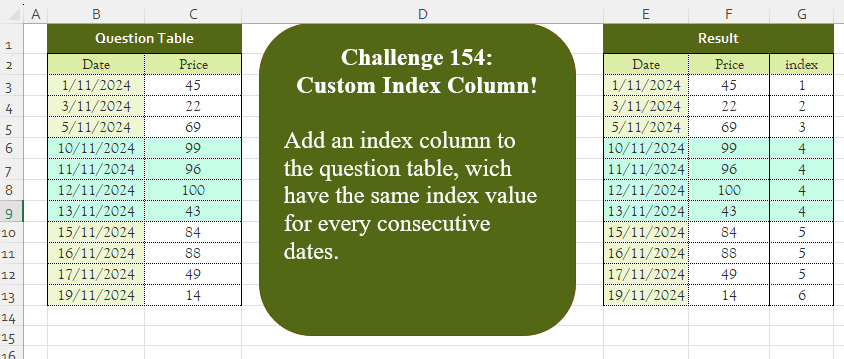
Challenge No. 154: Add an index column to the question table, which has the same index value for every consecutive date.
Solved using:Excel (DROP, IF, LAMBDA), Google Sheets, Power Query (Table.AddColumn, Table.AddIndexColumn, Table.Column), Python, Python in Excel, and R.
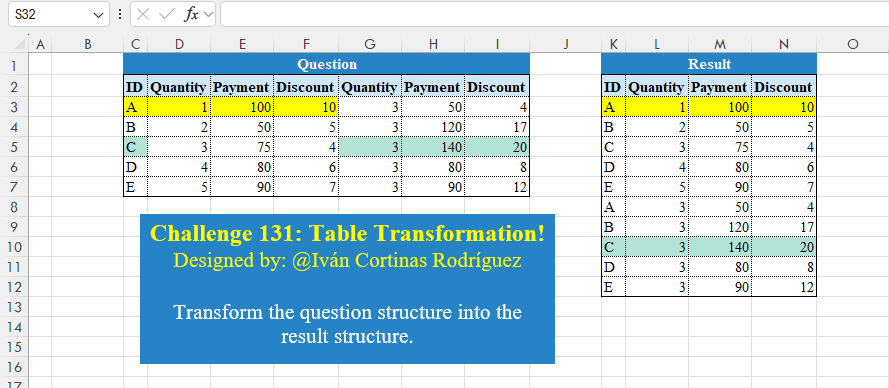
Challenge No. 131: Transform the question structure into the result structure.
Solved using:Excel (HSTACK, LET, ROWS), Google Sheets, Power Query (List.Skip, List.Split, List.Transform), Python, Python in Excel, and R.

Challenge No. 159: Reverse all columns from Cities1 to Cities5.
Solved using: Power Query (List.RemoveNull, List.Reverse, List.Transform).

Challenge No. 44: Generate result table as shown.
Solved using: Python in Excel.