
Challenge No. 271: From first group, pick up top 1 on the basis of revenue, from second group, pick up top 2 and so on.
Solved using: Python in Excel.

Returns the position of a value in a list in Power Query.
Challenge No. 271: From first group, pick up top 1 on the basis of revenue, from second group, pick up top 2 and so on.
Solved using: Python in Excel.
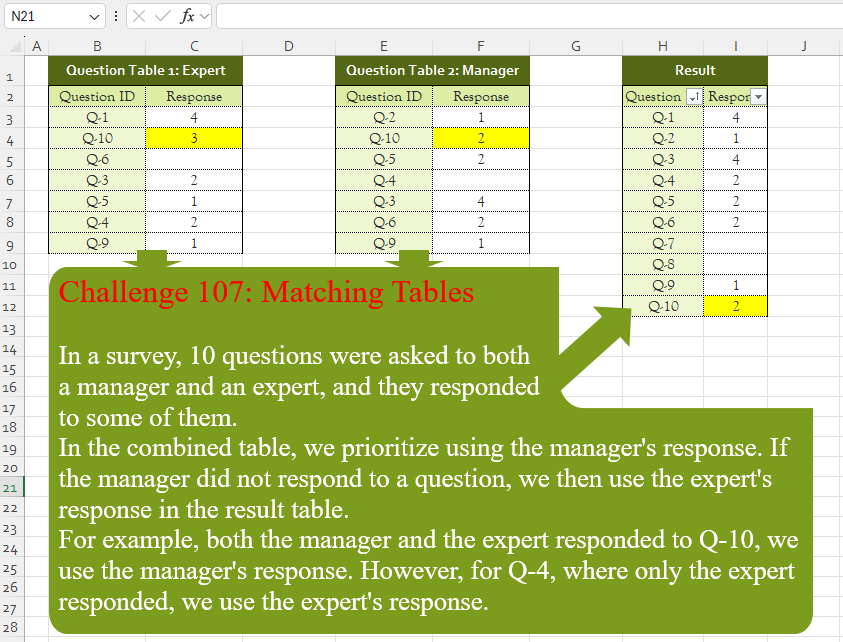
Challenge No. 107: In a survey, 10 questions were asked to both
a manager and an expert, and they responded
to some of them.
Solved using:Excel (CHOOSECOLS, FILTER, HSTACK), Google Sheets, Power Query (List.PositionOf, List.Transform, Table.AddColumn), Python, Python in Excel, and R.
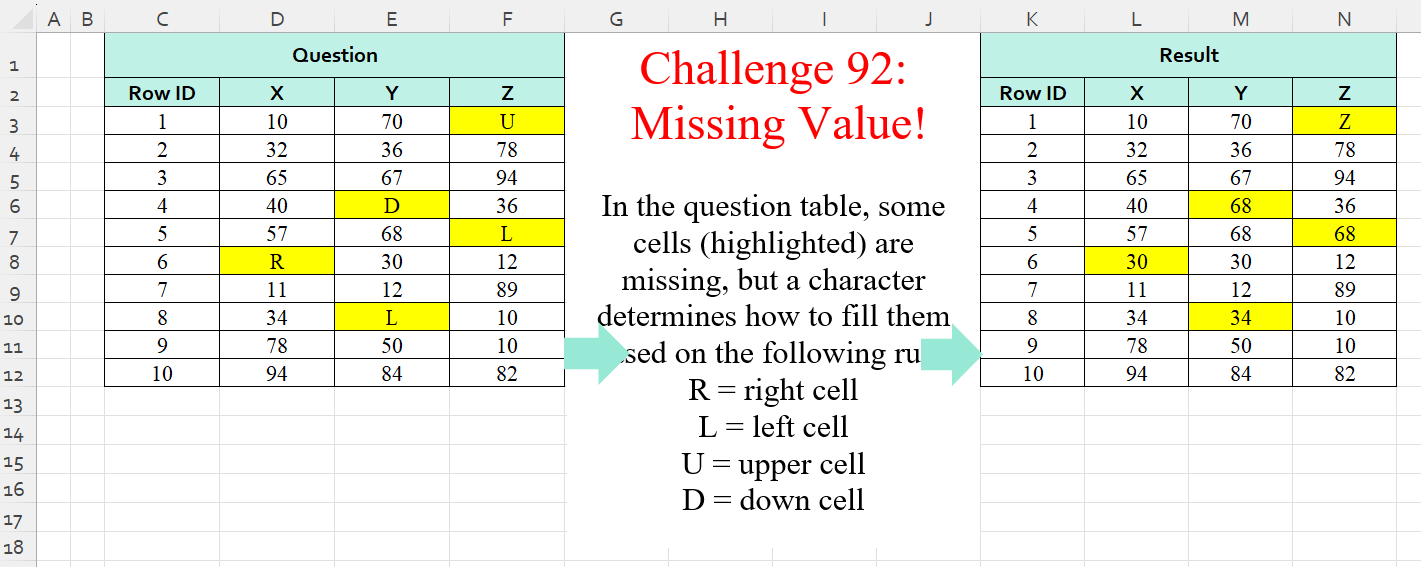
Challenge No. 92: In the question table, some cells (highlighted) are missing, but a character determines how to fill them based on the following rule:
R = right cell
L = left cell
U = upper cell
D = down cell.
Solved using:Excel (IF, IFS, INDEX), Power Query (List.PositionOf, List.Transform), Python, Python in Excel, and R.

Challenge No. 66: Convert the Question table with the merge headers into the result table.
Solved using:Excel (DROP, HSTACK, IF), Power Query (List.Distinct, List.PositionOf, Table.Pivot), Python, R, and VBA.